
Manual Pengguna Mesin Jahit Berkomputer JACK A4B
Model: A4B
pengenalan
This manual provides comprehensive instructions for the safe and efficient operation, setup, and maintenance of your JACK A4B Computerized Sewing Machine. Please read this manual thoroughly before using the machine to ensure proper function and to prevent damage or injury. Keep this manual accessible for future reference.
Arahan Keselamatan Penting
Apabila menggunakan perkakas elektrik, langkah berjaga-jaga keselamatan asas hendaklah sentiasa dipatuhi, termasuk yang berikut:
- Baca semua arahan sebelum menggunakan mesin jahit ini.
- Jauhkan jari dari semua bahagian yang bergerak. Penjagaan khas diperlukan di sekitar jarum mesin jahit.
- Sentiasa gunakan plat jarum yang betul. Plat yang salah boleh menyebabkan jarum patah.
- Jangan gunakan jarum bengkok.
- Jangan tarik atau tolak fabrik semasa menjahit. Ini boleh memesongkan jarum, menyebabkan ia patah.
- Matikan mesin jahit apabila membuat sebarang pelarasan pada kawasan jarum, seperti memasukkan benang ke dalam jarum, menukar jarum, memasukkan benang ke dalam gelendong atau menukar kaki penekan.
- Sentiasa cabut plag mesin jahit daripada saluran keluar elektrik apabila menanggalkan penutup, pelincir, atau semasa membuat sebarang pelarasan servis pengguna lain yang dinyatakan dalam manual arahan.
- Jangan sekali-kali menjatuhkan atau memasukkan sebarang objek ke dalam mana-mana bukaan.
- Jangan gunakan di luar rumah.
- Jangan beroperasi di tempat produk aerosol (semburan) digunakan atau di mana oksigen diberikan.
Kandungan Pakej
Sahkan bahawa semua item yang disenaraikan di bawah disertakan dalam pakej anda:
- Mesin Jahit
- Manual Pengguna
- Kord Kuasa

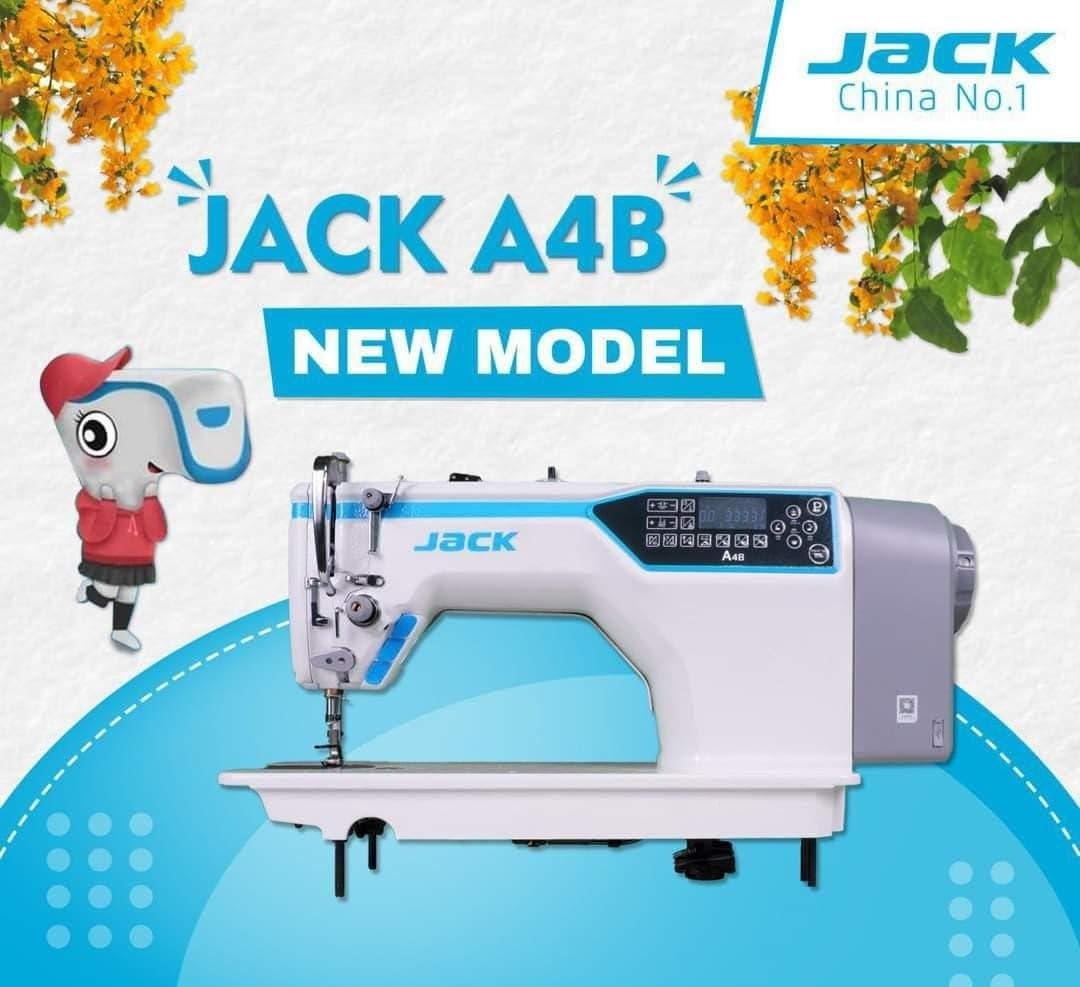
Image: The main unit of the JACK A4B Computerized Sewing Machine, showing its white and blue design with control panel.
Arahan Persediaan
- Membongkar: Carefully remove the sewing machine and all accessories from the packaging. Retain packaging for future transport or storage.
- penempatan: Place the machine on a stable, flat surface. Ensure there is adequate space around the machine for comfortable operation.
- Sambungan Kuasa: Connect the provided power cord to the machine's power input and then to a suitable electrical outlet. Ensure the power switch is in the OFF position before connecting.
- Foot Pedal (if applicable): Connect the foot pedal to its designated port on the machine.
- Penguliran Awal: Refer to the threading diagrams (not provided in this text, but would be in a full manual) for proper upper thread and bobbin threading.
Imej: Sebelah view of the JACK A4B sewing machine, highlighting its robust construction and design.
Mengendalikan Mesin
The JACK A4B is designed for ease of use, offering a range of features to enhance your sewing experience.
Ciri-ciri Utama:
- serba boleh: Suitable for a wide range of projects.
- Kawalan Mesra Pengguna: Intuitive control panel with easy-to-use dials and buttons.
- Adjustable Stitch Length and Width: Customize stitch settings for various fabrics and projects.
- Benang Jarum Automatik: Memudahkan proses penyambungan benang, menjimatkan masa dan usaha.
Operasi asas:
- Hidupkan kuasa: Flip the power switch to the ON position. The control panel will illuminate.
- Select Stitch: Use the control panel buttons to select your desired stitch pattern. Refer to the display for current stitch settings.
- Laraskan Tetapan: Modify stitch length and width as needed using the dedicated controls.
- Mula Menjahit: Place your fabric under the presser foot. Lower the presser foot lever. Gently press the foot pedal to begin sewing.
- Stop Sewing: Release the foot pedal to stop. Raise the presser foot lever and remove your fabric.

Imej: A terperinci view of the control panel and needle area of the JACK A4B, showing the digital display and buttons for stitch selection and adjustments.
Penyelenggaraan dan Penjagaan
Penyelenggaraan yang kerap memastikan jangka hayat dan prestasi optimum mesin jahit anda.
- Pembersihan: Regularly clean lint and dust from the bobbin case, feed dogs, and tension discs using a small brush or vacuum cleaner. Always unplug the machine before cleaning.
- meminyaki: Refer to the machine's specific oiling points (if indicated in a full manual) and apply a small amount of sewing machine oil as recommended.
- Penggantian jarum: Change the needle frequently, especially when working with different fabrics or if the needle shows signs of wear or bending.
- Storan: Apabila tidak digunakan, tutup mesin untuk melindunginya daripada habuk. Simpan di tempat yang kering dan sejuk.
Imej: Depan view of the JACK A4B sewing machine, illustrating its compact and functional design.
Panduan Penyelesaian Masalah
Bahagian ini membincangkan isu-isu biasa yang mungkin anda hadapi. Untuk masalah yang lebih kompleks, sila hubungi khidmat pelanggan.
| Masalah | Kemungkinan Punca | Penyelesaian |
|---|---|---|
| Mesin tidak dihidupkan | Power cord not connected; Power switch off; Foot pedal not connected. | Check power connections; Ensure switch is ON; Connect foot pedal securely. |
| Jahitan yang dilangkau | Incorrect needle; Bent needle; Improper threading; Fabric too thick/thin. | Use correct needle type/size; Replace needle; Re-thread machine; Adjust tension or use appropriate needle/foot. |
| Pemutusan benang | Improper threading; Incorrect tension; Damaged needle; Poor quality thread. | Re-thread machine; Adjust tension; Replace needle; Use good quality thread. |
| Fabrik tidak menyusu | Presser foot not lowered; Feed dogs obstructed; Stitch length set to zero. | Lower presser foot; Clean feed dogs; Adjust stitch length. |
Spesifikasi Produk
| Ciri | Perincian |
|---|---|
| Jenama | Jack |
| Nombor Model | A4B |
| taip | Mesin Jahit Berkomputer |
| Berat Barang | 30 kg |
| Dimensi Produk | 30D x 50W x 35H Sentimeter |
| warna | White And Blue |
| Tahun Pengilangan | 2023 |
| Komponen yang Disertakan | Power Cord, Sewing Machine, User Manual |
Waranti dan Sokongan
For warranty information and customer support, please refer to the documentation provided with your purchase or contact the manufacturer directly. Keep your proof of purchase for any warranty claims.


