
pengenalan
This manual provides essential information for the safe and efficient use of your HP 15 Professional Slim High-Performance Laptop. Please read these instructions carefully before using your device. Keep this manual for future reference.
1. Persediaan Awal
1.1 Unboxing and Connecting Power
Carefully remove the laptop and all accessories from the packaging. Connect the provided AC adapter to the laptop's power port and then to a power outlet. It is recommended to fully charge the battery before first use.

Image: The HP 15 laptop shown from the front, with the power adapter connected to the side. This illustrates the initial connection for charging.
1.2 But Pertama dan Persediaan Sistem Pengendalian
Press the power button to turn on the laptop. Follow the on-screen instructions to complete the Windows 11 Home operating system setup. This includes selecting your region, connecting to a Wi-Fi network, and creating a user account.

Image: The HP 15 laptop open, displaying the Windows 11 desktop interface, indicating successful operating system initialization.
2. Mengendalikan Komputer Riba Anda
2.1 Mod Hidup/Mati dan Tidur
- Hidupkan kuasa: Tekan butang kuasa yang terletak pada dek papan kekunci.
- Matikan: Klik butang Mula, kemudian Kuasa, dan pilih "Matikan."
- Mod tidur: Tutup penutup atau klik butang Mula, kemudian Kuasa dan pilih "Tidur".
2.2 Papan Kekunci dan Pad Sentuh
The laptop features a full-size island-style QWERTY keyboard and a multi-touch touchpad. Use the touchpad for navigation and gestures. Refer to Windows 11 settings for touchpad customization.
2.3 Ketersambungan
Your HP 15 laptop offers various connectivity options:
- Wi-Fi: Supports Realtek Killer Wi-Fi 6 (802.11ax) for high-speed wireless internet access.
- Bluetooth: Integrated Bluetooth 5.3 for connecting wireless peripherals like headphones and mice.
- Port USB:
- Two (2) USB 3.2 Gen 1.0 Type-A ports (5 Gbps signaling rate).
- One (1) USB 3.2 Gen 1.0 Type-C port (5 Gbps signaling rate, data transfer only; charging or external monitors not supported).
- HDMI: One (1) HDMI v1.4b output port for connecting to external displays.
- Jack Audio: One (1) headphone/microphone combo port.
Imej: Sebelah view of the HP 15 laptop, highlighting the various input/output ports for external device connectivity.
2.4 Audio dan Kamera
- Audio: Equipped with dual speakers for audio output and HD Audio support.
- kamera: Features an HP True Vision 720p HD camera with integrated dual array digital microphones, suitable for video calls and online meetings.

Image: The HP 15 laptop displaying a video conference call, demonstrating the use of the integrated camera and microphone.
3. Penyelenggaraan dan Penjagaan
3.1 Membersihkan Komputer Riba Anda
- Skrin: Gunakan kain lembut yang tidak berbulu dampdiisi dengan air atau pembersih skrin. Jangan sembur cecair terus ke skrin.
- Papan Kekunci dan Casis: Gunakan kain lembut dan kering. Untuk kotoran degil, sedikit damp kain boleh digunakan, memastikan tiada kelembapan memasuki bukaan.
- Pengudaraan: Periodically check and gently clean the ventilation openings to prevent dust buildup, which can affect cooling.
3.2 Penjagaan Bateri
To maximize battery lifespan, avoid extreme temperatures and prolonged full discharge or full charge states. For long-term storage, charge the battery to approximately 50%.
3.3 Kemas Kini Perisian
Regularly check for and install Windows updates and HP driver updates to ensure optimal performance, security, and compatibility. Access Windows Update via Settings > Windows Update.
3.4 Pertimbangan Alam Sekitar
This laptop is built with recycled materials, including ocean-bound plastic. Please dispose of the device and its components responsibly at the end of its life cycle, following local regulations for electronic waste.
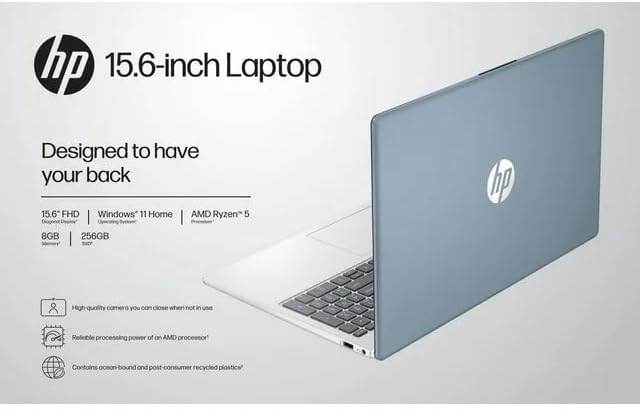
Image: The HP 15 laptop shown from the rear, illustrating its design and potential ventilation areas for maintenance.
4. Menyelesaikan masalah Isu Biasa
This section addresses common problems you might encounter. For more complex issues, refer to the HP support webtapak.
4.1 No Power or Laptop Not Turning On
- Pastikan penyesuai AC disambungkan dengan selamat pada kedua-dua komputer riba dan salur keluar kuasa yang berfungsi.
- Sahkan alur keluar kuasa berfungsi dengan memasang peranti lain.
- Cuba salur keluar kuasa yang berbeza.
- Jika bateri habis sepenuhnya, biarkan ia mengecas sekurang-kurangnya 30 minit sebelum cuba menghidupkan.
4.2 Isu Paparan
- Skrin Kosong: Connect an external monitor via HDMI to check if the issue is with the laptop's display or the graphics output.
- Paparan Malap: Adjust screen brightness using the function keys (usually F2/F3 or similar icons) or through Windows display settings.
- Resolusi Salah: Adjust the display resolution in Windows Settings > System > Display.
4.3 Masalah Kesambungan Wi-Fi atau Bluetooth
- Ensure Wi-Fi and Bluetooth are enabled in Windows Settings > Network & internet or Devices > Bluetooth & devices.
- Mulakan semula penghala/modem anda untuk masalah Wi-Fi.
- Update wireless drivers through HP Support Assistant or Device Manager.
- Forget and reconnect to the Wi-Fi network or re-pair the Bluetooth device.
4.4 Audio Not Working
- Check volume levels in Windows and ensure speakers are not muted.
- Verify that the correct audio output device is selected in Windows Sound settings.
- Kemas kini pemacu audio.
- Test with headphones to determine if the issue is with the internal speakers or the audio output.
5. Spesifikasi Produk
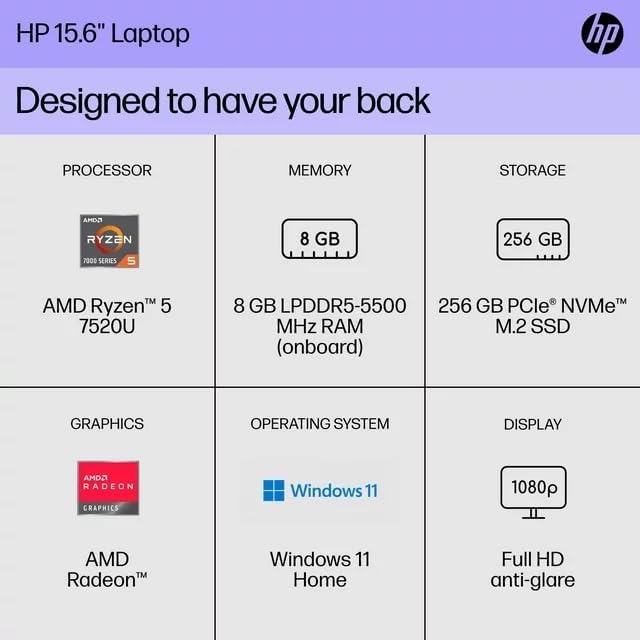
The following are the technical specifications for the HP 15 Professional Slim High-Performance Laptop (Model 15):
| Ciri | Perincian |
|---|---|
| Nama Model | HP 15 |
| Pemproses | AMD Ryzen 5 7520U (up to 4.3 GHz max boost, 4 cores, 8 threads) |
| Grafik | Grafik AMD Radeon (Bersepadu) |
| Memori (RAM) | 8GB DDR4 SDRAM |
| Penyimpanan | SSD M.2 PCIe NVMe 256GB |
| Paparan | 15.6-inch diagonal, Full HD (1920 x 1080), micro-edge, anti-glare, 250 nits, 45% NTSC |
| Sistem Operasi | Windows 11 Home |
| Kesambungan Wayarles | Realtek Killer Wi-Fi 6 (2x2), Bluetooth 5.3 |
| Pelabuhan |
|
| Kamera | Kamera HD HP True Vision 720p dengan mikrofon digital dwi tatasusunan bersepadu |
| Audio | Dual speakers, HD Audio |
| papan kekunci | Full-size island-style QWERTY keyboard |
| Peranti Kuasa | Penyesuai AC |
| UPC | 196337455771 |
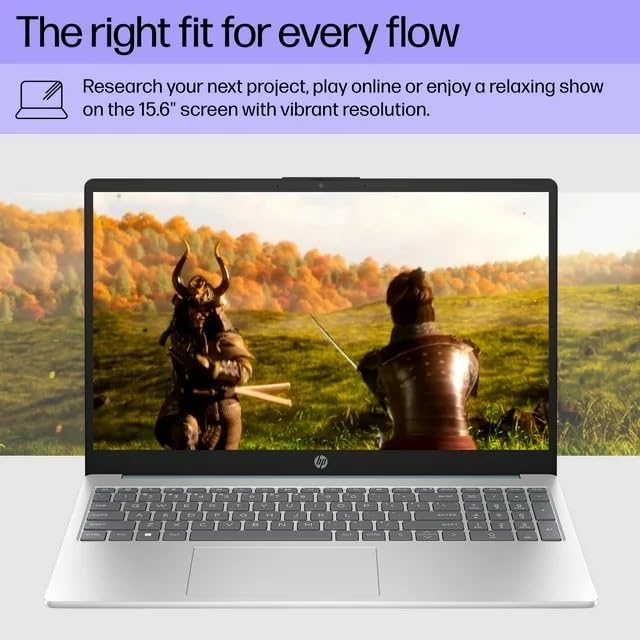
Image: A visual representation of the HP 15 laptop, complementing the detailed specifications listed.
6. Maklumat Waranti
This HP 15 laptop is a renewed product and comes with a Waranti terhad 90 hari. This warranty covers defects in materials and workmanship under normal use. For specific terms and conditions, please refer to the warranty documentation included with your product or contact HP support.
7. Sokongan Pelanggan
For further assistance, technical support, or to download updated drivers and software, please visit the official HP support website. You can typically find support resources by searching for "HP Support" and your specific model number (HP 15) on their webtapak.
Sumber Dalam Talian: https://support.hp.com