
1. Pengenalan
This manual provides detailed instructions for the proper use and maintenance of your TFA Dostmann LT202 Professional Digital Thermometer. This device is designed for precise temperature measurement in various environments, including refrigerators, freezers, aquariums, terrariums, pharmacies, laboratories, and supermarkets, where accurate temperature monitoring is crucial.
The thermometer features a waterproof cable sensor, permanent display of maximum and minimum values, and an adjustable optical and acoustic temperature alarm. It complies with EN13485 standards, making it suitable for professional applications.
2. Ciri-ciri Produk
- Control Thermometer: Practical digital measuring device for temperature control in refrigerators, freezers, aquariums, terrariums, or other areas requiring precise temperature.
- Cable Probe: Features an approximately 2-meter long waterproof cable probe for fast response times (measurement interval every 10 seconds) and flexible placement options (magnet, stand, hanging eyelet).
- Paparan Digital: Permanent display of maximum and minimum values (manual reset) with an adjustable optical and acoustic temperature alarm, configurable to 3 volume levels (loud, normal, mute).
- Ketepatan Tinggi: Operates with high-quality sensors to display temperature with high precision and trigger the alarm within seconds. Accuracy: ±0.3 °C from -10 °C to +20 °C, ±0.5 °C from -20 °C to -10 °C and +20 °C to +40 °C, ±1 °C from -40 °C to -20 °C and +40 °C to +70 °C.
- Pematuhan: The thermometer complies with EN13485 standards.
3. Persediaan
- Pemasangan Bateri:
Open the battery compartment cover on the back of the device. Insert 2 x 1.5V AAA batteries, ensuring correct polarity (+/-). Close the battery compartment cover securely.
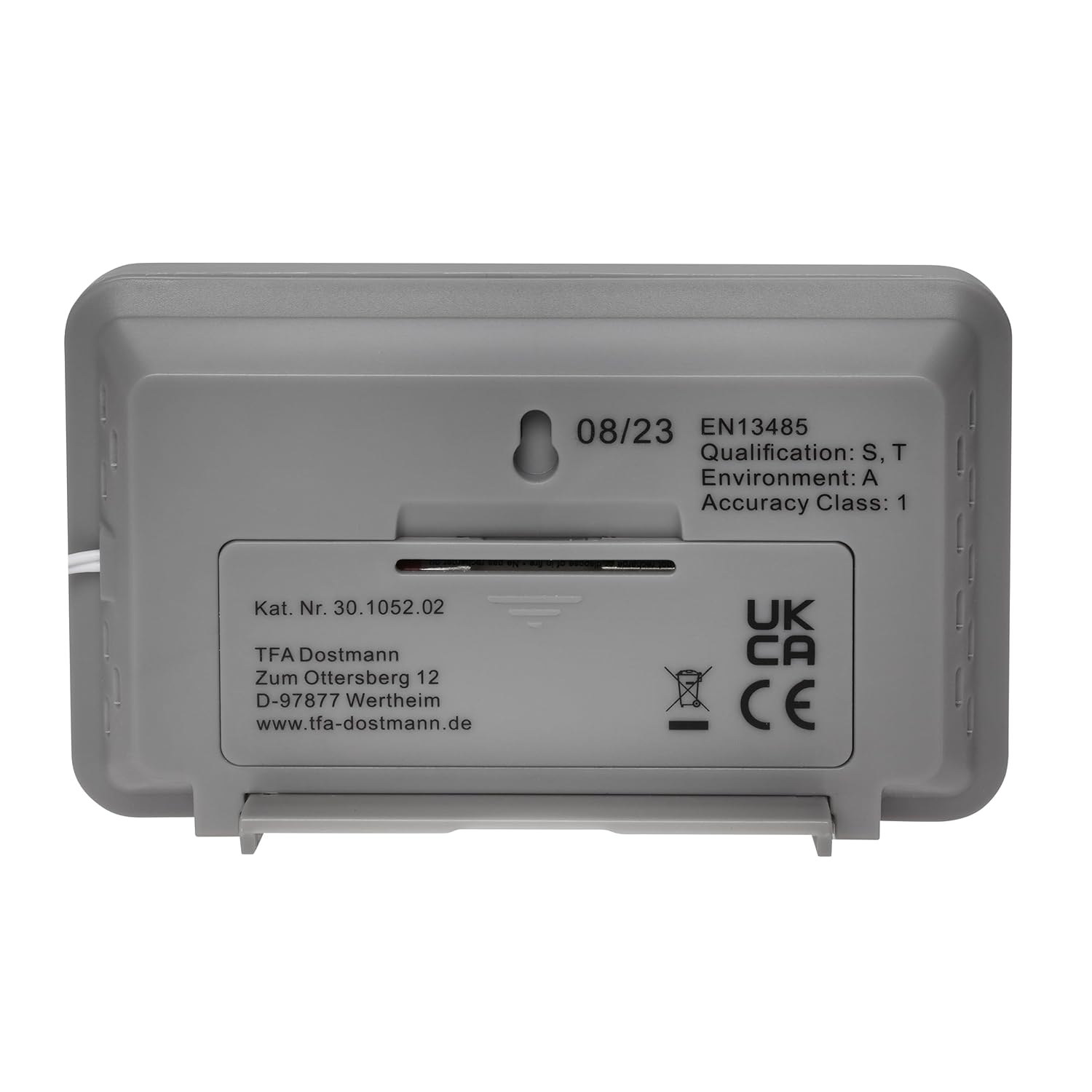
Image: Back of the thermometer with battery compartment.
- Sambungan Probe:
Connect the waterproof cable probe to the designated port on the thermometer. Ensure the connection is firm.
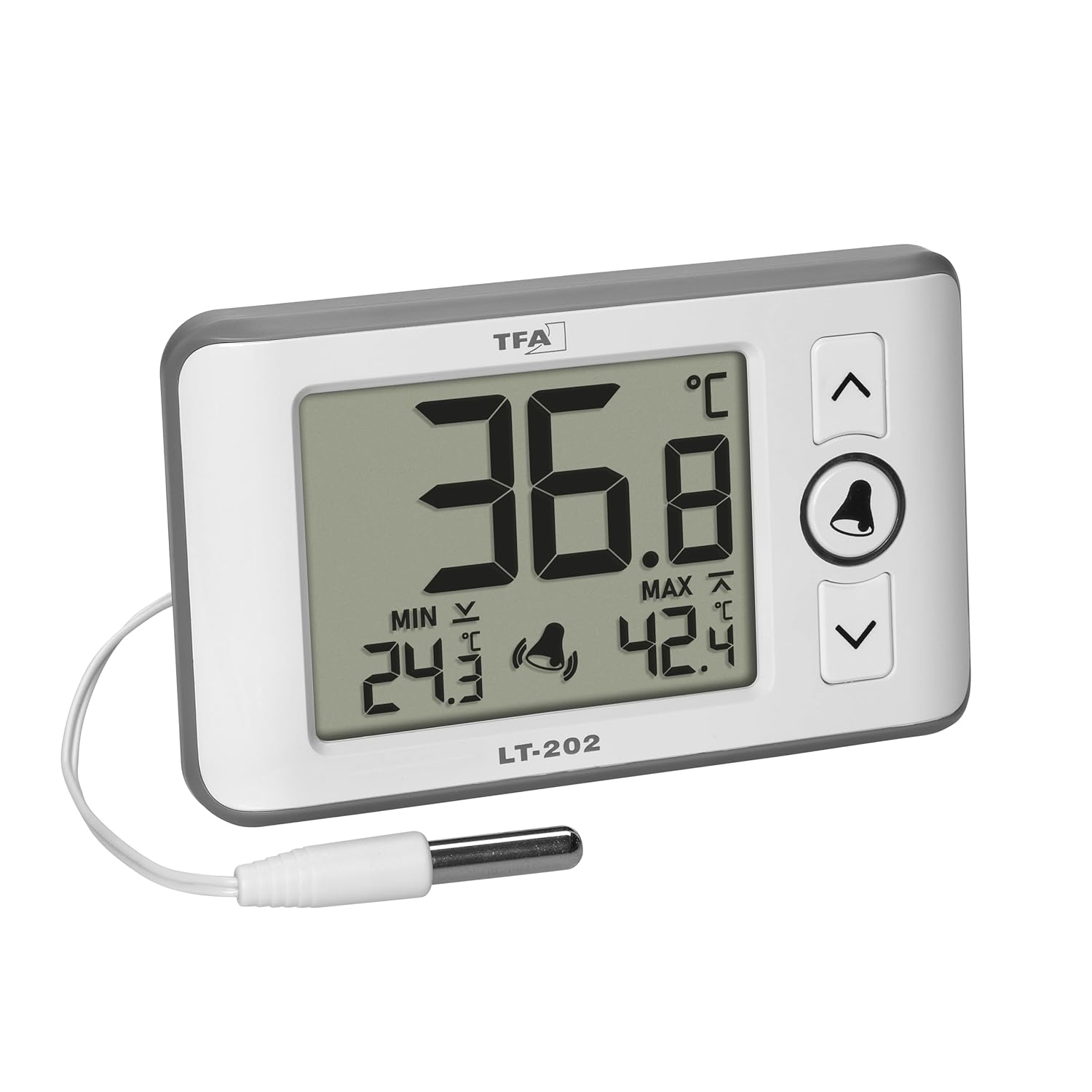
Image: Thermometer with connected probe.

Imej: Terperinci view of the waterproof probe tip.
- penempatan:
The thermometer can be placed in various ways:
- Berdiri: Use the integrated stand on the back of the device to place it on a flat surface.
- digantung: Utilize the hanging eyelet on the back for wall mounting.
- Lampiran Magnetik: The device has a magnet for attaching to metallic surfaces.
Position the waterproof probe in the area where temperature measurement is required (e.g., inside a refrigerator, aquarium, or terrarium).

Image: Thermometer in a professional refrigerator setting.

Image: Thermometer used with an aquarium.

Image: Thermometer used with a terrarium.
4. Arahan Operasi

Imej: Depan view of the thermometer display and controls.
- Hidupkan/Mati Kuasa: The device powers on automatically upon battery insertion. There is no dedicated power button.
- Paparan Suhu Semasa: The large digits on the display show the current temperature measured by the probe.
- Maximum and Minimum Values (MAX/MIN):
The display permanently shows the highest (MAX) and lowest (MIN) temperatures recorded since the last reset.
To reset the MAX/MIN values, press and hold the LOCENG button for approximately 3 seconds until the values clear and new recording begins.
- Temperature Alarm (HI/LO):
The device features an adjustable temperature alarm for both high (HI) and low (LO) temperature thresholds.
- Menetapkan Ambang Penggera:
- Tekan ke LOCENG button once to enter alarm setting mode. The HI alarm value will flash.
- Gunakan UP (^) dan DOWN (v) buttons to adjust the HI temperature threshold.
- Tekan ke LOCENG button again to confirm the HI setting and move to the LO alarm value, which will flash.
- Gunakan UP (^) dan DOWN (v) buttons to adjust the LO temperature threshold.
- Tekan ke LOCENG button a third time to confirm the LO setting and exit alarm setting mode.
- Mengaktifkan/Menyahaktifkan Penggera:
Semasa dalam mod paparan biasa, tekan butang LOCENG button briefly to toggle the alarm function on or off. A bell icon will appear on the display when the alarm is active.
- Kelantangan Penggera:
The alarm has 3 volume levels: loud, normal, and mute. To adjust, press and hold the UP (^) button while the alarm is sounding or when setting the alarm thresholds. Cycle through the volume options until desired level is reached.
- Menetapkan Ambang Penggera:
- Pemilihan Unit Suhu (°C/°F):
On the back of the device, locate the °C/°F switch. Slide the switch to select your preferred temperature unit.
5. Penyelenggaraan
- Pembersihan:
Lap peranti dengan lembut, damp cloth. Do not use abrasive cleaners or solvents. Ensure no water enters the main unit.
The probe is waterproof and can be cleaned with mild soap and water.
- Penggantian Bateri:
When the display becomes dim or the device stops functioning, replace the batteries. Open the battery compartment on the back and replace the 2 x 1.5V AAA batteries with new ones, observing polarity.
Buang bateri terpakai mengikut peraturan tempatan.
- Storan:
Jika menyimpan peranti untuk tempoh yang lama, tanggalkan bateri untuk mengelakkan kebocoran.
6. Penyelesaian masalah
| Masalah | Kemungkinan Punca | Penyelesaian |
|---|---|---|
| Tiada paparan atau paparan malap | Dead or low batteries; incorrect battery polarity. | Gantikan bateri dengan bateri AAA 1.5V yang baharu, pastikan kekutuban yang betul. |
| Bacaan suhu tidak tepat | Probe not properly connected; probe damaged; device exposed to extreme conditions. | Ensure probe is firmly connected. Inspect probe for damage. Avoid placing the main unit in extreme temperatures. |
| Penggera tidak berbunyi | Alarm deactivated; alarm volume set to mute; alarm thresholds not met. | Activate the alarm (bell icon visible). Adjust alarm volume. Verify alarm thresholds are set correctly relative to current temperature. |
| MAX/MIN values not resetting | BELL button not held long enough. | Press and hold the BELL button for approximately 3 seconds until values clear. |
7. Spesifikasi
| Ciri | Perincian |
|---|---|
| Nombor Model | 30.1052.02 |
| Julat Pengukuran Suhu | -40 ° C hingga +70 ° C (-40 ° F hingga +158 ° F) |
| Ketepatan | ±0.3 °C (-10 °C hingga +20 °C) ±0.5 °C (-20 °C to -10 °C and +20 °C to +40 °C) ±1 °C (-40 °C to -20 °C and +40 °C to +70 °C) |
| Cable Probe Length | 200 cm (2 meter) |
| Masa Tindak Balas | 10 saat |
| Sumber Kuasa | Bateri AAA 2 x 1.5V (tidak termasuk) |
| bahan | plastik |
| Dimensi (L x W x H) | 100 x 21 (30) x 61 mm (approx. 10 x 2.1/3 x 6.1 cm) |
| Berat badan | 78 g |
| Pematuhan | EN13485 |
| Jenis Paparan | digital |
| Pilihan Pemasangan | Hanging, Standing, Magnetic |
| Arahan Penjagaan | Lap bersih |
8. Waranti
This TFA Dostmann product comes with a 1-year availability of spare parts. For specific warranty terms and conditions, please refer to the documentation included with your purchase or contact TFA Dostmann customer support.
9. Sokongan
For further assistance, technical support, or inquiries regarding your TFA Dostmann Professional Digital Thermometer LT202 30.1052.02, please visit the official TFA Dostmann webtapak atau hubungi bahagian perkhidmatan pelanggan mereka.
Pengeluar: TFA-Dostmann
Webtapak: www.tfa-dostmann.de
Please have your model number (30.1052.02) ready when contacting support.