
1. Produk Lebihview
The BALDR 359WH1 Weather Station (Model: VE-359WH3-new) is designed to provide comprehensive environmental monitoring for your home. It features a main display unit and three wireless remote sensors, allowing you to monitor temperature and humidity in up to four different locations (one indoor, three outdoor/remote). The station also offers a 12-24 hour weather forecast, time display, and alarm functions.

Image: The BALDR 359WH1 Weather Station, showing the main display unit and three wireless remote sensors. The main unit displays indoor and outdoor temperature, humidity, time, and a weather forecast.
2. Panduan Persediaan
2.1 Unpacking and Powering On
- Carefully remove all components from the packaging: the main display unit and three wireless sensors.
- Unit Paparan Utama: Connect the provided power adapter to the main unit and plug it into an electrical outlet. Insert the CR2032 backup battery (not included) into the designated slot. This battery serves as memory backup during power outages. The main unit requires continuous AC power for full functionality.
- Sensor Tanpa Wayar: Each sensor requires 2x AAA batteries (not included). Open the battery compartment on the back of each sensor and insert the batteries, observing polarity.
2.2 Penderia Berpasangan
The main unit will automatically attempt to connect with the sensors upon power-up. This process may take a few minutes. Ensure sensors are within range during initial setup.
- Place the main unit and sensors close to each other during the initial pairing process.
- The main unit will display readings for each connected sensor (CH1, CH2, CH3).
- If a sensor does not connect, try removing and reinserting its batteries, then press the 'TX' button inside the battery compartment to force a signal transmission.

Image: The main display unit showing temperature and humidity readings for four locations (one indoor, three from wireless sensors). The image highlights the three remote sensors and their ability to transmit data up to 100 meters (328 feet).
2.3 Penempatan Sensor
For optimal performance, consider the following when placing your wireless sensors:
- Julat: Sensors have a transmission distance of up to 100 meters (328 feet) in open air. Walls and obstacles may reduce this range.
- Persekitaran: Place outdoor sensors in a shaded, dry location, protected from direct sunlight and rain, to ensure accurate temperature and humidity readings. Avoid placing them near heat sources or vents.
- Gangguan: Keep sensors away from large metal objects, electronic devices, and other sources of electromagnetic interference.
3. Arahan Operasi
3.1 Main Display Functions
The main unit displays a variety of information:
- Suhu & Kelembapan Dalam/Luar: Current readings for the main unit's location and up to three remote sensors.
- Masa & Tarikh: Masa dan hari semasa dalam seminggu.
- Ramalan cuaca: An icon-based forecast predicting weather conditions for the next 12-24 hours.
- Tekanan Barometrik: Displayed in inHg (inches of mercury).
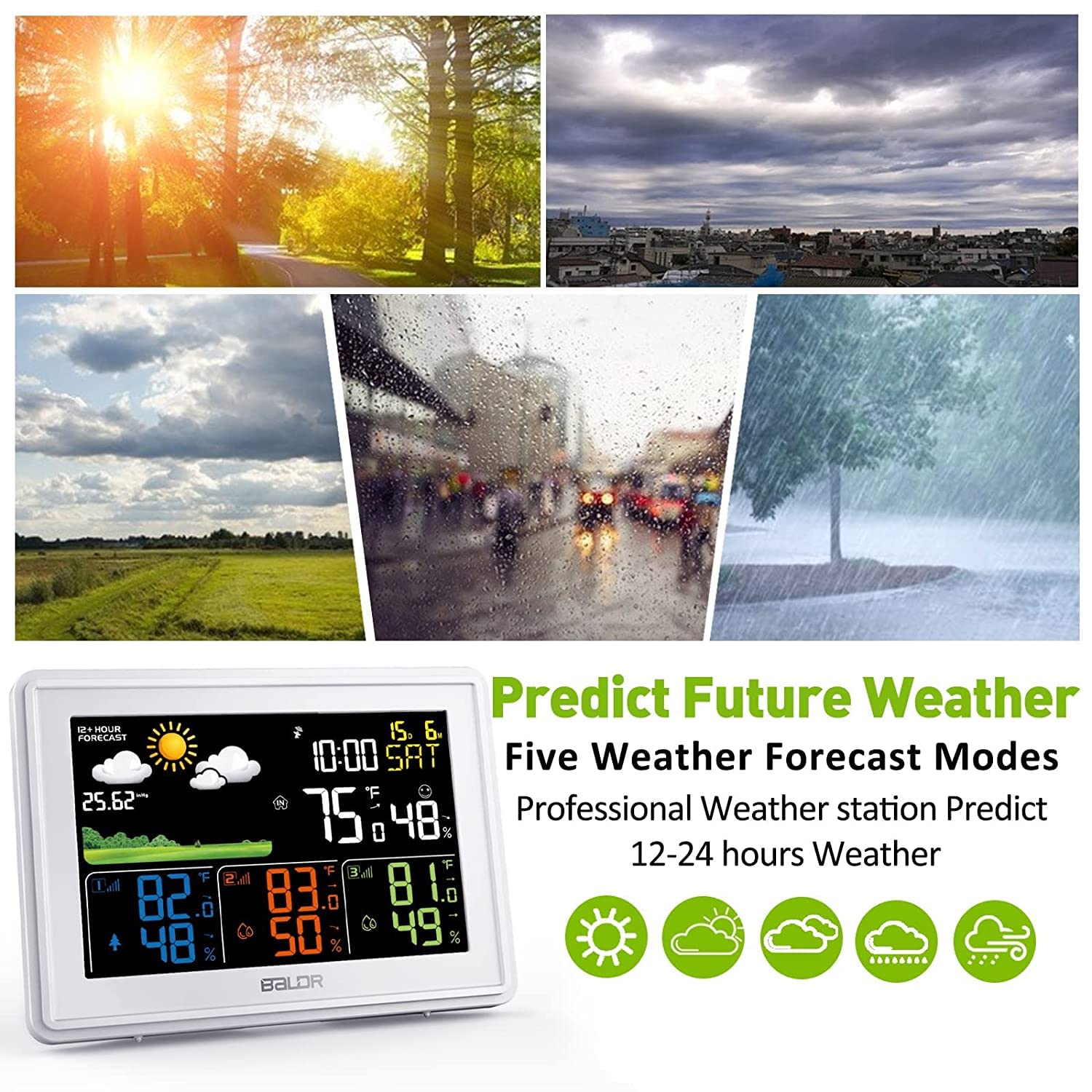
Image: The BALDR 359WH1 Weather Station main display unit, illustrating the five weather forecast modes (sunny, partly cloudy, cloudy, rainy, heavy rain) and its ability to predict weather for the next 12-24 hours.
3.2 Fungsi Penggera dan Tunda
The weather station includes an alarm clock with a snooze feature:
- Tetapan Penggera: Refer to the detailed instructions in the full manual for setting the alarm time.
- Tunda: When the alarm sounds, press the designated snooze button to temporarily silence it. The alarm will sound again after a set interval.

Image: Two children waking up and a person sleeping, illustrating the weather station's wake-up service and snooze function. The main unit is visible on a bedside table.
3.3 Lampu Latar Boleh Laras
The main display unit features an adjustable backlight to suit various lighting conditions:
- The backlight can be adjusted through four levels: 100%, 50%, 3%, and Off.
- Use the dedicated button (refer to the full manual for button identification) to cycle through the backlight intensity levels.

Image: The BALDR 359WH1 Weather Station main unit shown with four different backlight intensity levels: 100%, 50%, 3%, and Off, demonstrating its adjustable display brightness.
4. Penyelenggaraan
4.1 Pembersihan
- Lap unit utama dan sensor dengan kain lembut,amp kain.
- Jangan gunakan pembersih atau pelarut yang melelas, kerana ini boleh merosakkan permukaan.
4.2 Penggantian Bateri
- Sensor Tanpa Wayar: Replace AAA batteries when the low battery indicator appears on the main unit for a specific sensor channel.
- Unit Utama: The CR2032 backup battery should be replaced periodically, or if the time/settings are lost during a power outage.
4.3 Pertimbangan Alam Sekitar
- Ensure outdoor sensors are protected from extreme weather conditions to prolong their lifespan.
- Avoid exposing the main unit to direct sunlight or extreme temperatures.
5. Penyelesaian masalah
- Tiada Bacaan Sensor:
- Check if sensor batteries are correctly installed and not depleted.
- Ensure sensors are within the transmission range of the main unit.
- Try re-pairing the sensors by removing and reinserting batteries, then pressing the 'TX' button on the sensor.
- Initial setup may require some time for the main unit to find the wireless sensors.
- Bacaan Tidak Tepat:
- Ensure sensors are not exposed to direct sunlight, rain, or heat sources.
- Verify that the main unit is not near heat-emitting appliances.
- Paparan Tidak Berfungsi:
- Check if the power adapter is securely connected and the outlet is functional.
- Ensure the backlight is not set to 'Off'.
6. Spesifikasi Produk
| Ciri | Perincian |
|---|---|
| Nombor Model | VE-359WH3-new |
| Jenama | BALDR |
| ASIN | B0CQLPBQPD |
| Dimensi Pakej | 19.7 x 12.8 x 6.7 cm; 490 gram |
| Kuasa Unit Utama | AC Adapter (primary), CR2032 battery (memory backup) |
| Kuasa Sensor | 2x AAA batteries per sensor (not included) |
| Julat Suhu Dalaman | 14°F ~ 122°F (-10°C ~ 50°C) |
| Julat Suhu Luar | -40 ° F ~ 140 ° F (-40 ° C ~ 60 ° C) |
| Julat Paparan Kelembapan | 1% ~ 99% (values below 1% display "1%", above 99% display "99%") |
| Jarak Penghantaran Tanpa Wayar | Sehingga 100 meter (328 kaki) di udara terbuka |

Image: The BALDR 359WH1 Weather Station main unit, highlighting its internal chips and providing details on indoor/outdoor temperature ranges and humidity display range.
7. Waranti dan Sokongan
For warranty information and technical support, please refer to the documentation included with your product or visit the official BALDR webtapak. Simpan resit pembelian anda sebagai bukti pembelian untuk sebarang tuntutan waranti.
Pengeluar: BALDR
Hubungi: Please refer to the contact information provided on the product packaging or the manufacturer's official website for support inquiries.