
1. Pengenalan
Thank you for choosing the Easyfone B3 Sport Smart Watch. This manual provides essential information for setting up, operating, and maintaining your device. Please read it carefully to ensure optimal performance and longevity of your smart watch.
2. Apa yang ada di dalam Kotak
- Jam Tangan Pintar B3
- Kabel Pengecasan
- Manual Pengguna
3. Produk Lebihview
The Easyfone B3 Sport Smart Watch features a 1.28-inch AMOLED touchscreen display and a durable design suitable for active lifestyles. It offers a range of functions including activity tracking, health monitoring, and smartphone connectivity.
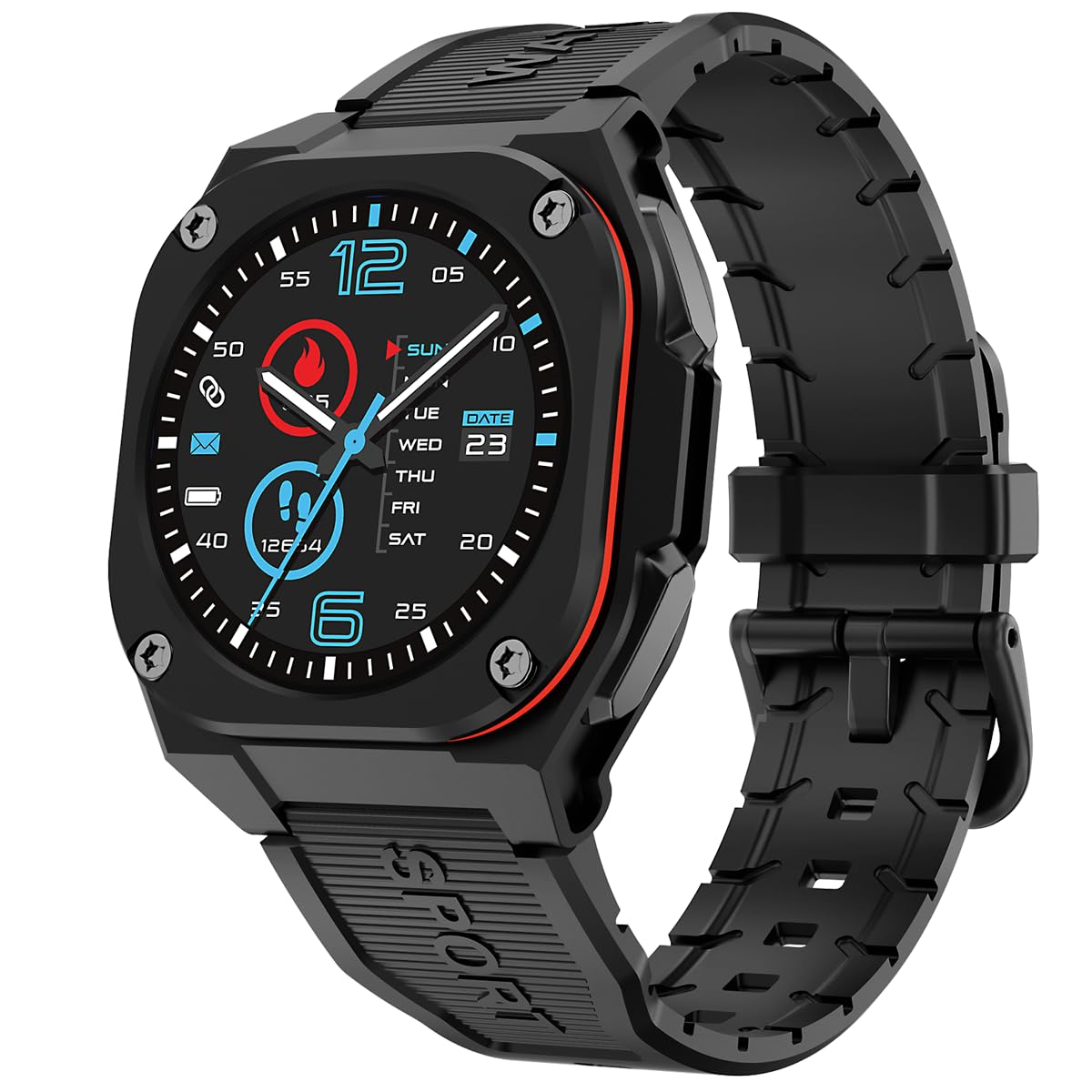
Depan view of the Easyfone B3 Sport Smart Watch, showcasing its round AMOLED display and black strap.

sebelah view of the Easyfone B3 Smart Watch, highlighting its profile dan penempatan butang.
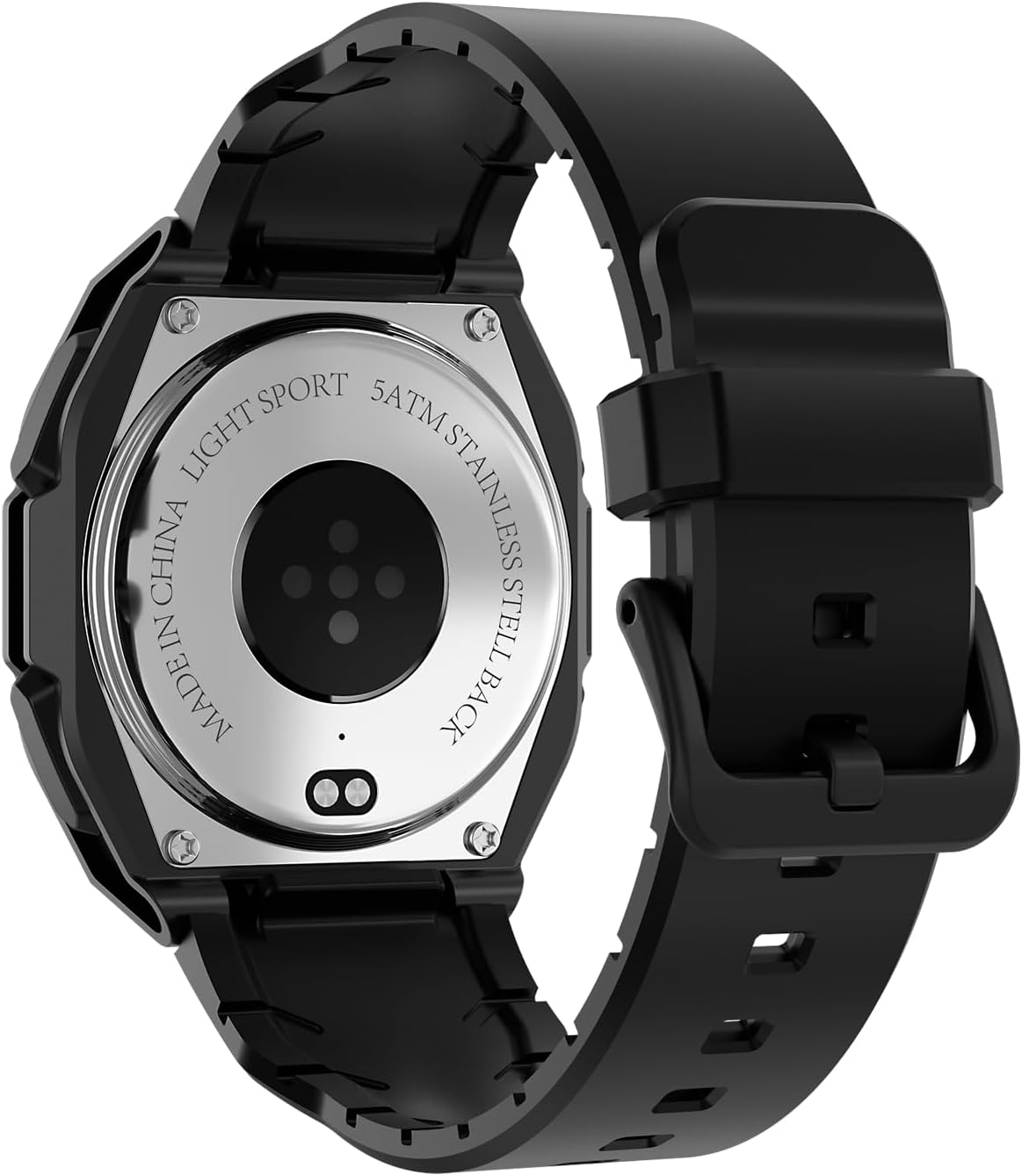
belakang view of the Easyfone B3 Smart Watch, showing the optical heart rate sensor and stainless steel back.
4. Persediaan
4.1 Mengecas Peranti
Before first use, fully charge your Easyfone B3 Smart Watch. Connect the provided charging cable to the charging port on the back of the watch and plug the USB end into a power adapter (not included) or a computer's USB port. The watch display will indicate charging status.
4.2 Menghidupkan/Mematikan
- Untuk Menghidupkan: Press and hold the side button until the Easyfone logo appears.
- Untuk Mematikan: Tekan dan tahan butang sisi, kemudian pilih pilihan 'Matikan Kuasa' pada skrin.
4.3 Pemasangan Apl dan Berpasangan
- Muat turun "FitCloudPro" aplikasi daripada App Store (iOS 12.0 dan ke atas) atau Google Play Store (Android 7.0 dan ke atas).
- Pastikan Bluetooth didayakan pada telefon pintar anda.
- Open the FitCloudPro app and follow the on-screen instructions to pair your Easyfone B3 Smart Watch.

Image showing the FitCloudPro app icon and download options for Google Play and App Store.
5. Arahan Operasi
5.1 Navigasi Skrin Sentuh
- Leret ke Bawah: Access quick settings (brightness, battery, silent mode, power off, water lock).
- Leret ke atas: View recent notifications/messages.
- Leret Kiri/Kanan: Navigate through main functions and widgets (e.g., activity data, heart rate, music control).
- Ketik: Pilih item atau buka aplikasi.
5.2 Menukar Muka Jam Tangan
The Easyfone B3 supports multiple watch faces. You can customize your watch face directly on the device or through the FitCloudPro app to personalize your look.
5.3 Kawalan Muzik
Control music playback on your connected smartphone directly from your watch. This includes playing, pausing, skipping tracks, and adjusting volume.
Video demonstrating the music control feature on the Easyfone B3 Sport Smart Watch, showing how to manage playback from the wrist.
6. Pemantauan Kesihatan
The B3 Smart Watch provides comprehensive health tracking features to help you monitor your well-being.
- Pemantau Kadar Jantung: Automatically tracks your heart rate throughout the day.
- Monitor Tidur: Analyzes your sleep patterns to help you understand and improve your sleep quality.
- Penjejak Aktiviti: Records daily steps, calories burned, and distance covered.

Image illustrating the health monitoring capabilities of the Easyfone B3, including heart rate and sleep tracking.
7. Mod Sukan
The watch supports over 100 sports modes, including walking, running, cycling, and swimming. Select the appropriate mode before starting your activity to get accurate tracking data.
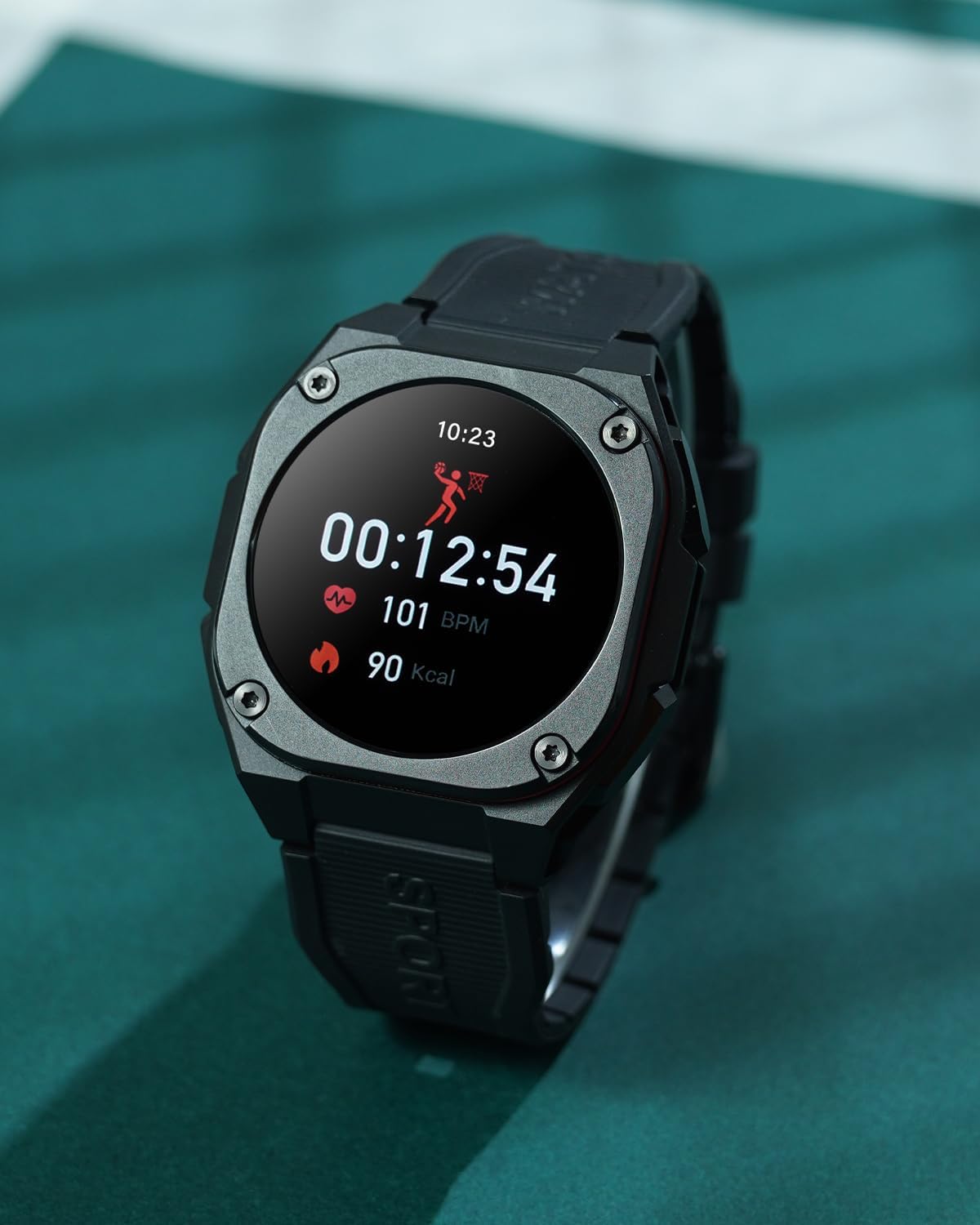
The Easyfone B3 Smart Watch on a wrist, showing activity data during a workout.
8. Pemberitahuan dan Panggilan
Once paired with your smartphone, the Easyfone B3 can display notifications for incoming calls, messages, and app alerts. You can accept or decline calls directly from the watch.

The Easyfone B3 Smart Watch displaying a message notification on its screen.
9. Tahan Air
The Easyfone B3 Smart Watch features a professional IP68 waterproof and 3ATM design, making it suitable for rainy outdoor activities and water sports. It can withstand immersion up to 1.5 meters.

The Easyfone B3 Smart Watch worn during a sports activity, demonstrating its suitability for active use.
10. Hayat Bateri
The B3 Smart Watch is equipped with a 300 mAh battery, offering:
- Normal Use Time: 5-7 hari
- Always-on Screen Use Time: 4 hari
- Masa Siap sedia: 7-10 hari

An illustration detailing the battery life of the Easyfone B3 Smart Watch under different usage scenarios.
11. Penyelenggaraan
To ensure the longevity and proper functioning of your Easyfone B3 Smart Watch, follow these maintenance guidelines:
- Pembersihan: Lap skrin dan tali jam tangan dengan kerap menggunakan kain lembut dan kering. Untuk kotoran degil, gunakan sedikit pembersihamp kain dan keringkan dengan teliti.
- Elakkan Bahan Kimia Keras: Do not use strong detergents, alcohol, or abrasive cleaners, as these can damage the watch's finish and seals.
- Storan: Simpan jam tangan di tempat yang sejuk dan kering apabila tidak digunakan. Elakkan suhu yang melampau.
- Pendedahan Air: While waterproof, it is recommended to dry the watch thoroughly after exposure to water, especially after swimming, to prevent skin irritation and maintain device integrity.
12. Penyelesaian masalah
If you encounter issues with your Easyfone B3 Smart Watch, refer to the following common solutions:
- Tonton Tidak Dihidupkan: Ensure the watch is fully charged. If it still doesn't turn on, try pressing and holding the side button for an extended period (10-15 seconds).
- Isu Ketersambungan: Pastikan Bluetooth didayakan pada telefon anda dan jam tangan berada dalam julat. Mulakan semula jam tangan dan telefon anda, kemudian cuba pasangkan semula melalui aplikasi FitCloudPro.
- Data Tidak Tepat: Ensure the watch is worn snugly on your wrist. For sports tracking, select the correct activity mode. Calibrate the watch through the app if necessary.
- Pemberitahuan Tidak Muncul: Check notification settings in the FitCloudPro app and on your phone to ensure permissions are granted for the app to send notifications.
- Skrin Tidak Responsif: If the screen is unresponsive, try restarting the watch. If the issue persists, ensure the screen is clean and dry.
For further assistance, please contact Easyfone customer support.
13. Spesifikasi
| Ciri | Perincian |
|---|---|
| Nama Model | B3 |
| Jenama | Easyfone |
| Saiz Skrin | 1.28 Inci |
| Jenis Paparan | AMOLED |
| Resolusi | 240 x 280 |
| Sistem Operasi | Android Wear 1.0 |
| Teknologi Ketersambungan | Bluetooth |
| Penilaian Ketahanan Air | IP68, 3ATM (1.5 Meters) |
| Komposisi Sel Bateri | Polimer Litium |
| Model Telefon yang Serasi | Android 7.0 dan ke atas, iOS 12.0 dan ke atas |
| Aplikasi yang Disokong | Fitness Tracker (FitCloudPro app) |
| Jenis Bahan Band | Getah |
| warna | Hitam |
14. Waranti dan Sokongan
The Easyfone B3 Sport Smart Watch comes with a Waranti Terhad 1 Tahun. For warranty claims, technical support, or any inquiries, please refer to the contact information provided with your purchase or visit the official Easyfone webtapak.