
TANLANIN TE-001YL
TANLANIN Vintage Meja Putar Mudah Alih Beg Beg Bluetooth 3 Kelajuan
Model: TE-001YL
Jenama: TANLANIN
1. Pengenalan
Terima kasih kerana membeliasing the TANLANIN Vintage 3-Speed Bluetooth Suitcase Portable Turntable. This manual provides detailed instructions for the proper setup, operation, and maintenance of your new record player. Please read this manual thoroughly before use to ensure optimal performance and longevity of the product.

Image: The TANLANIN portable turntable in its open suitcase form, showcasing the platter, tonearm, and control panel. A clear vinyl record is placed on the platter.
2. Kandungan Pakej
Sila semak pakej dengan teliti untuk memastikan semua item ada dan dalam keadaan baik:
- TANLANIN Portable Turntable with Built-in Speakers
- RCA kabel
- Kabel AUX
- Kabel fon kepala
- Belt (pre-installed or separate)
- Platter (pre-installed or separate)
- Penyesuai Kuasa
- Manual Pengguna (dokumen ini)
3. Ciri-ciri Produk
The TANLANIN TE-001YL turntable offers a blend of classic vinyl playback with modern connectivity:
- Meja Putar 3-Kelajuan: Menyokong 33 rekod 1/3, 45 dan 78 RPM.
- Pembesar Suara Stereo Terbina dalam: Enjoy audio directly from the unit.
- Bluetooth Wireless Input: Strim muzik secara wayarles daripada telefon pintar anda atau peranti berdaya Bluetooth lain.
- Rakaman USB: Convert vinyl records to MP3/WAV digital format and save to a USB disk or TF card.
- Input AUX: Connect external audio devices via the 3.5mm AUX port.
- Talian RCA Keluar: Connect to external speaker systems or soundbars for enhanced audio.
- Jack fon kepala: Untuk mendengar secara peribadi.
- Belt-Driven System: Provides stable playback.
- Fungsi Auto Stop: Automatically stops the platter when a record finishes playing, protecting your records and stylus.
- Reka Bentuk Beg Pakaian Mudah Alih: Mudah diangkut dan disimpan.

Image: An illustration detailing the dimensions of the turntable (13.9" x 10.1" x 5") and highlighting its core features with descriptive icons.

Image: A visual representation of the turntable's USB recording capability, showing how vinyl music can be converted to MP3/WAV format and saved to a U disk or TF card.
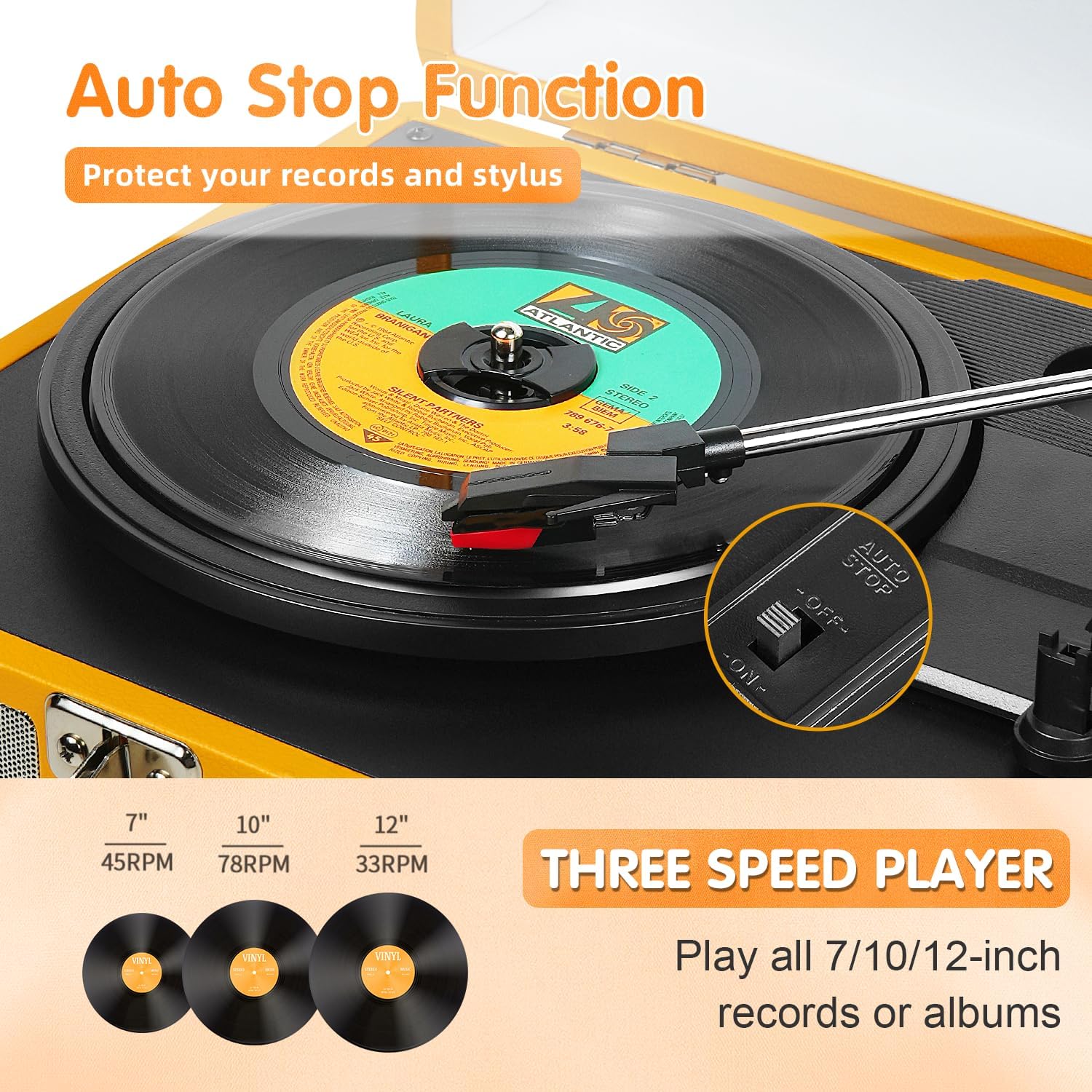
Image: This image illustrates the auto-stop function and the three-speed playback options (33, 45, 78 RPM) for different record sizes.

Image: This image demonstrates the versatile connectivity options, including AUX input for non-Bluetooth devices, RCA line out for external speakers, and a headphone jack for private listening.
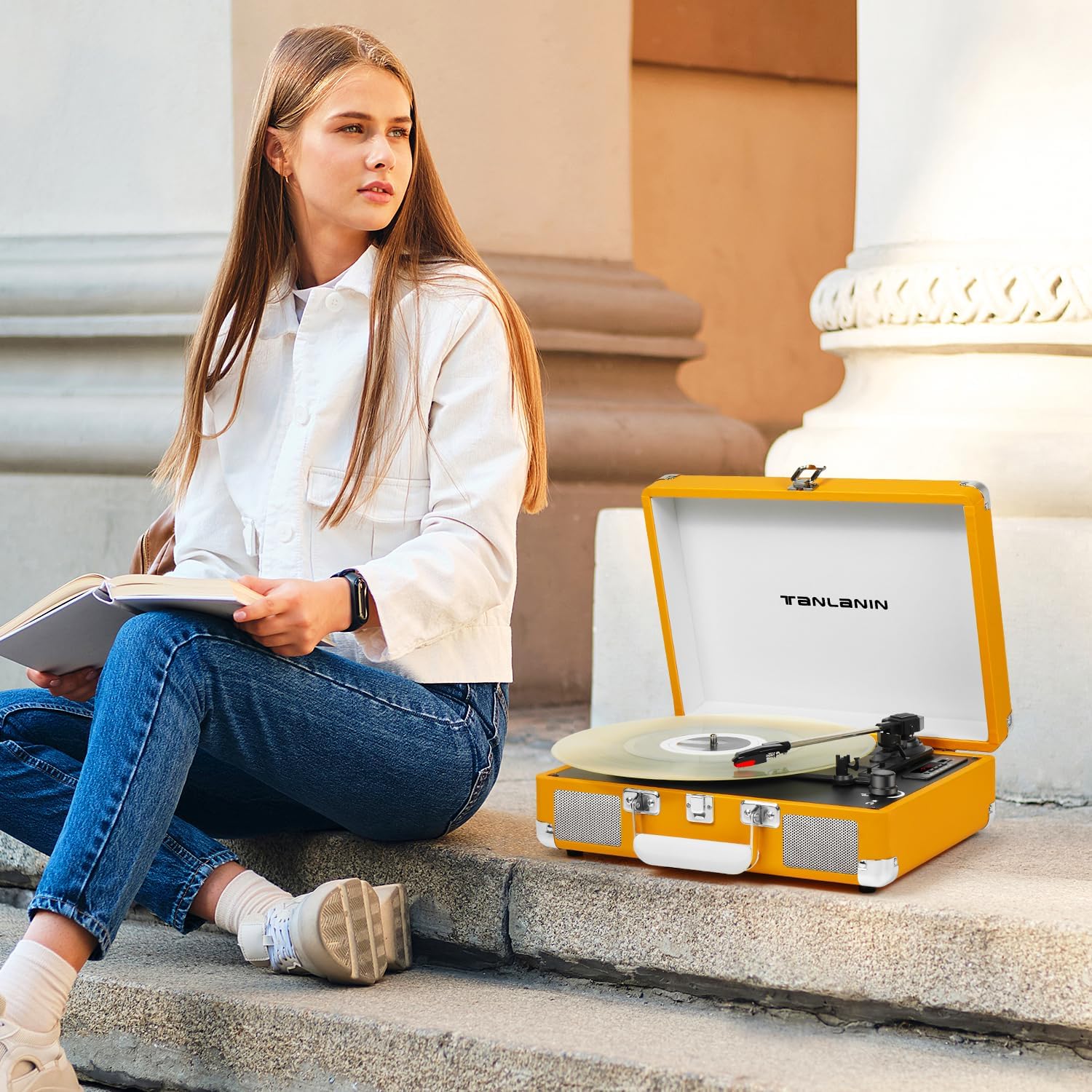
Imej: Terperinci views of the turntable's key components: the premium cartridge and ruby stylus, the integrated stereo speakers, and the LED display for mode indication.
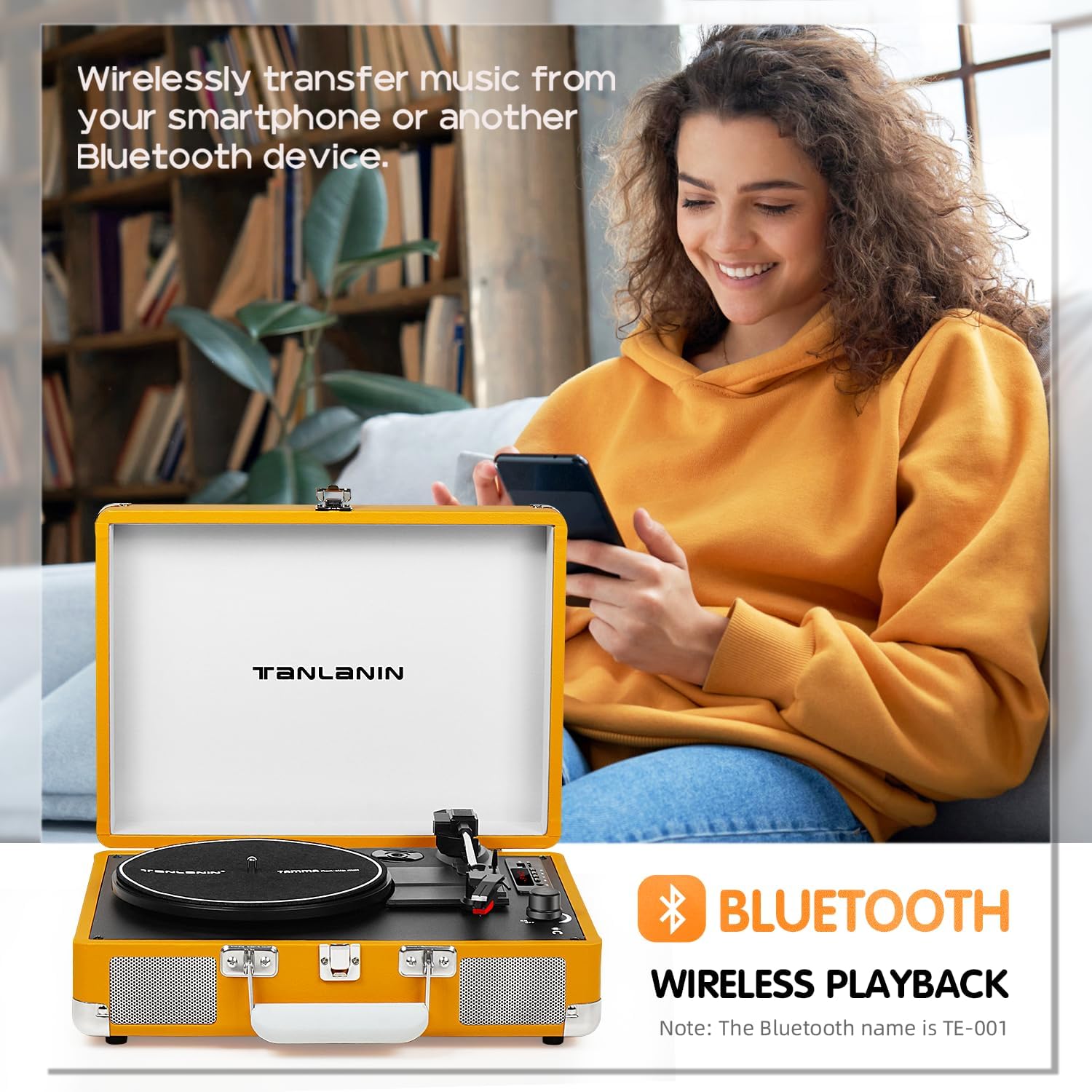
Image: This image highlights the Bluetooth wireless playback feature, allowing users to stream music from their smartphones or other Bluetooth devices to the turntable's speakers.
4. Persediaan
- Membongkar: Keluarkan meja putar dari pembungkusannya dengan berhati-hati. Simpan pembungkusan untuk pengangkutan atau penyimpanan pada masa hadapan.
- penempatan: Place the turntable on a stable, level surface away from direct sunlight, heat sources, and excessive dust or vibrations.
- Sambungan Kuasa: Connect the power adapter to the DC IN port on the turntable and then plug it into a standard wall outlet.
- Persediaan Pinggan: Ensure the platter is securely seated on the spindle. If the drive belt is not already installed, carefully place it around the motor pulley and the inner rim of the platter.
- Perlindungan Stilus: Remove the clear plastic stylus protector from the needle before first use. Be careful not to touch the stylus.
5. Arahan Operasi
5.1 Rekod Memainkan
- Hidupkan kuasa: Turn the Power/Volume knob clockwise to power on the unit.
- Pilih Mod: Press the 'M' button to select PHONO mode.
- Pilih Kelajuan: Set the speed selector switch (33/45/78 RPM) to match the record you are playing. For 45 RPM records, place the included 45 RPM adapter on the center spindle.
- Rekod Tempat: Letakkan rekod pada pinggan meja putar.
- Auto Stop: If you wish to use the auto-stop function, ensure the AUTO STOP switch is in the 'ON' position. The platter will stop spinning automatically when the record finishes. If 'OFF', the platter will continue to spin.
- Angkat Tonearm: Gently lift the tonearm using the tonearm lift lever.
- Tonearm Kedudukan: Move the tonearm to the desired position over the record.
- Tonearm Bawah: Slowly lower the tonearm using the tonearm lift lever. The stylus will make contact with the record, and playback will begin.
- Laraskan Kelantangan: Laraskan kelantangan menggunakan tombol Kuasa/Kelantangan.
- Tamat Main Semula: At the end of the record, the tonearm will automatically return to its rest (if auto-stop is on). Otherwise, manually lift the tonearm, return it to the tonearm rest, and lower the lift lever. Turn the Power/Volume knob counter-clockwise to power off.
5.2 Sambungan Bluetooth
- Hidupkan kuasa: Turn the Power/Volume knob clockwise to power on the unit.
- Pilih Mod: Press the 'M' button to select BT (Bluetooth) mode. The LED display will show "BT" and flash, indicating it's ready for pairing.
- Dayakan Bluetooth: Pada telefon pintar atau peranti Bluetooth anda, dayakan Bluetooth dan cari peranti yang tersedia.
- pasangan: Select "TE-001" (or similar name) from the list of devices. Once connected, the "BT" indicator will stop flashing and remain solid.
- Main Muzik: You can now play music from your device through the turntable's speakers. Adjust volume using both your device and the turntable's volume knob.
5.3 Rakaman USB
- Sisip Storan: Insert a USB flash drive or TF card into the corresponding slot.
- Pilih Mod: Ensure the turntable is in PHONO mode.
- Mulakan Rakaman: Begin playing your vinyl record. Press the 'REC' button (often indicated by a microphone icon or 'REC' on the control panel). The LED display may indicate recording status.
- Hentikan Rakaman: Press the 'REC' button again to stop recording. The recorded audio file will be saved to your USB drive or TF card.
- Rakaman Main Semula: Switch to USB/TF mode using the 'M' button to play back your recorded files.
5.4 Input AUX
- Sambungkan Kabel: Connect one end of the AUX cable to the AUX IN port on the turntable and the other end to the audio output of your external device (e.g., MP3 player, phone).
- Pilih Mod: Tekan butang 'M' untuk memilih mod AUX.
- Mainkan Audio: Play audio from your external device. The sound will be routed through the turntable's speakers.
5.5 Keluaran RCA
- Sambungkan Kabel: Connect the RCA cables (red for right channel, white for left channel) from the RCA OUT ports on the turntable to the corresponding audio input ports on your external amppembesar atau pembesar suara berkuasa.
- Laraskan Kelantangan: Adjust the volume on your external audio system.
5.6 Bicu Fon Kepala
- Sambungkan Fon Kepala: Plug your headphones into the 3.5mm HEADPHONE jack on the turntable.
- Laraskan Kelantangan: Laraskan kelantangan menggunakan tombol Kuasa/Kelantangan.
6. Penyelenggaraan
- Membersihkan Stylus: Use a soft brush (not included) to gently clean the stylus from back to front. Do not use excessive force or brush side to side.
- Membersihkan Unit: Wipe the turntable's surface with a soft, dry cloth. Do not use harsh chemicals or abrasive cleaners.
- Penutup habuk: Pastikan penutup habuk ditutup apabila tidak digunakan untuk melindungi meja putar daripada habuk dan serpihan.
- Storan: When storing the turntable for extended periods, ensure the tonearm is secured with its clip and the stylus protector is in place. Store in a cool, dry place.
7. Penyelesaian masalah
- Tiada Kuasa:
- Ensure the power adapter is securely connected to the turntable and the wall outlet.
- Periksa sama ada soket dinding berfungsi dengan betul.
- Confirm the Power/Volume knob is turned on.
- Tiada Bunyi:
- Check the volume level on the turntable and any connected external devices.
- Ensure the correct mode (PHONO, BT, AUX) is selected.
- If using external speakers via RCA, ensure they are powered on and connected correctly.
- Verify the stylus is properly installed and not damaged.
- Record Skipping:
- Pastikan meja putar berada di atas permukaan yang stabil dan rata.
- Bersihkan rekod dengan teliti.
- Check the stylus for dirt or damage. Replace if necessary.
- Bluetooth Tidak Bersambung:
- Ensure the turntable is in BT mode and the indicator is flashing.
- Make sure Bluetooth is enabled on your device and it's within range (typically 10 meters).
- Cuba lupakan peranti pada telefon anda dan pasangkan semula.
- Restart both the turntable and your Bluetooth device.
- Kualiti Bunyi Lemah:
- Clean the record and stylus.
- Ensure the record speed matches the turntable setting.
- If using external speakers, check their connections and settings.
8. Spesifikasi
| Ciri | Spesifikasi |
|---|---|
| Dimensi Produk | 13.5 x 10.5 x 5 inci |
| Berat Barang | 6.78 paun |
| Nombor Model | TE-001YL |
| Jenama | TANLANIN |
| Komponen yang Disertakan | Built-in Speakers, RCA Cable, AUX Cable, Headphone Cable, Belt, Platter, Power Adapter |
| warna | kuning |
| Peranti Serasi | Speaker, Headphone, Personal Computer, Desktop, Smartphone, Tablet, MP3 Player |
| Jenis Motor | Didorong oleh tali pinggang |
| Format Isyarat | peringkat garisan |
| Sumber Kuasa | Battery Powered (Note: Typically refers to portability, unit uses power adapter for operation) |
| UPC | 735812231631 |
9. Waranti dan Sokongan
For warranty information and technical support, please refer to the warranty card included with your product or visit the official TANLANIN webtapak. Simpan resit pembelian anda sebagai bukti pembelian untuk sebarang tuntutan waranti.
Ask a question about this manual
Ask about setup, troubleshooting, compatibility, parts, safety, or missing instructions. Manuals+ will review the question and use this page’s manual context to help answer it.