
A-TGTGA A-F30-22
A-TGTGA Smart Watch User Manual
Model: A-F30-22
Brand: A-TGTGA
1. Pengenalan
Welcome to the user manual for your new A-TGTGA Smart Watch. This device is designed to enhance your daily life with its advanced features, including call management, fitness tracking, sleep monitoring, and smart notifications. This manual will guide you through the setup, operation, and maintenance of your smartwatch to ensure you get the most out of its capabilities.
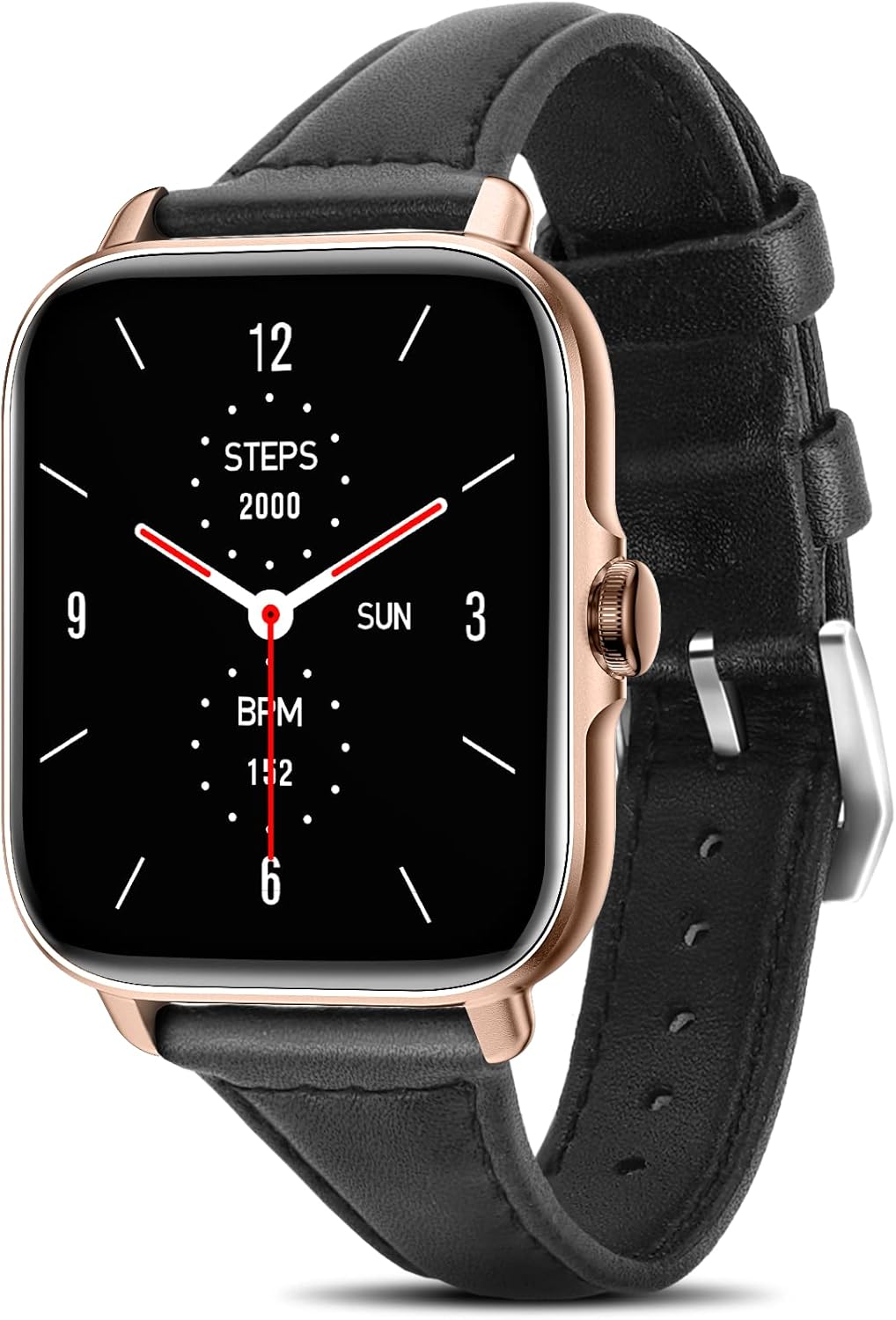
Figure 1: A-TGTGA Smart Watch, featuring a sleek design with a black strap and rose gold casing.
2. Ciri-ciri Utama
Your A-TGTGA Smart Watch is equipped with a variety of features to support your health, communication, and daily activities:
- Pengurusan Panggilan: Dial and receive calls directly from your wrist.
- Muka Jam Boleh Disesuaikan: Choose from over 150 watch faces to personalize your device.
- Penjejakan Kecergasan: Monitor steps, calories burned, and distance.
- Pemantauan Kesihatan: Includes Heart Rate (HR) monitoring, Sleep monitoring, Blood Pressure (BP), and SpO2 (Blood Oxygen) tracking.
- Pemberitahuan Pintar: Receive SMS reminders and notifications from various apps.
- IP67 Kalis Air: Designed to withstand splashes and brief immersion, suitable for daily use and workouts.
- Kawalan Muzik: Urus main balik muzik pada peranti anda yang disambungkan.
- Pembantu Suara AI: Gunakan arahan suara untuk pelbagai fungsi.
- Ramalan cuaca: Dapatkan kemas kini cuaca masa nyata terus pada jam tangan anda.
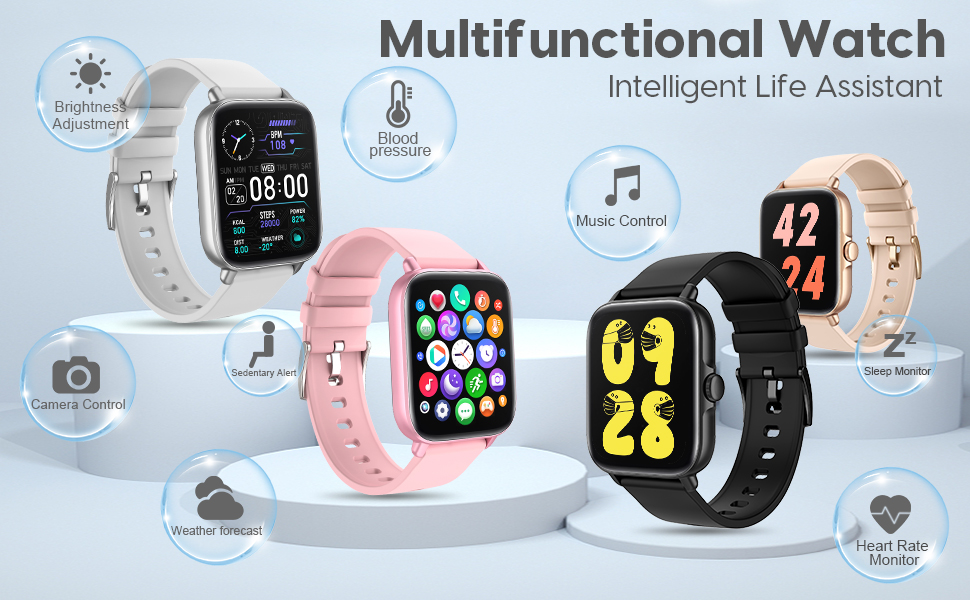
Gambar 2: Lebihview of the smartwatch's multifunctional capabilities, including health tracking and smart controls.
3. Panduan Persediaan
3.1 Pengecasan Awal
Before first use, fully charge your smartwatch. Connect the magnetic charging cable to the charging points on the back of the watch and plug the USB end into a power adapter (not included) or a computer USB port. A full charge typically takes about 2 hours.
3.2 Pemasangan & Penggandingan Aplikasi
To unlock the full potential of your A-TGTGA Smart Watch, you need to download and install the companion app on your smartphone (Android or iOS). Refer to the quick start guide included in your package for the specific app name and QR code, or search for it in your phone's app store.
- Muat turun dan pasang aplikasi pada telefon pintar anda.
- Pastikan Bluetooth didayakan pada telefon pintar anda.
- Buka aplikasi dan ikut arahan pada skrin untuk menambah peranti anda.
- Select your A-TGTGA Smart Watch from the list of available devices to pair.
- Sahkan permintaan gandingan pada telefon dan jam tangan anda.
3.3 Setting Unit Format
You can easily switch between Metric and Imperial units for measurements like distance and temperature within the app settings.
Video 1: This short video demonstrates how to set the unit format (Metric or Imperial) for your A-TGTGA Smart Watch using the companion mobile application. Navigate to the 'Others' section in the device settings and select 'Unit format' to make your choice.
4. Arahan Operasi
4.1 Navigasi Asas
The smartwatch features a responsive touch screen and a side button for navigation:
- Tap Screen: Wake up the watch or select an item.
- Leret ke Bawah: Access the control center (battery, Bluetooth, silent mode, flashlight, settings).
- Leret ke atas: View a list of all available applications.
- Leret Kiri/Kanan: Access quick functions or different app views.
- Butang Sisi: Kembali ke skrin utama atau bangunkan peranti.
Video 2: Video ini memberikan gambaran menyeluruhview of the A-TGTGA Smart Watch's features and user interface. It demonstrates basic navigation, accessing various apps like fitness tracking, sleep monitoring, heart rate, and phone functions, as well as showing the watch's elegant design and comfortable fit on the wrist.
4.2 Call & Message Management
Once paired, your smartwatch can handle calls and display messages:
- Membuat Panggilan: Access the 'Phone' app to view call records, use the dial pad, or access contacts.
- Menerima Panggilan: Answer or reject incoming calls directly from your watch.
- SMS & App Notifications: Receive text messages and alerts from social media apps (e.g., Facebook, WhatsApp, Instagram) directly on your watch. You can select which notifications to display in the companion app.
Video 3: This video illustrates how to set up notification reminders on your A-TGTGA Smart Watch. It shows how to access the notification settings within the app and enable or disable alerts for various communication platforms like phone calls, messages, and social media applications.
4.3 Fitness & Health Tracking
Monitor your physical activity and health metrics:
- Aktiviti: Track your daily steps, distance, and calories burned. View your progress in the 'Activity' app.
- Kadar Jantung: Access the 'Heart Rate' app to measure your current heart rate (BPM).
- Pemantauan Tidur: Wear the watch overnight to track your sleep patterns and duration. View sleep data in the 'Sleep' app.
- Mod Senaman: Select from various training modes like walking, running, or cycling to record specific workout data, including duration, calories, and distance.
- Blood Pressure (BP) & SpO2: Use the dedicated apps to measure your blood pressure and blood oxygen saturation levels.
4.4 Smart Utilities
The watch includes several useful tools:
- Cuaca: Check the current weather and a multi-day forecast for your location.
- Pemain muzik: Control music playback on your connected smartphone (play, pause, skip tracks).
- Suara AI: Activate your phone's voice assistant (e.g., Siri) through the watch.
- Bernafas: A guided breathing exercise to help you relax and focus.
- Stopwatch & Countdown: Gunakan untuk aktiviti penentuan masa.
- penggera: Tetapkan penggera terus pada jam tangan anda.
- Lampu suluh: Turn the screen into a bright light source.
- Permainan: Enjoy simple games on your watch.
5. Penyelenggaraan
To ensure the longevity and optimal performance of your A-TGTGA Smart Watch, follow these maintenance guidelines:
- Pembersihan: Lap skrin dan tali jam tangan dengan kerap menggunakan kain lembut dan kering. Untuk kotoran degil, gunakan sedikit pembersihamp kain dan keringkan dengan teliti. Elakkan bahan kimia yang keras atau bahan yang melelas.
- Tahan Air: The watch is IP67 waterproof, meaning it can withstand splashes and brief immersion. However, it is not recommended for swimming, showering with hot water, or diving. Avoid prolonged exposure to water.
- Suhu: Do not expose the watch to extreme temperatures (very hot or very cold) or sudden temperature changes, as this can damage internal components.
- mengecas: Always use the provided charging cable. Ensure the charging contacts are clean and dry before charging.
- Storan: Apabila tidak digunakan untuk tempoh yang lama, simpan jam tangan di tempat yang sejuk dan kering.
6. Penyelesaian masalah
If you encounter any issues with your smartwatch, try the following solutions:
- Tonton tidak dihidupkan: Pastikan jam tangan dicas sepenuhnya. Sambungkannya ke pengecas selama sekurang-kurangnya 30 minit.
- Tidak dapat dipasangkan dengan telefon:
- Pastikan Bluetooth didayakan pada telefon anda.
- Pastikan jam tangan berada dalam julat telefon anda.
- Mulakan semula telefon dan jam tangan anda.
- Kosongkan cache Bluetooth pada telefon anda (jika berkenaan).
- Cuba nyahgandingkan dan pasangkan semula peranti dalam aplikasi.
- Pemberitahuan tidak muncul:
- Check if notifications are enabled for the specific apps in your smartwatch companion app.
- Ensure your phone's notification settings allow the companion app to display alerts.
- Sahkan bahawa jam tangan disambungkan dengan betul melalui Bluetooth.
- Data kesihatan tidak tepat:
- Pastikan jam tangan dipakai dengan kemas pada pergelangan tangan anda, tetapi tidak terlalu ketat.
- Pastikan sensor bersih dan bebas daripada serpihan.
- Note that smartwatches are not medical devices and data is for reference only.
- Skrin tidak bertindak balas: Try restarting the watch by pressing and holding the side button. If that doesn't work, allow the battery to fully drain and then recharge it.
7. Spesifikasi
| Ciri | Spesifikasi |
|---|---|
| Nombor Model | A-F30-22 |
| Saiz Skrin | 1.7 Inci |
| Sistem Operasi | Android, iOS |
| Ciri Khas | Monitor Kadar Jantung |
| Teknologi Ketersambungan | Bluetooth |
| Standard Komunikasi Tanpa Wayar | Bluetooth |
| warna | Emas Hitam |
| Khalayak Sasaran | perempuan |
| Berat Barang | 4.6 auns |
| Dimensi Pakej | 6.46 x 2.76 x 1.14 inci |
8. Waranti dan Sokongan
Your A-TGTGA Smart Watch comes with a standard manufacturer's warranty. Please refer to the warranty card included in your product packaging for specific terms and conditions. For technical support, troubleshooting assistance, or warranty claims, please contact A-TGTGA customer service through the contact information provided in your product documentation or visit the official A-TGTGA brand store online.
We are committed to providing you with the best possible experience with your A-TGTGA Smart Watch.
Ask a question about this manual
Ask about setup, troubleshooting, compatibility, parts, safety, or missing instructions. Manuals+ will review the question and use this page’s manual context to help answer it.