
Optoma UHD38x
Optoma UHD38X 4K UHD Projector User Manual
Model: UHD38x
Jenama: Optoma
1. Pengenalan
The Optoma UHD38X is a high-performance 4K UHD projector designed for immersive home entertainment and gaming. It delivers stunning true 4K UHD images with exceptional brightness and clarity. This manual provides essential information for setting up, operating, maintaining, and troubleshooting your projector to ensure optimal performance and longevity.

Image 1.1: The Optoma UHD38X 4K UHD Projector, showcasing its sleek white design and front lens.
2. Apa yang ada di dalam Kotak
Sila pastikan semua item yang disenaraikan di bawah disertakan dalam pakej anda:
- UHD38x Projector
- Manual Pengguna Permulaan Pantas
- Alat Kawalan Jauh
- Bateri untuk Alat Kawalan Jauh
- Kabel Kuasa
3. Persediaan
3.1 Penempatan Fizikal
Proper placement of your projector is crucial for achieving the best image quality. The UHD38X is a standard throw projector, suitable for ceiling-mounted or shelf placement. Refer to the projection distance chart for recommended distances based on desired screen size.

Image 3.1: Standard Throw Projection Distance for Optoma UHD38X, showing recommended distances for 100" and 120" screen sizes.
- For a 100-inch screen, the projector should be placed approximately 10.8-12.1 feet (3.29-3.69m) from the screen.
- For a 120-inch screen, the projector should be placed approximately 13.07-14.37 feet (3.98-4.38m) from the screen.
- Ensure the projector is stable and level to prevent image distortion.
3.2 Ketersambungan
The UHD38X offers a variety of input and output ports for connecting your devices.

Imej 3.2: Belakang view of the Optoma UHD38X, illustrating its dimensions and available connectivity ports.
- Kuasa USB KELUAR (5V/1.5A): Untuk menguasakan peranti luaran seperti penstriman stick.
- VGA Dalam: For connecting older computers or devices with a VGA output.
- RS-232: Untuk penyepaduan sistem kawalan.
- HDMI 2.0 (Input 1): High-speed digital input for modern devices like Blu-ray players, gaming consoles, and PCs.
- HDMI 2.0 (Input 2): Another high-speed digital input.
- S/PDIF: Output audio digital.
- 12V Out: For triggering external devices like motorized screens.
- Audio In (stereo, 3.5mm jack): Untuk input audio analog.
- Audio Out (stereo, 3.5mm jack): For analog audio output to external speakers.
Connect your video source (e.g., gaming console, Blu-ray player, PC) to one of the HDMI 2.0 inputs. Connect the power cable to the projector and a suitable power outlet.
3.3 Hidupkan/Mati Kuasa
- To power on, press the power button on the projector or the remote control. The power LED will illuminate.
- To power off, press the power button again. The projector will enter a cooling down cycle before fully shutting down. Do not unplug the power cable during the cooling cycle.
4. Mengendalikan Projektor
4.1 Operasi Asas dan Navigasi Menu
Use the remote control to navigate the projector's on-screen display (OSD) menu. The menu allows you to adjust various settings, select input sources, and configure advanced features.
- Tekan ke Menu butang untuk membuka OSD.
- Gunakan kekunci anak panah (Atas/Bawah/Kiri/Kanan) to navigate through options.
- Tekan Masukkan/OK untuk mengesahkan pilihan.
- Tekan Menu lagi atau Keluar to close the OSD.
- Gunakan Sumber button to cycle through available input sources (HDMI1, HDMI2, VGA).
4.2 Picture Settings and Features
The UHD38X offers advanced picture settings to optimize your viewpengalaman dalam.

Image 4.1: Key features of the Optoma UHD38X, highlighting 4K UHD resolution, 4000 lumens brightness, 1,000,000:1 contrast, 240Hz refresh rate, and 4.2ms response time.
- Kecerahan & Kontras: Laraskan tetapan ini agar sesuai dengan anda viewpersekitaran dan kandungan.
- Mod Warna: Select from various preset modes (e.g., Cinema, Game, Bright) or customize your own.
- HDR & HLG Compatibility: The projector supports HDR10 and HLG (Hybrid Log-Gamma) for enhanced contrast and color depth, providing deeper blacks and brighter whites.

Image 4.2: Visual representation of HDR10 and HLG compatibility on the Optoma UHD38X, demonstrating improved dynamic range compared to SDR.
4.3 Ciri-ciri Permainan
The UHD38X is optimized for gaming, offering a competitive edge with its high refresh rate and low input lag.

Image 4.3: A gamer using the Optoma UHD38X, illustrating the benefit of its 240Hz refresh rate for smooth, blur-free visuals.
- Kadar Refresh 240Hz: Enjoy ultra-smooth motion, especially beneficial for fast-paced PC gaming.
- Selang Input 4.2ms: Experience minimal delay between your input and the on-screen action, crucial for competitive gaming.
- Console Gaming: Supports 1080p 120Hz or 4K UHD 60Hz gameplay with the latest consoles like Xbox Series X|S and PlayStation 5.
4.4 True 4K UHD Display
The UHD38X delivers true 4K UHD resolution, providing incredibly sharp and detailed images.
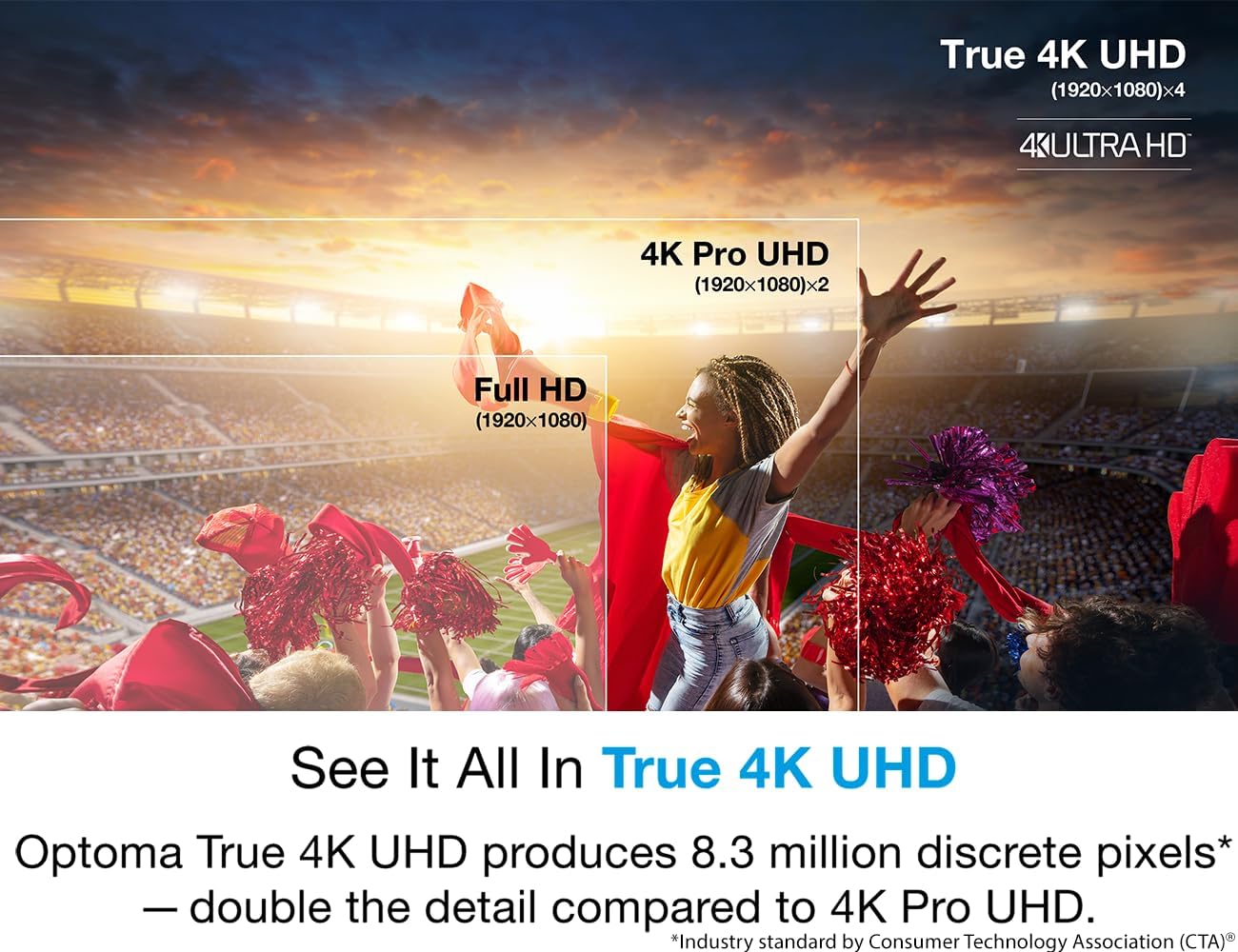
Image 4.4: A visual comparison demonstrating the superior detail of True 4K UHD (8.3 million discrete pixels) compared to 4K Pro UHD and Full HD.
- 8.3 Million Pixels: The projector utilizes DLP technology to project 8.3 million distinct pixels on screen, delivering a true 4K UHD experience.
- Crystal Clear Detail: Enjoy movies, sports, and games with exceptional clarity and sharpness.
5. Penyelenggaraan
5.1 Lamp Penggantian
The UHD38X uses a lamp as its light source. The lamp has a finite lifespan, and its brightness will gradually decrease over time. When the lamp indicator light illuminates or the image becomes noticeably dim, it's time to replace the lamp.
- Ensure the projector is powered off and unplugged from the power outlet. Allow it to cool down completely (at least 30 minutes).
- Cari lamp cover on the projector (refer to the full user manual for exact location).
- Buka skru lamp cover and carefully remove it.
- Buka skru l lamaamp module and gently pull it out.
- Masukkan l baruamp modul, memastikan ia diletakkan dengan selamat.
- Skru l baruamp module into place and reattach the lamp penutup.
- Plug in the projector and reset the lamp timer in the OSD menu.
Amaran: Jangan sentuh lamp glass directly. Use gloves or a cloth. Dispose of old lamps mengikut peraturan tempatan.
5.2 Pembersihan
- Projektor Casing: Use a soft, dry, lint-free cloth to wipe the exterior. Do not use abrasive cleaners or solvents.
- Kanta: Gently clean the lens with a lens cleaning cloth and specialized lens cleaning solution. Avoid touching the lens surface with your fingers.
- Bolong Udara: Periodically clean the air vents to ensure proper airflow and prevent overheating. Use a soft brush or compressed air (held upright to prevent propellant discharge).
6. Penyelesaian masalah
This section addresses common issues you might encounter with your Optoma UHD38X projector.
| Masalah | Kemungkinan Punca | Penyelesaian |
|---|---|---|
| Tiada gambar di skrin |
|
|
| Imej kabur atau tidak fokus |
|
|
| Alat kawalan jauh tidak berfungsi |
|
|
| Projektor terlalu panas dan mati |
|
|
7. Spesifikasi
Key technical specifications for the Optoma UHD38X projector:
| Ciri | Perincian |
|---|---|
| Nombor Model | UHD38x |
| Resolusi Paparan | 3840 x 2160 (4K UHD) |
| Kecerahan | 4,000 Lumen |
| Nisbah Kontras | 1,000,000:1 (Dynamic Black) |
| Kadar Segar Semula | Up to 240Hz (1080p) |
| Input Lag | 4.2ms (1080p 240Hz) |
| Keserasian HDR | HDR10, HLG |
| Teknologi Ketersambungan | USB, HDMI, VGA, RS-232, S/PDIF, 12V Trigger, Audio In/Out |
| Dimensi Produk (W x D x H) | 12.4 x 10.6 x 4.6 inci (315 x 270 x 118 mm) |
| Berat Barang | 10.1 paun (4.58 kg) |
| Lamp kehidupan | Varies by mode (e.g., Eco, Bright) - refer to full manual for details. |
| Pengeluar | Optoma Technology Inc |
| Negara Asal | China |
8. Waranti dan Sokongan
Optoma provides a limited warranty for its products. For detailed warranty terms and conditions, please refer to the warranty card included with your product or visit the official Optoma webtapak.
For technical support, product registration, or to download the complete user manual in PDF format, please visit the Optoma support page or contact their customer service. A PDF version of the user manual is available di sini.
Ask a question about this manual
Ask about setup, troubleshooting, compatibility, parts, safety, or missing instructions. Manuals+ will review the question and use this page’s manual context to help answer it.