
pengenalan
This manual provides essential information for the proper setup, operation, and maintenance of your ZEBRONICS K24 Wired USB Keyboard. Please read this manual thoroughly before using the product to ensure optimal performance and longevity.
Kandungan Pakej
- 1 x ZEBRONICS K24 Wired USB Keyboard
Arahan Persediaan
- Buka pek Papan Kekunci: Tanggalkan papan kekunci dari pembungkusannya dengan berhati-hati.

Image: ZEBRONICS K24 Wired USB Keyboard, showing the keyboard and its USB cable.
- Connect to your Device: Locate an available USB port on your computer or laptop. Insert the USB connector of the keyboard cable into the USB port.
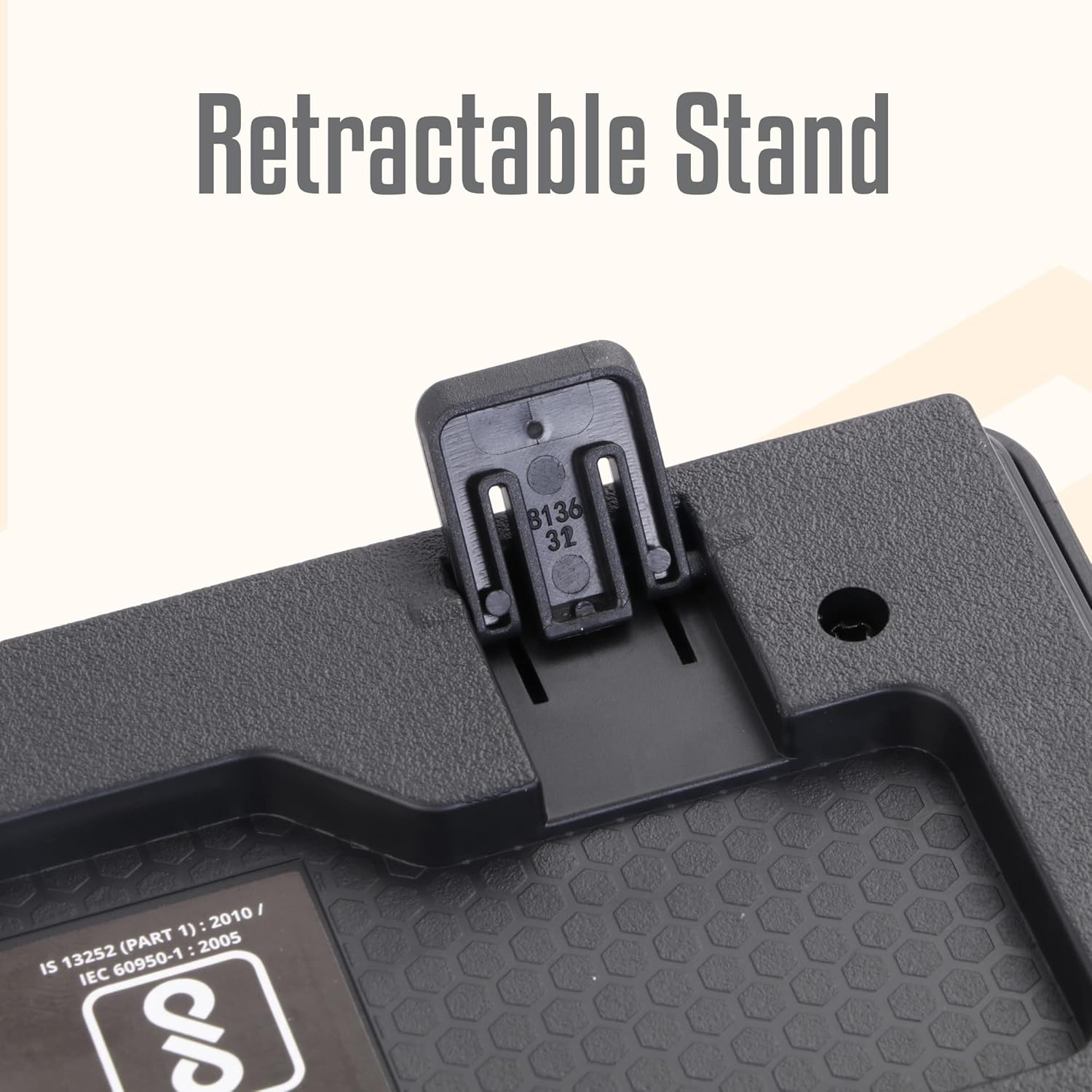
Image: A hand connecting the USB cable of the keyboard to a laptop's USB port.
- Pemasangan Pemandu: The keyboard is plug-and-play. Your operating system (Windows, macOS, Linux) will automatically detect and install the necessary drivers. No manual driver installation is required.
- Adjust the Stand (Optional): For an ergonomic typing angle, extend the retractable stands located on the underside of the keyboard.

Image: Close-up of the retractable stand on the back of the keyboard, extended for ergonomic use.
Arahan Operasi
The ZEBRONICS K24 keyboard operates like any standard 104-key keyboard. Simply connect it to your device, and it will be ready for use.
- Menaip: Use the keys for text input, data entry, and command execution.
- Kekunci Multimedia: The keyboard may feature integrated multimedia functions accessible via the 'Fn' key combined with function keys (F1-F12). Refer to your operating system's settings for specific key assignments if needed.
- Kunci Rupee: The keyboard includes a dedicated Rupee key for convenient currency input.

Image: Close-up of the keyboard highlighting the Rupee symbol on a key.
Ciri-ciri
- Standard Layout with 104 Keys: Papan kekunci bersaiz penuh untuk fungsi yang komprehensif.
- UV Coated Keycaps: Ensures durability and prevents legend fading over time.
- Long Life 8 Million Keystrokes: Designed for extended usage and reliability.
- Silent and Comfortable Use: Provides a quiet typing experience suitable for various environments.
- Reka bentuk Slim: Menjimatkan ruang dan penuh estetikasing for any desk setup.
- Pendirian boleh ditarik balik: Offers adjustable ergonomic typing angles.
- 1.5 Meter Textured Cable: Menyediakan ample length and durability for flexible placement.
- Kesambungan USB: Ensures broad compatibility with PCs and laptops.

Image: Close-up of the keyboard keys, showing their round, chiclet style and UV coating.

Image: The keyboard with its 1.5-meter textured USB cable coiled next to it.
Penyelenggaraan
- Pembersihan: Gunakan kain lembut dan kering untuk mengelap permukaan papan kekunci. Untuk pembersihan yang lebih mendalam, gunakan tin udara termampat untuk mengeluarkan habuk dan serpihan dari antara kekunci. Elakkan menggunakan bahan kimia yang keras atau bahan yang melelas.
- Storan: When not in use, store the keyboard in a clean, dry place away from direct sunlight and extreme temperatures.
- Penjagaan Kabel: Elakkan membengkokkan atau memusingkan kabel USB secara berlebihan untuk mengelakkan kerosakan.
Menyelesaikan masalah
| Masalah | Kemungkinan Punca | Penyelesaian |
|---|---|---|
| Papan kekunci tidak bertindak balas | Sambungan USB longgar, port USB rosak, isu pemandu. | Pastikan kabel USB dipasang dengan kukuh. Cuba port USB yang lain. Mulakan semula komputer anda. |
| Kunci tidak berfungsi | Debris under keys, software conflict. | Clean the keys with compressed air. Check for any software conflicts or update keyboard drivers. |
| Incorrect characters appearing | Incorrect keyboard layout setting. | Check your operating system's keyboard language and layout settings. |
If you encounter issues not listed here, please contact ZEBRONICS customer support.
Spesifikasi
| Ciri | Perincian |
|---|---|
| Jenama | ZEBRONIK |
| Nombor Model | Zeb-k24 |
| Teknologi Ketersambungan | Berwayar (USB) |
| Bilangan Kunci | 104 |
| Jenis Keycap | UV Coated Chiclet Keys |
| Kehidupan Ketukan Kekunci | 8 Juta |
| Panjang Kabel | 1.5 meter |
| Peranti Serasi | Komputer riba, PC |
| Susun atur papan kekunci | QWERTY, includes Rupee key |
| Reka bentuk | Slim, Ergonomic with Retractable Stand |
| warna | Hitam |
| bahan | plastik |
| Dimensi Item L x W x H | lebih kurang 435mm x 133mm x 20mm |
| Berat Barang | 510 Gram |
Note: Keyboard dimensions are approximate.
Waranti dan Sokongan
Waranti: The ZEBRONICS K24 Wired USB Keyboard comes with a 1-year carry-in warranty to the service center from the date of purchase.
Sokongan Pelanggan: For any product-related queries, technical assistance, or warranty claims, please contact ZEBRONICS customer support. Refer to the official ZEBRONICS webtapak untuk maklumat hubungan terkini.