
Xiaomi 2201123G
Xiaomi 12 User Manual
Model: 2201123G
pengenalan
This manual provides essential information for the safe and efficient use of your Xiaomi 12 smartphone. Please read this manual carefully before using your device to ensure optimal performance and longevity.
The Xiaomi 12 is designed for elegance and comfort, weighing 180g and measuring just 69.9mm wide, offering a lightweight and pleasurable grip. Its symmetrically curved edges provide a smooth and delicate styling.
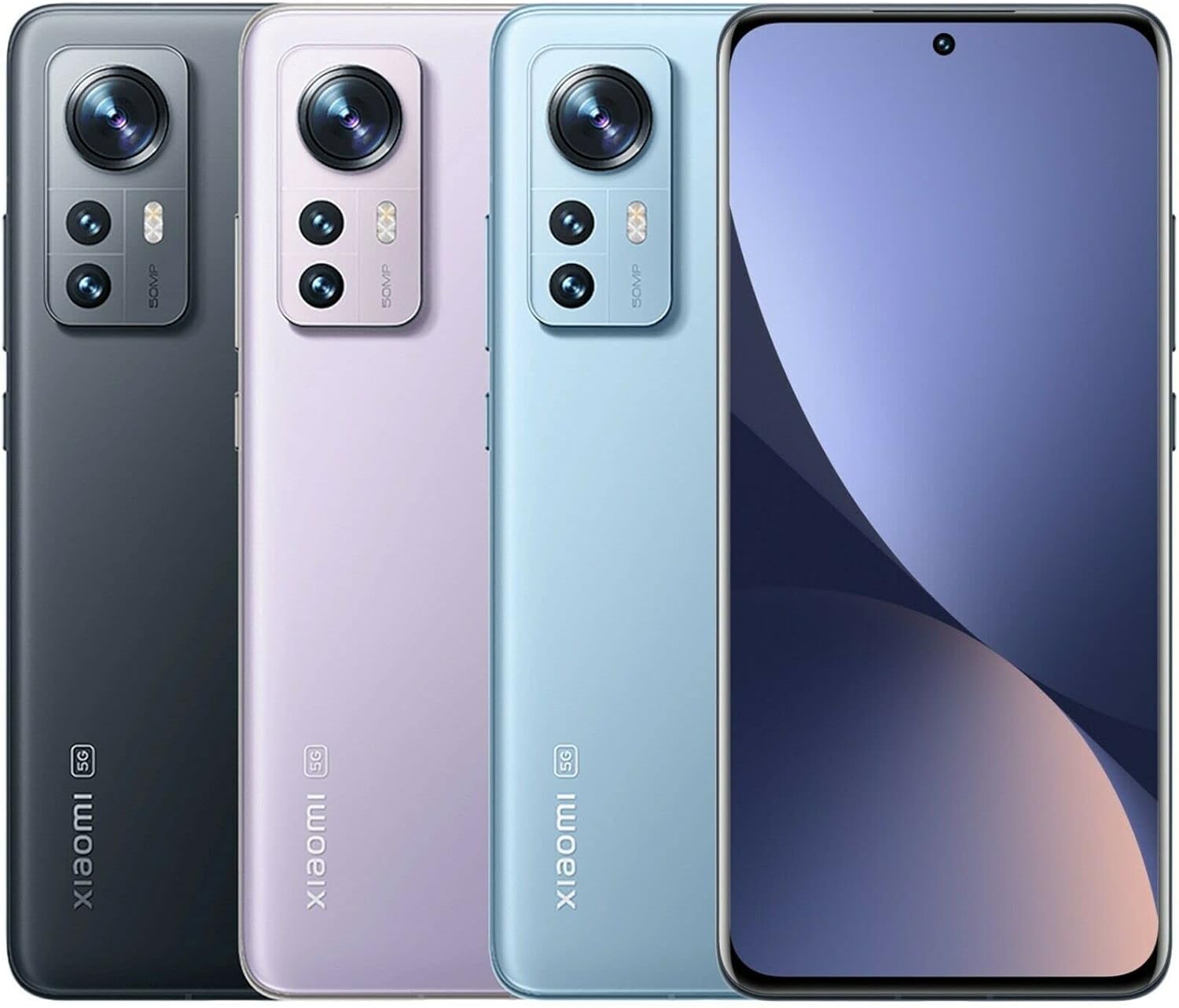
Image: Xiaomi 12 in various colors, highlighting its compact design and camera system.
Persediaan
1. Unboxing dan Pemeriksaan Awal
Upon receiving your Xiaomi 12, carefully unbox the device and check for all included accessories. The standard package includes the Xiaomi 12 smartphone and a power adapter.

Image: Xiaomi 12 and its packaging, showing the device's certification screen.
2. Pemasangan Kad SIM
- Cari dulang kad SIM di sisi peranti anda.
- Masukkan alat ejektor SIM ke dalam lubang kecil di sebelah dulang dan tolak perlahan-lahan sehingga dulang terkeluar.
- Place your Nano-SIM card(s) into the tray with the gold contacts facing down. The Xiaomi 12 supports Dual Nano SIM.
- Masukkan semula dulang dengan berhati-hati ke dalam telefon.
3. Kuasa Awal Hidup dan Wizard Persediaan
Press and hold the Power button until the Xiaomi logo appears. Follow the on-screen instructions to complete the initial setup, including language selection, Wi-Fi connection, Google account sign-in, and security settings.
Operating Your Xiaomi 12
Paparan dan Interaksi
The Xiaomi 12 features a 6.28" AMOLED DotDisplay with a resolution of 2400 x 1080 pixels and a 120Hz refresh rate, offering vibrant colors and smooth scrolling. It supports up to 480Hz touch sampling rate for responsive interaction. The display is protected by Corning Gorilla Glass Victus.
Sistem Kamera
Equipped with a 50MP pro-grade main camera (f/1.88, OIS), a 13MP ultra-wide angle camera (123° FOV, f/2.4), and a 5MP telemacro camera (f/2.4, AF 3cm-7cm). The front camera is 32MP. Key features include:
- Xiaomi ProFocus: Advanced focusing technology with subject learning and tracking.
- Ultra Night Video: AI algorithms enhance video brightness and detail in low-light conditions.
- Multi-scene Night Views: Night mode for wide and ultra-wide angle cameras.
- Portrait Night Mode: Crystal-clear portrait shots even in low light.
- Rakaman Video 8K: Capture high-resolution video at 24/30fps.
Performance and Cooling
Powered by the Snapdragon® 8 Gen 1 processor, the Xiaomi 12 delivers robust performance. To maintain optimal temperature during intensive use, it incorporates 2600mm² extra-large VC liquid cooling technology, featuring Xiaomi's thinnest 0.3mm VC LiquidCool material for efficient heat dissipation.
Pengalaman Audio
The device features a fully symmetrical physical structure for an immersive stereo sound experience, enhancing enjoyment of movies and music with smooth, high-quality audio.
Penyelenggaraan
Penjagaan Bateri
The Xiaomi 12 is equipped with a 4500 mAh battery. For optimal battery longevity, it is recommended to avoid fully draining the battery to 0% or consistently charging it to 100%. Aim to keep the charge level between 20% and 80% for best results. The device supports 120W fast charging, allowing for rapid replenishment of power.
Kemas Kini Perisian
Regularly check for and install system updates to ensure your device has the latest features, security patches, and performance improvements. You can typically find this option in Tetapan > Perihal telefon > Versi MIUI.
Membersihkan Peranti Anda
Gunakan kain lembut dan tidak berbulu untuk membersihkan skrin dan badan telefon anda. Elakkan menggunakan bahan kimia yang keras atau bahan kasar yang boleh merosakkan kemasan.
Menyelesaikan masalah
Isu dan Penyelesaian Biasa
- Peranti Tidak Dihidupkan: Pastikan bateri telah dicas. Sambungkan ke pengecas dan tunggu beberapa minit sebelum cuba menghidupkannya semula.
- Isu Ketersambungan Rangkaian: Check if your SIM card is properly inserted. Verify that mobile data or Wi-Fi is enabled. Restart your device. Note that this model is not compatible with Verizon, Boost, AT&T, Cricket, or Straight Talk CDMA carriers.
- Prestasi Perlahan: Close unnecessary background applications. Clear cache regularly. Ensure sufficient storage space is available.
- Terlalu panas: Avoid prolonged use of demanding applications or games, especially while charging. The LiquidCool Technology helps manage temperature, but extreme conditions can still cause heat.
Untuk isu yang lebih rumit, rujuk sokongan rasmi Xiaomi webtapak atau hubungi perkhidmatan pelanggan.
Spesifikasi
| Ciri | Perincian |
|---|---|
| Nombor Model | 2201123G |
| Dimensi | 5.98 x 2.76 x 0.31 inci |
| Berat badan | 6 auns (180g) |
| Paparan | 6.28" AMOLED DotDisplay, 2400 x 1080, 120Hz Refresh Rate, Corning Gorilla Glass Victus |
| Pemproses | Snapdragon® 8 Gen 1 (4nm) |
| RAM | 8 GB |
| Penyimpanan | 256 GB |
| Kamera Utama | 50MP Wide Angle (OIS) |
| Kamera Ultra Lebar | 13MP (123° FOV) |
| Telemacro Camera | 5MP (AF 3cm-7cm) |
| Kamera Depan | 32MP |
| Bateri | 4500 mAh, Pengecasan Pantas 120W |
| Sistem Operasi | Android 12.0 |
| Ketersambungan | 5G, 4G VoLTE, Wi-Fi 6, Bluetooth 5.1, GPS (L1+L5) |
| Penderia | Proximity, Ambient Light, Accelerometer, Gyroscope, Electronic Compass, Linear Motor, IR Blaster |

Image: Regulatory information and model number displayed on the Xiaomi 12 screen.
Waranti dan Sokongan
For warranty information, technical support, and service inquiries, please visit the official Xiaomi support webtapak atau hubungi perkhidmatan pelanggan mereka. Simpan bukti pembelian anda untuk tuntutan waranti.
Anda boleh mendapatkan lebih banyak maklumat dan sumber sokongan dengan melawati Xiaomi Store on Amazon.
Ask a question about this manual
Ask about setup, troubleshooting, compatibility, parts, safety, or missing instructions. Manuals+ will review the question and use this page’s manual context to help answer it.