
1. Pengenalan
Terima kasih kerana membeliasing the Muse M-308 BT Bluetooth Speaker. This manual provides essential information for the safe and correct use of your device. Please read it thoroughly before use and keep it for future reference.
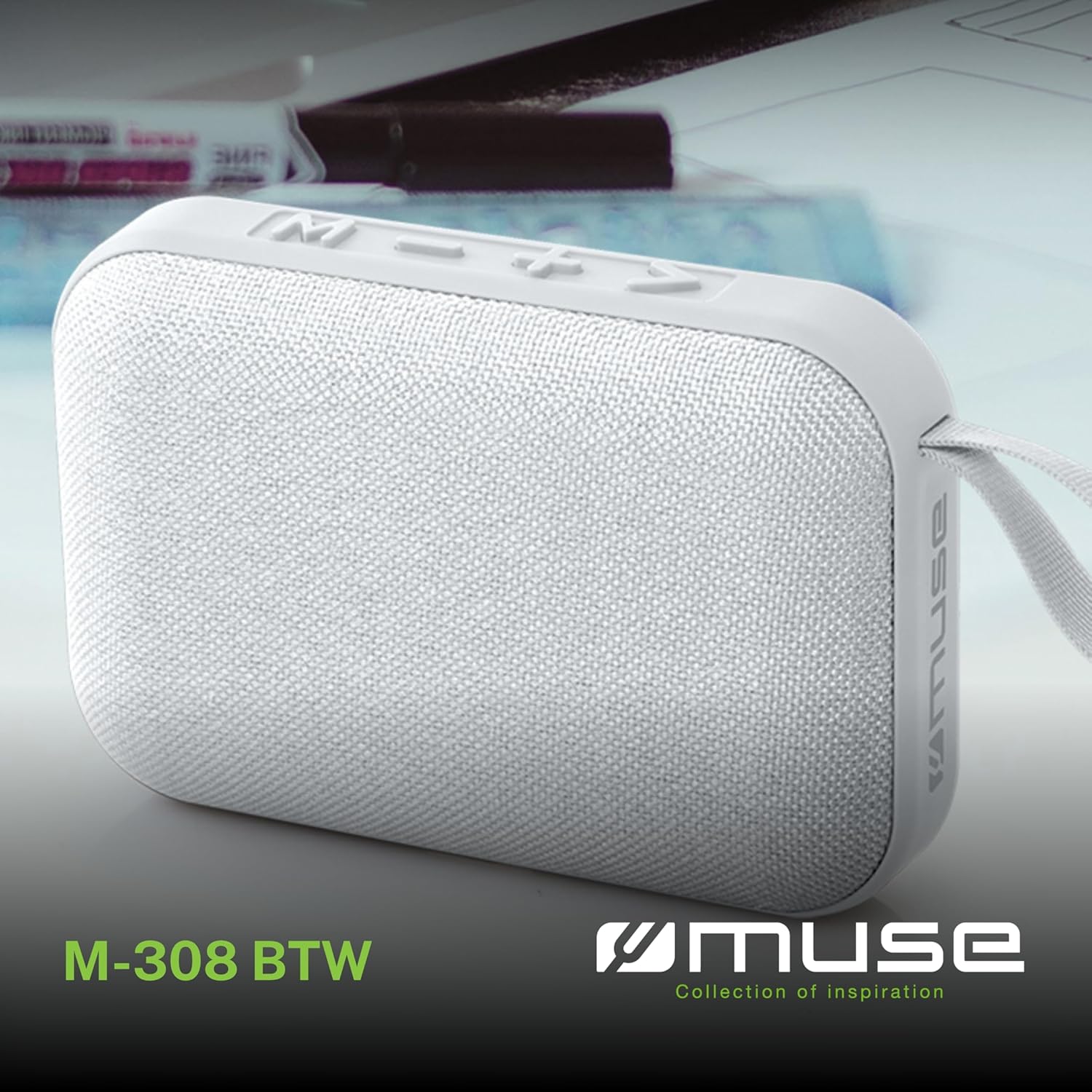
Imej 1.1: Depan view of the Muse M-308 BT Bluetooth Speaker.
2. Ciri-ciri Produk
- Kesambungan Bluetooth: Stream audio wirelessly from compatible devices.
- Fungsi bebas tangan: Integrated microphone for taking calls.
- Main balik Media: Supports music playback from USB and MicroSD (TF) cards.
- Gandingan Stereo: Connect two M-308 BT speakers for enhanced stereo sound.
- Penunjuk LED: Provides visual feedback for Bluetooth pairing and charging status.
- Padat dan Ringan: Designed for portability, weighing approximately 200g.
- Bateri Boleh Dicas Semula Terbina dalam: 1200mAh capacity for up to 10 hours of playback.
- Kuasa Output: 5 Watts for clear audio.

Image 2.1: Key features of the Muse M-308 BT speaker.

Image 2.2: Additional functionalities of the Muse M-308 BT speaker.
3. Kandungan Pakej
Pastikan semua item ada semasa membongkar:
- Muse M-308 BT Bluetooth Speaker
- Kabel Pengecas USB
- Manual Pengguna (dokumen ini)
4. Kawalan dan Sambungan
Familiarize yourself with the speaker's controls and connection ports:

Image 4.1: Top panel with various connections.
- Port USB: Untuk memainkan muzik daripada pemacu kilat USB.
- Port USB Mikro: Untuk mengecas pembesar suara.
- Slot Kad Micro SD (TF): For playing music from a Micro SD card.
- Suis ON / OFF: To power the speaker on or off.

Image 4.2: Side panel with control buttons.
- M Button (Mode): Tekan untuk bertukar antara mod Bluetooth, USB dan Micro SD.
- - Button (Volume Down / Previous Track):
- Tekan sebentar: Kurangkan kelantangan.
- Tekan lama: Pergi ke trek sebelumnya.
- + Button (Volume Up / Next Track):
- Tekan sebentar: Tingkatkan kelantangan.
- Long press: Go to the next track.
- > Button (Play / Pause / Call):
- Short press: Play or pause music.
- Tekan sebentar (semasa panggilan masuk): Jawab panggilan.
- Long press (during incoming call): Reject call.
- Tekan sebentar (semasa panggilan): Tamatkan panggilan.
5. Persediaan
5.1 Mengecas Speaker
- Connect the supplied USB charging cable to the Micro-USB port on the speaker.
- Sambungkan hujung kabel USB yang satu lagi ke penyesuai kuasa USB (tidak disertakan) atau port USB komputer.
- Penunjuk LED akan menyala untuk menunjukkan status pengecasan. Ia akan mati atau bertukar warna apabila dicas penuh.
5.2 Menghidupkan/Mematikan
- To power on, slide the ON/OFF switch to the 'ON' position. You will hear an audible prompt.
- Untuk mematikan kuasa, luncurkan suis ON/OFF ke kedudukan 'OFF'.
5.3 Berpasangan Bluetooth
- Ensure the speaker is powered on and in Bluetooth mode (indicated by a flashing LED). If not, press the 'M' button to switch to Bluetooth mode.
- Dayakan Bluetooth pada telefon pintar, tablet anda atau peranti lain yang serasi.
- Cari untuk available Bluetooth devices and select "M-308 BT" from the list.
- Setelah dipasangkan, penunjuk LED akan berhenti berkelip dan kekal pekat, dan anda akan mendengar nada pengesahan.
- The speaker will automatically connect to the last paired device when powered on, if it is within range.
5.4 Stereo Pairing (TWS Function)
To pair two M-308 BT speakers for true wireless stereo sound:
- Ensure both speakers are powered on and in Bluetooth pairing mode (LED flashing).
- On one of the speakers (this will be the primary speaker), double-press the 'M' button. The speaker will search for another M-308 BT speaker.
- Once connected, both speakers will emit a confirmation tone, and the LED on the primary speaker will flash slowly, while the LED on the secondary speaker will remain solid.
- Sekarang, sambungkan peranti anda ke pembesar suara utama melalui Bluetooth seperti yang diterangkan dalam bahagian 5.3.
6. Arahan Operasi
6.1 Memainkan Muzik
- Mod Bluetooth: After successful pairing, start playing music on your connected device. The audio will stream through the speaker.
- Mod USB/Micro SD: Insert a USB flash drive or Micro SD card into the respective port. The speaker will automatically switch to the corresponding mode and begin playing music. If it doesn't, press the 'M' button to cycle through modes.
6.2 Kawalan Kelantangan
- Tekan butang '+' untuk meningkatkan kelantangan.
- Tekan butang '-' untuk mengurangkan kelantangan.
6.3 Navigasi Trek
- Tekan lama butang '+' untuk melangkau ke trek seterusnya.
- Long press the '-' button to go back to the previous track.
6.4 Panggilan Bebas Tangan
- When a call comes in, the music will pause. Press the '>' button to answer the call.
- To end a call, press the '>' button again.
- To reject an incoming call, long press the '>' button.
7. Penyelenggaraan
- Keep the speaker away from extreme temperatures, direct sunlight, and moisture.
- Do not expose the speaker to water or other liquids. This model is not water-resistant.
- Bersihkan pembesar suara dengan kain lembut dan kering. Jangan gunakan pembersih atau pelarut yang melelas.
- Jangan cuba membuka atau membaiki pembesar suara sendiri. Ini akan membatalkan jaminan.
- Apabila tidak digunakan untuk tempoh yang lama, cas bateri sekurang-kurangnya sekali setiap tiga bulan untuk mengekalkan kesihatan bateri.
8. Penyelesaian masalah
| Masalah | Kemungkinan Punca | Penyelesaian |
|---|---|---|
| Speaker tidak dihidupkan. | Bateri habis. | Cas pembesar suara menggunakan kabel USB yang dibekalkan. |
| Tidak boleh berpasangan melalui Bluetooth. | Bluetooth is not enabled on your device or speaker is not in pairing mode. Speaker is too far from the device. | Ensure Bluetooth is active on both devices. Make sure the speaker is in Bluetooth pairing mode (flashing LED). Move the speaker closer to your device (within 10 meters). |
| Tiada bunyi. | Volume is too low. Speaker is not connected. Incorrect mode selected. | Increase the volume on both the speaker and your connected device. Re-pair the Bluetooth connection. Press the 'M' button to cycle through modes (Bluetooth, USB, Micro SD). |
| Music playback from Micro SD card is erratic or "screaming". | rosak files on Micro SD card. Incompatible file format. | Pastikan audio files are in a compatible format (e.g., MP3). Try using a different Micro SD card or reformatting the current one and reloading files. |
| Speaker switches between modes (e.g., SD and BT) unexpectedly. | Interference or a temporary software glitch. | Power off the speaker, wait a few seconds, then power it back on. Ensure no other devices are causing interference. If the issue persists, try removing the Micro SD card if it's inserted. |
9. Spesifikasi
| Nama Model | M-308 BT |
| Jenama | Muse |
| Teknologi Ketersambungan | Bluetooth, Berwayar |
| Teknologi Komunikasi Tanpa Wayar | Bluetooth |
| Kuasa Output Maksimum Pembesar Suara | 5 Watt |
| Mod Keluaran Audio | Stereo |
| Jenis Pembesar Suara | Pembesar Suara Bluetooth Mudah Alih |
| Ciri Khas | Bluetooth |
| Peranti Serasi | Telefon Pintar, Tablet |
| Sumber Kuasa | Bateri |
| Hayat Bateri | 10 Jam |
| Kapasiti Bateri | 1200 Miliampjam awal |
| Dimensi Produk (D x W x H) | 118D x 30B x 76H millimeters (11.8 x 3 x 7.6 cm) |
| Berat Barang | 200 Gram |
| bahan | Plastic rubber material |
| Is Water Resistant | Tidak |
| Komponen yang Disertakan | Kabel Pengecas USB |
Image 9.1: Dimensions of the Muse M-308 BT speaker.
10. Waranti dan Sokongan
The Muse M-308 BT Bluetooth Speaker comes with a Waranti 2 tahun dari tarikh pembelian.
For technical support, warranty claims, or further assistance, please contact your retailer or visit the official MUSE webtapak untuk maklumat hubungan.