
pengenalan
This user manual provides essential information for the Lenovo ThinkPad X1 Carbon Gen 9 laptop. It covers initial setup, basic operation, maintenance guidelines, troubleshooting tips, and detailed product specifications. Please read this manual thoroughly to ensure proper use and care of your device.
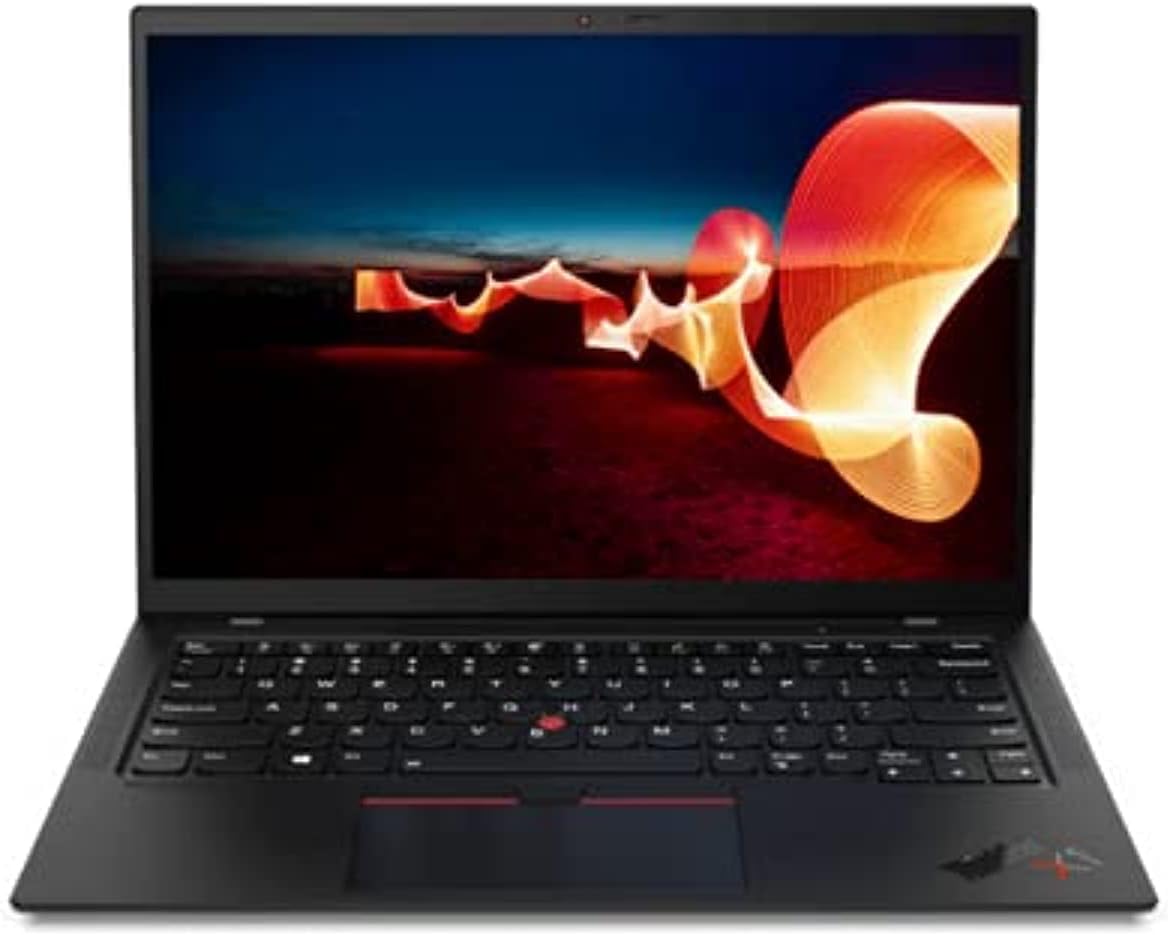
Image: The Lenovo ThinkPad X1 Carbon Gen 9 laptop in a closed position, showcasing reka bentuknya yang anggun.
Persediaan
1. Membongkar dan Pemeriksaan Awal
Carefully remove the laptop and all accessories from the packaging. Verify that all components are present, including the laptop and the power adapter. Inspect the device for any visible damage.
2. Menyambungkan Penyesuai Kuasa
Connect the power adapter to the laptop's USB-C port (Thunderbolt 4 compatible) and then plug it into a power outlet. It is recommended to fully charge the battery before initial use.

Image: Left side of the laptop, illustrating the USB-C (Thunderbolt 4) and USB 3.1 ports for power and data connections.
3. Hidupkan Awal dan Persediaan Windows
Press the power button to turn on the laptop. Follow the on-screen instructions to complete the Windows 11 Pro operating system setup. This includes selecting your region, connecting to a Wi-Fi network, and creating a user account.
Arahan Operasi
Kuasa Hidup/Mati dan Mod Tidur
- Hidupkan kuasa: Tekan butang kuasa yang terletak di sisi komputer riba.
- Matikan: Klik butang Mula, kemudian Kuasa, dan pilih "Matikan."
- Mod tidur: Close the laptop lid or click the Start button, then Power, and select "Sleep."
Papan Kekunci dan Peranti Input
The ThinkPad X1 Carbon Gen 9 features a backlit keyboard for improved visibility in low-light conditions. Utilize the integrated touchpad or the TrackPoint pointing device for navigation.
Menyambung Peranti Luaran
Komputer riba ini dilengkapi dengan pelbagai port untuk menyambungkan peranti luaran:
- USB-C (Thunderbolt 4): Untuk pemindahan data berkelajuan tinggi, output video dan pengecasan.
- USB 3.1: Untuk menyambungkan peranti USB standard.
- HDMI: Untuk menyambung ke paparan luaran atau projektor.
- Jack Audio: Untuk fon kepala atau pembesar suara luaran.

Image: Right side of the laptop, displaying the audio jack, USB 3.1 port, and a security lock slot.
Kesambungan Wayarles
The laptop supports Wi-Fi 6 (Intel AX201 11ax) for fast wireless internet access and Bluetooth 5.1 for connecting wireless peripherals such as mice, keyboards, or headphones.
Pembaca Cap Jari
Utilize the integrated fingerprint reader for secure and convenient login to your Windows operating system.
Penyelenggaraan
Membersihkan Laptop
- Gunakan kain lembut dan tidak berbulu sedikit dampdiisi dengan air atau pembersih skrin untuk membersihkan paparan.
- Untuk papan kekunci dan casis, gunakan kain lembut. Elakkan bahan kimia yang keras atau bahan yang melelas.
- Pastikan komputer riba dimatikan dan dicabut plag sebelum dibersihkan.
Penjagaan Bateri
- Elakkan daripada mendedahkan bateri kepada suhu yang melampau.
- For optimal battery longevity, avoid consistently discharging the battery to 0% or keeping it at 100% for extended periods.
Kemas Kini Perisian
Semak dan pasang kemas kini sistem pengendalian secara kerap (Kemas Kini Windows) dan kemas kini pemacu (Lenovo Vantage software or Lenovo support webtapak) untuk memastikan prestasi dan keselamatan yang optimum.
Menyelesaikan masalah
If you encounter issues with your Lenovo ThinkPad X1 Carbon Gen 9, consider the following common troubleshooting steps:
- Tiada Kuasa: Pastikan penyesuai kuasa disambungkan dengan selamat dan soketnya berfungsi. Cuba soket kuasa yang lain.
- Isu Paparan: If the screen is blank, try connecting an external monitor to verify if the issue is with the laptop's display or graphics output. Ensure display drivers are updated.
- Masalah Kesambungan (Wi-Fi/Bluetooth): Check if Wi-Fi and Bluetooth are enabled in Windows settings. Restart your router for Wi-Fi issues. Ensure drivers are up to date.
- Prestasi Perlahan: Tutup aplikasi yang tidak diperlukan, periksa perisian hasad dan pastikan ruang storan kosong yang mencukupi.
- Sistem Tidak Menjawab: Tekan dan tahan butang kuasa selama 10-15 saat untuk memaksa penutupan, kemudian mulakan semula komputer riba.
For more complex issues or hardware failures, refer to the official Lenovo support webtapak atau hubungi perkhidmatan pelanggan mereka.
Spesifikasi
Below are the key technical specifications for the Lenovo ThinkPad X1 Carbon Gen 9 laptop:
| Ciri | Perincian |
|---|---|
| Pemproses | Intel Core i7-1165G7 (4C / 8T, 2.8 / 4.7GHz, 12MB) |
| Grafik | Grafik Intel Iris Xe Bersepadu |
| Paparan | 14" FHD IPS 400nits Anti-glare (1920 x 1080 pixels) |
| Memori (RAM) | 16GB LPDDR4 (soldered) |
| Penyimpanan | 512GB SSD M.2 2280 PCIe x4 NVMe Opal2 |
| Sistem Operasi | Windows 11 Pro |
| Kesambungan Wayarles | Wi-Fi 6 (Intel AX201 11ax), Bluetooth 5.1 |
| Pelabuhan | USB-C (Thunderbolt 4), HDMI, USB 3.1, Audio Jack |
| Webcam | Bersepadu Webcam dengan Mikrofon |
| Ciri Keselamatan | Pembaca Cap Jari |
| Dimensi (WxDxH) | 315 x 221.6 x 14.9 mm (12.4 x 8.72 x 0.59 inci) |
| Berat badan | Kira-kira 2.48 paun |
Waranti dan Sokongan
Jaminan Diperbaharui Amazon
This product is covered by the Amazon Renewed Guarantee. If you are not satisfied with your purchase, renewed products are eligible for replacement or refund within 90 days of receipt under this guarantee. For details, please refer to the Amazon Renewed program terms.
Sokongan Pengeluar
For technical assistance, driver downloads, or further product information, please visit the official Lenovo support website. You may need your product's serial number for specific support inquiries.
Optional protection plans may be available for extended coverage beyond the Amazon Renewed Guarantee. Please check your purchase details for information on any additional plans.