
1. Pengenalan
This manual provides comprehensive instructions for the assembly, operation, and maintenance of your METIYA Dual Monitor Stand. Please read this manual thoroughly before installation and retain it for future reference. This stand is designed to support two computer monitors in a vertical stacked configuration, offering adjustability for an ergonomic viewpengalaman dalam.

Image 1.1: METIYA Dual Monitor Stand supporting two monitors in a vertical arrangement.
2. Maklumat Keselamatan
Sila patuhi langkah berjaga-jaga keselamatan berikut untuk mengelakkan kecederaan atau kerosakan pada peralatan anda:
- Jangan melebihi kapasiti berat maksimum 17.6 paun (8 kg) setiap monitor.
- Pastikan penyangga diletakkan di atas permukaan yang stabil dan rata untuk mengelakkannya daripada terbalik.
- Verify that the VESA mounting holes on your monitors are compatible (75x75mm or 100x100mm).
- Tighten all screws securely during assembly, but do not overtighten.
- Jauhkan kanak-kanak dan haiwan peliharaan semasa pemasangan.
- Jika mana-mana bahagian yang hilang atau rosak, hubungi sokongan pelanggan dengan segera.
3. Kandungan Pakej
Before beginning installation, please check that all components are present:
- Pangkalan Berdiri Bebas
- Tiang Utama
- Upper VESA Monitor Arm
- Lower VESA Monitor Arm
- Klip Pengurusan Kabel
- Kit Perkakasan (skru, pencuci, sepana Allen)
4. Persediaan dan Pemasangan
Follow these steps to assemble and install your dual monitor stand:
4.1. Assemble the Freestanding Base
- Attach the main pole to the freestanding base using the provided screws and Allen wrench. Ensure it is securely fastened.

Image 4.1: Illustration of the freestanding base and detachable VESA plate for quick installation.
4.2. Attach VESA Plates to Monitors
- Carefully place your monitor face down on a soft, clean surface.
- Align the detachable VESA plate with the mounting holes on the back of your monitor (75x75mm or 100x100mm).
- Secure the VESA plate to the monitor using the appropriate screws from the hardware kit. Do not overtighten.
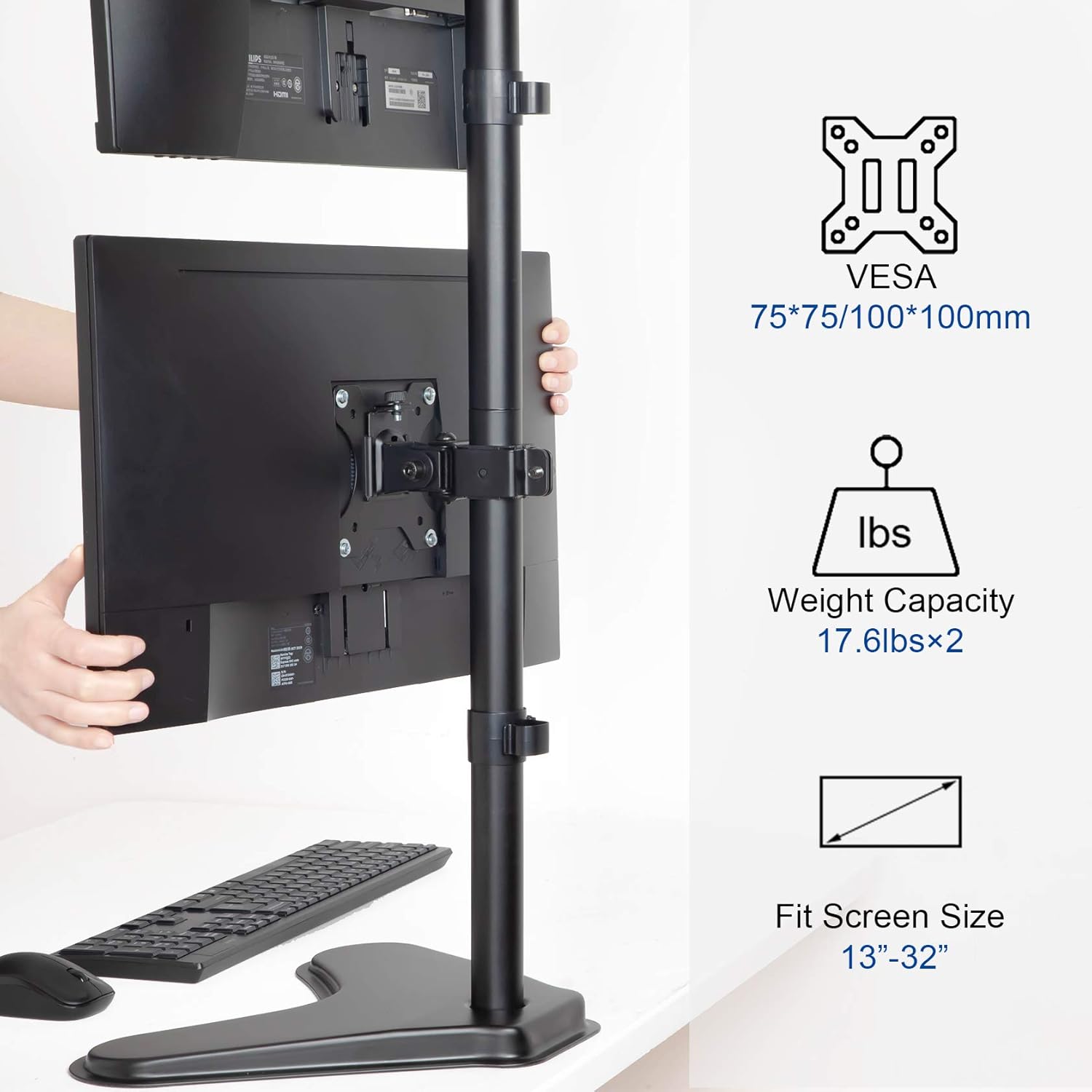
Image 4.2: VESA mounting standards (75x75mm, 100x100mm), weight capacity (17.6 lbs x 2), and compatible screen sizes (13"-32").
4.3. Mount Monitors to the Stand
- Slide the VESA monitor arms onto the main pole. Adjust their approximate height and secure them with the pole clamps.
- Carefully lift each monitor (with VESA plate attached) and slide it onto the corresponding monitor arm. Ensure the monitor is securely seated.
- Tighten the security screws on the monitor arms to prevent accidental dislodging.
4.4. Pengurusan Kabel
- Route your monitor cables through the integrated cable management clips on the main pole.
- Secure the clips to keep cables tidy and prevent tangling.
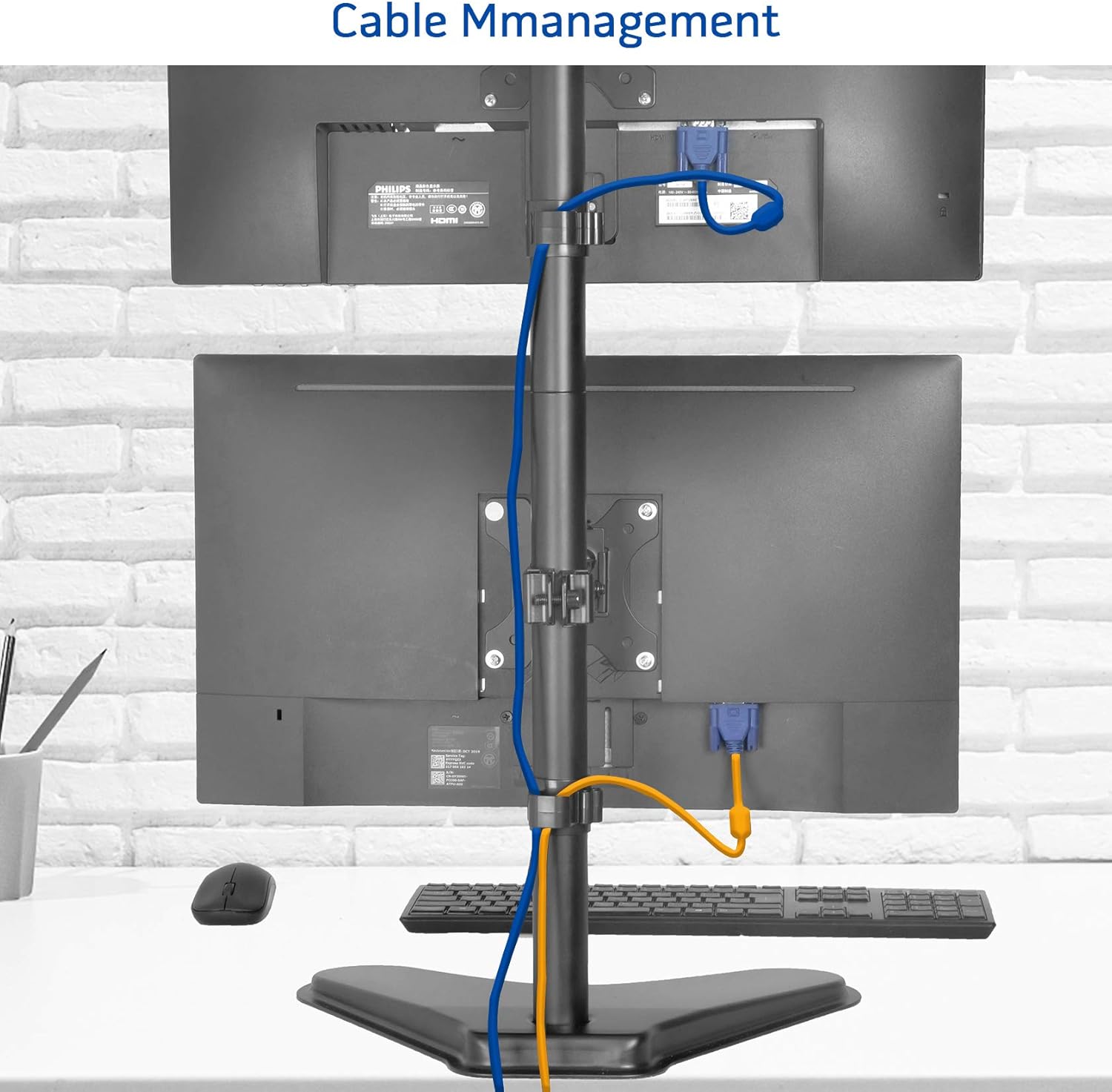
Imej 4.3: Cthample of cable management using the integrated clips on the stand's pole.
5. Arahan Operasi
The METIYA Dual Monitor Stand offers various adjustment options for optimal viewkeselesaan:
5.1. Pelarasan Ketinggian
- Longgarkan tiang clamp on the monitor arm.
- Slide the monitor arm up or down the main pole to the desired height.
- Ketatkan tiang clamp securely to fix the height.
5.2. Penyesuaian Tilt
- Gently tilt the monitor screen up or down to achieve the desired viewing angle. The stand supports a tilt range of ±45 degrees.
5.3. Swivel Adjustment
- Rotate the monitor screen left or right to adjust the horizontal viewing angle. The stand supports a swivel range of ±45 degrees.
5.4. Rotation Adjustment
- Putar monitor 360 darjah untuk bertukar antara orientasi landskap dan potret.

Image 5.1: Visual representation of the stand's height adjustment, 360° rotation, ±45° tilt, and ±45° swivel capabilities.
6. Penyelenggaraan
Untuk memastikan jangka hayat dan fungsi penyangga monitor anda yang betul:
- Periksa semua skru dan sambungan secara berkala untuk memastikan ia kekal ketat.
- Bersihkan dirian dengan lembut, damp kain. Elakkan pembersih atau pelarut yang melelas.
- Do not hang objects on the stand or apply excessive force to the monitors.
7. Penyelesaian masalah
Jika anda menghadapi masalah dengan penyangga monitor anda, rujuk penyelesaian biasa berikut:
- Monitors are not stable or sag: Ensure all VESA plate screws and pole clamps are securely tightened. Verify that your monitors do not exceed the stand's weight capacity.
- Kesukaran melaraskan ketinggian: Longgarkan tiang clamp sufficiently before attempting to adjust the height.
- Stand wobbles: Ensure the freestanding base is on a flat, stable surface. Check that the main pole is firmly attached to the base.
8. Spesifikasi Produk
| Ciri | Spesifikasi |
|---|---|
| Model | B08SHWM31C |
| Keserasian VESA | 75x75mm, 100x100mm |
| Monitor Size Compatibility | 13 hingga 32 inci |
| Weight Capacity (per monitor) | 17.6 paun (8 kg) |
| Julat Kecondongan | ±45 darjah |
| Julat Putar | ±45 darjah |
| Putaran | 360 darjah |
| Pelarasan Ketinggian Maks | Sehingga 35.6 inci |
| Dimensi Asas (Lebih kurang) | 15.4" (W) x 11" (D) |
| Berat Produk | 8.23 paun |

Image 8.1: Key dimensions and VESA compatibility of the METIYA Dual Monitor Stand.
9. Maklumat Waranti
This METIYA product is covered by a limited warranty against manufacturing defects. Please refer to the warranty card included with your purchase or contact customer support for specific terms and conditions.
10. Sokongan Pelanggan
For assistance with assembly, troubleshooting, or warranty claims, please contact METIYA customer support through the retailer's platform or visit the official METIYA webtapak untuk maklumat hubungan.