
1. Pengenalan
This manual provides essential information for the safe and efficient use of your Lenovo Tab M8 Tablet. The Lenovo Tab M8 is an 8-inch HD Android tablet featuring a Quad-Core Processor, 32GB storage, and a full metal cover. It operates on Android 9 Pie and is designed for extended use with its long-life battery.
Please read this manual thoroughly before operating your device to ensure optimal performance and longevity.
2. Peranti Lebihview
Familiarize yourself with the physical components of your Lenovo Tab M8 Tablet.

Rajah 2.1: Depan view of the Lenovo Tab M8 Tablet, showing the display and bezels.
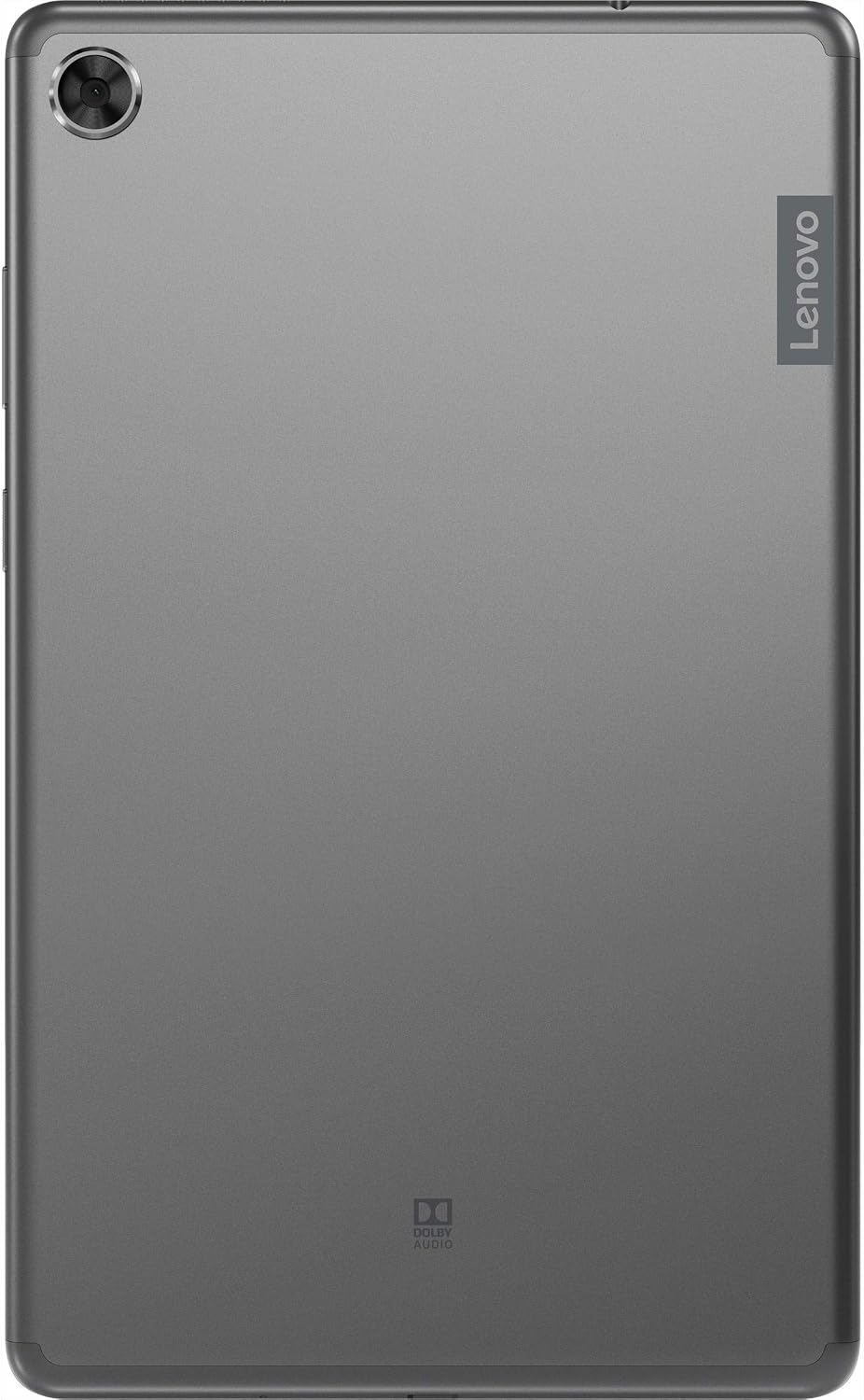
Rajah 2.2: belakang view of the Lenovo Tab M8 Tablet, highlighting the camera and Lenovo branding.

Rajah 2.3: sebelah view of the Lenovo Tab M8 Tablet, showing the power button and volume rocker.

Rajah 2.4: sebelah view of the Lenovo Tab M8 Tablet, illustrating the various ports and slots.
3. Persediaan
3.1 Pengecasan Awal
Before first use, fully charge your tablet using the provided USB cable and power adapter. The battery indicator on the screen will show charging progress.
3.2 Menghidupkan/Mematikan
- To power on: Press and hold the Power button (refer to Figure 2.3) until the Lenovo logo appears.
- Untuk mematikan: Tekan dan tahan butang Kuasa, kemudian pilih "Matikan" daripada pilihan pada skrin.
- Untuk memulakan semula: Tekan dan tahan butang Kuasa, kemudian pilih "Mulakan Semula" daripada pilihan.
3.3 Wizard Persediaan Awal
Setelah dihidupkan pertama, tablet akan membimbing anda melalui proses persediaan awal:
- Pilih Bahasa: Pilih bahasa pilihan anda.
- Sambung ke Wi-Fi: Select your Wi-Fi network and enter the password. A stable internet connection is required for updates and Google account setup.
- Salin Apl & Data: You can choose to transfer data from another device or set up as new.
- Akaun Google: Sign in with your existing Google account or create a new one. This is necessary for accessing the Google Play Store and other Google services.
- Tarikh & Masa: Sahkan atau laraskan tetapan tarikh dan masa.
- Kunci skrin: Set up a PIN, pattern, or password for screen security.
- Perkhidmatan Google: Review and accept Google services terms.
4. Arahan Operasi
4.1 Navigasi Asas
- Ketik: Sentuh skrin sekali untuk memilih item atau membuka aplikasi.
- Tekan lama: Touch and hold an item to access additional options.
- Leret: Seret jari anda merentasi skrin untuk menatal halaman atau senarai.
- Cubit-untuk-Zum: Gunakan dua jari untuk mengezum masuk atau keluar pada imej dan web muka surat.
4.2 Kesambungan Wi-Fi dan Bluetooth
- Wi-Fi: Pergi ke Tetapan > Rangkaian & Internet > Wi-Fi. Turn Wi-Fi on, select your network, and enter the password if required.
- Bluetooth: Pergi ke Tetapan > Peranti yang disambungkan > Bluetooth. Turn Bluetooth on, then pair with compatible devices like headphones or speakers.
4.3 Menggunakan Kamera
The tablet features both front and rear cameras. Open the Camera app from your home screen or app drawer. Tap the shutter button to take photos or switch to video mode to record. Use the icon on the screen to switch between front and rear cameras.
4.4 Pengurusan Bateri
The Lenovo Tab M8 is equipped with a 5000 mAh battery. To optimize battery life:
- Kurangkan kecerahan skrin.
- Matikan Wi-Fi dan Bluetooth apabila tidak digunakan.
- Tutup aplikasi yang tidak digunakan yang berjalan di latar belakang.
- Enable battery saver mode in Tetapan > Bateri.
5. Penyelenggaraan
5.1 Membersihkan Peranti
Gunakan kain lembut dan tidak berbulu untuk membersihkan skrin dan badan tablet. Elakkan penggunaan bahan kimia yang keras atau bahan yang kasar. Untuk kesan degil, sapukan sedikitampen kain dengan air atau pembersih skrin yang direka khusus untuk elektronik.
5.2 Kemas Kini Perisian
Semak dan pasang kemas kini perisian secara kerap untuk memastikan tablet anda mempunyai ciri terkini, tampung keselamatan dan peningkatan prestasi. Pergi ke Tetapan > Sistem > Kemas kini sistem untuk menyemak kemas kini yang tersedia.
5.3 Pengurusan Storan
To maintain optimal performance, manage your tablet's 32GB internal storage. You can uninstall unused apps, clear app caches, and transfer large files (photos, videos) to cloud storage or an external microSD card (if supported). Access storage settings via Tetapan > Storan.
6. Penyelesaian masalah
- Tablet tidak boleh dihidupkan: Ensure the battery is charged. Connect the tablet to its charger and wait a few minutes before attempting to power on again.
- Skrin tidak bertindak balas: Try restarting the tablet by holding the power button for approximately 10-15 seconds until the device powers off and then on again.
- Isu sambungan Wi-Fi/Bluetooth:
- Toggle Wi-Fi/Bluetooth off and on in settings.
- Restart your Wi-Fi router or Bluetooth device.
- Lupakan rangkaian/peranti dan sambung semula.
- Prestasi perlahan:
- Tutup apl yang tidak digunakan.
- Kosongkan cache aplikasi (Tetapan > Aplikasi & pemberitahuan > [Nama Aplikasi] > Storan & cache > Kosongkan cache).
- Pastikan ruang storan kosong mencukupi.
- Mulakan semula tablet.
- Tetapan Semula Kilang (Pilihan Terakhir): If issues persist, you may need to perform a factory reset. This will erase all data on your tablet. Go to Tetapan > Sistem > Tetapkan semula pilihan > Padam semua data (tetapan semula kilang). Sandarkan data penting sebelum meneruskan.
7. Spesifikasi
| Ciri | Perincian |
|---|---|
| Nama Model | Lenovo Tab M8 |
| Saiz Skrin | 8 Inci |
| Resolusi Skrin | 1280 x 800 (HD) |
| Pemproses | Quad-Core, 2 GHz |
| RAM | 4 GB |
| Storan Dalaman | 32 GB |
| Sistem Operasi | Android 9 Pie |
| Kamera Belakang | 5 MP |
| Kesambungan Wayarles | Wi-Fi 802.11ac, Bluetooth 5.0 |
| Kapasiti Bateri | 5000 mAh |
| Dimensi (LxWxH) | 9.59 x 6.69 x 0.39 inci |
| Berat Barang | 0.01 auns |
8. Waranti dan Sokongan
As this product is listed as "Renewed," specific warranty terms may vary. Please refer to the warranty information provided by the seller at the time of purchase. Typically, renewed products come with a limited warranty from the seller or a third-party refurbisher.
Untuk sokongan teknikal, muat turun pemacu dan sumber tambahan, sila lawati sokongan rasmi Lenovo webtapak: sokongan.lenovo.com. You will need your device's model number (ZA5G0060US) for specific support.