
1. Produk Lebihview
The Anker PowerCore III 10,000 mAh Wireless Portable Charger is a versatile power bank designed to keep your devices charged on the go. It combines the convenience of Qi-certified wireless charging with high-speed wired charging via USB-C and USB-A ports. With its 10,000mAh capacity, it can provide multiple charges for your smartphone or other compatible devices.

Figure 1: Anker PowerCore III 10,000 mAh Wireless Portable Charger
Apa yang ada di dalam Kotak:
- Power Bank
- Manual Pengguna
- Kabel USB-C ke USB-C
- Beg Kembara
2. Maklumat Keselamatan
To ensure safe and optimal use of your Anker PowerCore III, please observe the following safety guidelines:
- Avoid extreme temperatures, direct sunlight, and humid environments.
- Jangan tebuk, buka atau ubah suai peranti.
- Jauhkan daripada air dan cecair lain.
- Do not use a 5W charger to charge your phone wirelessly and recharge PowerCore simultaneously. For simultaneous full-speed charging, an 18W or higher output charger is recommended.
- Phone cases thicker than 5 mm, magnetic attachments, metal attachments, stands, or credit cards will interfere with wireless charging.
- This wireless charger does not feature MagSafe-style magnetic alignment and is not able to charge iPhone 12/13/15 series magnetically.
- The wireless charging feature does not work with Apple Watch series or Samsung Watch series.
3. Persediaan
Before first use, fully charge your PowerCore III. Connect the included USB-C to USB-C cable to the PowerCore's USB-C port and an 18W (or higher) wall charger (not included). The LED indicators will illuminate to show charging progress.
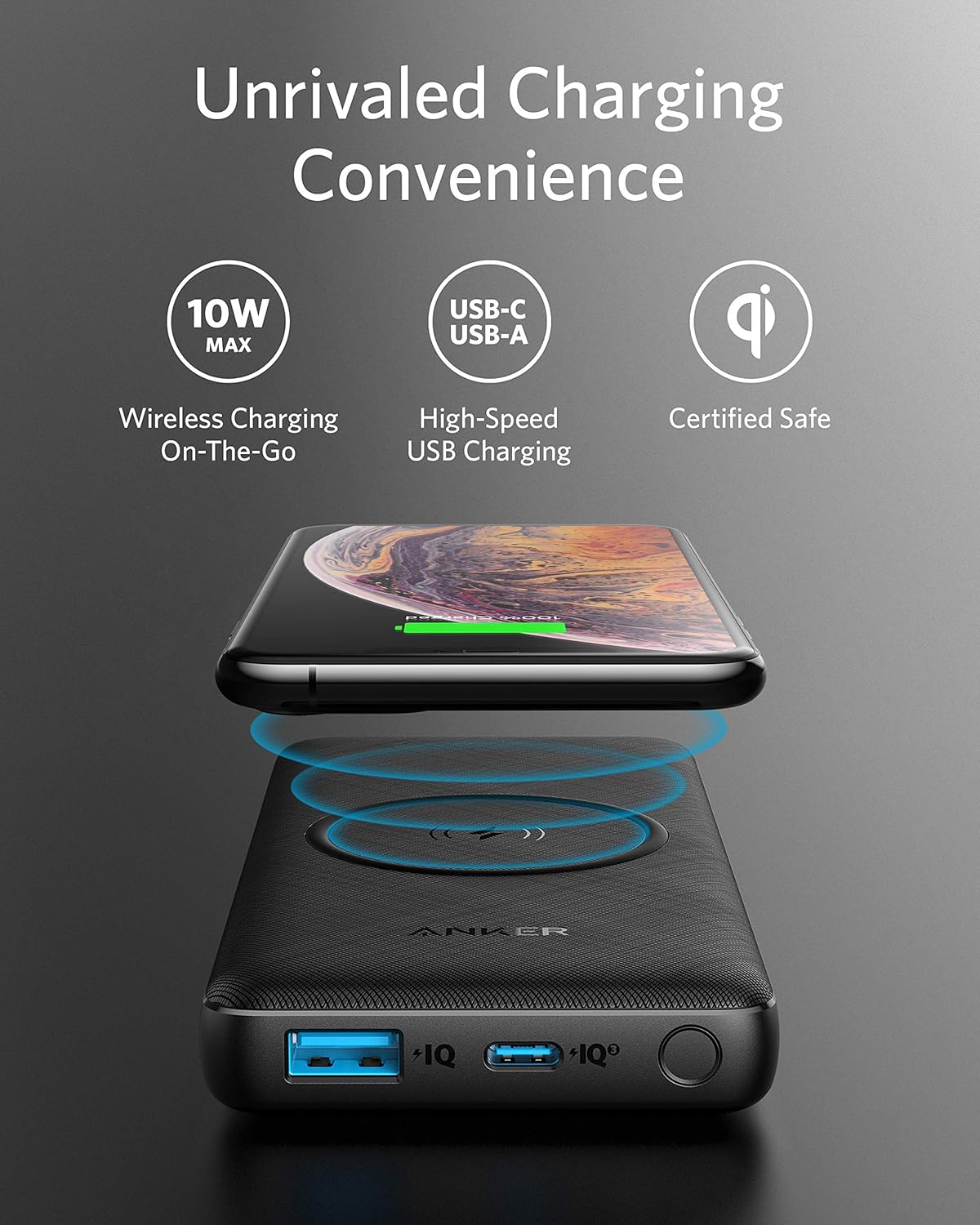
Figure 2: PowerCore III Ports (USB-A, USB-C, Power Button)
Initial Charge & Unboxing:
Video 1: Official Anker overview of the PowerCore III 10K Wireless, including unboxing and key features.
4. Arahan Operasi
Pengecasan Tanpa Wayar:
To activate wireless charging, press the power button on the side of the PowerCore. The first blue LED indicator will light up to confirm wireless charging is active. Place your Qi-compatible device (e.g., smartphone, earbuds) on the center of the wireless charging pad. Ensure proper alignment for stable charging. The PowerCore provides up to 10W max wireless charging.

Figure 3: Charging a smartphone wirelessly on the PowerCore III.

Figure 4: Universal Wireless Compatibility for various devices.
Pengecasan Berwayar:
Connect your device to either the USB-C or USB-A port using a compatible charging cable. The 18W USB-C port offers high-speed charging, capable of charging an iPhone 11 to 50% in 30 minutes. You can charge up to three devices simultaneously (one wirelessly, two wired).

Figure 5: High-Speed USB-C Input and Output capabilities.
Stand Telefon Terbina dalam:
Slide out the built-in phone stand to prop up your device for viewing while charging. Note that only wired charging can be accessed while using the phone stand.
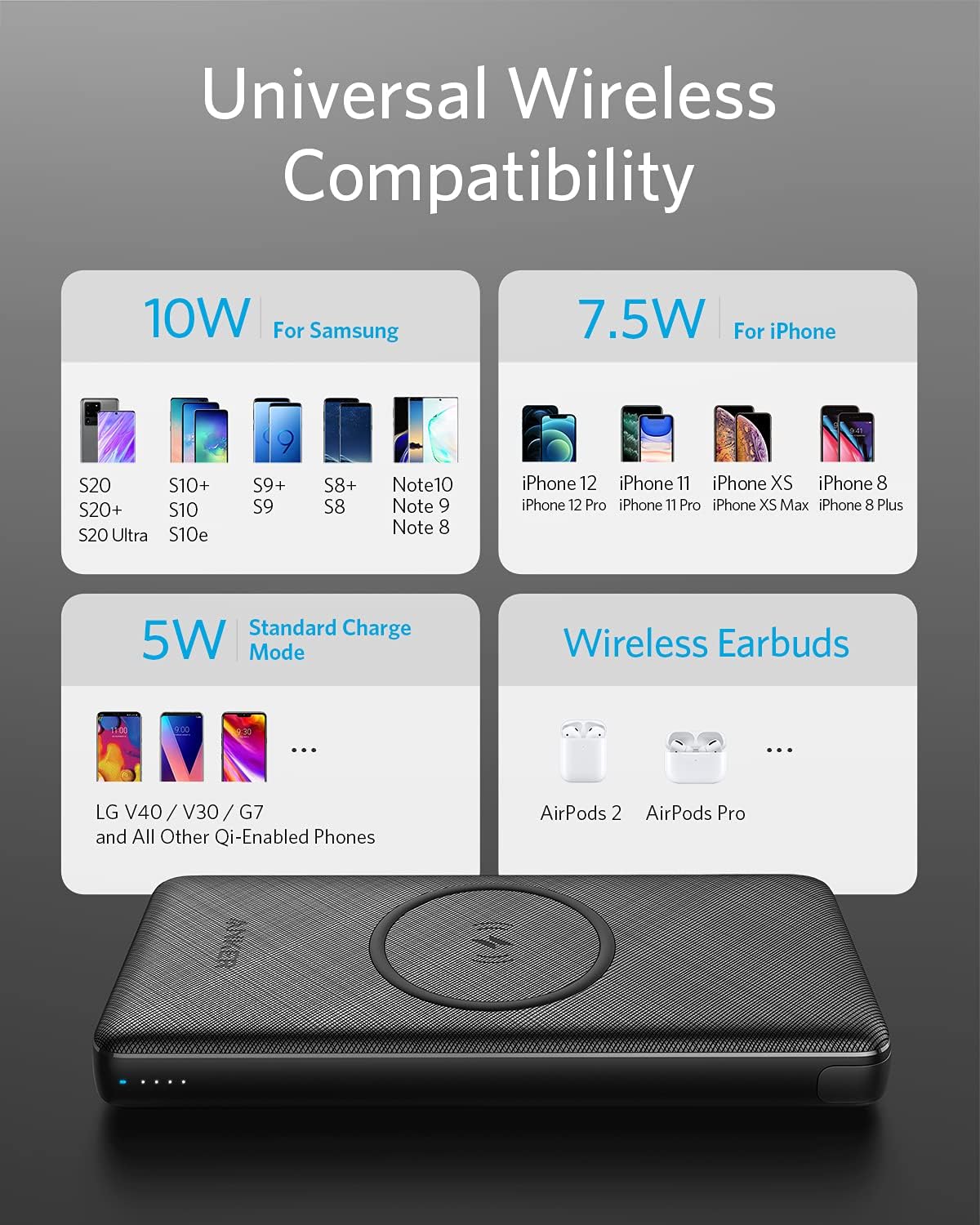
Figure 6: PowerCore III with phone stand extended, supporting a smartphone.
Recharging the PowerCore:
To fully recharge the PowerCore III, connect an 18W charger (not included) to its USB-C port. The internal battery can be fully recharged in approximately 4.5 hours.

Figure 7: PowerCore III can be recharged while simultaneously charging a device wirelessly.
5. Penyelenggaraan
Proper maintenance ensures the longevity and performance of your PowerCore III:
- Pastikan peranti bersih dan kering. Gunakan kain lembut dan kering untuk pembersihan.
- Elakkan daripada menjatuhkan atau meletakkan peranti kepada kesan yang kuat.
- Simpan di tempat yang sejuk dan kering apabila tidak digunakan.
- For optimal battery health, avoid completely draining the battery frequently. Recharge it before it reaches 0% capacity.
6. Penyelesaian masalah
If you encounter issues with your PowerCore III, refer to the following common problems and solutions:
| Masalah | Kemungkinan Punca | Penyelesaian |
|---|---|---|
| Peranti tidak dicas secara wayarles | Incorrect placement, thick phone case, metal/magnetic attachments, incompatible device. | Ensure phone is centered on the pad. Remove thick cases or metal attachments. Verify device is Qi-compatible. Press the power button to activate wireless charging. |
| Slow charging (wired) | Using a non-fast charging cable, device not supporting fast charge, multiple devices charging simultaneously. | Use a high-quality USB-C to USB-C cable. Ensure your device supports 18W fast charging. Disconnect other devices if faster charging is needed for one. |
| PowerCore not recharging | Low power wall adapter, faulty cable, PowerCore internal issue. | Use an 18W or higher USB-C wall charger. Try a different USB-C cable. If issue persists, contact customer support. |
| Siri iPhone 15 tidak dicas | Software incompatibility. | Due to software issues, charging the iPhone 15 series is not supported at the moment. Check Anker's webtapak untuk kemas kini. |
7. Spesifikasi
| Ciri | Perincian |
|---|---|
| Nombor Model | A1617011 |
| Kapasiti Bateri | 10,000 mAh |
| Output Pengecasan Tanpa Wayar | Sehingga 10W (Disahkan Qi) |
| Output USB-C | 18W (PowerIQ 3.0) |
| Keluaran USB-A | 18W (PowerIQ 3.0) |
| Input USB-C | 18W (for rapid recharge) |
| Dimensi Produk | 5.89 x 2.7 x 0.77 inci |
| Berat Barang | 8.6 auns |
| warna | Hitam |
8. Waranti dan Sokongan
Anker provides an 18-month warranty for the PowerCore III 10K Wireless. For technical support, warranty claims, or general inquiries, please visit the official Anker support website or contact their customer service directly. Refer to the welcome guide included in your package for specific contact details.