
YESKAMO Z6S
YESKAMO Solar Security Camera User Manual
Model: Z6S (ASIN: B082PSRSPS)
Jenama: YESKAMO
1. Pengenalan
Thank you for choosing the YESKAMO Solar Security Camera. This 1080P HD wireless outdoor camera is designed for home security, offering a wire-free, solar-powered surveillance solution with two-way audio. This manual provides detailed instructions for setup, operation, and maintenance to ensure optimal performance and longevity of your device.
2. Produk Lebihview dan Ciri Utama
The YESKAMO Solar Security Camera combines advanced technology with user-friendly design to provide reliable outdoor monitoring. Its key features include:
- 100% Wire-Free & Solar Powered: Equipped with built-in 10400mAh rechargeable lithium batteries and a solar panel, significantly reducing the need for manual recharging.
- Outdoor 2.4GHz WiFi Connectivity: Features dual antennas for enhanced and stable wireless connection, offering extended range. IP65 certified for weather resistance.
- Real-time Protection & Two-Way Audio: Sends instant notifications upon motion detection and allows for fluent two-way communication via the integrated speaker and microphone.
- Crisp 1080P HD Images & Smooth Night Vision: Delivers clear 1920x1080 resolution video with a wide viewing angle. Infrared LEDs provide bright and smooth night vision up to 65ft.
- Smart PIR Sensor & Human-Shape Detection: Utilizes a PIR sensor to detect objects with heat signatures and includes human-shape detection technology to minimize false alarms from pets or animals.
- User-Friendly App & Privacy Secure: Easy setup via a free iOS/Android app, supporting live view, playback, and device sharing. Offers SD card (not included) and cloud storage options with HTTPS certified encryption.

Figure 2.1: The YESKAMO Solar Security Camera with its accompanying solar panel, designed for continuous power.

Figure 2.2: The camera mounted outdoors, demonstrating its solar charging capability, alongside an image detailing the rechargeable battery compartment.

Figure 2.3: Visual comparison highlighting the camera's enhanced wireless connection, ease of wire-free installation, and superior 10400mAh battery capacity compared to standard models.
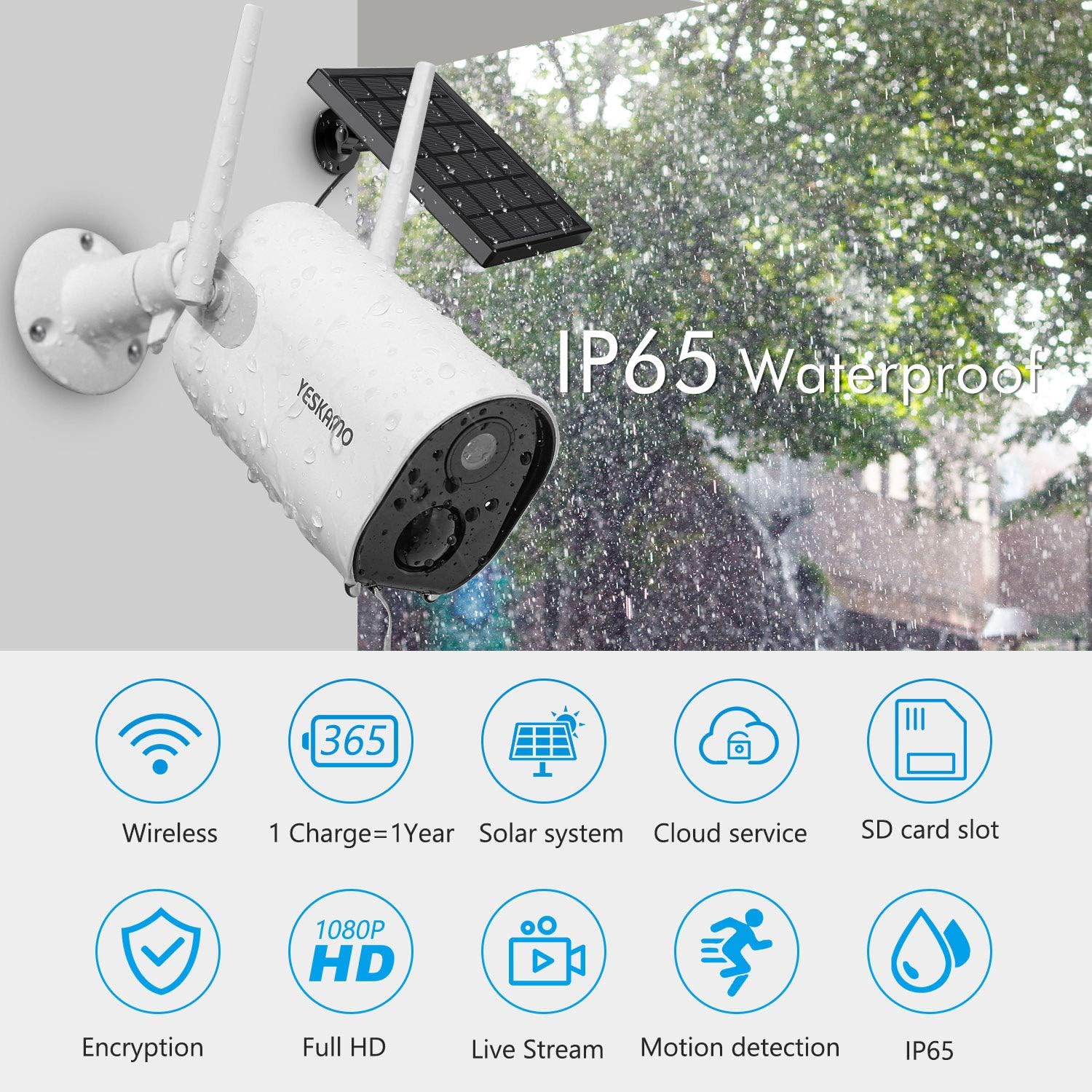
Figure 2.4: Icons representing key features such as wireless connectivity, long battery life, solar power, cloud service, SD card slot, encryption, Full HD, live stream, motion detection, and IP65 waterproofing.
3. Persediaan dan Pemasangan
Follow these steps to set up your YESKAMO Solar Security Camera:
- Cas Bateri: Before initial use, fully charge the camera's built-in 10400mAh battery using the provided USB cable. A full charge ensures optimal performance and longevity.
- Muat turun Apl: Cari untuk and download the "CloudEdge" app from your smartphone's app store (available for iOS and Android).
- Daftar Akaun: Open the CloudEdge app and follow the on-screen instructions to register a new account or log in if you already have one.
- Tambah Peranti:
- Tap the "+" icon in the app to add a new device.
- Pilih "Kamera Bateri" atau jenis kamera yang sesuai.
- Power on the camera. The camera's indicator light should flash, indicating it's ready for pairing.
- Follow the app's instructions to connect the camera to your 2.4GHz Wi-Fi network. Ensure your phone is connected to the same 2.4GHz Wi-Fi network during setup.
- Scan the QR code displayed on your phone screen with the camera lens (hold the phone about 15cm/5.9 inches from the camera). You will hear a confirmation sound when successful.
- Lekapkan Kamera:
- Choose a suitable outdoor location for installation. Ensure the camera has a clear view of the area you wish to monitor and the solar panel receives ample cahaya matahari langsung.
- Use the provided mounting bracket and screws to securely attach the camera and solar panel to a wall or other stable surface.
- Adjust the angle of the camera and solar panel for optimal coverage and solar charging efficiency.
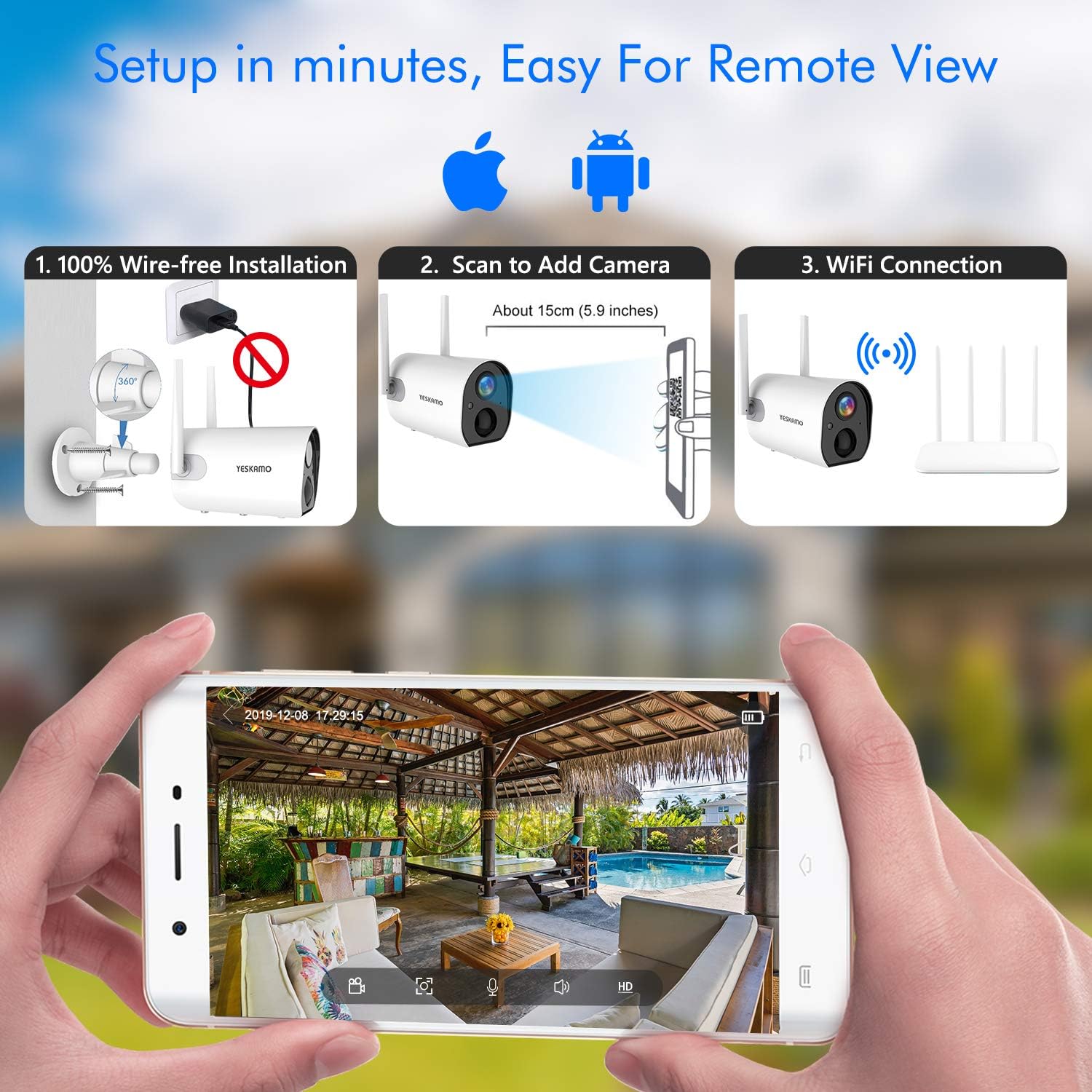
Figure 3.1: A visual guide to the camera setup process, including wire-free installation, scanning the QR code for device pairing, Wi-Fi connection, and a view of the live feed within the mobile application.
4. Arahan Operasi
Once your camera is set up, you can access its features through the CloudEdge app:
- Langsung View: Buka aplikasi dan pilih kamera anda untuk view suapan langsung.
- Audio Dua hala: Ketik ikon mikrofon dalam siaran langsung view to speak through the camera's speaker. Tap the speaker icon to listen to audio from the camera's location.
- Pengesanan Gerakan & Makluman: The camera will automatically detect motion and send real-time notifications to your phone. You can adjust sensitivity and enable human-shape detection in the app settings to reduce false alarms.
- Rakaman & Main semula: Motion-triggered recordings are saved to the inserted SD card (not included) or cloud storage (subscription may be required). Access recorded footage via the "Playback" or "Cloud" section in the app.
- Penglihatan Malam: The camera automatically switches to infrared night vision in low-light conditions, providing clear black and white images.
- Sharing Device: You can share access to your camera with family members or trusted individuals through the app's sharing feature.

Figure 4.1: A comparison illustrating the clear 1080P HD video quality during the day and the effective infrared night vision capabilities of the camera in low-light conditions.

Figure 4.2: A visual representation of the camera's two-way audio function, allowing users to communicate remotely through the mobile app.

Figure 4.3: An illustration demonstrating the camera's smart PIR sensor and human-shape detection technology, which helps to accurately identify human movement and reduce false alarms.
5. Penyelenggaraan
- Pembersihan: Kerap mengelap kanta kamera dan panel solar dengan lembut, damp kain untuk memastikan penglihatan yang jelas dan pengecasan solar yang cekap. Elakkan pembersih yang kasar.
- Pengurusan Bateri: While solar-powered, ensure the solar panel receives sufficient direct sunlight. If the battery level drops significantly during prolonged cloudy periods, you may need to manually recharge the camera using the USB cable.
- Kemas kini Firmware: Check the CloudEdge app periodically for firmware updates. Keeping your camera's firmware updated ensures optimal performance and security.
- Penyelenggaraan Kad SD: If using an SD card, format it periodically through the app to maintain recording efficiency and prevent data corruption.
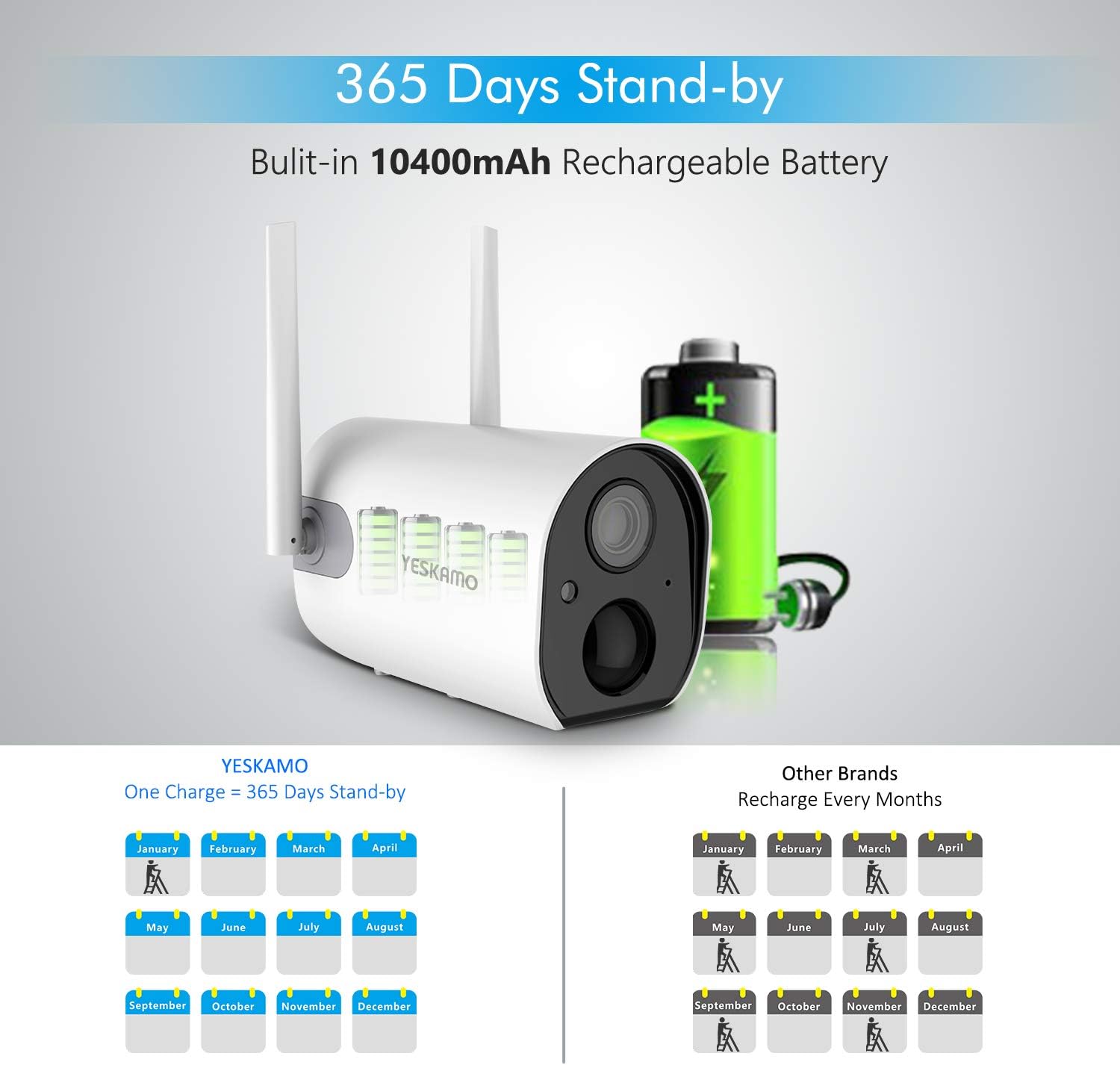
Figure 5.1: A visual comparison highlighting the extended 365-day standby battery life of the YESKAMO camera with its 10400mAh battery, reducing the frequency of manual recharges.
6. Penyelesaian masalah
| Masalah | Kemungkinan Punca | Penyelesaian |
|---|---|---|
| Kamera luar talian | Weak Wi-Fi signal, low battery, camera power off. | Check Wi-Fi signal strength, recharge battery, ensure camera is powered on. Relocate camera closer to router if signal is weak. |
| Penggera palsu yang kerap | High PIR sensitivity, environmental factors (e.g., swaying trees, passing cars). | Adjust PIR sensitivity in app settings. Enable human-shape detection. Reposition camera to avoid common triggers. |
| Tiada rakaman | No SD card, full SD card, cloud storage issue, motion detection disabled. | Insert/replace SD card, format SD card, check cloud storage status, ensure motion detection is enabled. |
| Penglihatan malam yang lemah | Obstruction near lens, insufficient IR light. | Clear any obstructions from the camera's view. Ensure IR LEDs are not blocked. |
7. Spesifikasi
| Ciri | Perincian |
|---|---|
| Model | US-Z6S |
| Resolusi Tangkapan Video | 1080p |
| Teknologi Ketersambungan | Tanpa Wayar (Wi-Fi 2.4GHz) |
| Sumber Kuasa | Bertenaga Bateri, Suria |
| Kapasiti Bateri | 10400mAh (4Pcs 18650 batteries) |
| Ciri Khas | Night Vision, Motion Sensor, Two-Way Audio |
| Penggunaan Dalaman/Luar | Luar |
| Penilaian Perlindungan Antarabangsa | IP65 |
| Dimensi Item (L x W x H) | 7 x 4 x 5.5 inci |
| Berat Barang | 13.4 auns (0.38 Kilogram) |
| Zum Optik | 4x (Zum Digital) |
| Jenis Makluman | Audio dan Pergerakan |
| Format Tangkapan Video | MPEG-4 |
8. Waranti dan Sokongan
YESKAMO products are designed for reliability and performance. For warranty information, technical support, or any inquiries regarding your solar security camera, please refer to the contact details provided with your product packaging or visit the official YESKAMO weblaman web. Pasukan khidmat pelanggan kami sedia membantu anda dengan sebarang soalan atau isu yang mungkin anda hadapi.
Untuk bantuan lanjut, anda juga boleh merujuk kepada YESKAMO Store on Amazon.
Ask a question about this manual
Ask about setup, troubleshooting, compatibility, parts, safety, or missing instructions. Manuals+ will review the question and use this page’s manual context to help answer it.