
Sundirect MD300Plus
Sundirect MD300Plus Infrared Mirror Heater with Smart Plug Thermostat User Manual
Model: MD300Plus | Brand: Sundirect
1. Pengenalan
This manual provides comprehensive instructions for the safe and efficient operation of your Sundirect MD300Plus Infrared Mirror Heater and its accompanying Smart Plug Thermostat. Please read this manual thoroughly before installation and use, and retain it for future reference. This product is designed to provide efficient heating and a clear mirror surface, particularly suitable for bathrooms and other living spaces.
2. Arahan Keselamatan
Sentiasa patuhi langkah keselamatan berikut untuk mengurangkan risiko kebakaran, kejutan elektrik atau kecederaan:
- Pastikan bekalan kuasa voltage matches the specifications of the heater.
- Jangan kendalikan pemanas dengan kord atau palam yang rosak.
- Do not immerse the heater or Smart Plug in water or other liquids.
- Simpan bahan mudah terbakar pada jarak yang selamat dari pemanas.
- Jangan tutup pemanas semasa operasi.
- Installation must be performed by a qualified professional if hardwiring is required.
- Perkakas ini tidak dimaksudkan untuk digunakan oleh orang (termasuk kanak-kanak) yang kurang keupayaan fizikal, deria atau mental, atau kurang pengalaman dan pengetahuan, melainkan mereka telah diberi pengawasan atau arahan mengenai penggunaan perkakas oleh orang yang bertanggungjawab untuk keselamatan mereka.
- Kanak-kanak harus diawasi untuk memastikan bahawa mereka tidak bermain dengan perkakas.
3. Kandungan Pakej
Sahkan bahawa semua item yang disenaraikan di bawah terdapat dalam pakej anda:
- 1 x Sundirect MD300Plus Infrared Mirror Heater (300 Watt)
- 1 x Smart Plug Thermostat
- 1 x Mounting Accessories Set
- 1 x Manual Pengguna (dokumen ini)

Imej 3.1: The Sundirect MD300Plus Infrared Mirror Heater shown with the Smart Plug WiFi Thermostat.
4. Produk Lebihview
The Sundirect MD300Plus is an infrared mirror heater designed for efficient and comfortable heating, particularly in spaces like bathrooms. It features a high-quality carbon crystal heating element and is insulated with two layers of high-temperature fiberglass material for minimal heat loss. The mirror surface also helps prevent fogging in humid environments.

Imej 4.1: Depan view of the Sundirect MD300Plus Infrared Mirror Heater.
The Smart Plug Thermostat provides convenient control over your heater. It features a touch display, WiFi connectivity, and 7-day programming. It is compatible with smart home systems like Amazon Alexa and Google Home, offering various operating modes including holiday, smart, and manual.
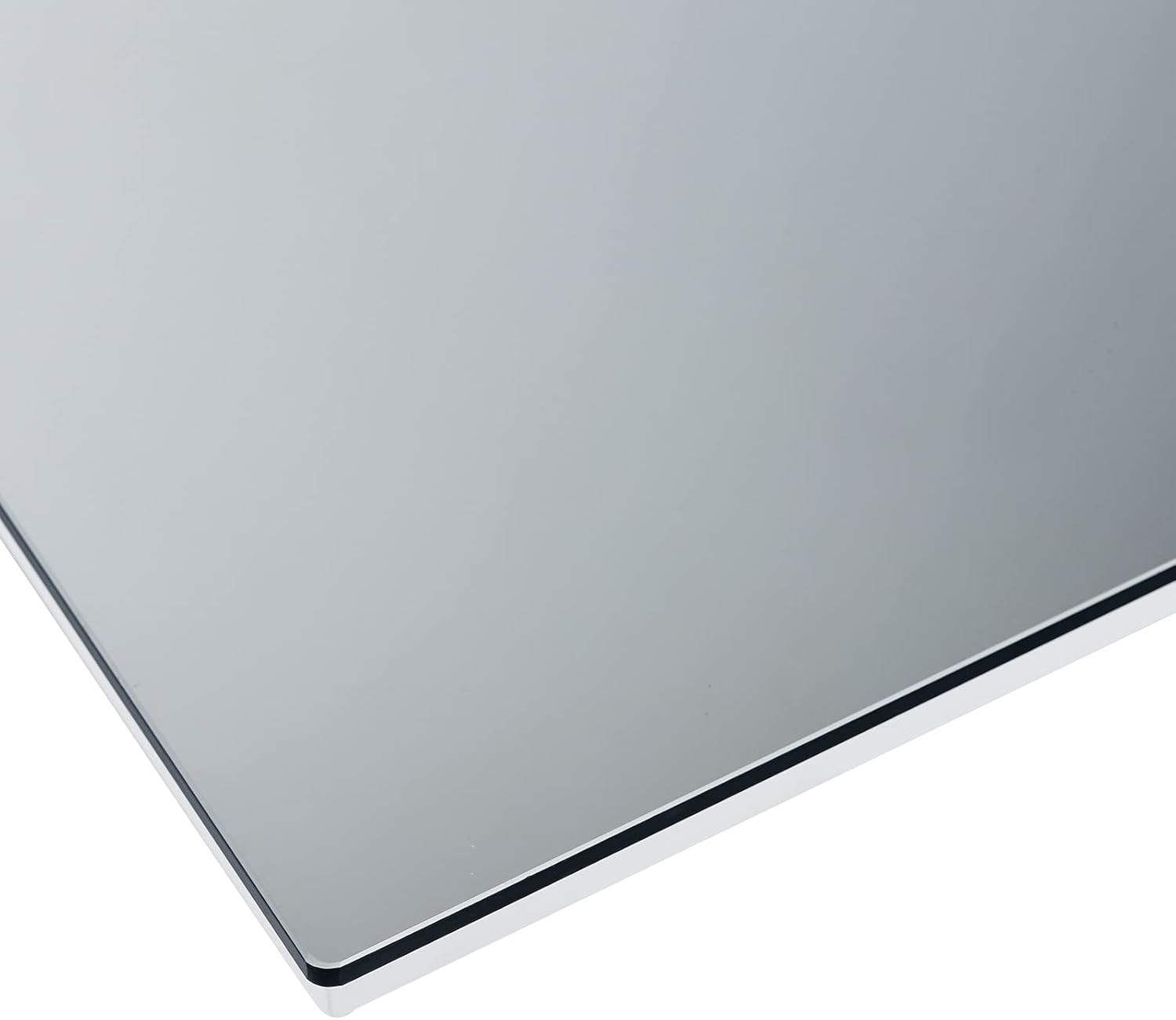
Imej 4.2: A terperinci view of the sleek edge design of the mirror heater.
5. Persediaan dan Pemasangan
The MD300Plus mirror heater is designed for wall installation. The Smart Plug Thermostat requires no assembly and simply plugs into a standard electrical outlet.
5.1 Mirror Heater Installation
- Pilih Lokasi: Select a suitable wall location, ensuring it is within reach of a power outlet and away from flammable materials. Consider the desired heating area (3-6 m²).
- Pendakap Pelekap: Use the provided mounting accessories to securely attach the wall mount bracket to the wall. Ensure the bracket is level and firmly fixed.
- Pasangkan Pemanas: Carefully lift the mirror heater and align the mounting points on the back of the heater with the bracket. Secure the heater to the bracket according to the instructions provided with the mounting kit.
- Sambungan Kuasa: Plug the heater's power cable into a standard EU-compliant electrical outlet. Ensure the power switch on the heater's connection box is in the OFF position before plugging in.
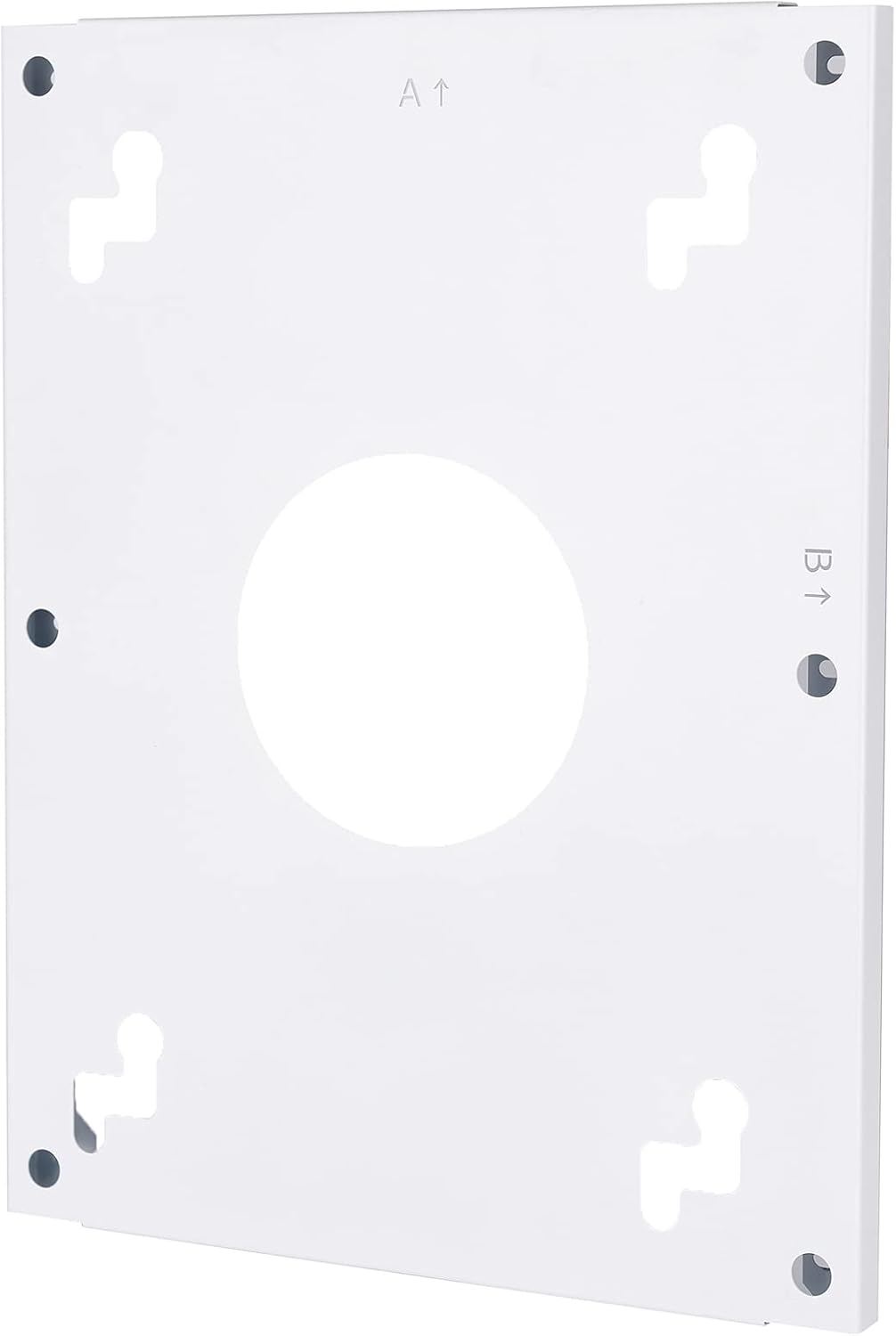
Imej 5.1: The wall mount bracket with designated mounting points.

Imej 5.2: belakang view of the heater, illustrating the mounting points and power connection.

Imej 5.3: Detail of the power switch and connection box on the heater's rear.
5.2 Smart Plug Thermostat Setup
- Pasangkan: Insert the Smart Plug Thermostat into a standard electrical outlet.
- Sambungkan Pemanas: Plug the mirror heater's power cable into the Smart Plug Thermostat.
- Hidupkan kuasa: Turn on the power switch on the heater's connection box.
- Berpasangan: Follow the instructions provided with the Smart Plug Thermostat to pair it with the heater and connect it to your home WiFi network via the Sundirect Smart app.
6. Arahan Operasi
The Smart Plug Thermostat offers multiple ways to control your infrared mirror heater.
6.1 Kawalan Manual (Paparan Sentuh)
Use the touch display on the Smart Plug Thermostat to manually adjust the desired temperature. The display will show the current room temperature and the set temperature.
6.2 WiFi Control (Sundirect Smart App)
Download the Sundirect Smart app (or Tuya Smart App as indicated in specifications) on your smartphone or tablet. Once connected to your home WiFi network, you can:
- Set and adjust target temperatures remotely.
- Program a 7-day heating schedule for each day of the week.
- Switch between different operating modes:
- Mod Pintar: Automatically adjusts heating based on your programmed schedule.
- Mod Manual: Mengekalkan suhu malar yang ditetapkan oleh pengguna.
- Mod Cuti: Sets a lower, energy-saving temperature for extended periods when you are away.
6.3 Kawalan Suara (Alexa & Google Home)
Integrate the Smart Plug Thermostat with your Amazon Alexa or Google Home device. Once linked, you can control the heater using voice commands, such as "Alexa, set bathroom heater to 22 degrees" or "Hey Google, turn off the mirror heater."
7. Penyelenggaraan dan Penjagaan
Regular maintenance ensures optimal performance and longevity of your mirror heater.
- Membersihkan Cermin: Ensure the heater is switched off and unplugged before cleaning. Use a soft, damp cloth and a mild glass cleaner to wipe the mirror surface. Avoid abrasive cleaners or harsh chemicals.
- Pembersihan Am: Periodically wipe the frame and back of the heater with a dry or slightly damp kain untuk menghilangkan habuk.
- Pemeriksaan: Regularly check the power cord and plug for any signs of damage. If damage is found, discontinue use and contact customer support.
- Do not attempt to open or repair the heater or thermostat yourself. Refer all servicing to qualified personnel.
8. Penyelesaian masalah
If you encounter issues with your Sundirect MD300Plus, refer to the following common troubleshooting steps:
- Pemanas Tidak Dihidupkan:
- Check if the heater is properly plugged into the Smart Plug Thermostat and the thermostat is plugged into a live outlet.
- Ensure the power switch on the heater's connection box is in the ON position.
- Verify that the Smart Plug Thermostat is powered on and set to a temperature higher than the current room temperature.
- Periksa pemutus litar rumah anda.
- Tiada Keluaran Haba:
- Confirm the thermostat is set to an active heating mode (Smart, Manual) and the target temperature is above the ambient temperature.
- Allow some time for the infrared heater to reach its operating temperature.
- Isu Sambungan WiFi:
- Ensure your router is working and the WiFi signal is strong where the thermostat is located.
- Restart your router and the Smart Plug Thermostat.
- Follow the pairing instructions in the Sundirect Smart app again.
- Pengasapan Cermin:
- While the heater helps reduce fogging, in extremely humid conditions, some condensation may still occur. Ensure the heater has been on for a sufficient period.
Jika masalah berterusan selepas mencuba langkah-langkah ini, sila hubungi khidmat pelanggan untuk bantuan lanjut.
9. Spesifikasi Teknikal
9.1 Mirror Heater Specifications
| Ciri | Spesifikasi |
|---|---|
| Vol Operasitage | 220-240 V, 50 Hz |
| Dimensi | 60 x 60 cm |
| Penggunaan Kuasa | 300 Watt |
| Berat badan | 12.4 kg |
| Kawasan Dipanaskan | 3-6 m² |
| Pemasangan | Lekap di dinding |
| Suhu Permukaan | 85-95 °C |
| Kecekapan Tenaga | Sehingga 95% |
| Penilaian Perlindungan | IP44 |
| Elemen Pemanas | Carbon Crystal |
| Penebat | Fiberglass Insulation (2 layers) |
| Reflective Layer | Keluli |
| Perlindungan Terlalu Panas | 3 Penderia |
| Kabel Sambungan | 1.9 m with EU standard plug |
| Pengeluar | infrarot-fussboden-de |

Imej 9.1: Visual representation of the 60x60cm dimensions of the mirror heater.

Imej 9.2: Pro sampinganfile illustrating the depth of the heater (2.2cm) and the wall mount (1.6cm), totaling 3.8cm.
9.2 Smart Plug Thermostat Specifications
| Ciri | Spesifikasi |
|---|---|
| Jenis Pemasangan | Socket (Plug-in) |
| Vol Operasitage | 220-240 V, 50 Hz |
| Jenis Palam | Schuko/Switzerland |
| Kekerapan | 433 MHz (RF control to heater) |
| Kawalan | 433 MHz RF control from Smart Plug to heater; WLAN via Sundirect Smart app to Smart Plug |
| Julat Suhu Operasi | 5-37 °C |
| Dimensi | 118 mm x 65 mm |
| Jarak Kawalan | 35 m (unobstructed environment) |
| Communicating Models | PE-Plus/IC-Plus/GD-Plus/MD-Plus |
| Ciri Khas | Touch-display, WiFi control, 7-day programming, Works with Alexa and Google Home, Energy-saving, Holiday/Smart/Manual modes, Tuya Smart App compatibility |
10. Waranti dan Sokongan
Information regarding specific warranty terms and conditions for the Sundirect MD300Plus Infrared Mirror Heater and Smart Plug Thermostat was not provided in the product data. For warranty details, technical support, or service inquiries, please refer to the documentation included with your purchase or contact the manufacturer/seller directly.
Pengeluar: infrarot-fussboden-de
Ask a question about this manual
Ask about setup, troubleshooting, compatibility, parts, safety, or missing instructions. Manuals+ will review the question and use this page’s manual context to help answer it.