
pengenalan
This manual provides comprehensive instructions for the proper setup, operation, and maintenance of your Eosphorus SF-400C Science Digital Scale. This high-precision digital scale is designed for accurate weight measurements in various settings, including laboratories, schools, and home use. It features a 0.01g accuracy, a capacity of up to 600g, multiple units of measure, and a backlit LCD display for clear readings.
Apa yang ada dalam Kotak
Upon unpacking, please verify that all the following components are present:
- Eosphorus SF-400C Electronic Scale
- Kabel USB
- Penyesuai AC/DC
- Manual Pengguna (dokumen ini)

Image: The Eosphorus SF-400C digital scale, showing the main unit, USB cord, and AC/DC adapter, representing the typical contents of the product package.
Persediaan
- penempatan: Place the scale on a firm, flat, and stable surface to ensure accurate readings. Avoid surfaces prone to vibrations or drafts.
- Bekalan Kuasa: The scale offers multiple power options:
- Kord USB: Connect the included USB cord to the scale and a compatible USB power source (e.g., computer USB port, USB wall adapter).
- Penyesuai AC/DC: Connect the included AC/DC adapter to the scale and a standard electrical outlet.
- Bateri: (Batteries not included) Insert 2 x 1.5V AAA batteries into the battery compartment located on the underside of the scale, observing correct polarity.
- Pemasangan cermin depan: The scale includes a plastic windshield to minimize the impact of air movement on measurements, especially for very small weights. Carefully place the windshield over the weighing pan.
- Kuasa Awal Hidup: Tekan butang "HIDUP/MATI" button to turn on the scale. The display will show "88888" and then "0.00g" (or the last used unit) when ready for use.

Image: The digital scale with its various power supply options, including the USB cable, AC/DC adapter, and a representation of AAA batteries.
Arahan Operasi
Timbangan Asas
- Ensure the scale is on a stable surface and powered on.
- Wait for the display to show "0.00g" (or your desired unit).
- Gently place the item to be weighed onto the center of the stainless steel weighing pan.
- Baca berat yang dipaparkan pada skrin LCD.
Fungsi Tare
The Tare function allows you to subtract the weight of a container, so you only measure the net weight of its contents.
- Letakkan bekas kosong di atas kuali penimbang.
- Tekan butang "SASARAN" button. The display will reset to "0.00g".
- Add the items you wish to weigh into the container. The display will show only the weight of the added items.
Fungsi Tahan
The Hold function allows you to freeze the displayed weight on the LCD screen, even after removing the item from the pan.
- While an item is on the scale and its weight is displayed, press the "TAHANbutang ".
- The displayed weight will remain on the screen until the button is pressed again or the scale is turned off.
Multiple Units of Measure
The scale supports various units of measure. To switch between units, press the "MODE" button repeatedly until your desired unit is displayed.
Supported units include:
- Gram (g)
- Auns (oz)
- Paun (lb)
- Kilogram (kg)
- Thulam (tl)
- Piece Counting (pcs)

Image: The scale's display showing different measurement units, illustrating the multiple weighing modes available for selection.
Piece Counting (PCS)
This function allows you to count a large number of small, uniform items.
- With the scale on, press the "PCSbutang ".
- Pilih sebagaiample size (e.g., 10, 20, 50, 100 pieces) by pressing the "MODEbutang ".
- Letakkan bilangan s yang tepatample pieces (e.g., 10 pieces) on the weighing pan.
- Tekan butang "PCS" button again to confirm the sample. The display will show "PCS" and the number of pieces.
- You can now add more items, and the scale will count them based on the sampberat badan.
Penentukuran
Your Eosphorus SF-400C scale comes pre-calibrated from the factory. However, external calibration is accessible to the user if needed to maintain accuracy over time or after significant environmental changes.
For detailed calibration instructions, please refer to the specific calibration procedure outlined in the full electronic user's manual available on the Amazon product page in the "Product guides and documents" section. Typically, calibration requires a known weight (not included).
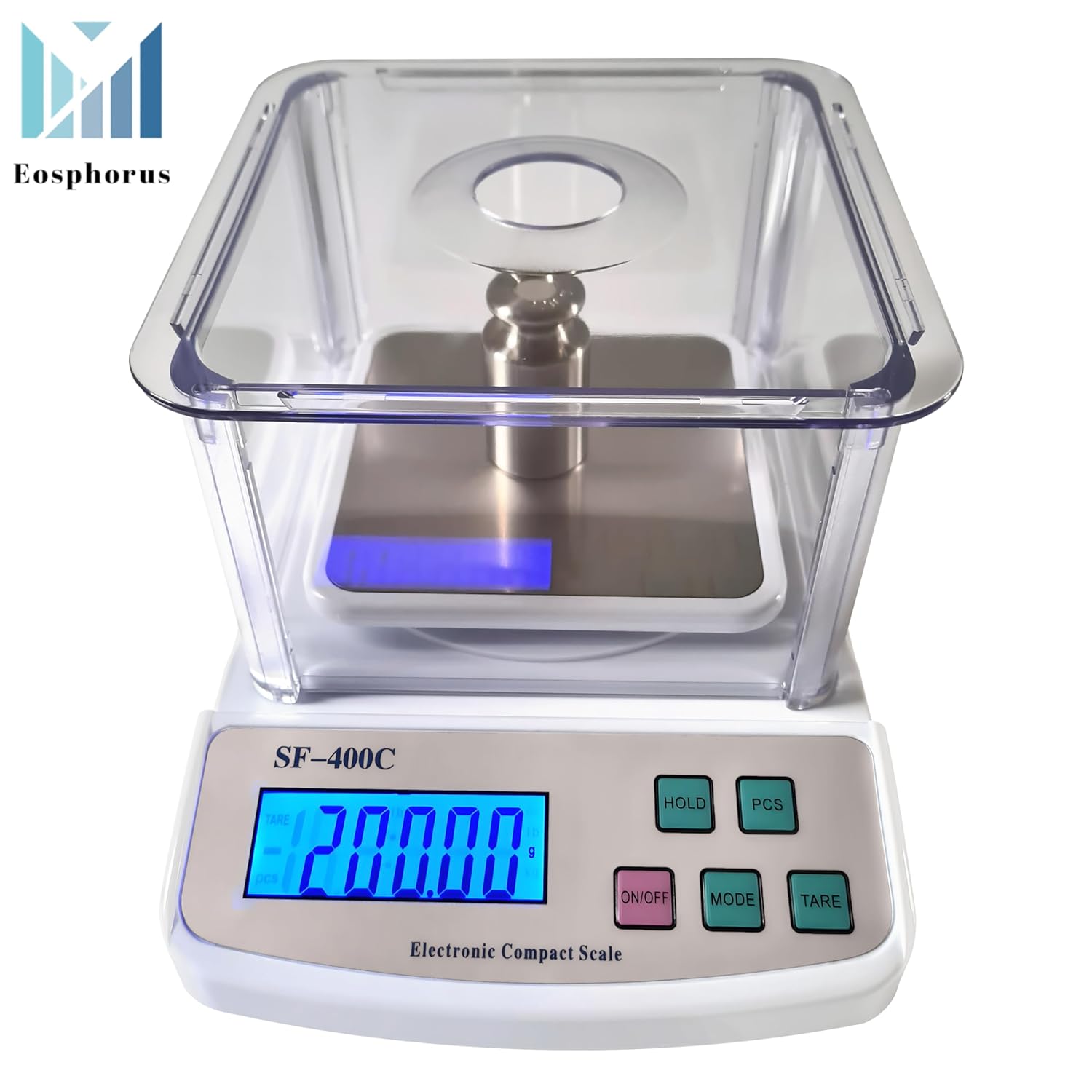
Image: The digital scale showing a successful calibration indicated by "PASS" on the display, with a calibration weight placed on the weighing pan.
Penyelenggaraan
- Pembersihan: Wipe the scale surface and weighing pan with a soft, damp cloth. Do not use abrasive cleaners or immerse the scale in water. The plastic windshield can be removed and cleaned separately with mild soap and water.
- Storan: Store the scale in a clean, dry environment away from extreme temperatures, humidity, and direct sunlight.
- Penggantian Bateri: If using batteries, replace them when the low battery indicator appears on the display to ensure continued accurate operation.
- Tangani dengan Berhati-hati: Avoid dropping the scale or subjecting it to sudden shocks, as this can damage the internal sensors.
Menyelesaikan masalah
| Masalah | Kemungkinan Punca | Penyelesaian |
|---|---|---|
| Skala tidak dihidupkan. | No power, dead batteries, or faulty power connection. | Check USB cord/AC adapter connection. If using batteries, replace them. |
| Bacaan tidak tepat atau tidak konsisten. | Unstable surface, drafts, scale not calibrated, or overloaded. | Place scale on a firm, level surface. Avoid drafts. Ensure weight is within capacity. Perform calibration if necessary. |
| "EEEE" or "O-Ld" displayed. | Skala terlebih beban. | Remove excess weight immediately. Do not exceed the maximum capacity of 600g. |
| Paparan menunjukkan "UNST". | Unstable reading due to movement or vibration. | Ensure the scale is on a stable surface and there is no movement during weighing. |
Spesifikasi
- model: SF-400C
- kapasiti: 600 Grams (0.01g accuracy)
- Ketepatan: 0.01g / 0.0005 oz
- Unit ukuran: Gram (g), Ounce (oz), Pound (lb), Kilogram (kg), Thulam (tl), Piece Counting (pcs)
- Jenis Paparan: LCD bercahaya belakang
- Weighing Pan Size: Square 4.7 x 4.7 inches (Stainless Steel)
- Bekalan Kuasa: USB cord, AC/DC adapter (included), 2 x 1.5V AAA batteries (not included)
- Ciri Khas: Backlit Display, High Precision, Unit Conversion, Tare Function, Hold Function, Piece Counting, Windshield
- Dimensi Pakej: 10.63 x 8.03 x 4.57 inci
- Berat Barang: 1.98 paun
- Pengeluar: Eosphorus US
Waranti dan Sokongan
Eosphorus products are designed for reliability and performance. For any questions, technical support, or warranty inquiries, please contact Eosphorus customer service through the retailer where the product was purchased or visit the official Eosphorus store page on Amazon: