
1. Pengenalan
This manual provides detailed instructions for the safe and efficient operation, maintenance, and troubleshooting of your JAVA WSD18-010B Fully Automatic Espresso Latte Machine. Please read this manual thoroughly before using the appliance and keep it for future reference.
The JAVA WSD18-010B is designed to prepare espresso, cappuccino, and latte beverages using either coffee beans or pre-ground coffee powder. It features a 15-bar pressure extraction system, an integrated conical grinder, and an automatic milk frother.
2. Arahan Keselamatan
Sentiasa ikuti langkah berjaga-jaga keselamatan asas apabila menggunakan peralatan elektrik untuk mengurangkan risiko kebakaran, renjatan elektrik dan kecederaan kepada orang.
- Jangan rendam perkakas, kord kuasa, atau palamkan ke dalam air atau cecair lain.
- Pastikan voltage specified on the appliance matches your local power supply.
- Jauhkan perkakas daripada kanak-kanak.
- Cabut plag perkakas sebelum membersihkan dan apabila tidak digunakan.
- Jangan kendalikan perkakas dengan kord atau palam yang rosak.
- Gunakan hanya aksesori yang disyorkan oleh pengilang.
- Letakkan perkakas pada permukaan yang stabil dan rata.
3. Produk Lebihview
Familiarize yourself with the components of your JAVA WSD18-010B machine.

Rajah 1: Depan View of the JAVA WSD18-010B. This image displays the front of the espresso machine, highlighting the control panel with its LCD display, buttons for power and coffee selection, the coffee spout, and the drip tray. A white coffee cup with the JAVA logo is placed on the drip tray.

Figure 2: Machine in Use. The JAVA WSD18-010B is shown in a home setting, preparing coffee. Two glasses of coffee, one latte and one espresso, are visible next to the machine, along with coffee beans and pastries, illustrating its use in a daily routine.
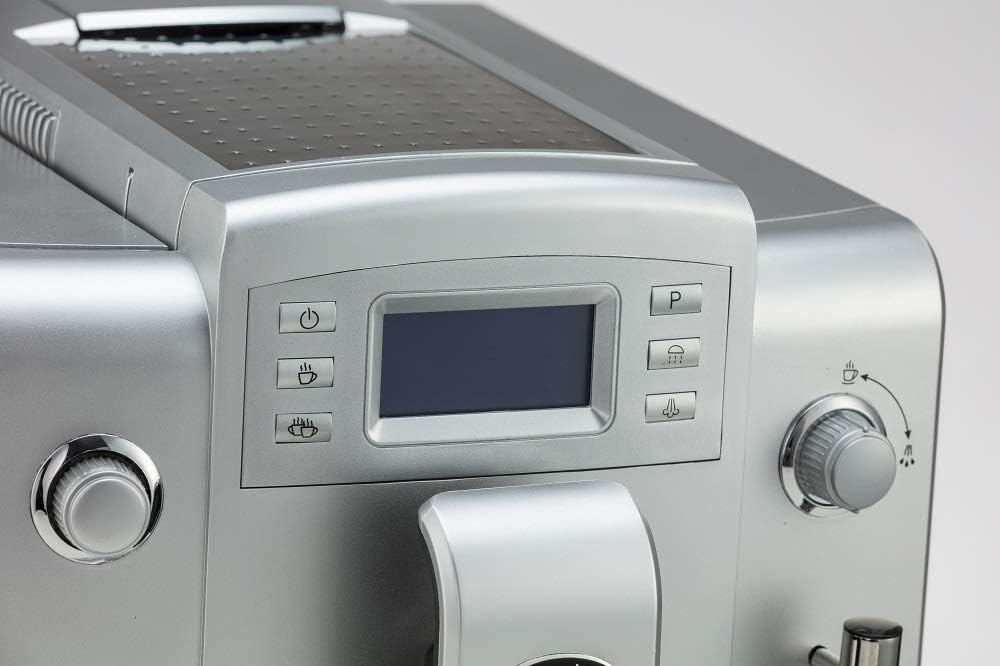
Figure 3: Control Panel Detail. Satu jarak dekat view of the machine's control panel, featuring the LCD screen and various function buttons. These buttons include power, single cup, double cup, steam, and a program button, allowing for intuitive operation.

Figure 4: Coffee Spout and Frother. This image focuses on the adjustable coffee spout and the integrated milk frother wand. The frother is designed for automatic milk foaming, simplifying the preparation of milk-based coffee drinks.
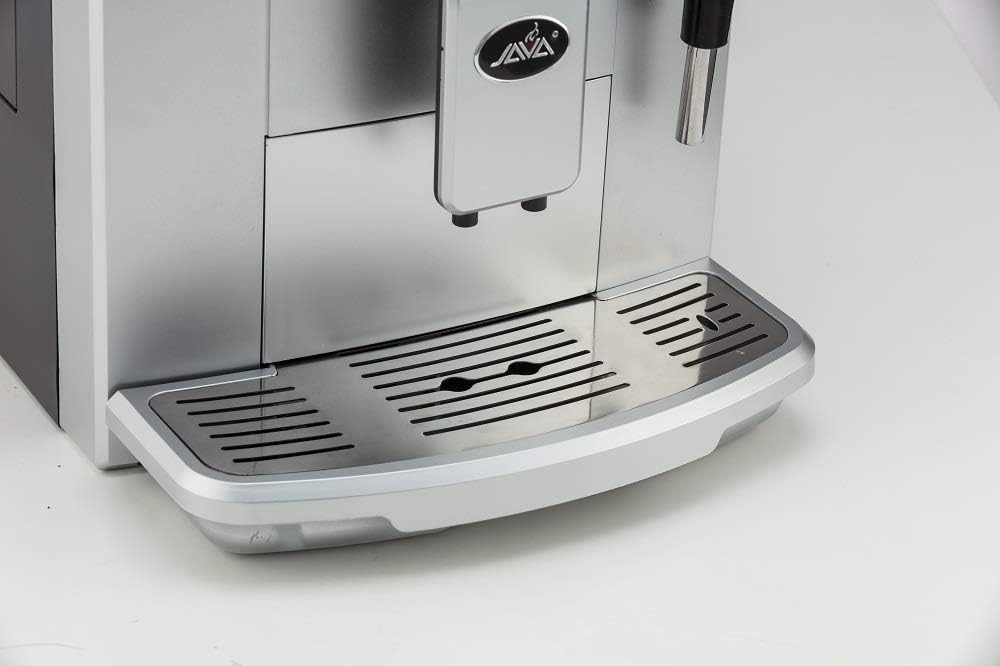
Figure 5: Drip Tray. A terperinci view of the removable drip tray and cup rest area. The design allows for easy cleaning and accommodates various cup sizes, ensuring a tidy coffee preparation experience.
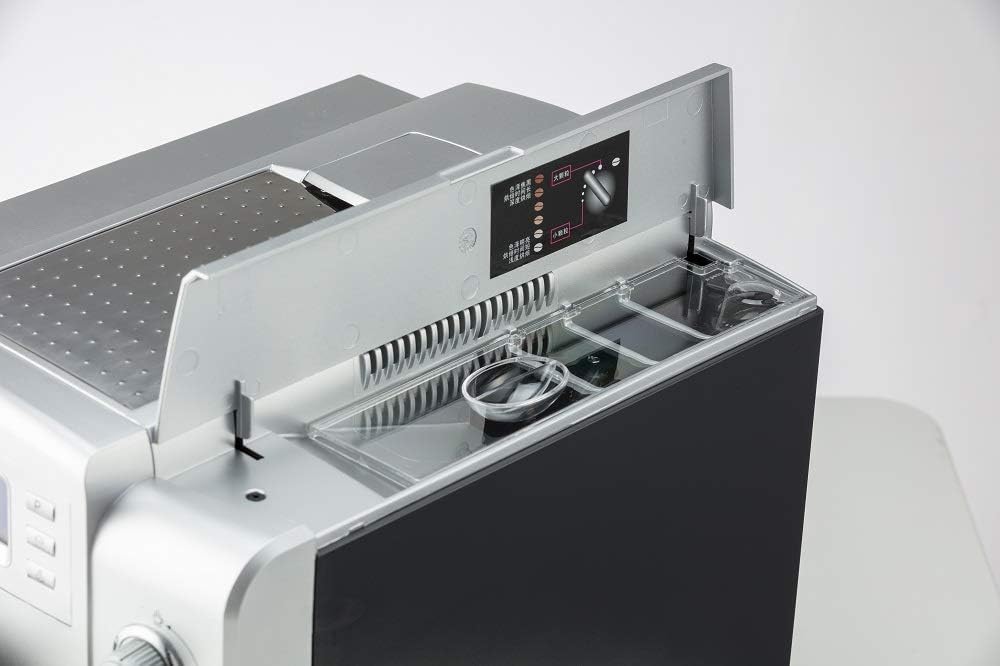
Figure 6: Top Compartments. This image shows the top of the machine with the lid open, revealing the coffee bean hopper and the access point for the water tank. Instructions for grind adjustment are also visible, indicating the machine's integrated grinding capabilities.

Figure 7: Cup Warming Plate. A view of the top surface of the machine, which functions as a cup warming plate. Two clear glass cups are placed upside down, demonstrating how cups can be pre-warmed for optimal coffee temperature.
4. Persediaan
- Membongkar: Keluarkan mesin dari bungkusannya dengan berhati-hati. Simpan pembungkusan untuk pengangkutan atau penyimpanan masa hadapan.
- penempatan: Place the machine on a stable, level, and heat-resistant surface, away from water sources and direct sunlight. Ensure adequate ventilation around the appliance.
- Tangki Air: Remove the 1.9L water tank, rinse it with fresh water, and fill it to the MAX level with clean, cold water. Reinsert the tank securely.
- Bean Hopper: Open the lid on top of the machine and fill the coffee bean hopper with fresh coffee beans. Ensure the lid is closed properly.
- Sambungan Kuasa: Palamkan kord kuasa ke salur keluar elektrik yang dibumikan.
- Kitaran Bilas Permulaan: Upon first use or after extended periods of inactivity, the machine may perform an automatic rinse cycle. Follow any on-screen prompts.
5. Arahan Operasi
5.1. Membuat Espresso atau Kopi
- Hidupkan kuasa: Press the power button on the control panel. The machine will heat up and perform a brief rinse cycle.
- Pilih Jenis Kopi: Use the single cup or double cup buttons to select your desired coffee strength and volume.
- Adjust Grind (Optional): If using whole beans, you can adjust the grinding thickness using the dial inside the bean hopper. There are 6 adjustable settings.
- Piala Tempat: Position a cup under the coffee spout.
- Mulakan Pembuatan Bir: Press the selected coffee button again to start brewing. The machine will automatically grind beans, brew, and dispense coffee.
5.2. Using the Automatic Milk Frother
- Sediakan Susu: Insert the soft suction tube into a container of cold milk.
- Kedudukan Frother: Place a cup under the milk frother wand.
- Activate Frother: Press the steam/froth button on the control panel. The machine will automatically froth and dispense milk into your cup.
- gabungkan: Once milk is frothed, you can brew espresso into the same cup to create lattes or cappuccinos.
5.3. Menggunakan Kopi Pra-Kisar
The machine also supports pre-ground coffee. Refer to the specific instructions in the full manual for the dedicated ground coffee compartment and selection process.
6. Penyelenggaraan dan Pembersihan
Regular cleaning ensures optimal performance and longevity of your machine.
- Automatic Cleaning System: The machine features an automatic cleaning system that activates after each use.
- Dulang Drip: The drip tray should be emptied and cleaned regularly. Remove the tray, discard collected liquid, and wash with warm, soapy water. Rinse thoroughly and dry before reinserting.
- Tangki Air: Clean the 1.9L separable water tank periodically with warm, soapy water. Rinse well to remove any soap residue.
- Bekas Kopi: Empty and clean the used coffee grounds container regularly.
- Pembuat susu: After each use, ensure the milk frother is cleaned to prevent milk residue buildup. Run a short steam cycle with a cup of water to clear the nozzle.
- Mengurangkan: The machine will indicate when descaling is required. Follow the instructions provided on the LCD display and use a suitable descaling solution.
- Pembersihan Luaran: Lap bahagian luar mesin dengan lembut, damp kain. Jangan gunakan pembersih atau pelarut yang melelas.
7. Penyelesaian masalah
If you encounter issues with your JAVA WSD18-010B, refer to the following common problems and solutions:
| Masalah | Kemungkinan Punca | Penyelesaian |
|---|---|---|
| Mesin tidak dihidupkan. | Tiada bekalan kuasa. | Periksa sama ada kord kuasa dipasang dengan kukuh pada soket dan mesin. |
| Kopi tidak dibancuh. | Water tank empty; coffee beans empty; brewing unit blocked. | Refill water tank or bean hopper. Refer to manual for brewing unit cleaning. |
| Pembuih susu tidak menghasilkan buih. | Frother nozzle blocked; milk too warm; incorrect milk type. | Clean the frother nozzle. Use cold, fresh milk. |
| Mesej "Nyahkerak" muncul. | Mesin memerlukan penyahkerak. | Perform a descaling cycle as per the instructions in the full manual. |
For more complex issues, please consult the full product manual or contact customer support.
8. Spesifikasi
- model: WSD18-010B
- Jenama: JAVA
- Tekanan: 15 bar
- Kapasiti Tangki Air: 1.9 Liter
- Dimensi (P x L x T): 11.24 x 18.11 x 13.39 inci
- Berat Bersih: 20.9 paun
- Ciri Khas: Integrated Coffee Grinder, Automatic Milk Frother, NTC Temperature Control, Instant Boiler, LCD Display (10 languages)
- Mod Operasi: Automatik Sepenuhnya
- Komponen yang Disertakan: Susu Frother
- warna: Perak
- Pengeluar: Wan Shida
9. Waranti dan Sokongan
For information regarding warranty coverage, technical support, or service inquiries, please refer to the warranty card included with your product or visit the official JAVA website. Please have your model number (WSD18-010B) and purchase date available when contacting support.