
1. Pengenalan
The Tunturi Functional Fitness Interval Timer is designed to assist you in various fitness activities, including CrossFit, Tabata, and general interval training. This device functions as both an interval timer and a stopwatch, offering customizable settings for your workout routines. Please read this manual thoroughly to ensure proper use and to maximize the benefits of your timer.
2. Maklumat Keselamatan
Patuhi garis panduan keselamatan berikut untuk mengelakkan kerosakan pada peranti atau kecederaan diri:
- Jauhkan peranti daripada air dan kelembapan berlebihan.
- Jangan dedahkan peranti kepada suhu yang melampau atau cahaya matahari langsung untuk tempoh yang lama.
- Use only the specified battery type (1x AAA 1.5V).
- Pastikan kekutuban bateri yang betul semasa memasukkan.
- Tanggalkan bateri jika peranti tidak akan digunakan untuk tempoh yang lama.
- Jangan cuba membuka atau membaiki peranti sendiri. Hubungi sokongan pelanggan untuk mendapatkan bantuan.
- Buang bateri dan peranti mengikut peraturan tempatan.
3. Kandungan Pakej
Sahkan bahawa semua item terdapat dalam pakej:
- Tunturi Functional Fitness Interval Timer (Model 14TUSCF036)
- Manual Pengguna (dokumen ini)
- 1x AAA 1.5V Battery (may be pre-installed or included separately)
4. Produk Lebihview
Familiarize yourself with the components of your interval timer.
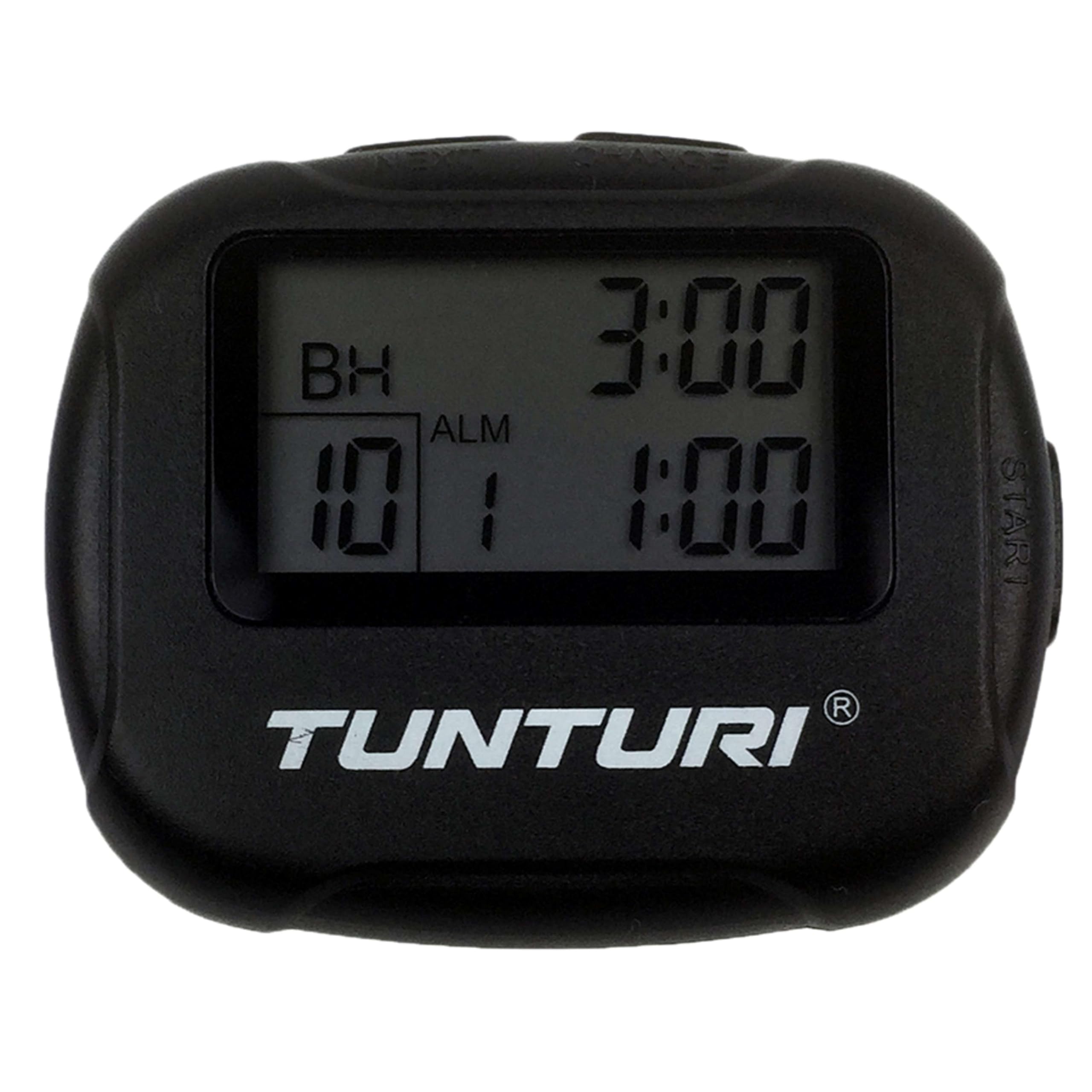
Rajah 4.1: Depan view of the Tunturi Interval Timer, displaying the screen and primary control buttons.
The timer features a clear digital display and intuitive buttons for navigation and setting adjustments. It includes a sturdy clip for attachment to clothing or equipment.

Rajah 4.2: sebelah view of the timer, showing the robust clip for secure attachment.
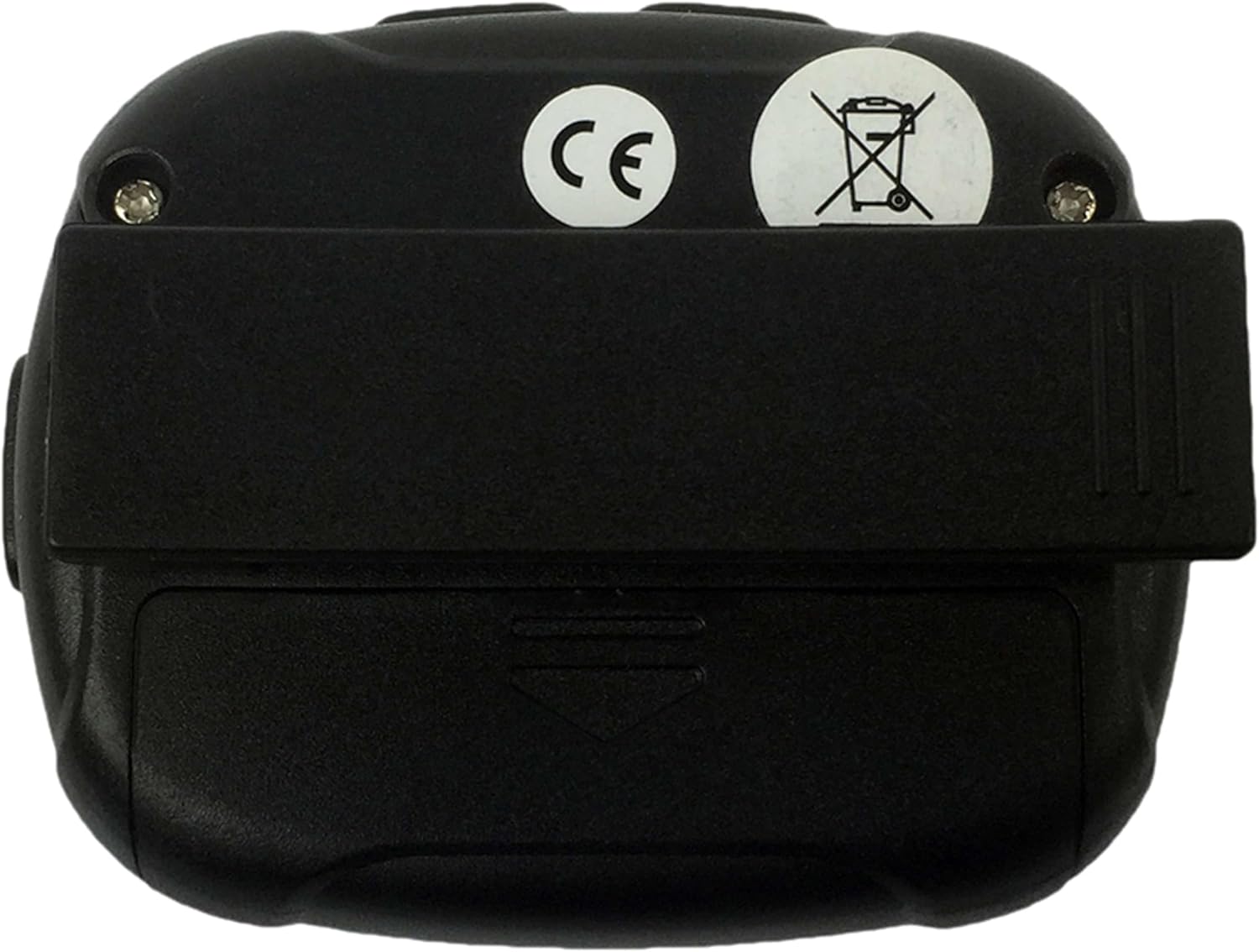
Rajah 4.3: belakang view of the timer, illustrating the battery compartment cover and the clip's pivot point.
Fungsi Butang:
- ARAHAN: Switches between Interval Timer mode and Stopwatch mode. Also used to confirm settings.
- MULAI / BERHENTI: Initiates or pauses the timer/stopwatch.
- ATAS (▲): Increases values during setting adjustments.
- TURUN (▼): Decreases values during setting adjustments.
5. Persediaan
5.1 Pemasangan Bateri
- Locate the battery compartment on the back of the timer (refer to Figure 4.3).
- Use a small screwdriver or coin to gently open the battery cover.
- Masukkan satu bateri AAA 1.5V, pastikan kekutuban yang betul (+/-) seperti yang ditunjukkan di dalam petak.
- Replace the battery cover and secure it firmly.
- The timer should power on automatically or can be turned on using the MODE button.
6. Arahan Operasi
6.1 Hidupkan/Mati Kuasa
- To power on, press any button. The timer will typically display the last used mode or a default setting.
- The timer will automatically enter a low-power sleep mode after a period of inactivity to conserve battery. Press any button to wake it up.
6.2 Setting Interval Timer Mode
- Tekan ke MODE button repeatedly until "TIMER" or a similar indicator for interval mode is displayed.
- Tekan dan tahan butang MODE button to enter setting mode. The first adjustable parameter (e.g., Workout Time) will flash.
- Gunakan ATAS (▲) dan TURUN (▼) buttons to adjust the desired workout duration (up to 99 minutes 59 seconds).
- Tekan MODE to confirm and move to the next setting (e.g., Rest Time).
- Adjust the rest duration using ATAS (▲) dan TURUN (▼).
- Tekan MODE to confirm and move to the number of repetitions (2-99).
- Adjust the number of repetitions using ATAS (▲) dan TURUN (▼).
- Tekan MODE to confirm all settings and exit setting mode.
- Tekan MULA/BERHENTI to begin the interval sequence. The timer will count down the workout time, then the rest time, and repeat for the set number of repetitions.
- During an interval, press MULA/BERHENTI to pause, and press again to resume.
- Untuk menetapkan semula pemasa, tekan dan tahan MULA/BERHENTI sambil dijeda.
6.3 Using Stopwatch Mode
- Tekan ke MODE button repeatedly until "STOPWATCH" or a similar indicator is displayed. The display should show 00:00:00.
- Tekan MULA/BERHENTI to begin timing. The stopwatch will count up.
- Tekan MULA/BERHENTI sekali lagi untuk menjeda jam randik.
- Untuk menyambung semula, tekan MULA/BERHENTI.
- To reset the stopwatch to zero, press and hold MULA/BERHENTI while it is paused.
6.4 Alarm and Vibration
The timer provides an audible alarm or vibration to signal the end of an interval or a completed request. Specific settings for alarm/vibration may be available in the setup menu, typically toggled using the UP/DOWN buttons when the alarm icon is flashing during setup.
7. Penyelenggaraan
7.1 Pembersihan
- Wipe the timer with a soft, dry cloth.
- Untuk kotoran degil, gunakan sedikit damp kain dan sabun lembut, kemudian keringkan dengan teliti.
- Jangan gunakan pembersih yang melelas, pelarut atau bahan kimia yang keras.
7.2 Penyimpanan
- Store the timer in a cool, dry place away from direct sunlight.
- Jika menyimpan untuk tempoh yang lama, keluarkan bateri untuk mengelakkan kebocoran.
8. Penyelesaian masalah
| Masalah | Kemungkinan Punca | Penyelesaian |
|---|---|---|
| Pemasa tidak dihidupkan. | Bateri mati atau dimasukkan dengan salah. | Check battery polarity. Replace battery with a fresh AAA 1.5V battery. |
| Paparan malap atau berkelip. | Kuasa bateri rendah. | Replace battery with a fresh AAA 1.5V battery. |
| Butang tidak bertindak balas. | Device frozen or battery issue. | Remove and reinsert the battery. If problem persists, replace battery. |
| Interval settings do not save. | Settings not confirmed correctly. | Ensure you press the MODE button to confirm each setting and exit the setting mode. |
9. Spesifikasi
- Jenama: Tunturi
- model: 14TUSCF036
- warna: Hitam
- Bahan: Getah
- Sumber Kuasa: 1x AAA 1.5V Battery
- Max Interval Time: 99 minit 59 saat
- Ulangan: 2-99
- Selang: 1-2 (Workout/Rest)
- GTIN (Global Trade Item Number): 08717842025994
- ASIN: B01MXM3GW7
10. Waranti
Tunturi products are manufactured to high-quality standards. This product comes with a standard manufacturer's warranty against defects in materials and workmanship. Please refer to the warranty card included with your purchase or visit the official Tunturi webtapak untuk terma dan syarat waranti terperinci khusus untuk wilayah anda.
11. Sokongan
For technical assistance, troubleshooting beyond this manual, or warranty claims, please contact Tunturi customer support. Contact information can typically be found on the official Tunturi webtapak atau pada pembungkusan produk anda.
Webtapak: www.tunturi.com
Please have your model number (14TUSCF036) and purchase date ready when contacting support.