
1. Pengenalan
The Weston 65-0501-W Professional Advantage Vacuum Sealer is designed for efficient food preservation. This appliance removes air from specially designed bags and containers, creating an airtight seal to extend the freshness of various food items. Its robust construction and powerful vacuum pump are suitable for both home and professional use.
Ciri-ciri utama termasuk:
- Powerful, Pro Performance: Heavy-duty construction with 23" Hg vacuum strength for maximum air removal.
- Quick and Easy Operation: Simple one-touch vacuum-to-seal operation in automatic mode.
- Versatile Controls: Vacuum seal food, marinate meats, and remove air from vacuum canisters.
- Designed for Continuous Use: Fan-cooled motor prevents overheating during repetitive tasks.
- Fits a Variety of Bag Sizes: Seals bags and rolls up to 11 inches across, compatible with Foodsaver and Ziploc bags.
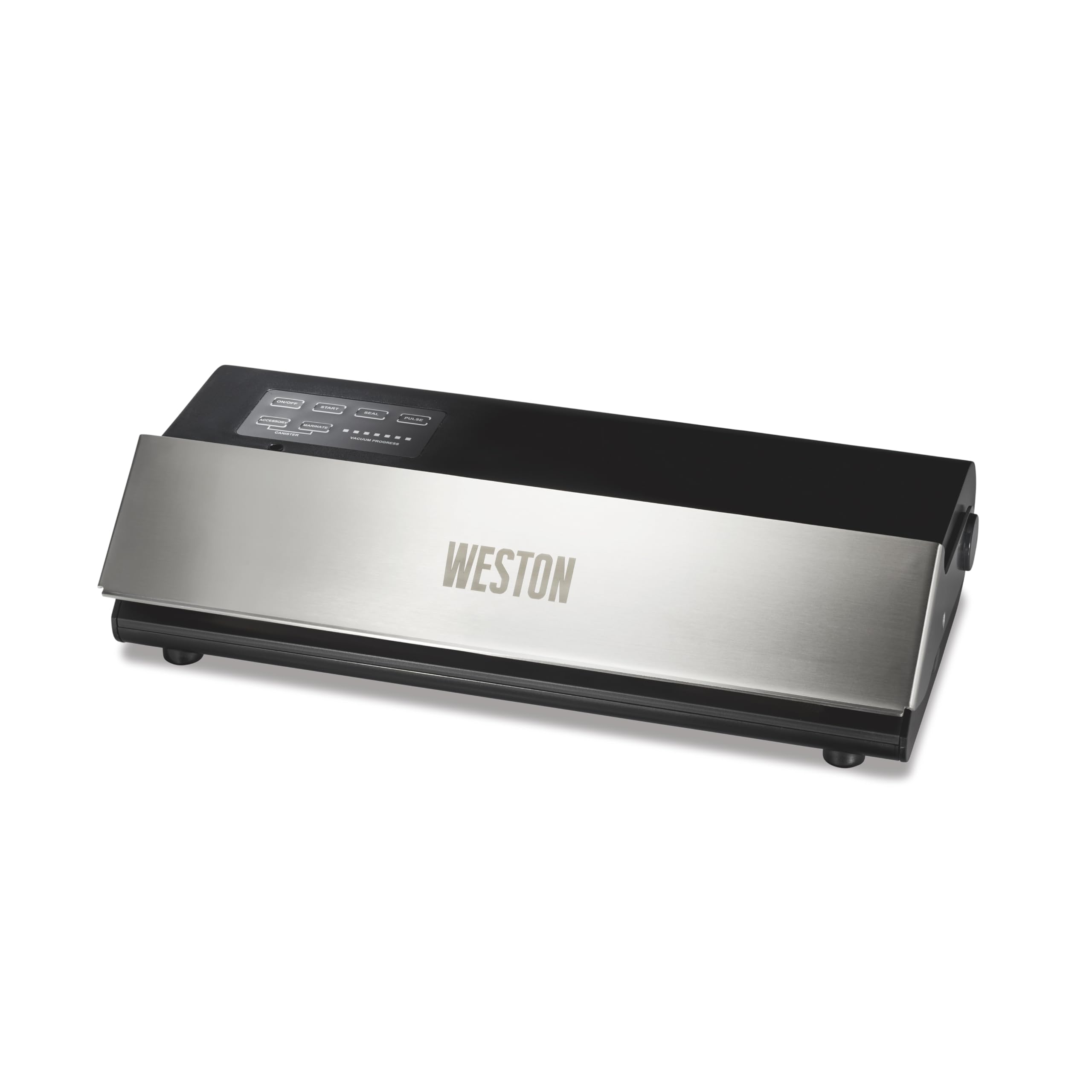
Image: Weston 65-0501-W Professional Advantage Vacuum Sealer in use, preserving various foods.
2. Arahan Keselamatan Penting
To ensure safe operation and prevent injury or damage, please read and follow these safety guidelines:
- Always plug the appliance into a grounded electrical outlet.
- Jangan rendam perkakas, kord kuasa, atau palamkan ke dalam air atau cecair lain.
- Keep hands clear of the sealing area during operation, as the sealing bar becomes hot.
- Awasi kanak-kanak dengan teliti semasa perkakas sedang digunakan.
- Do not operate the appliance with a damaged cord or plug, or after it malfunctions or has been damaged in any manner.
- Use only Weston-approved accessories and bags for optimal performance and safety.
- Ensure the appliance is placed on a stable, flat, heat-resistant surface during use.
3. Kandungan Pakej
Setelah membongkar, sahkan bahawa semua komponen ada:
- Weston 65-0501-W Professional Advantage Vacuum Sealer Unit
- Kord Kuasa
- Starter pack of 15 vacuum bags (five 6" x 10" bags, five 8" x 12" bags, and five 11" x 16" bags)
- Manual Pengguna

Image: The vacuum sealer shown with a bag of chicken, highlighting the inclusion of 15 vacuum bags.
4. Persediaan Awal
- Unpack the vacuum sealer and all accessories.
- Place the unit on a clean, dry, and flat surface.
- Pastikan suis kuasa berada dalam kedudukan OFF.
- Palamkan kord kuasa ke soket elektrik standard.
- Press the ON/OFF button to power on the unit. The indicator light will illuminate.
5. Arahan Operasi
5.1. Operasi Am
The Weston Professional Advantage Vacuum Sealer features an intuitive control panel. The lid can be opened by lifting the front panel. Ensure the lid is securely closed before initiating any vacuum or sealing process.

Image: Control panel of the Weston vacuum sealer, showing various function buttons and vacuum progress lights.
5.2. Creating a Bag from a Roll
If using a roll of vacuum sealer material, you will first need to create a bag by sealing one end:
- Cut the desired length of bag material from the roll.
- Place one end of the cut material into the sealing channel.
- Tutup penutup dengan kuat.
- Press the 'SEAL' button. The unit will heat and seal the end of the bag.
- Once the sealing process is complete (indicated by the light turning off), open the lid and remove your newly formed bag.

Image: The vacuum sealer sealing a bag, illustrating the process of creating a custom-sized bag from a roll.
5.3. Vacuum Sealing Food (Automatic Mode)
For most food items, the automatic vacuum and seal function is ideal:
- Place the food item into a vacuum sealer bag, leaving at least 3 inches of space from the top edge.
- Ensure the inside of the bag's open end is clean and dry.
- Insert the open end of the bag into the vacuum channel.
- Close the lid firmly until it latches.
- Press the 'START' button. The unit will automatically remove air and then seal the bag.
- Once the process is complete, the vacuum progress lights will turn off. Open the lid and remove the sealed bag.
Video: Official demonstration of the Weston 65-0501-W Professional Advantage Vacuum Sealer in action, showing the vacuum and sealing process.

Image: A display of different foods successfully vacuum-sealed, showcasing the versatility of the Weston sealer.
5.4. Manual Seal Mode (Pulse)
For delicate items like crackers or baked goods, use the 'PULSE' button to control the vacuum process manually:
- Letakkan makanan halus ke dalam beg pengedap vakum.
- Insert the open end of the bag into the vacuum channel and close the lid.
- Press and hold the 'PULSE' button to start the vacuum. Release the button when the desired vacuum level is reached (before crushing delicate items).
- Immediately press the 'SEAL' button to seal the bag.
- Setelah ditutup rapat, buka penutup dan keluarkan beg.
5.5. Using Accessories (Canister/Marinate)
The vacuum sealer is compatible with external accessories like vacuum canisters for marinating or storing liquids:
- Connect the accessory hose (sold separately) to the 'ACCESSORY' port on the unit and to your vacuum-sealable canister.
- Ensure the canister lid is properly secured.
- Press the 'CANISTER' button for general vacuuming or 'MARINATE' for a pulsed vacuum cycle designed for marinating.
- The unit will automatically stop when the appropriate vacuum level is achieved for canisters.
6. Penyelenggaraan
6.1. Pembersihan
- Sentiasa cabut plag unit sebelum membersihkan.
- Lap bahagian luar unit dengan iklanamp kain. Jangan gunakan pembersih yang kasar.
- Clean the vacuum channel and sealing bar area regularly to prevent food particles from affecting performance.
6.2. Replacing Seals and Heater Strip Tape
Over time, the foam gaskets (upper and lower) and heater strip tape may wear out, leading to reduced vacuum performance. Replacement kits are available from Weston. The replacement process typically involves:
- Carefully remove the old foam gaskets and heater strip tape.
- Clean the areas where the new components will be placed.
- Install the new foam gaskets, ensuring they are seated correctly and smoothly.
- Apply the new heater strip tape, ensuring it is flat and covers the heating element.
Proper replacement of these parts is crucial for maintaining the unit's sealing effectiveness.
7. Penyelesaian masalah
If you encounter issues with your vacuum sealer, consider the following common solutions:
- Poor Vacuum or Weak Seal: Check the foam gaskets for wear or damage. Ensure they are clean and properly seated. Verify that the bag material is suitable for vacuum sealing (textured or embossed bags are required for out-of-chamber sealers). Make sure the bag opening is clean and dry, free from food particles or moisture.
- Bag Not Sealing Properly: Ensure the lid is closed firmly and latched. Check the heater strip tape for damage or misalignment. If creating a bag from a roll, ensure the initial seal is free of ripples.
- Unit Tidak Menjawab: Check if the unit is properly plugged into a working electrical outlet and the ON/OFF button is pressed.
- Incorrect Button Usage: Differentiate between the 'START' button (automatic vacuum and seal) and the 'SEAL' button (seals without full vacuum, or after manual pulse). The 'PULSE' button allows for manual control of vacuum pressure.
- Liquids Entering Vacuum Chamber: For moist foods, pre-freeze them for 30-45 minutes to solidify juices before vacuum sealing. This prevents liquids from being drawn into the vacuum chamber, which can compromise the seal.
- Sharp Edges Puncturing Bag: When sealing items with sharp edges (e.g., bones, hard pasta), use the 'PULSE' mode to control the vacuum and prevent the bag from clinging too tightly, or wrap sharp edges in a paper towel before sealing.
8. Spesifikasi
| Ciri | Perincian |
|---|---|
| Jenama | Weston |
| Nombor Model | 65-0501-W |
| bahan | Keluli Tahan Karat, Keluli |
| warna | Keluli Tahan Karat dan Hitam |
| Dimensi Produk (L x W x H) | 18" x 10" x 6" |
| Berat Barang | 7.45 paun |
| Sumber Kuasa | AC |
| Mod Operasi | Manual |
| Wattage | 210 watt |
| Kekuatan Vakum | 23" Hg |
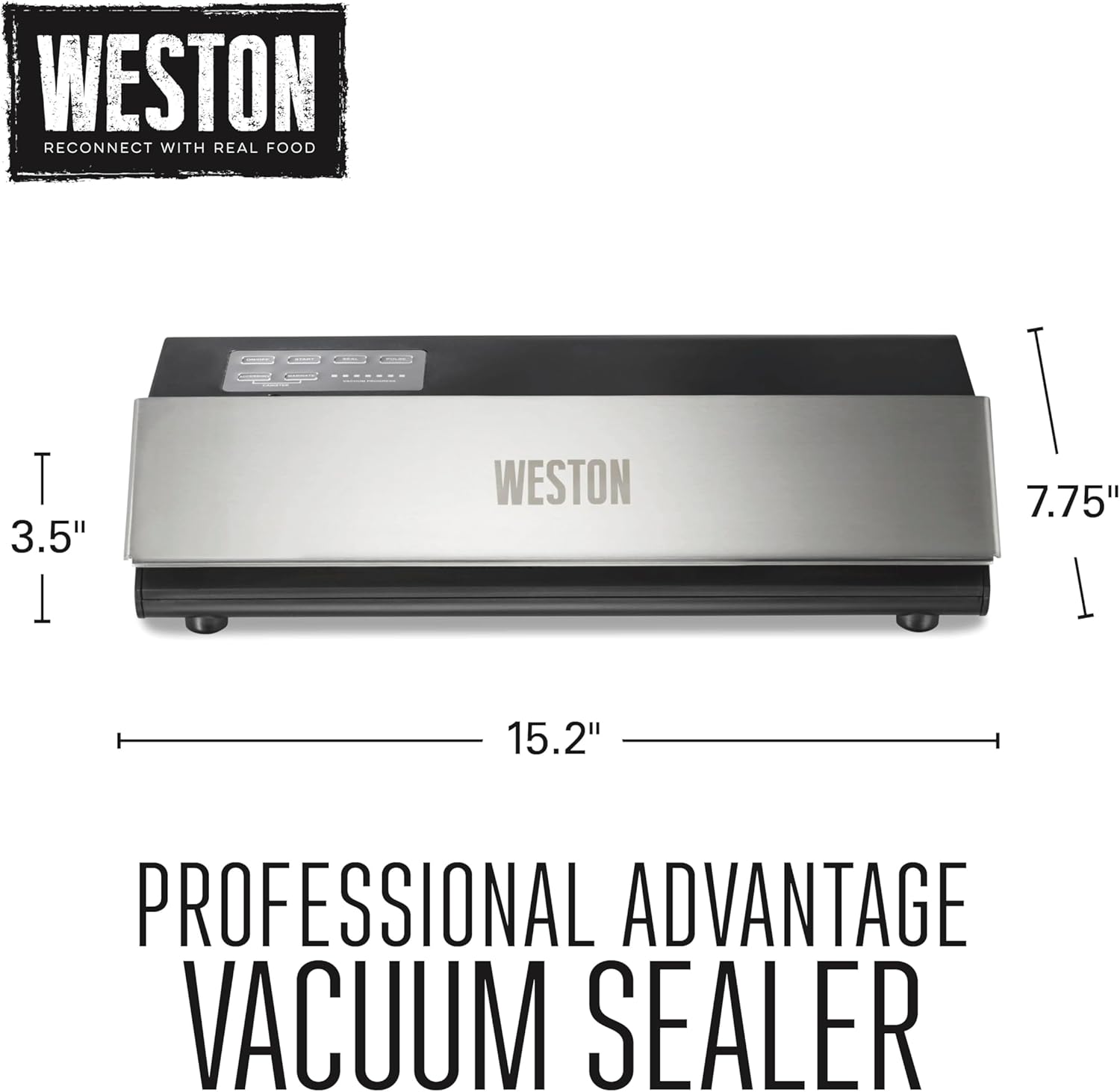
Imej: Dimensi berakhirview of the Weston Professional Advantage Pengedap Vakum.
9. Waranti dan Sokongan
9.1. Maklumat Waranti
The Weston 65-0501-W Professional Advantage Vacuum Sealer comes with a One (1) Year Warranty. Please retain your proof of purchase for warranty claims.
9.2. Sokongan Pelanggan
For technical assistance, troubleshooting, or to inquire about replacement parts, please contact Weston customer support. Refer to the official Weston webtapak atau pembungkusan produk anda untuk mendapatkan maklumat hubungan terkini.
Sumber dalam talian dan Soalan Lazim juga mungkin tersedia di Weston Products webtapak.