
1. Pengenalan
This manual provides detailed instructions for the installation, operation, and maintenance of your ACCUTEMP AT0E-2559-7 Electric RTD Thermostat. This device is designed for precise temperature control in industrial applications, utilizing a Resistance Temperature Detector (RTD) for accurate readings. Please read this manual thoroughly before installation and operation to ensure safe and efficient use.
2. Maklumat Keselamatan
AMARAN: Electrical shock hazard. Installation and servicing should only be performed by qualified personnel. Disconnect power before installation or maintenance.
- Pastikan semua pendawaian mematuhi kod elektrik tempatan dan nasional.
- Do not operate the thermostat with damaged wiring or if it has been exposed to moisture.
- This device operates on 230V. Exercise extreme caution.
- Jauhkan kanak-kanak daripada komponen elektrik.
- Do not attempt to modify the thermostat. Unauthorized modifications can lead to hazards and void the warranty.
3. Kandungan Pakej
Carefully unpack the box and ensure all items are present and undamaged. If any items are missing or damaged, contact your supplier immediately.
- ACCUTEMP AT0E-2559-7 Electric RTD Thermostat
- Perkakasan pemasangan (skru, sauh)
- Panduan Mula Pantas (jika berkenaan)
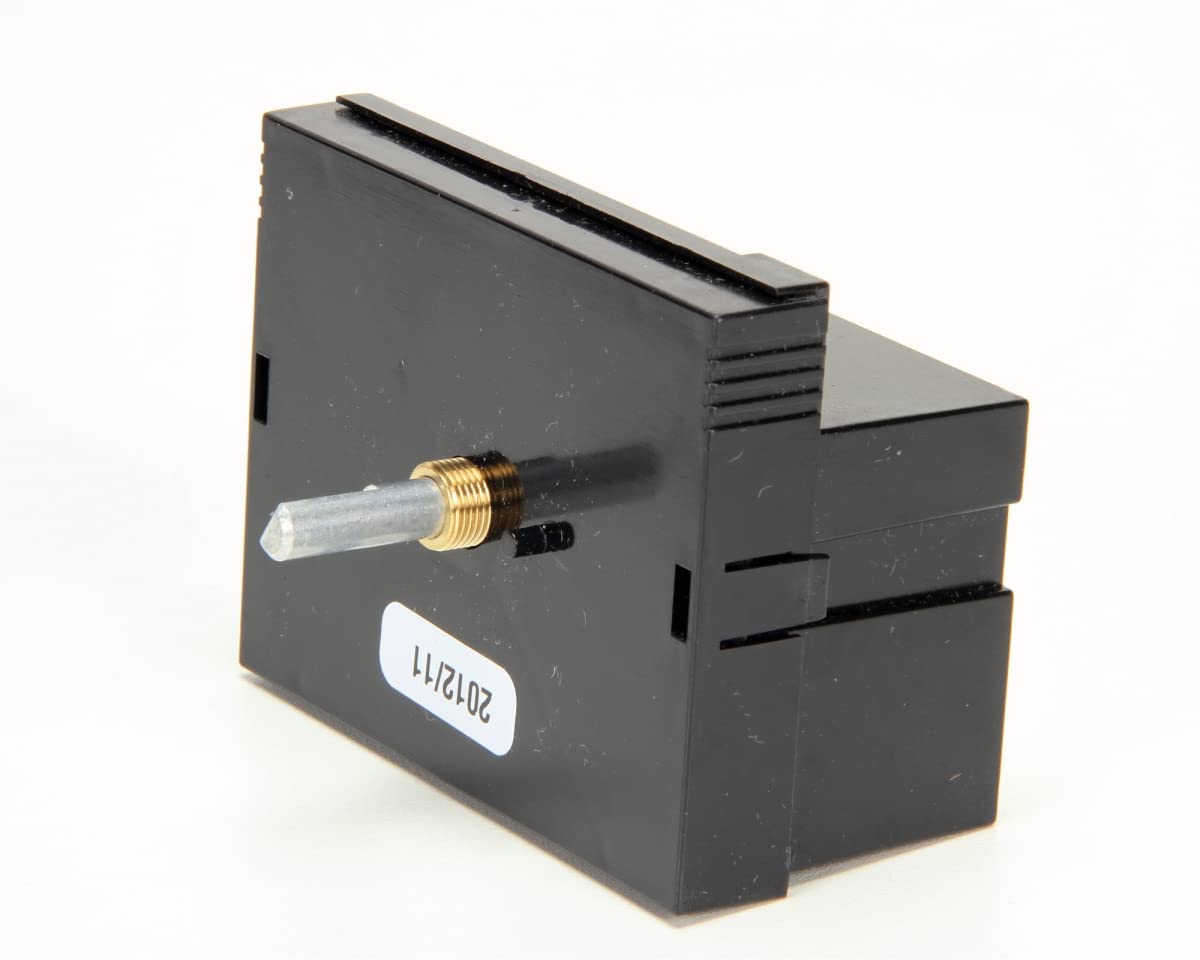
Rajah 1: Depan view of the ACCUTEMP AT0E-2559-7 Electric RTD Thermostat. The device features a black casing with an LCD display and push-button controls.
4. Persediaan dan Pemasangan
4.1 Pemasangan
The ACCUTEMP AT0E-2559-7 is designed for wall mounting. Choose a location that is representative of the area where temperature control is desired, away from direct heat sources, drafts, or direct sunlight.
- Putuskan Kuasa: Ensure all power to the circuit is OFF at the main breaker before proceeding.
- Sediakan Permukaan Pemasangan: Mark the desired mounting holes on the wall using the thermostat as a template.
- Pasang Sauh: Drill pilot holes and insert wall anchors if mounting into drywall.
- Termostat Selamat: Route wiring through the opening in the back of the thermostat and secure the thermostat to the wall using the provided screws. Do not overtighten.
4.2 Pendawaian
This thermostat requires a 230V AC power supply and connects to an RTD sensor. Refer to the wiring diagram provided with your specific unit for exact connections. Incorrect wiring can damage the unit or cause electrical hazards.
- Connect the 230V AC power supply to the designated power terminals.
- Connect the RTD sensor wires to the RTD input terminals. Ensure correct polarity if specified by the sensor manufacturer.
- Connect the load (e.g., heating element, cooling unit) to the relay output terminals.
- Periksa semula semua sambungan untuk memastikan ketat dan penebat yang betul.
4.3 Kuasa Permulaan
After completing all wiring and mounting, restore power to the circuit. The thermostat's LCD display should illuminate, indicating it is powered on. The display will typically show the current temperature reading.
5. Arahan Operasi
The ACCUTEMP AT0E-2559-7 features a digital LCD display and push-button controls for easy operation.
5.1 Paparan Terlaluview (LCD)
The LCD (Liquid Crystal Display) shows the current temperature, setpoint temperature, and various operational indicators (e.g., heating/cooling active, alarm status). Refer to the specific icons and their meanings in your unit's detailed wiring diagram or supplementary documentation.
5.2 Push Button Controls
The thermostat is controlled via push buttons. Common buttons include:
- SET: Used to enter or confirm settings.
- ATAS (▲): Increases values or navigates menus.
- TURUN (▼): Decreases values or navigates menus.
- ARAHAN: Switches between operating modes (if applicable).
5.3 Menetapkan Suhu
- Tekan ke SET button once. The setpoint temperature will begin to flash.
- Gunakan ATAS (▲) or TURUN (▼) buttons to adjust the setpoint to your desired temperature.
- Tekan ke SET button again to confirm the new setpoint. The display will return to showing the current temperature.
5.4 Advanced Settings (Digital Control)
Your thermostat may have advanced digital control parameters such as hysteresis, calibration offset, or alarm limits. Accessing and adjusting these settings typically involves holding down the SET button for several seconds or a specific button combination. Refer to the full technical documentation for detailed instructions on advanced parameter configuration.
6. Penyelenggaraan
The ACCUTEMP AT0E-2559-7 thermostat is designed for reliable operation with minimal maintenance. Regular cleaning and inspection will help ensure its longevity and accuracy.
6.1 Pembersihan
- Putuskan Kuasa: Always disconnect power to the thermostat before cleaning.
- Wipe the exterior of the thermostat with a soft, damp kain. Jangan gunakan pembersih yang kasar, pelarut atau semburan kimia, kerana ini boleh merosakkan paparan atauasing.
- Pastikan tiada kelembapan memasuki komponen dalaman.
6.2 Pemeriksaan
- Periodically check wiring connections for tightness and signs of corrosion.
- Inspect the thermostat casing for any physical damage.
- Ensure the RTD sensor is clean and properly positioned for accurate temperature readings.
7. Penyelesaian masalah
If you encounter issues with your ACCUTEMP AT0E-2559-7 thermostat, refer to the following common problems and solutions:
| Masalah | Kemungkinan Punca | Penyelesaian |
|---|---|---|
| Paparan termostat kosong. | Tiada bekalan kuasa. | Check circuit breaker. Ensure 230V power is connected correctly. |
| Bacaan suhu tidak betul. | Faulty RTD sensor or wiring. Thermostat location issues. | Check RTD sensor connections. Verify sensor is not damaged. Relocate thermostat if exposed to drafts or heat sources. |
| Thermostat not controlling load. | Incorrect wiring. Setpoint not reached. Faulty relay. | Verify load wiring. Ensure setpoint is appropriately configured. If issue persists, contact support. |
| Butang tidak bertindak balas. | Gangguan perisian sementara. Kerosakan fizikal. | Cycle power to the thermostat. Inspect buttons for physical damage. |
If troubleshooting steps do not resolve the issue, contact ACCUTEMP customer support or a qualified technician.
8. Spesifikasi
The following are the technical specifications for the ACCUTEMP AT0E-2559-7 Electric RTD Thermostat:
- Jenama: ACCUTEMP
- Nombor Model: AT0E-2559-7
- Jenis Pengawal: Butang Tekan
- warna: Hitam
- Jenis Kawalan Suhu: digital
- Sumber Kuasa: Elektrik Bertali
- Voltage: 230 Volt
- Bahan: Copper (likely internal components or sensor connection)
- Jenis Paparan: LCD
- Kaedah Kawalan: Butang Tekan
- Jenis Pemasangan: Lekap di dinding
- Berat Barang: 1.2 paun
- UPC: 400014713512
- Tarikh Mula-mula Tersedia: 22 Jun 2016
9. Waranti dan Sokongan
ACCUTEMP products are manufactured to high-quality standards. For specific warranty information regarding your AT0E-2559-7 thermostat, please refer to the warranty card included with your purchase or visit the official ACCUTEMP webtapak.
For technical support, troubleshooting assistance beyond this manual, or to inquire about replacement parts, please contact ACCUTEMP customer service directly. Have your model number (AT0E-2559-7) and purchase date ready when contacting support.
ACCUTEMP Customer Support:
- Webtapak: www.accutemp.com (Cthample URL, please verify official site)
- telefon: Refer to the ACCUTEMP webtapak untuk nombor hubungan serantau.