
1. परिचय
The PEICHENG Q2SPRO is a 7-inch tablet designed for a smooth and responsive user experience, powered by the Android 15.0 operating system. It features an IPS display, ample memory and storage, and dual cameras, making it suitable for various daily tasks from browsing to media consumption. This manual provides essential information for setting up, operating, maintaining, and troubleshooting your device.
2. पॅकेज सामग्री
पॅकेज अनपॅक करताना कृपया त्यातील सामग्री तपासा. जर काही वस्तू गहाळ किंवा खराब झाल्या असतील तर ग्राहक समर्थनाशी संपर्क साधा.
- PEICHENG Q2SPRO 7-inch Android 15.0 Tablet
- Protective Case with Foldable Stand
- USB-C चार्जिंग केबल
- पॉवर अॅडॉप्टर (प्रदेशानुसार बदलू शकते)
- वापरकर्ता मॅन्युअल (हा दस्तऐवज)
3. डिव्हाइस लेआउट
Familiarize yourself with the physical components of your PEICHENG Q2SPRO tablet.
This image shows the PEICHENG Q2SPRO tablet from both the front, displaying its screen, and the rear, highlighting the camera and overall design.

एक बाजू view of the PEICHENG Q2SPRO tablet, illustrating the placement of its various ports and buttons, such as the USB-C port, power button, and volume controls.
- समोरचा कॅमेरा: स्क्रीनच्या वर स्थित.
- मागील कॅमेरा: Located on the back panel.
- पॉवर बटण: Typically on the side, used to turn the device on/off or wake/sleep.
- व्हॉल्यूम बटणे: ऑडिओ पातळी समायोजित करा.
- यूएसबी-सी पोर्ट: चार्जिंग आणि डेटा ट्रान्सफरसाठी.
- वक्ता: ऑडिओ आउटपुटसाठी.
- मायक्रोएसडी कार्ड स्लॉट: वाढवता येण्याजोग्या स्टोरेजसाठी.
4. सेटअप
4.1 प्रारंभिक चार्जिंग
Before first use, fully charge your tablet. Connect the USB-C cable to the tablet's charging port and the other end to the power adapter. Plug the adapter into a wall outlet. The charging indicator will show the charging status.
4.2 पॉवर चालू/बंद
- चालू करण्यासाठी: Press and hold the Power button until the PEICHENG logo appears on the screen.
- पॉवर ऑफ करण्यासाठी: Press and hold the Power button until the power options appear, then select "Power Off."
- To Sleep/Wake: थोडक्यात पॉवर बटण दाबा.
४.५ प्रारंभिक सेटअप विझार्ड
Upon first power-on, the Android 15.0 setup wizard will guide you through essential configurations:
- भाषा निवड: तुमची पसंतीची भाषा निवडा.
- वाय-फाय कनेक्शन: Connect to a wireless network to access the internet. The tablet supports WiFi6 (2.4G+5G).
- Google खाते: Play Store, Gmail आणि Google Drive सारख्या Google सेवांमध्ये प्रवेश करण्यासाठी तुमच्या Google खात्याने साइन इन करा किंवा एक नवीन खाते तयार करा.
- तारीख आणि वेळ: योग्य तारीख आणि वेळ सेट करा.
- सुरक्षा: Set up a screen lock (PIN, pattern, or password) for device security.

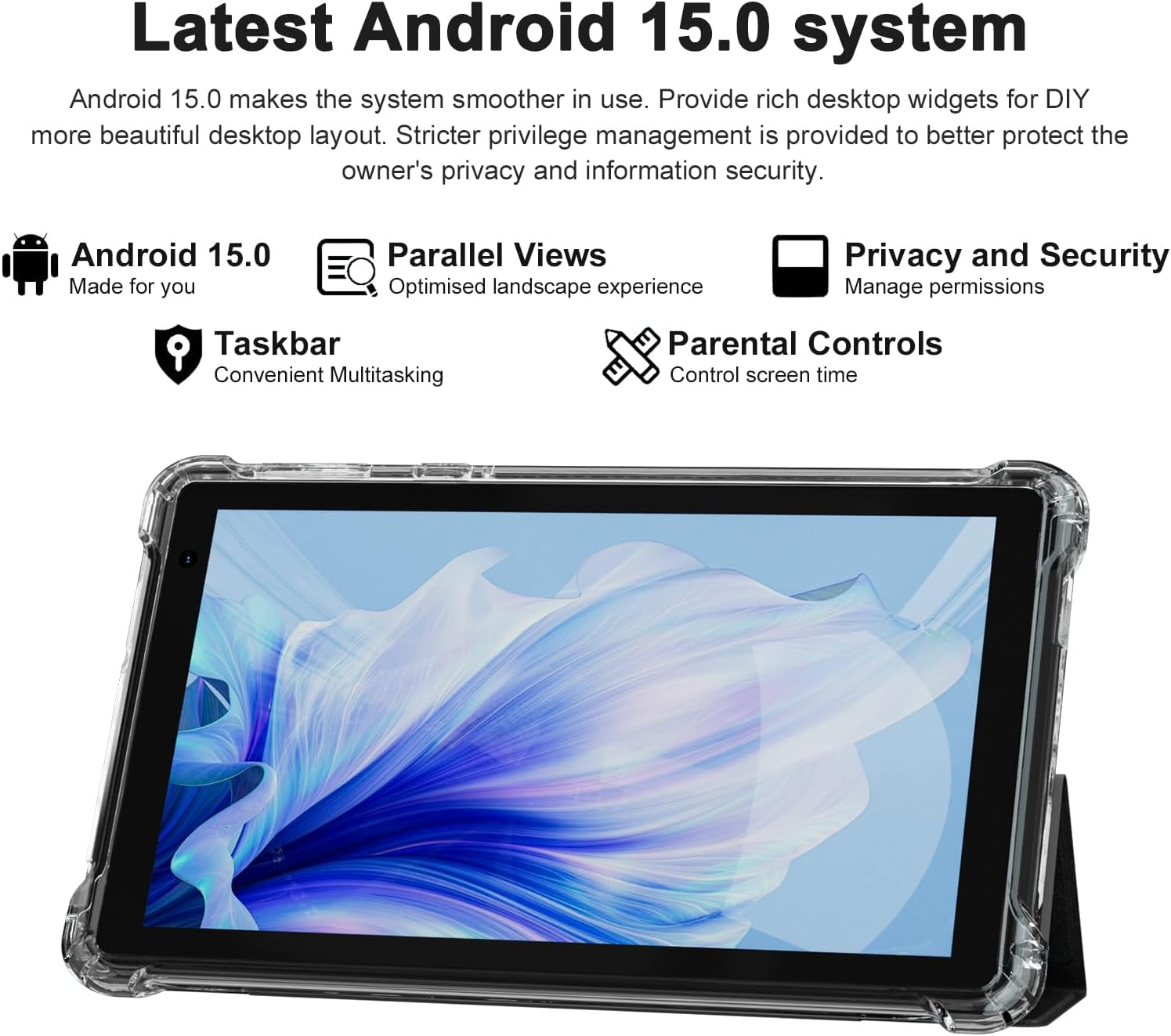
The PEICHENG Q2SPRO tablet screen displaying the Android 15.0 operating system interface, highlighting features like desktop widgets and privacy controls.
5. ऑपरेटिंग सूचना
२.१ मूलभूत नेव्हिगेशन
- टचस्क्रीन: Tap, swipe, pinch-to-zoom for interaction.
- होम स्क्रीन: Access apps, widgets, and notifications. Android 15.0 offers rich desktop widgets for customization.
- सूचना पॅनेल: स्क्रीनच्या शीर्षापासून खाली स्वाइप करा view सूचना आणि जलद सेटिंग्ज.
- टास्कबार: Android 15.0 includes a taskbar for convenient multitasking and optimized landscape mode.
5.2 वाय-फाय कनेक्शन
- वर जा सेटिंग्ज > नेटवर्क आणि इंटरनेट > इंटरनेट.
- वाय-फाय चालू करा.
- सूचीमधून तुमचे इच्छित वाय-फाय नेटवर्क निवडा.
- संकेत दिल्यास पासवर्ड एंटर करा, नंतर टॅप करा कनेक्ट करा.
5.3 ब्लूटूथ पेअरिंग
- वर जा सेटिंग्ज > कनेक्ट केलेली उपकरणे > कनेक्शन प्राधान्ये > ब्लूटूथ.
- ब्लूटूथ चालू करा.
- Ensure the device you want to pair is in pairing mode.
- Select the device from the list of available devices and follow on-screen instructions to complete pairing.
६.२ कॅमेरा वापर
The tablet features a 2.0MP front camera and a 5.0MP rear camera.
- उघडा कॅमेरा अर्ज
- पुढील आणि मागील कॅमेऱ्यांमध्ये स्विच करण्यासाठी कॅमेरा आयकॉनवर टॅप करा.
- फोटो काढण्यासाठी किंवा व्हिडिओ रेकॉर्डिंग सुरू/थांबवण्यासाठी शटर बटणावर टॅप करा.

This image illustrates the 5MP rear camera and 2MP front camera specifications of the PEICHENG Q2SPRO tablet, alongside exampडिव्हाइसने काढलेले फोटो.
5.5 अॅप स्थापना
Access millions of applications through the Google Play Store.
- उघडा प्ले स्टोअर ॲप
- साठी शोधा the desired app.
- टॅप करा स्थापित करा आणि ऑन-स्क्रीन सूचनांचे अनुसरण करा.
5.6 Protective Case and Stand
The included transparent, shock-absorbing protective case helps protect your tablet. It features a built-in foldable stand, allowing you to prop the tablet at a comfortable viewing angle for hands-free use.

The PEICHENG Q2SPRO tablet enclosed in its transparent protective case, demonstrating the integrated foldable stand propping the device at a comfortable viewकोन.
6. देखभाल
६.१ टॅब्लेट साफ करणे
- स्क्रीन आणि बॉडी स्वच्छ करण्यासाठी मऊ, लिंट-फ्री कापड वापरा.
- Do not use liquid cleaners or aerosols directly on the tablet.
- हट्टी गुणांसाठी, किंचित डीampकापड पाण्याने किंवा स्क्रीन-सेफ क्लीनरने भिजवा.
6.2 सॉफ्टवेअर अद्यतने
इष्टतम कामगिरी, सुरक्षितता आणि नवीन वैशिष्ट्यांमध्ये प्रवेश सुनिश्चित करण्यासाठी नियमितपणे सॉफ्टवेअर अपडेट तपासा आणि स्थापित करा. येथे जा सेटिंग्ज > प्रणाली > सिस्टम अपडेट.
6.3 बॅटरी काळजी
- जास्त तापमान टाळा, ज्यामुळे बॅटरीचे आयुष्य कमी होऊ शकते.
- बॅटरी वारंवार पूर्णपणे संपू देऊ नका.
- चांगल्या चार्जिंगसाठी दिलेला चार्जर वापरा.
- The tablet emphasizes low power consumption for better battery efficiency.
7. समस्या निवारण
हा विभाग तुमच्या टॅब्लेटमध्ये येणाऱ्या सामान्य समस्यांबद्दल चर्चा करतो.
| समस्या | संभाव्य कारण / उपाय |
|---|---|
| टॅब्लेट चालू होत नाही | बॅटरी चार्ज झाली आहे याची खात्री करा. चार्जरशी कनेक्ट करा आणि पुन्हा चालू करण्याचा प्रयत्न करण्यापूर्वी काही मिनिटे वाट पहा. |
| Tablet freezes or is unresponsive | Press and hold the Power button for about 10-15 seconds to force a restart. Close unnecessary background applications. |
| वाय-फाय कनेक्शन समस्या | Ensure Wi-Fi is enabled. Restart your router and the tablet. Check if the Wi-Fi password is correct. Try connecting to a different network if available. |
| बॅटरी लवकर संपते | Reduce screen brightness. Close unused apps. Disable Wi-Fi/Bluetooth when not in use. Check for power-intensive apps in battery settings. |
| टॅब्लेट जास्त गरम होते | Avoid using the tablet in direct sunlight or hot environments. Close demanding applications. Allow the tablet to cool down before continued use. |
| मंद कामगिरी | Clear cache and data of frequently used apps. Uninstall unused apps. Ensure sufficient free storage space. Restart the tablet regularly. |
8. तपशील
Technical specifications for the PEICHENG Q2SPRO tablet.
| वैशिष्ट्य | तपशील |
|---|---|
| ब्रँड | पीचेंग |
| मॉडेलचे नाव | Q2SPRO |
| ऑपरेटिंग सिस्टम | Android 15.0 |
| स्क्रीन आकार | 7 इंच |
| डिस्प्ले प्रकार | IPS LED Touchscreen |
| डिस्प्ले रिझोल्यूशन | ९५३६ x ६३३६ पिक्सेल |
| रॅम मेमरी | 8GB (3GB installed + 5GB expandable) |
| मेमरी स्टोरेज क्षमता | १२८ जीबी (मायक्रोएसडी द्वारे १ टीबी पर्यंत वाढवता येते) |
| प्रोसेसर ब्रँड | रॉकचिप |
| मागील कॅमेरा | 5.0MP |
| समोरचा कॅमेरा | 2.0MP |
| व्हिडिओ कॅप्चर रिझोल्यूशन | HD 720p |
| वायरलेस तंत्रज्ञान | Wi-Fi (802.11ax, 802.11g, 2.4G+5G) |
| ब्लूटूथ | ब्लूटूथ 5.0 |
| कनेक्टिव्हिटी तंत्रज्ञान | USB 3.0 प्रकार C |
| बॅटरी सेल प्रकार | लिथियम पॉलिमर |
| बॅटरी ऊर्जा सामग्री | 3000 मिलीampपूर्वीचा तास (mAh) |
| आयटम वजन | 0.49 किलोग्रॅम |
| वस्तूचे परिमाण (L x W x जाडी) | १०.०४"लि x ६.७७"प x ०.९८"थ |
9. वॉरंटी माहिती
The PEICHENG Q2SPRO tablet comes with a 1 वर्षांची मर्यादित वॉरंटी from the date of purchase. This warranty covers manufacturing defects and malfunctions under normal use. It does not cover damage caused by misuse, accidents, unauthorized repairs, or normal wear and tear. Please retain your proof of purchase for warranty claims.
10. ग्राहक समर्थन
For further assistance, technical support, or warranty inquiries, please refer to the contact information provided with your product packaging or visit the official PEICHENG website. When contacting support, please have your model number (Q2SPRO) and proof of purchase readily available.