
परिचय
This manual provides detailed instructions for the setup, operation, maintenance, and troubleshooting of your Sorandy Wired Mechanical Gaming Keyboard. Please read this manual thoroughly before using the product to ensure optimal performance and longevity.
पॅकेज सामग्री
- Sorandy Wired Mechanical Gaming Keyboard
- वापरकर्ता मॅन्युअल (हा दस्तऐवज)
सेटअप
Follow these steps to connect your keyboard to your computer:
- Unpack the keyboard and ensure all components are present.
- तुमच्या संगणकावर (डेस्कटॉप पीसी किंवा लॅपटॉप) उपलब्ध असलेला यूएसबी पोर्ट शोधा.
- Insert the USB connector of the keyboard cable into the USB port.
- तुमच्या ऑपरेटिंग सिस्टमने आवश्यक ड्रायव्हर्स स्वयंचलितपणे शोधून स्थापित केले पाहिजेत. या प्रक्रियेस काही क्षण लागू शकतात.
- एकदा इंस्टॉलेशन पूर्ण झाले की, कीबोर्ड वापरासाठी तयार आहे.

ऑपरेटिंग सूचना
मूलभूत कीबोर्ड कार्ये
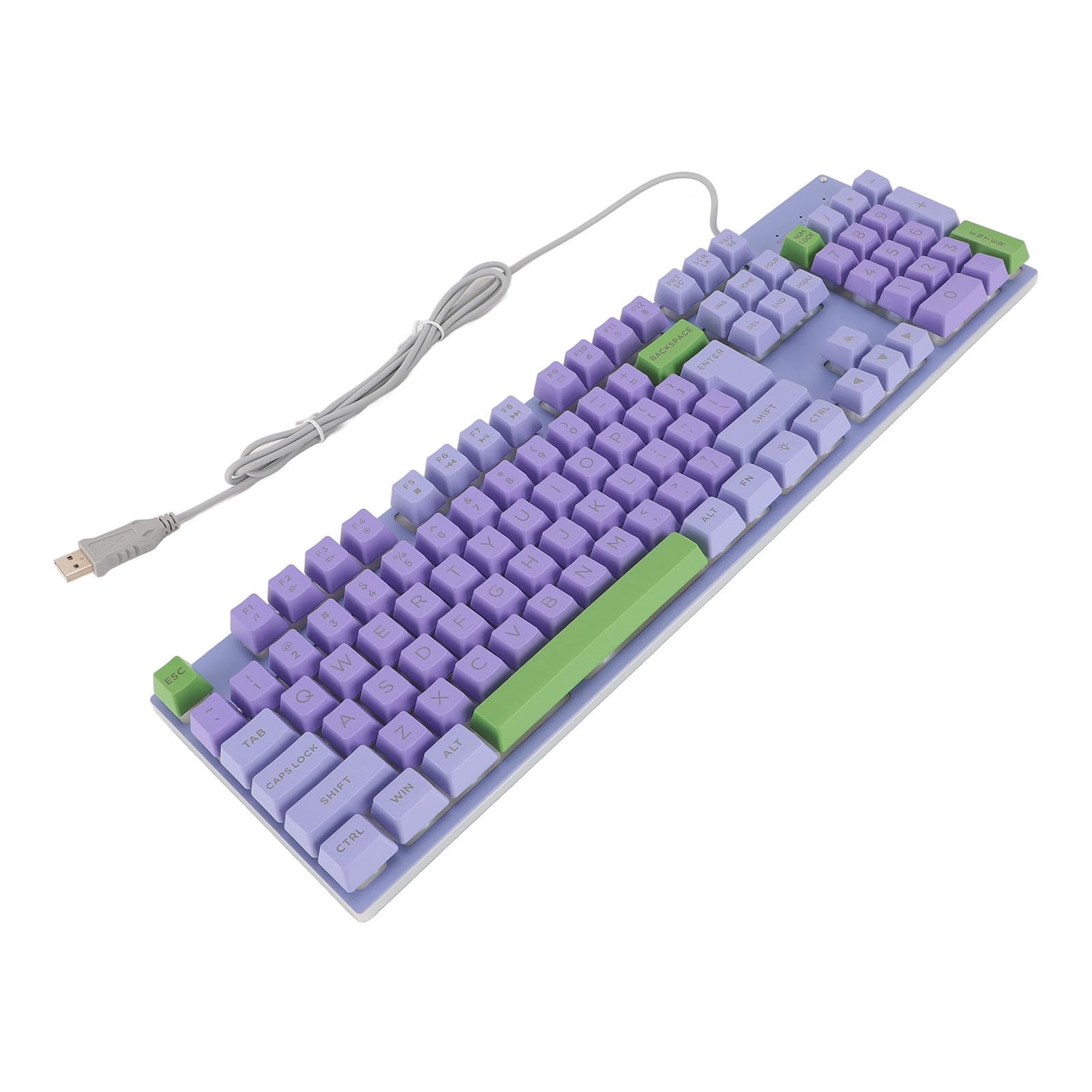
The keyboard features a standard QWERTY layout with mechanical switches for responsive typing and gaming. All standard alphanumeric keys, function keys (F1-F12), navigation keys, and a numeric keypad are present.

Backlighting Features
This keyboard features rainbow backlighting. The backlighting is automatically enabled upon connection. Specific controls for adjusting brightness or modes are typically accessed via function key combinations (e.g., Fn + specific F-keys). Refer to the keyboard's keycap legends for any dedicated backlight control icons.
मल्टीमीडिया की
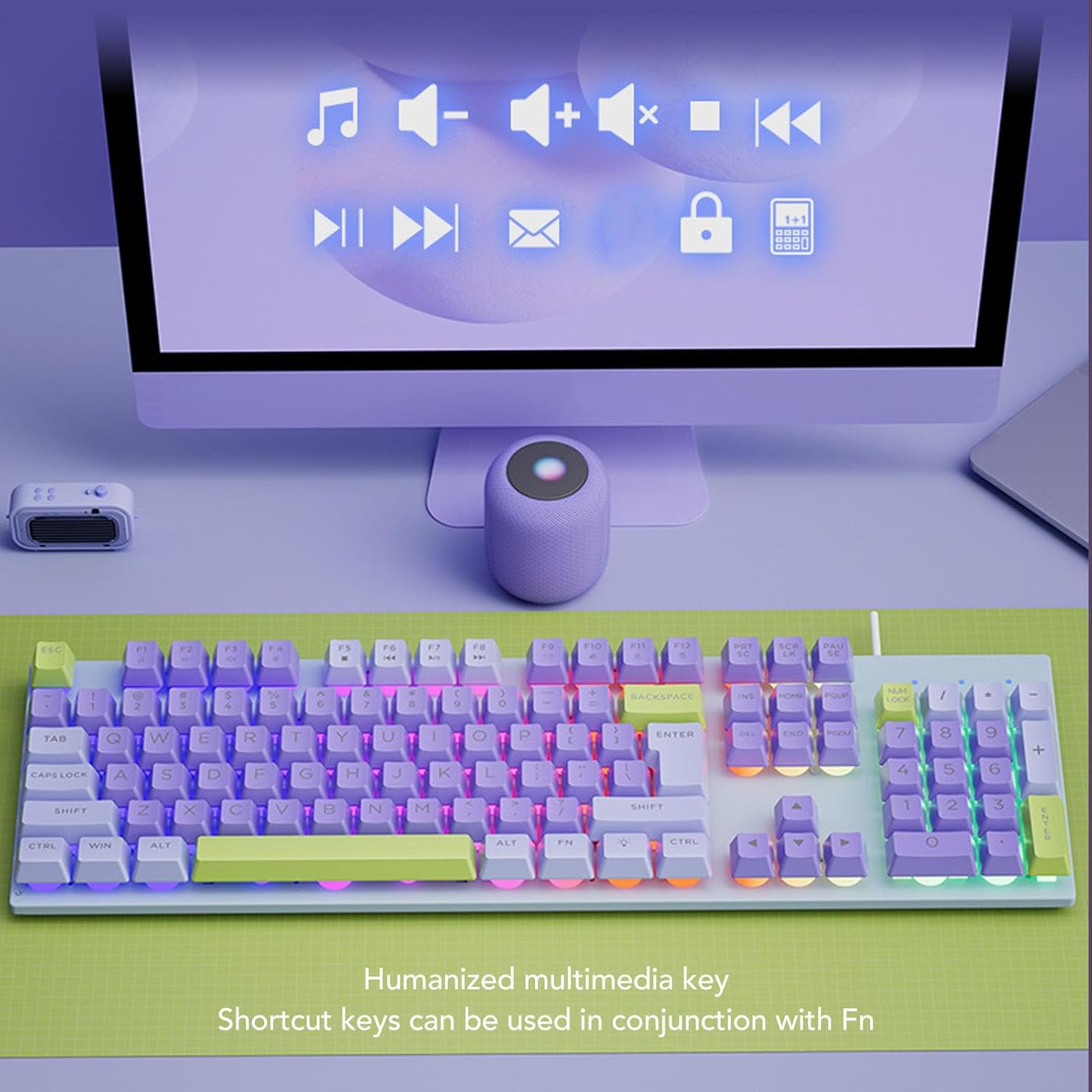
The keyboard includes humanized multimedia keys, which can be accessed by pressing the Fn key in conjunction with the corresponding function keys (F1-F12). These keys allow quick control over media playback, volume, and other system functions.
- Fn+F1-F12: Specific multimedia functions (e.g., volume up/down, play/pause, mute, calculator, email, web browser). Refer to the icons on the F-keys for their specific functions.
देखभाल
Proper maintenance ensures the longevity and performance of your keyboard.
- साफसफाई: Use a soft, dry cloth to wipe the surface of the keyboard. For deeper cleaning, use a can of compressed air to remove dust and debris from between the keys. Avoid using harsh chemicals or abrasive materials.
- गळती: In case of liquid spills, immediately disconnect the keyboard from your computer. Turn it upside down to drain any liquid and allow it to dry completely before reconnecting.
- स्टोरेज: Store the keyboard in a cool, dry place away from direct sunlight and extreme temperatures.
- केबल केअर: Avoid bending or twisting the USB cable excessively to prevent damage.

समस्यानिवारण
तुमच्या कीबोर्डमध्ये समस्या येत असल्यास, खालील सामान्य उपायांचा संदर्भ घ्या:
| समस्या | उपाय |
|---|---|
| कीबोर्ड प्रतिसाद देत नाही |
|
| Backlighting not working |
|
| की चिकट किंवा प्रतिसाद देत नाहीत |
|
तपशील
| वैशिष्ट्य | तपशील |
|---|---|
| ब्रँड | सोरंडी |
| मॉडेल क्रमांक | Sorandy0bovasc7un-12 |
| कनेक्टिव्हिटी तंत्रज्ञान | यूएसबी वायर्ड |
| कीबोर्ड वर्णन | Ergonomic, Full Size |
| स्विच प्रकार | यांत्रिक |
| कीबोर्ड लेआउट | QWERTY |
| सुसंगत साधने | लॅपटॉप, पीसी |
| हाताची दिशा | उभयपक्षी |
| बॅकलाइटिंग | Rainbow Backlit |
हमी आणि समर्थन
For warranty information and technical support, please refer to the retailer's return policy or contact Sorandy customer service directly. Details for contacting support are typically provided with your purchase documentation or on the official Sorandy webसाइट