
1. परिचय
Thank you for choosing the Devan Portable Blender Model A11. This manual provides essential information for the safe and efficient operation, maintenance, and troubleshooting of your new blender. Please read it thoroughly before first use and retain it for future reference.
The Devan Portable Blender is designed for convenience and performance, featuring anti-jamming technology, a powerful 300W motor, a 24oz capacity, and USB-rechargeable functionality. It is constructed with BPA-free materials for your health and safety.
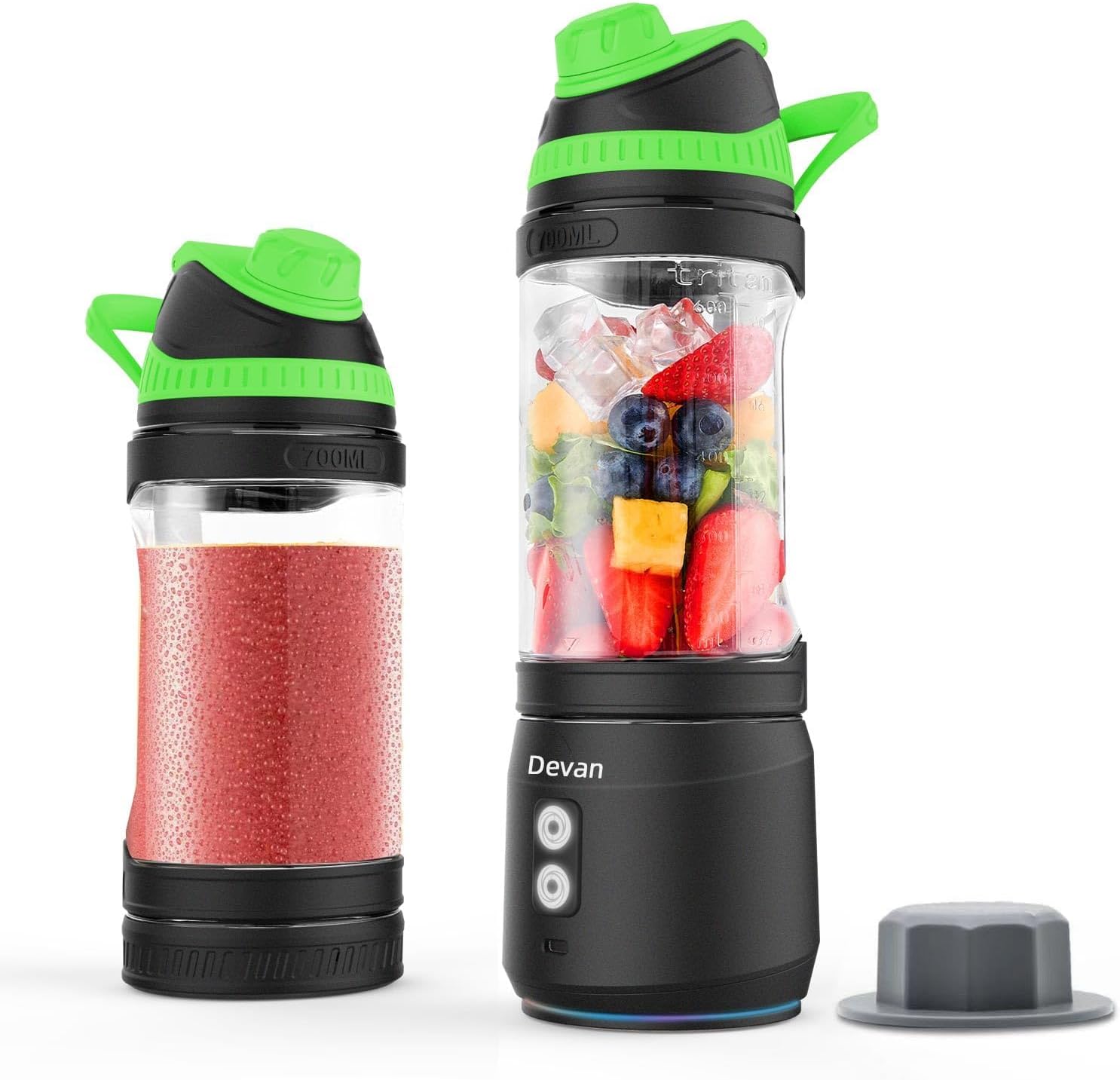
2. उत्पादन घटक
Familiarize yourself with the various parts of your Devan Portable Blender:

- कॅरी हँडल: Integrated into the lid for easy portability.
- वेगळे करण्यायोग्य फिल्टर: Helps to strain pulp for smoother drinks.
- Food Grade Tritan Jar: Transparent blending jar with measurement markings (up to 700ml/24oz).
- 6-Point Stainless Steel Blades: Durable blades designed for efficient blending.
- Clockwise Button: Initiates blending in the standard direction.
- Anti-clockwise Button: Initiates blending in the reverse direction, useful for anti-jamming.
- टाइप-सी चार्जिंग पोर्ट: अंतर्गत बॅटरी रिचार्ज करण्यासाठी.
- Two Colors Spinning Lights Display: Provides visual feedback on operation and battery status.
3. सेटअप
3.1 प्रारंभिक चार्जिंग
Before first use, fully charge your blender. Connect the provided USB Type-C cable to the charging port on the blender base and plug the other end into a compatible USB power source (e.g., wall adapter, computer USB port). The illuminated base will indicate charging status.

- 1% - 17%: प्रकाश नाही
- 18% - 33%: २ हिरवे दिवे चालू
- 34% - 50%: २ हिरवे दिवे चालू
- 51% - 67%: २ हिरवे दिवे चालू
- 68% - 83%: २ हिरवे दिवे चालू
- 84% - 99%: २ हिरवे दिवे चालू
- पूर्ण चार्ज: २ हिरवे दिवे चालू
३.२ पहिल्या वापराची स्वच्छता
Before using your blender for the first time, wash all detachable parts (jar, lid, filter) with warm soapy water. Rinse thoroughly and dry. The blender base should be wiped clean with a damp cloth; do not immerse the base in water.
3.3 विधानसभा
- Ensure the blade assembly is securely attached to the base.
- Place the blending jar onto the base, aligning the arrows or indicators, and twist clockwise until it locks into place.
- Securely attach the lid to the blending jar.
4. ऑपरेटिंग सूचना
५.१ साहित्य जोडणे
Open the lid and add your desired ingredients to the blending jar. For optimal blending, follow these guidelines:
- Always add liquids first (water, milk, juice) to ensure smooth blending.
- Cut fruits and vegetables into small pieces (approximately 1 inch or 2.5 cm) to prevent jamming and ensure thorough blending.
- Do not overfill the jar beyond the maximum fill line (700ml/24oz).
- For frozen fruits or ice, add a sufficient amount of liquid to cover them partially.
4.2 Blending Process
Once ingredients are added and the lid is securely fastened:
- दाबा Clockwise Button to start blending. The blender will operate for a preset cycle.
- If ingredients become stuck or the blades jam, press the Anti-clockwise Button to reverse the blade direction. This helps dislodge ingredients. You can alternate between clockwise and anti-clockwise blending as needed.
- For best results, gently shake the blender during operation to ensure all ingredients come into contact with the blades.
- Once blending is complete, the blender will stop automatically. You can also press either button again to stop it manually.

4.3 Safety Precautions During Operation
- ब्लेंडर रिकामे असताना चालवू नका.
- Ensure the lid is securely closed before blending.
- काम करताना हात आणि भांडी ब्लेडपासून दूर ठेवा.
- Do not attempt to blend extremely hot liquids, as pressure buildup can cause the lid to open.
5. देखभाल आणि स्वच्छता
5.1 सामान्य स्वच्छता
The Devan Portable Blender features a waterproof design for easy cleaning.

- Jar, Lid, and Filter: These components are washable with water and are also dishwasher safe.
- ब्लेंडर बेस: The entire unit, including the base, is washable with water. However, prolonged immersion of the base is not recommended. Wipe the base with a damp cloth or rinse carefully, ensuring the charging port remains dry.
५.१ स्व-स्वच्छता कार्य
For quick cleaning, add water and a drop of dish soap to the blending jar. Secure the lid and run a 30-second blending cycle. Rinse the jar thoroughly afterward.
४.३ वाळवणे आणि साठवणूक करणे
After cleaning, ensure all parts are completely dry before reassembling or storing. Store the blender in a clean, dry place away from direct sunlight.
6. समस्या निवारण
If you encounter issues with your Devan Portable Blender, refer to the following common problems and solutions:
| समस्या | संभाव्य कारण | उपाय |
|---|---|---|
| ब्लेंडर सुरू होत नाही | Low battery; Jar not securely attached; Overload protection activated. | Charge the blender fully; Ensure the jar is twisted and locked onto the base; Reduce ingredients and restart. |
| ब्लेड जाम आहेत | Too many ingredients; Ingredients are too large or hard; Insufficient liquid. | Press the Anti-clockwise button to reverse blades; Reduce ingredient size; Add more liquid; Gently shake the blender. |
| Leaking from the jar | Lid not properly sealed; Jar not properly attached to base. | Ensure the lid is tightly screwed on; Ensure the jar is securely locked onto the base. |
| Charging light flickers or does not come on | Charging port is wet; Cable is not properly connected; Faulty cable/adapter. | Ensure charging port is completely dry before charging; Reconnect the USB-C cable firmly; Try a different USB-C cable or power adapter. |
या उपाययोजना करूनही समस्या कायम राहिल्यास, कृपया ग्राहक समर्थनाशी संपर्क साधा.
7. तपशील
| वैशिष्ट्य | तपशील |
|---|---|
| ब्रँड | देवन |
| मॉडेल क्रमांक | A11 |
| शक्ती | 300 वॅट्स |
| क्षमता | 24 औंस (700 मिली) |
| बॅटरी | ४०००mAh लिथियम पॉलिमर (समाविष्ट) |
| खंडtage | 7.4 व्होल्ट |
| साहित्य | BPA मोफत |
| उत्पादन परिमाणे | १६"उ x २६"प x ४७"उ |
| आयटम वजन | 1.96 पाउंड |
| विशेष वैशिष्ट्य | Portable, Anti-Jamming, Bidirectional Blade Rotation |
| उर्जा स्त्रोत | बॅटरी पॉवर्ड |
| वेगांची संख्या | 1 |
8. हमी आणि समर्थन
8.1 मर्यादित हमी
The Devan Portable Blender Model A11 comes with a 1 वर्षांची मर्यादित वॉरंटी from the date of purchase. This warranty covers manufacturing defects in materials and workmanship under normal use. It does not cover damage caused by misuse, accident, unauthorized modification, or failure to follow the instructions in this manual.
8.2 ग्राहक समर्थन
For warranty claims, technical assistance, or any questions regarding your Devan Portable Blender, please contact our customer support team. Refer to your purchase documentation or the Devan brand store on Amazon for contact details.
We are committed to providing excellent service and support for your Devan product.