1. परिचय
खरेदी केल्याबद्दल धन्यवाद.asing the eKids Marvel Deadpool Wireless Earbuds. These earbuds are designed to provide a high-quality audio experience with the convenience of wireless connectivity. This manual will guide you through the setup, operation, and maintenance of your new earbuds.
Please read this manual carefully before using the product and retain it for future reference.
2. उत्पादन संपलेview
The eKids Marvel Deadpool Wireless Earbuds feature a distinctive Deadpool design and offer wireless stereo sound streaming with a built-in microphone for calls. They come with a portable charging case and multiple ear cushion sizes for comfort.
प्रमुख वैशिष्ट्ये:
- Wireless stereo sound streaming
- कॉलसाठी अंगभूत मायक्रोफोन
- Three sizes of rubber ear cushions (small, medium, large) for personalized comfort
- USB-C चार्जिंग कनेक्शन
- ब्लूटूथ कनेक्टिव्हिटी
- Up to 22 hours total music playtime with charging case
- Ergonomic shape for comfort
- हलके बांधकाम
- Compatible with iPhone, Android, smartphones, tablets, and computers
- Suitable for gaming, audiobooks, video calls, and various entertainment/educational content
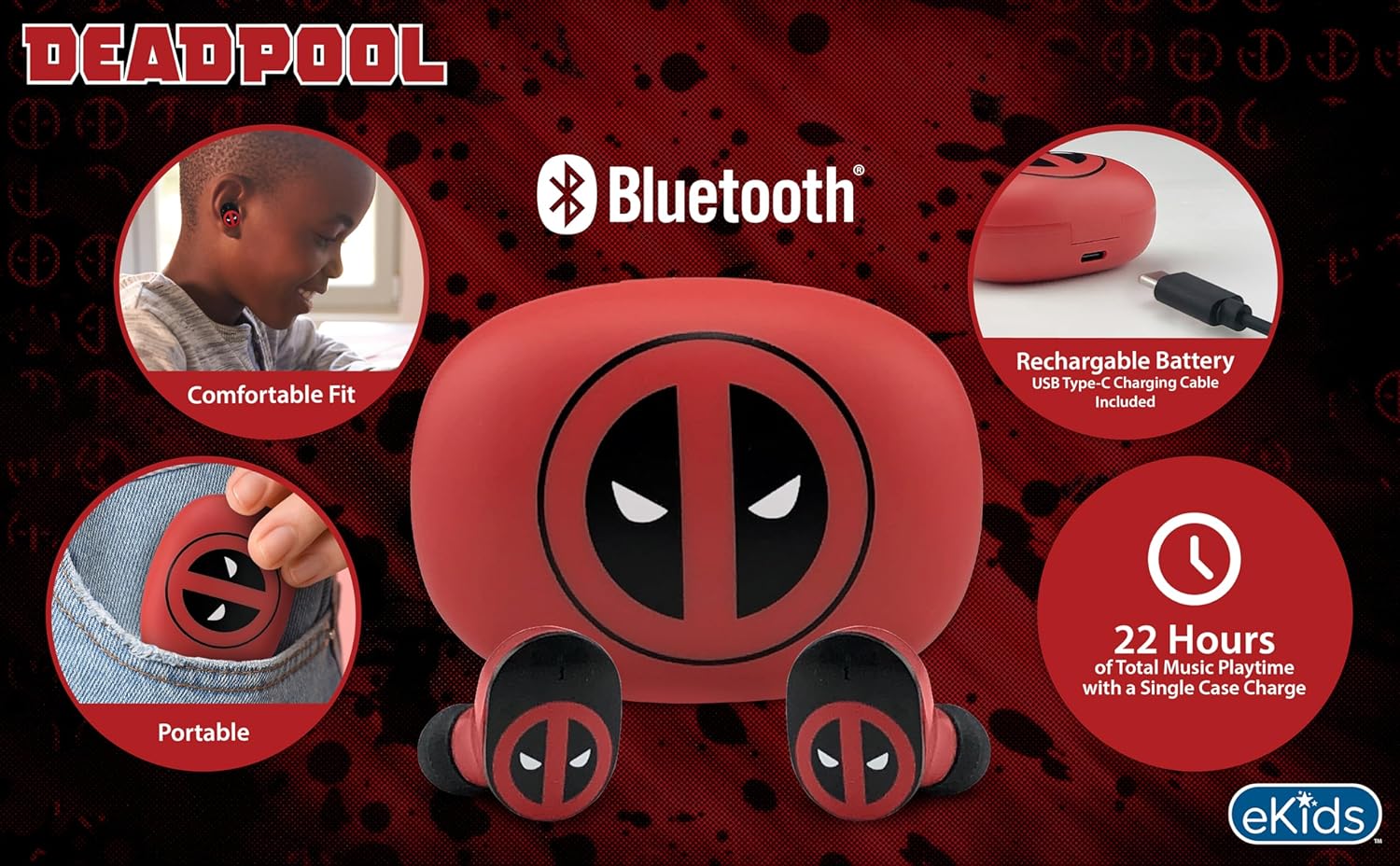
Image 2.1: The eKids Marvel Deadpool Wireless Earbuds and their charging case, showcasing the distinctive Deadpool logo.
3. सेटअप
४.१ इअरबड्स आणि केस चार्ज करणे
- Open the charging case and place both earbuds inside, ensuring they are correctly seated.
- Connect the provided USB-C charging cable to the charging port on the case.
- Connect the other end of the USB-C cable to a compatible USB power source (e.g., computer, wall adapter).
- चार्जिंग केसवरील इंडिकेटर लाईट चार्जिंगची स्थिती दाखवण्यासाठी प्रकाशित होईल. एकदा पूर्णपणे चार्ज झाल्यावर, लाईटचा रंग बदलू शकतो किंवा तो बंद होऊ शकतो.
A full charge provides up to 22 hours of total music playtime, with the case offering 2.5 times extra charge for the earbuds.

Image 3.1: The Deadpool-themed charging case with the USB-C charging cable connected, illustrating the charging process.
३.२ ब्लूटूथ डिव्हाइससह जोडणी करणे
- इअरबड्स चार्ज झाले आहेत आणि चार्जिंग केसमध्ये ठेवले आहेत याची खात्री करा.
- Open the charging case. The earbuds will automatically power on and attempt to connect to the last paired device.
- तुमच्या डिव्हाइसवर (स्मार्टफोन, टॅबलेट, संगणक), ब्लूटूथ सेटिंग्जवर जा.
- साठी शोधा available devices and select "eKids Deadpool Earbuds" (or similar name).
- Once connected, the LED light on the earbuds will stop flashing or change to a solid color.
The earbuds are compatible with iPhone, Android, and other Bluetooth-enabled devices.
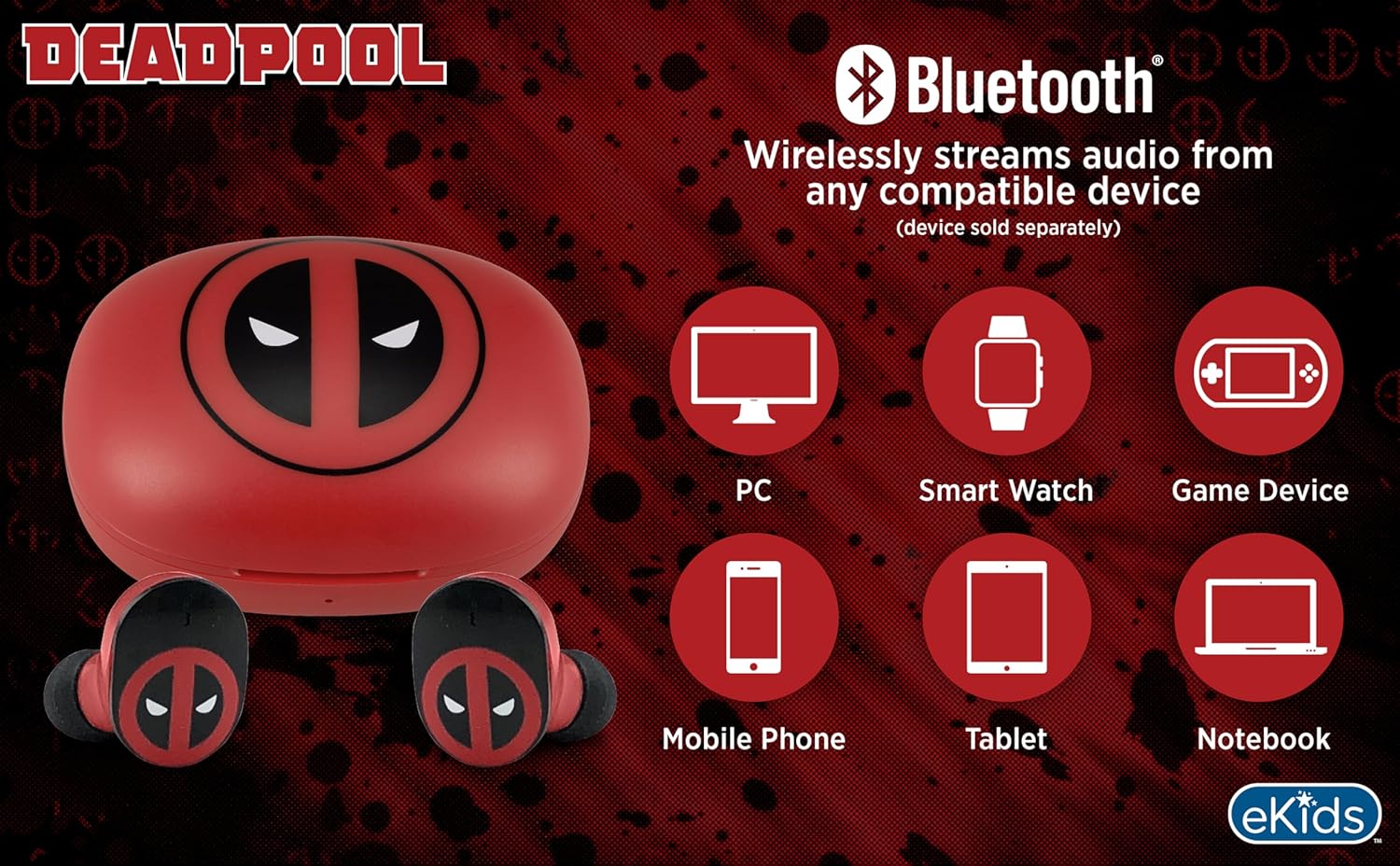
Image 3.2: An illustration showing the Bluetooth connectivity of the earbuds with various devices such as PCs, smartwatches, game devices, mobile phones, tablets, and notebooks.
3.3 Selecting Ear Cushions for Comfort
The earbuds come with three sizes of rubber ear cushions (small, medium, large) to ensure a comfortable and secure fit. Experiment with different sizes to find the best fit for your ears. A proper fit enhances sound quality and comfort.
- Gently remove the pre-installed ear cushions from the earbuds.
- Select a different size ear cushion.
- Carefully attach the new ear cushion to the earbud, ensuring it is securely fastened.

Image 3.3: The Deadpool earbuds shown with the three different sizes of ear cushions included for a customized fit.
६. इअरबड्स चालवणे
4.1 पॉवर चालू/बंद
- पॉवर चालू: चार्जिंग केस उघडा, आणि इअरबड्स आपोआप चालू होतील आणि शेवटच्या जोडलेल्या डिव्हाइसशी कनेक्ट करण्याचा प्रयत्न करतील.
- वीज बंद: इअरबड्स परत चार्जिंग केसमध्ये ठेवा आणि झाकण बंद करा. ते आपोआप बंद होतील आणि चार्जिंग सुरू होतील.
4.2 संगीत प्लेबॅक
- प्ले/पॉज: एकतर इअरबडवर एकदा टॅप करा.
- पुढील ट्रॅक: उजव्या इयरबडवर दोनदा टॅप करा.
- मागील ट्रॅक: डाव्या इयरबडवर दोनदा टॅप करा.
- आवाज नियंत्रण: तुमच्या कनेक्ट केलेल्या डिव्हाइसवरून थेट आवाज समायोजित करा.
५.२ फोन कॉल्स
बिल्ट-इन मायक्रोफोन हँड्स-फ्री कॉलिंगची परवानगी देतो.
- उत्तर द्या/कॉल संपवा: एकतर इअरबडवर एकदा टॅप करा.
- कॉल नाकारणे: एकतर इअरबड २ सेकंद दाबा आणि धरून ठेवा.
5. देखभाल
- स्वच्छता: इअरबड्स आणि चार्जिंग केस स्वच्छ करण्यासाठी मऊ, कोरडे कापड वापरा. अपघर्षक क्लीनर किंवा सॉल्व्हेंट्स वापरू नका.
- स्टोरेज: वापरात नसताना, इअरबड्स सुरक्षित ठेवण्यासाठी आणि चार्ज ठेवण्यासाठी त्यांच्या चार्जिंग केसमध्ये ठेवा.
- पाणी टाळा: हे इअरबड्स वॉटरप्रूफ नाहीत. पाण्याच्या संपर्कात येणे किंवा जास्त आर्द्रता टाळा.
- तापमान: Do not expose the earbuds or case to extreme temperatures.
6. समस्या निवारण
| समस्या | उपाय |
|---|---|
| इअरबड्स जोडत नाहीत. | Ensure earbuds are charged. Turn off Bluetooth on your device and turn it back on. Forget the device in your Bluetooth settings and re-pair. |
| एका इअरबडमधून आवाज येत नाही. | Place both earbuds back in the charging case, close the lid, then open it again. Check device audio balance settings. |
| चार्जिंग केस चार्ज होत नाही. | Check the USB-C cable and power adapter. Ensure the cable is securely connected to both the case and the power source. |
| खराब ध्वनी गुणवत्ता. | Ensure earbuds are properly seated in your ears with the correct size ear cushions. Move closer to your connected device to avoid interference. |
7. तपशील
- ब्रँड: eKids
- मॉडेल: B0D1CS61NB
- रंग: Deadpool (Red/Black)
- कान प्लेसमेंट: कानात
- फॉर्म फॅक्टर: कानात
- प्रतिबाधा: 32 ओम
- ब्लूटूथ अंतर: ≥ 10M / 32ft
- संवेदनशीलता: 100dB ± 3dB at 1kHz spl
- बॅटरी लाइफ: Up to 22 hours total playtime with charging case
- चार्जिंग पोर्ट: यूएसबी-सी
- परिमाण (केस): Approximately 2.4 in / 6.2 cm (width) x 1.8 in / 4.6 cm (height) x 1.2 in / 3.1 cm (depth)
- Dimensions (Earbud): Approximately 0.9 in / 2.5 cm (height) x 0.7 in / 1.8 cm (width)

Image 7.1: A detailed diagram illustrating the dimensions and key specifications of the Deadpool wireless earbuds and their charging case.
8. हमी आणि समर्थन
For warranty information and customer support, please refer to the documentation included with your purchase or visit the official eKids webसाइट. कोणत्याही वॉरंटी दाव्यांसाठी तुमचा खरेदीचा पुरावा ठेवा.
For additional assistance, you may contact eKids customer service directly.
९. अधिकृत उत्पादन व्हिडिओ
व्हिडिओ १: अधिकृत उत्पादन व्हिडिओ शोasing the eKids Marvel Deadpool Wireless Earbuds, highlighting their features and design. This video provides a visual overview of the product's functionality and appearance.