
1. परिचय
खरेदी केल्याबद्दल धन्यवाद.asing the LEVOIT LTF-F361-WEU Tower Fan. This manual provides important information regarding the safe operation, maintenance, and troubleshooting of your new fan. Please read this manual thoroughly before use and retain it for future reference.
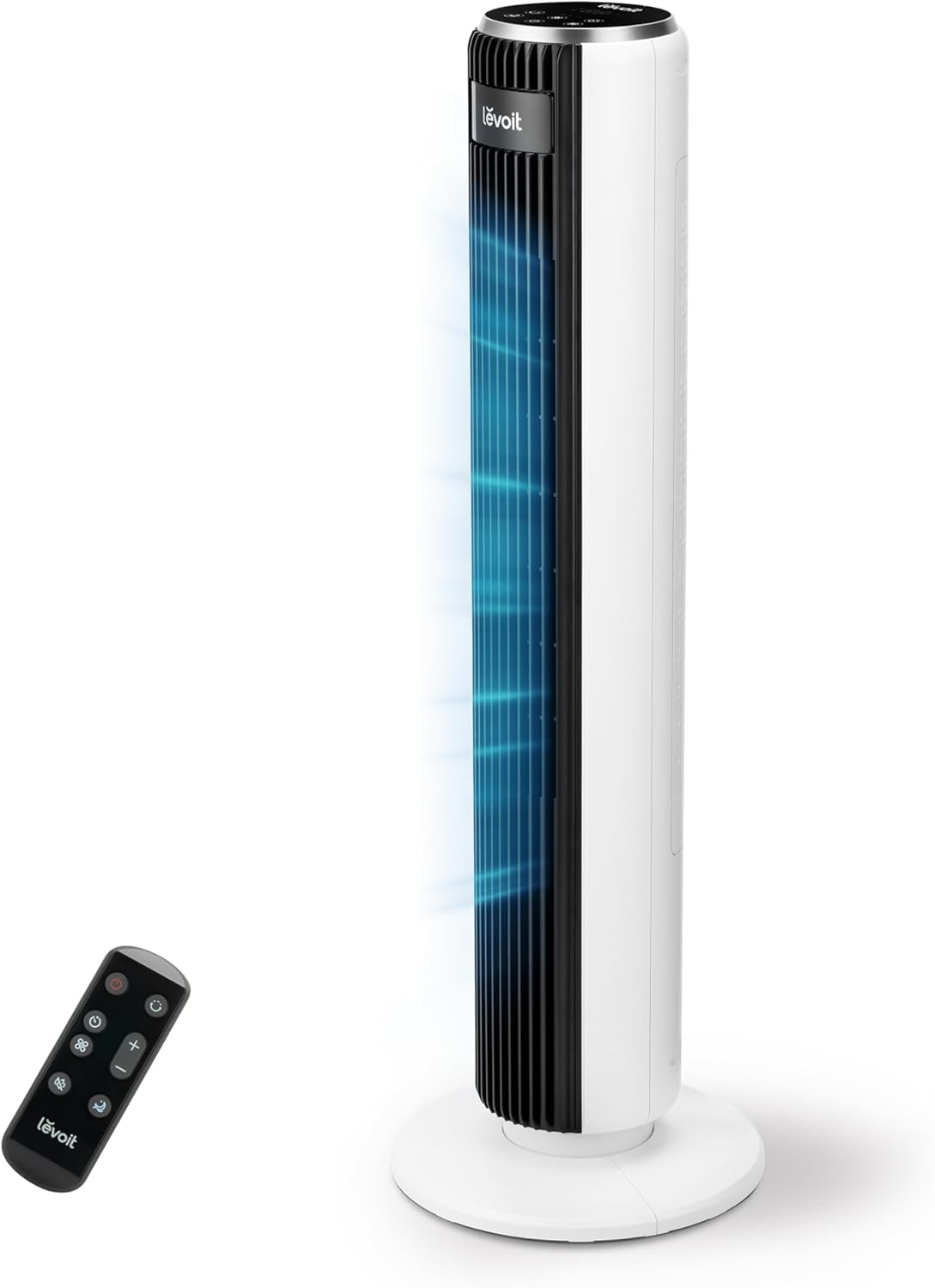
Image 1.1: The LEVOIT LTF-F361-WEU Tower Fan, a sleek and modern cooling device.
2. महत्त्वाच्या सुरक्षितता सूचना
To reduce the risk of fire, electric shock, or injury, please read and follow all instructions and warnings in this manual.
- Always place the fan on a stable, level surface.
- पंख्याचा वापर ओला किंवा डीamp स्थाने, जसे की स्नानगृह.
- पंखा पाणी आणि इतर द्रव पदार्थांपासून दूर ठेवा.
- पंखा चालू असताना ग्रिलमध्ये बोटे किंवा परदेशी वस्तू घालू नका.
- Unplug the fan from the power outlet when not in use, when moving it, or before cleaning.
- पंखा खराब झालेल्या कॉर्डने किंवा प्लगने चालवू नका.
- पॉवर कॉर्ड तापलेल्या पृष्ठभागापासून दूर ठेवा.
- हे उपकरण कमी झालेल्या शारीरिक, संवेदनक्षम किंवा मानसिक क्षमता किंवा अनुभव आणि ज्ञानाचा अभाव असलेल्या व्यक्तींद्वारे (मुलांसह) वापरण्यासाठी हेतू नाही, जोपर्यंत त्यांना त्यांच्या सुरक्षिततेसाठी जबाबदार असलेल्या एखाद्या व्यक्तीद्वारे उपकरणाच्या वापराबाबत पर्यवेक्षण किंवा सूचना दिल्या जात नाहीत.
3. पॅकेज सामग्री
कृपया पॅकेज मिळाल्यावर त्यातील सामग्री तपासा. जर काही वस्तू गहाळ किंवा खराब झाल्या असतील तर ग्राहक समर्थनाशी संपर्क साधा.
- LEVOIT LTF-F361-WEU Tower Fan
- रिमोट कंट्रोल
- वापरकर्ता मॅन्युअल
१. सेटअप आणि असेंब्ली
The LEVOIT LTF-F361-WEU Tower Fan is designed for easy assembly. Follow these steps to set up your fan:
- फॅन अनपॅक करा: पॅकेजिंगमधून सर्व घटक काळजीपूर्वक काढा.
- बेस एकत्र करा: The base is designed for straightforward attachment. Align the fan body with the base and secure it according to the instructions provided in the quick start guide (if applicable).
- वीज कनेक्ट करा: पॉवर कॉर्डला योग्य इलेक्ट्रिकल आउटलेटमध्ये प्लग करा.
The rear grille is detachable for easy cleaning, secured by a single nut.

प्रतिमा 4.1: ओव्हरview of the fan's control panel, remote control storage, and the detachable rear cover for maintenance.
5. ऑपरेटिंग सूचना
Your LEVOIT Tower Fan offers multiple settings for personalized comfort. You can control the fan using the touch control panel on top or the included remote control.
5.1 पॉवर चालू/बंद
पंखा चालू किंवा बंद करण्यासाठी कंट्रोल पॅनल किंवा रिमोटवरील पॉवर बटण दाबा.
5.2 पंख्याचा वेग
The fan features 5 adjustable speeds. Use the speed buttons on the control panel or remote to cycle through the speed settings (1-5).
5.3 वारा मोड
Select from 4 distinct wind modes to suit your preference:
- सामान्य मोड: तुमच्या निवडलेल्या वेगाने सतत वायुप्रवाह प्रदान करते.
- ऑटो मोडः Adjusts fan speed automatically based on ambient temperature, ensuring optimal comfort and energy efficiency.
- स्लीप मोडः Operates at a very low noise level (as low as 23 dB) with automatic display dimming for an undisturbed night's sleep.
- टर्बो मोड: Delivers the highest fan speed for rapid cooling.

Image 5.1: Illustration of the fan's Auto Mode, demonstrating how it adjusts speed based on room temperature for optimal comfort.

Image 5.2: The fan operating in Advanced Sleep Mode, providing quiet airflow (23 dB) for a comfortable night's rest.
5.4 दोलन
Activate the 90° oscillation feature to distribute airflow across a wider area. This ensures comprehensive room coverage with a maximum range of 7 meters.

Image 5.3: The fan's 90-degree oscillation feature, illustrating how it provides wide-ranging cool air.
5.5 टाइमर कार्य
Set the fan to automatically turn off after a specified period, up to 12 hours. Use the timer button on the control panel or remote to adjust the duration.
5.6 रिमोट कंट्रोल
The included remote control allows convenient operation from a distance. Ensure the remote has working batteries and is pointed towards the fan's receiver.
व्हिडिओ ४: एक छोटीशी पूर्वतयारीview demonstrating the LEVOIT Tower Fan's oscillation feature and quiet operation. This video highlights the fan's movement and low noise level.
व्हिडिओ १: अधिकृत उत्पादन व्हिडिओ शोasing the various features and modes of the LEVOIT Tower Fan, including its quiet operation, multiple speeds, and oscillation.
6. देखभाल आणि स्वच्छता
नियमित साफसफाई केल्याने तुमच्या पंख्याची कार्यक्षमता आणि दीर्घायुष्य टिकून राहण्यास मदत होते.
6.1 बाह्य स्वच्छता
- साफसफाई करण्यापूर्वी नेहमी पंखा अनप्लग करा.
- मऊ सह बाह्य पृष्ठभाग पुसणे, डीamp कापड अपघर्षक क्लीनर किंवा सॉल्व्हेंट्स वापरू नका.
- पंखा परत जोडण्यापूर्वी तो पूर्णपणे कोरडा असल्याची खात्री करा.
6.2 Internal Cleaning (Detachable Rear Cover)
The rear cover is detachable for easy access to the internal components for cleaning.
- पंखा अनप्लग करा.
- Locate the single nut securing the rear cover and unscrew it.
- Carefully remove the rear cover.
- Use a soft brush or vacuum cleaner to remove dust and debris from the fan blades and internal components.
- The rear cover can be washed with water. Ensure it is completely dry before reattaching.
- Reattach the rear cover and secure it with the nut.

Image 6.1: Illustration of the detachable rear cover and internal fan components, highlighting the ease of cleaning.
7. समस्या निवारण
तुमच्या फॅनमध्ये काही समस्या आल्यास, कृपया खालील सामान्य समस्या आणि उपाय पहा:
| समस्या | संभाव्य कारण | उपाय |
|---|---|---|
| पंखा चालू होत नाही. | वीजपुरवठा नाही. | पॉवर कॉर्ड कार्यरत आउटलेटमध्ये सुरक्षितपणे जोडलेला आहे याची खात्री करा. सर्किट ब्रेकर तपासा. |
| कमकुवत वायु प्रवाह. | Air inlet/outlet blocked or dirty. | Clean the air inlet and outlet grilles. Ensure there are no obstructions around the fan. |
| पंखा असामान्य आवाज करतो. | Foreign object inside or fan not on a level surface. | Unplug the fan and check for any foreign objects. Place the fan on a stable, level surface. |
| रिमोट कंट्रोल काम करत नाही. | बॅटरीज मृत आहेत किंवा चुकीच्या पद्धतीने घातल्या आहेत. | Replace the batteries with new ones, ensuring correct polarity. Point the remote directly at the fan. |
If the problem persists after trying these solutions, please contact LEVOIT customer support.
8. तपशील
| वैशिष्ट्य | तपशील |
|---|---|
| मॉडेल क्रमांक | LTF-F361-WEU |
| परिमाण (L x W x H) | 16.51 x 16.51 x 91.95 सेमी |
| वजन | 3.6 किलोग्रॅम |
| शक्ती | 39 वॅट्स |
| खंडtage | 220.0 व्ही |
| आवाज पातळी | 23 dB (lowest) - 28 dB (typical) |
| वाऱ्याचा वेग | 7 मी/से पर्यंत |
| दोलन | 90 अंश |
| टाइमर | 12 तास |
| विशेष वैशिष्ट्ये | Portable, Automatic Shut-off Function, Remote Control |
७. वॉरंटी आणि ग्राहक समर्थन
9.1 हमी माहिती
LEVOIT provides a 2 वर्षाची वॉरंटी for this tower fan. This warranty covers defects in materials and workmanship under normal use. Please retain your proof of purchase for warranty claims.
9.2 ग्राहक समर्थन
If you have any questions about your product, warranty, or need technical assistance, please contact LEVOIT customer support. Our professional team is ready to assist you.
For more information, visit the official LEVOIT webतुमच्या स्थानिक वितरकाच्या वेबसाइटवर जा किंवा संपर्क साधा.