
परिचय
This manual provides detailed instructions for the installation, operation, and maintenance of your HPE Networking Instant On Switch Series 1830, model JL815A#ABA. This smart-managed Layer 2 Ethernet switch is designed to provide reliable and secure network connectivity for small businesses, featuring 48 Gigabit Ethernet ports, 4 SFP uplink ports, and 24 Class 4 Power over Ethernet (PoE) ports with a 370W budget.
1. सेटअप
२.१ अनबॉक्सिंग आणि पॅकेज सामग्री
Carefully unpack the switch and verify all components are present. The package should contain:
- Instant On 1830 48G 24p Class4 PoE 4SFP 370W Switch
- 2 x Post Rack Kit
- यूएस पॉवर कॉर्ड
1.2 भौतिक स्थापना
The HPE Instant On 1830 switch offers flexible mounting options:
- Table-top mounting: एका सपाट, स्थिर पृष्ठभागावर स्विच ठेवा.
- भिंत माउंटिंग: Use the provided brackets to secure the switch to a wall. Ensure adequate ventilation.
- Under-table mounting: Utilize the base surface mounting holes for installation under a table, with ports facing either up or down for convenience.
- रॅक माउंटिंग: Mounts in an EIA-standard 19-inch telco rack or equipment cabinet using the included 2-post rack kit.
Ensure proper airflow around the device to prevent overheating. This model is fan-less, contributing to quiet operation.
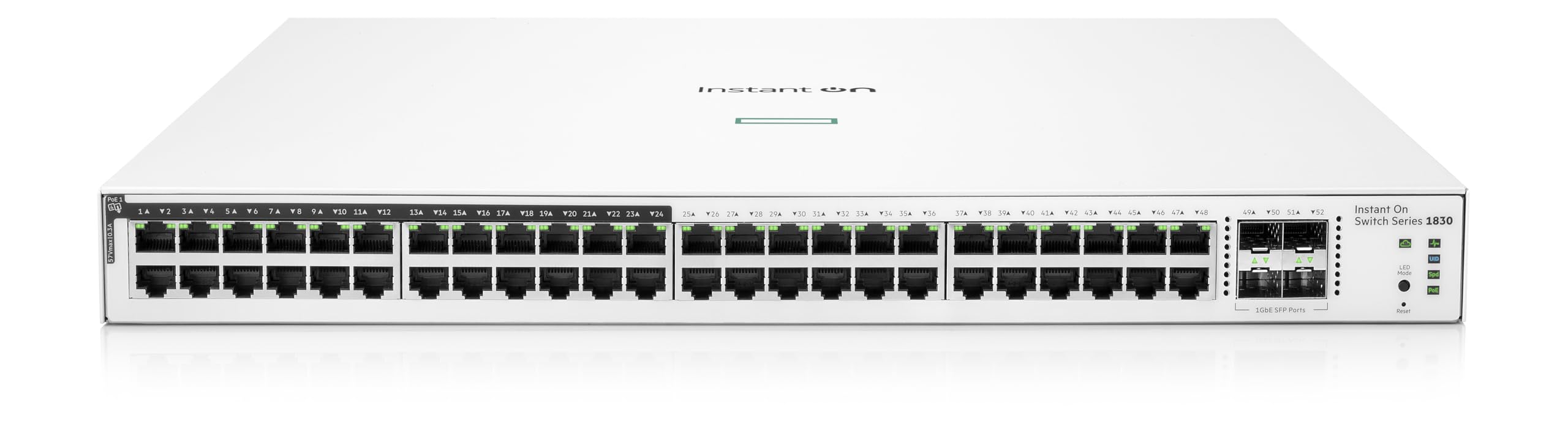
आकृती 1: समोर view of the HPE Instant On Switch Series 1830, showing the 48 Gigabit Ethernet ports and 4 SFP ports.
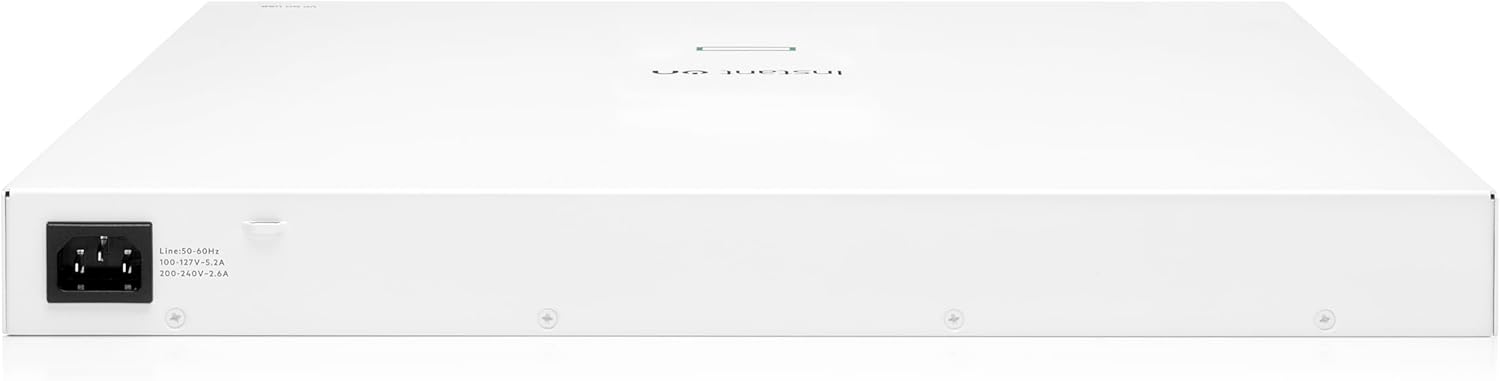
आकृती 2: मागील view of the HPE Instant On Switch Series 1830, showing the power input.
२.१ प्रारंभिक कनेक्शन
Connect the power cord to the switch and a suitable power outlet. Connect your network devices (computers, access points, IP phones, security cameras) to the available RJ45 ports. For fiber connections, use the SFP uplink ports.
५. स्विच चालवणे
2.1 मूलभूत ऑपरेशन
The Instant On 1830 switch provides Layer 2 Ethernet switching capabilities. It automatically detects connected devices and negotiates the optimal speed (10/100/1000 Mbps). The 24 Class 4 PoE ports deliver up to 370W of power to compatible devices, simplifying deployment by eliminating the need for separate power sources.
2.2 Management and Monitoring
The switch can be managed and monitored through two primary methods:
- Instant On Mobile App or Web ब्राउझर: This cloud-based management system allows for easy setup, configuration, and monitoring from any device. No recurring costs, subscriptions, or licenses are required. Guided step-by-step instructions are available for quick network deployment.
- स्थानिक Web इंटरफेस: An integrated traditional full local web interface is available for advanced configuration, including a quick start-up wizard and SNMP support.
व्हिडिओ १: संपलेview of the HPE Networking Instant On Switch 1830, highlighting its features and management capabilities.
Video 2: General features of HPE Networking Instant On Switches, including Gigabit Ethernet speeds, enterprise-grade security, and PoE.
3. देखभाल
To ensure optimal performance and longevity of your HPE Instant On Switch, consider the following maintenance practices:
- नियमित स्वच्छता: Keep the switch free from dust and debris. Use a soft, dry cloth for cleaning. Do not use liquid cleaners.
- फर्मवेअर अद्यतने: Periodically check for and apply firmware updates through the Instant On mobile app or web portal to ensure the latest features and security enhancements.
- पर्यावरणीय परिस्थिती: Ensure the switch operates within the specified temperature range (up to 40 degrees Celsius) and in a well-ventilated area.
4. समस्या निवारण
If you encounter issues with your HPE Instant On Switch, refer to the following common troubleshooting steps:
- शक्ती नाही: Verify the power cord is securely connected to both the switch and the power outlet. Check the power source.
- नेटवर्क कनेक्टिव्हिटी नाही:
- Check the Ethernet cable connections to ensure they are properly seated.
- Verify the status LEDs on the switch ports. A solid green or amber light typically indicates a link.
- Ensure connected devices are powered on and configured correctly.
- PoE डिव्हाइस चालू होत नाही:
- Confirm the device is PoE compatible and connected to a PoE-enabled port (ports 1-24).
- Check the PoE status LED on the switch.
- Ensure the total PoE power budget (370W) is not exceeded by all connected devices.
- Management Access Issues:
- Ensure your management device (phone/computer) is connected to the same network as the switch.
- Verify your internet connection for cloud management access.
- Try accessing the local web interface if cloud access is problematic.
For further assistance, consult the official HPE Networking Instant On support resources or contact customer support.
5. तपशील
| वैशिष्ट्य | तपशील |
|---|---|
| ब्रँड | हेवलेट पॅकार्ड एंटरप्राइझ |
| मॉडेल क्रमांक | JL815A#ABA लक्ष द्या |
| बंदरांची संख्या | 48 (Gigabit Ethernet) + 4 (SFP) |
| PoE पोर्ट्स | 24 x Class 4 PoE |
| PoE पॉवर बजेट | 370 वॅट्स |
| डेटा ट्रान्सफर रेट | 104 गिगाबिट्स प्रति सेकंद |
| स्विच प्रकार | Smart-Managed Layer 2 Ethernet Switch |
| समाविष्ट घटक | Instant On 1830 48G 24p Class4 PoE 4SFP 370W Switch, 2 x Post Rack Kit |
| केस साहित्य | धातू |
| आयटम वजन | 14.4 पाउंड |
| कमाल ऑपरेटिंग तापमान | 40 डिग्री सेल्सियस |
6. हमी आणि समर्थन
The HPE Networking Instant On Switch Series 1830 comes with an industry-leading limited lifetime warranty. For detailed warranty terms and conditions, please refer to the official Hewlett Packard Enterprise webसाइट किंवा तुमच्या उत्पादनासोबत समाविष्ट असलेले दस्तऐवजीकरण.
For technical support, product registration, or to access additional resources, visit the Hewlett Packard Enterprise Store on Amazon or the official HPE support portal.