
1. परिचय
Thank you for choosing the Gear Head KB7500AND Bluetooth Wireless Keyboard. This keyboard is designed to provide a comfortable and efficient typing experience for your Android-compatible tablet or smartphone. Featuring Bluetooth 4.0 technology, Scissor-Click keys, and integrated hot keys, it enhances productivity and ease of use. Please read this manual carefully to ensure proper setup and operation.
2. पॅकेज सामग्री
तुमच्या पॅकेजमध्ये सर्व वस्तू आहेत का ते तपासा:
- Gear Head KB7500AND Bluetooth Wireless Keyboard
- २ x AAA बॅटरीज (पूर्व-स्थापित किंवा स्वतंत्रपणे समाविष्ट)
- USB Cable (for potential charging or data transfer, depending on model variant)
- वापरकर्ता मॅन्युअल (हा दस्तऐवज)
3. उत्पादनाची वैशिष्ट्ये
- Bluetooth 4.0 Certified: Ensures stable wireless connectivity up to 30 feet (approximately 9 meters) while optimizing power consumption.
- Scissor-Click Key Technology: Provides accurate and comfortable typing with precise tactile feedback.
- 10 Integrated Hot Keys: Offers one-touch access to multimedia controls, function keys, and internet functions.
- Multi-Host Keys: Allows connection to two Android devices and easy toggling between them.
- Automatic Wireless Synchronization: Designed for hassle-free pairing with compatible devices.
- एलईडी निर्देशक: Built-in multi-color LEDs provide visual feedback for Bluetooth connectivity and pairing status.
4. सेटअप
4.1 बॅटरी इंस्टॉलेशन
The keyboard requires 2 AAA batteries for operation. These are typically included with your purchase.
- Locate the battery compartment cover on the back of the keyboard.
- कंपार्टमेंट उघडण्यासाठी कव्हर सरकवा किंवा उचला.
- Insert the 2 AAA batteries, ensuring the positive (+) and negative (-) terminals match the indicators inside the compartment.
- बॅटरी कंपार्टमेंट कव्हर सुरक्षितपणे बदला.
4.2 Powering On the Keyboard
Locate the power switch on the keyboard. Slide the switch to the ON position. An LED indicator will illuminate briefly, indicating the keyboard is powered on.
4.3 Pairing with an Android Device
The keyboard uses Bluetooth for wireless connection. Follow these steps to pair it with your Android tablet or smartphone:
- कीबोर्ड चालू असल्याची खात्री करा.
- On your Android device, go to सेटिंग्ज > कनेक्ट केलेली उपकरणे > ब्लूटूथ (or similar path depending on your Android version).
- Turn on Bluetooth on your Android device. It will start scanning for nearby devices.
- On the Gear Head KB7500AND keyboard, press the कनेक्ट करा key (often labeled with a Bluetooth symbol or 'Pair'). The Bluetooth LED indicator on the keyboard will start blinking, indicating it is in pairing mode.
- On your Android device, select "Gear Head KB7500AND" or a similar name from the list of available devices.
- If prompted, enter the pairing code displayed on your Android device using the keyboard, then press प्रविष्ट करा.
- Once paired, the Bluetooth LED indicator on the keyboard will stop blinking and may turn solid or turn off, and your Android device will show the keyboard as "Connected."
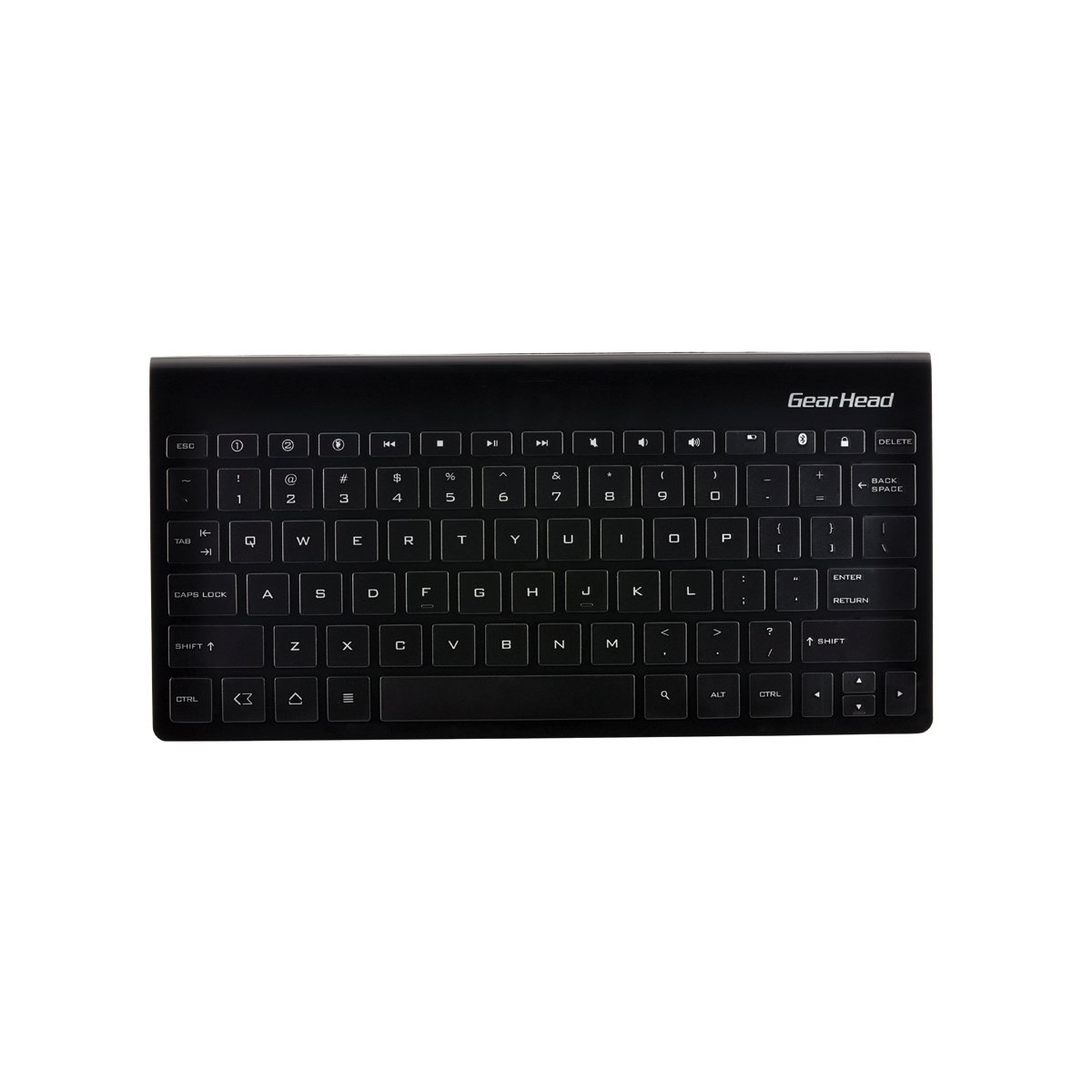
आकृती 1: Gear Head KB7500AND Bluetooth Wireless Keyboard. This image shows the overall design of the keyboard, highlighting its compact form factor and key layout, including the function keys and dedicated hot keys.
5. ऑपरेटिंग सूचना
५.१ सामान्य टायपिंग
Once paired, the keyboard functions like a standard QWERTY keyboard. Simply open any text input application on your Android device and begin typing.
5.2 Using Integrated Hot Keys
The KB7500AND keyboard features 10 integrated hot keys for quick access to common functions. These keys are typically located along the top row of the keyboard. Refer to the key labels for their specific functions, which may include:
- घर
- मागे
- शोध
- आवाज वाढवा/खाली/निःशब्द करा
- Play/Pause, Previous/Next Track
- ब्राउझर
- ईमेल
टीप: The exact functionality of some hot keys may vary depending on your Android device's operating system version and specific applications.
5.3 Multi-Host Functionality
This keyboard supports connecting to two different Android devices. To switch between connected devices:
- Pair the keyboard with your first device (Device A) as described in Section 4.3.
- To pair with a second device (Device B), activate the pairing mode on the keyboard again (e.g., by pressing a dedicated multi-host key or the connect button).
- Pair the keyboard with Device B following the steps in Section 4.3.
- To switch between Device A and Device B, use the designated multi-host keys (e.g., F1/F2 or similar, check keyboard markings). Pressing the corresponding key will switch the keyboard's connection to that device.
6. देखभाल
6.1 स्वच्छता
तुमचा कीबोर्ड स्वच्छ करण्यासाठी, मऊ, कोरड्या, लिंट-फ्री कापडाने पृष्ठभाग हळूवारपणे पुसून टाका. हट्टी घाणीसाठी, किंचित डीampen the cloth with water or a mild, non-abrasive cleaner. Do not use harsh chemicals, solvents, or abrasive materials, as these can damage the keyboard's finish or internal components. Avoid getting moisture into the key gaps or ports.
6.2 बॅटरी बदलणे
When the keyboard's performance degrades or the LED indicator signals low battery, replace the AAA batteries. Follow the battery installation steps in Section 4.1. Always use new, high-quality AAA batteries and dispose of old batteries responsibly according to local regulations.
५.८.१ स्टोरेज
When not in use for extended periods, turn off the keyboard to conserve battery life. Store the keyboard in a cool, dry place away from direct sunlight, extreme temperatures, and excessive humidity. If storing for a very long time, consider removing the batteries to prevent leakage.
7. समस्या निवारण
If you encounter issues with your Gear Head KB7500AND keyboard, refer to the following common solutions:
- Keyboard not powering on: Ensure batteries are correctly installed and fully charged. Check the power switch is in the 'ON' position.
- कीबोर्ड जोडत नाही:
- तुमच्या Android डिव्हाइसवर ब्लूटूथ सक्षम असल्याची खात्री करा.
- Make sure the keyboard is in pairing mode (blinking Bluetooth LED).
- Move the keyboard closer to your Android device.
- Forget the keyboard from your device's Bluetooth settings and attempt to pair again.
- Restart both the keyboard (turn off/on) and your Android device.
- Keys not responding or delayed input:
- बॅटरीची पातळी तपासा आणि कमी असल्यास बदला.
- Ensure the keyboard is within the 30-foot operating range of your device.
- इतर वायरलेस उपकरणांमधून होणारा हस्तक्षेप कमी करा.
- ब्लूटूथ कनेक्शन पुन्हा कनेक्ट करा.
- Hot keys not working as expected:
- Functionality may depend on your Android OS version and specific applications.
- Ensure the keyboard is correctly paired.
या पायऱ्या वापरूनही समस्या कायम राहिल्यास, कृपया ग्राहक समर्थनाशी संपर्क साधा.
8. तपशील
| ब्रँड | गियर हेड |
| मॉडेल क्रमांक | KB7500AND |
| कनेक्टिव्हिटी तंत्रज्ञान | ब्लूटूथ 4.0 |
| सुसंगत ऑपरेटिंग सिस्टम | Android OS 2.2 (Froyo) and above |
| उर्जा स्त्रोत | 2 x AAA बॅटरीज |
| आयटम वजन | ११.३ औंस (अंदाजे ३२० ग्रॅम) |
| उत्पादनाचे परिमाण (LxWxH) | ६ x ५ x ३ इंच (अंदाजे १५.२ x १२.७ x ७.६ सेमी) |
| रंग | काळा |
| साहित्य | प्लास्टिक |
9. हमी आणि समर्थन
Gear Head products are designed for reliability and performance. For specific warranty information, please refer to the warranty card included with your product or visit the official Gear Head website. If you require technical assistance or have questions not covered in this manual, please contact Gear Head customer support through their official channels.