
Garmin Edge 550
Garmin Edge 550 GPS Cycling Computer User Manual
Тохируулах, ажиллуулах, засвар үйлчилгээ хийх цогц заавар.
1. Танилцуулга
The Garmin Edge 550 is a compact GPS cycling computer designed to enhance your cycling experience with advanced navigation, training, and performance tracking features. It features a vivid color display and button controls for intuitive operation. This manual provides detailed instructions to help you get the most out of your device.

Зураг: Урд view of the Garmin Edge 550 GPS Cycling Computer, displaying a "ROAD" activity screen with mileage and a "SPRINT WORK" graph.
2. Хайрцагт юу байна
Бүтээгдэхүүний савлагаанд бүх бүрэлдэхүүн хэсгүүд байгаа эсэхийг шалгана уу:
- Edge 550 GPS cycling computer
- Урд талын холболт
- Стандарт бэхэлгээ
- Тетер
- Цэнэглэх/өгөгдлийн кабель
- Баримт бичиг
3. Тохиргоо ба суурилуулалт
3.1 Төхөөрөмжийг цэнэглэх
Before initial use, fully charge your Edge 550. Connect the charging/data cable to the device and a USB power source. The battery icon on the display will indicate charging status. A full charge provides up to 12 hours of use in demanding scenarios or up to 36 hours in battery saver mode.
3.2 Төхөөрөмжийг суурилуулах
The Edge 550 includes both a flush out-front mount and a standard mount. Choose the mount that best suits your bicycle and riding preference.
- Standard Mount Installation:
- Place the rubber pad on the back of the bike mount.
- Place the bike mount on the bicycle stem.
- Secure the mount using the two O-rings.
- Align the tabs on the back of the Edge 550 with the bike mount notches.
- Press down slightly and turn the Edge 550 clockwise until it locks into place.
- Flush Out-Front Mount Installation:
- Choose a secure location on your handlebars.
- Use the provided hex wrench to attach the mount securely.
- Align the tabs on the back of the Edge 550 with the mount notches.
- Press down slightly and turn the Edge 550 clockwise until it locks into place.

Image: A gloved hand holding the Garmin Edge 550, illustrating its compact size and button controls. The screen displays a "Training" menu.
3.3 Төхөөрөмжийн анхны тохиргоо
Upon first power-on, the device will guide you through initial setup, including language, time zone, and user profile information. Ensure accurate data entry for personalized training insights.
4. Ашиглалтын заавар
4.1 Асаах/унтраах
Press and hold the power button (located on the side) to turn the device on or off. A short press will toggle the backlight.
4.2 Navigation and Menus
The Edge 550 uses physical buttons for navigation. Use the up/down buttons to scroll through menus and the enter button to select options. The back button returns to the previous screen.
4.3 Унаа эхлүүлэх
- From the home screen, select a profile (e.g., Road, Gravel, MTB).
- Wait for GPS signal acquisition (indicated by a solid GPS icon).
- Press the Start button to begin recording your ride.
- Press the Stop button to pause or end the ride.
4.4 Using Preloaded Maps
The device comes with preloaded maps for road, gravel, and trails. To access navigation features:
- Select "Navigation" from the main menu.
- Choose a destination or a saved course.
- Follow the on-screen directions and turn-by-turn prompts.

Image: The Garmin Edge 550 mounted on bicycle handlebars, showing a detailed map with a highlighted route and navigation instructions.
4.5 Дэвшилтэт сургалтын онцлогууд
The Edge 550 offers advanced training and performance insights:
- Smart Fueling Alerts: Receive in-ride prompts to hydrate and refuel based on your fitness, course demands, heat, and humidity (requires compatible power meter and heart rate monitor).
- Power Guide: Manage your efforts with recommended power targets based on real-time stamina and wind.
- Garmin Coach Training Plans: Access personalized training plans that adapt to your performance and recovery.
- Олон зурвасын GPS: For superior accuracy and position tracking.

Image: Three cyclists on a road, with an inset showing the Garmin Edge 550 highlighting "Advanced Training Features", "Vivid Color Display", and "Ride-Specific Navigation".
4.6 Холболт ба ухаалаг функцууд
Pair your Edge 550 with your compatible smartphone and the Garmin Connect™ app for enhanced features:
- Road Hazard Alerts: Receive alerts for hazards reported by other cyclists and contribute your own.
- GroupRide: Stay connected with in-ride messaging, live locations, and incident detection alerts.
- амьд зам: Share your real-time location with loved ones.
- Weather Radar: Monitor weather conditions with radar and wind direction overlays.
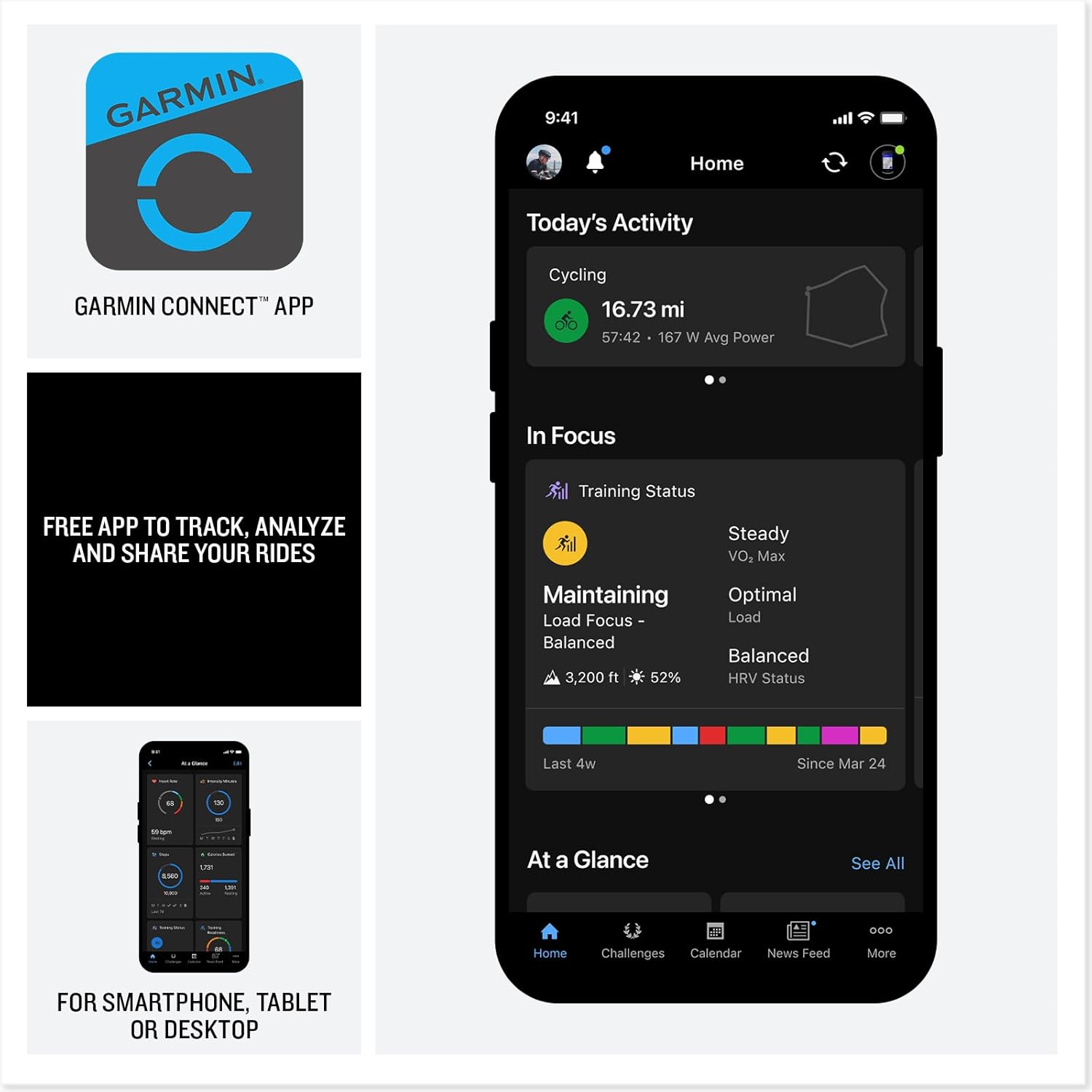
Image: The Garmin Edge 550 displaying screens for electronic shifting connectivity, group ride features, and an incident detection alert.

Image: The Garmin Connect™ app logo and its interface displayed on a smartphone, showing activity tracking and training status.
Video: An official Garmin video showcasing the features of the Garmin Edge 550 and Edge 850 GPS Cycling Computers, including navigation, training, and connectivity.
5. Засвар үйлчилгээ, арчилгаа
5.1 Төхөөрөмжийг цэвэрлэх
Regularly clean your Edge 550 with a soft, damp cloth. Avoid using abrasive cleaners or solvents that could damage the device's finish or screen.
5.2 Батерейны арчилгаа
To prolong battery life, avoid exposing the device to extreme temperatures. Store the device in a cool, dry place when not in use. Recharge the battery periodically if storing for extended periods.
5.3 Програм хангамжийн шинэчлэлтүүд
Connect your Edge 550 to your computer or the Garmin Connect app to check for and install software updates. Updates often include performance improvements and new features.
6. Алдаа засах
- Төхөөрөмж асахгүй байна: Ensure the device is fully charged. If the issue persists, try connecting it to a different USB power source.
- GPS дохионы алдагдал: Ил тод газар байгаа эсэхээ шалгаарай view of the sky. Avoid areas with tall buildings or dense tree cover.
- Буруу өгөгдөл: Таны хэрэглэгч мэргэжлийн эсэхийг шалгана ууfile settings (weight, height, etc.) are correct. Ensure sensors (power meter, heart rate monitor) are properly paired and calibrated.
- Холболтын асуудал (Bluetooth/Wi-Fi): Ensure your smartphone's Bluetooth is enabled and the Garmin Connect app is running. For Wi-Fi, ensure the device is within range of a known network.
- Батерей хурдан дуусдаг: Reduce screen brightness, disable unnecessary features (e.g., Wi-Fi, Bluetooth) when not in use, and ensure the device has the latest software update.
Дэлгэрэнгүй тусламж авахыг хүсвэл албан ёсны Garmin дэмжлэгийг үзнэ үү webсайт эсвэл харилцагчийн үйлчилгээтэй холбоо барина уу.
7. Техникийн үзүүлэлтүүд
| Бүтээгдэхүүний хэмжээс | 0.7 x 2.1 x 3.6 инч |
| Зүйлийн жин | 3.9 унц |
| Загварын дугаар | 010-03022-00 |
| Батерей | 1 стандарт бус батерей (дагсан) |
| Үйлдлийн систем | Garmin үйлдлийн систем |
| Холболтын технологиуд | Bluetooth, USB, Wi-Fi |
| Хүний интерфейсийн оролт | Товчлуур |
| Өнгө | Хар |
| Дэлгэцийн хэмжээ | 2.7 инч |
| Газрын зургийн төрөл | North America (preloaded) |
| Зайны ашиглалт | Up to 12 hours (demanding use), up to 36 hours (battery saver mode) |
8. Баталгаат хугацаа ба дэмжлэг
8.1 Бүтээгдэхүүний баталгаа
Garmin products are warranted to be free from defects in materials or workmanship for one year from the date of purchase. Within this period, Garmin will, at its sole option, repair or replace any components that fail in normal use. Such repairs or replacement will be made at no charge to the customer for parts or labor, provided that the customer shall be responsible for any transportation cost.
8.2 Хэрэглэгчийн дэмжлэг
For technical support, product registration, or to access additional resources, please visit the official Garmin support webсайт:
You can also find FAQs, software updates, and contact information for your region on the support page.
Ask a question about this manual
Ask about setup, troubleshooting, compatibility, parts, safety, or missing instructions. Manuals+ will review the question and use this page’s manual context to help answer it.