
Verkstar V-08
Verkstar V-08 Portable Karaoke Machine User Manual
Загвар: V-08
Танилцуулга
This manual provides detailed instructions for the setup, operation, and maintenance of your Verkstar V-08 Portable Karaoke Machine. Please read thoroughly before use to ensure optimal performance and longevity of your device.
Багцын агуулга
The Verkstar V-08 Portable Karaoke Machine package includes the following items:
- V-08 Karaoke Machine ×1
- Wireless Microphone ×2
- USB-C цэнэглэх кабель ×2
- HD OUT Cable ×1
- Хэрэглэгчийн гарын авлага ×1

Анхны тохиргоо
1. Charging and Powering On
Before first use, ensure the karaoke machine and microphones are fully charged. Connect the main unit to a power source using the provided charger. The microphones charge when placed in their designated slots on the machine or via USB-C cables.
2. Микрофоны тохиргоо
Insert the provided batteries into each wireless microphone. Power on each microphone by pressing and holding the power button. The microphones can be stored securely in the side holders of the main unit.

3. Төхөөрөмжийг холбох
The Verkstar V-08 offers multiple connectivity options:
- Wi-Fi: Access online content and karaoke apps by connecting to a Wi-Fi network through the touchscreen settings.
- Bluetooth: Pair your smartphone or tablet via Bluetooth 5.3 for audio streaming.
- HDMI: Connect the machine to a TV using the HD OUT cable for a larger display of lyrics and visuals.
- USB/TF карт: Play media directly from USB drives or TF cards.

Ашиглалтын заавар
1. Мэдрэгчтэй дэлгэцийн интерфейс
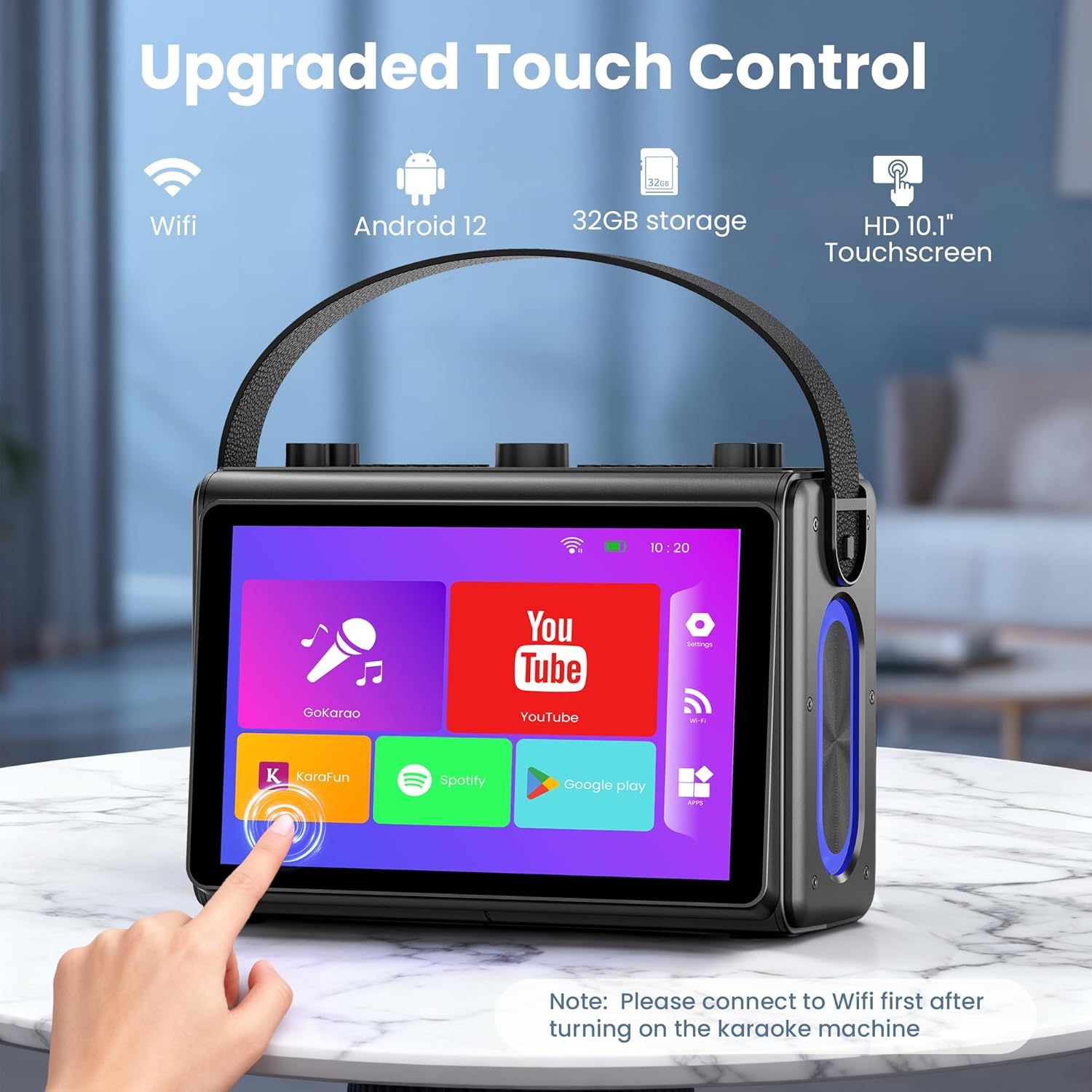
Navigate the 1080p full-laminated HD touchscreen to access various functions. Pre-installed apps like YouTube, Spotify, and dedicated karaoke applications (e.g., GoKarao, Karafun) are available for immediate use. Ensure Wi-Fi is connected for online content.
2. Microphone Functions
Each wireless microphone features controls for power, volume, and sound effects. Experiment with different sound modes such as Original, Karaoke, Super, Popular, Cartoon, Monster, Profession, and Custom to enhance your vocal performance.
3. Чанга яригчийн удирдлага
The top panel of the machine provides knobs and buttons for adjusting microphone volume, music volume, echo, bass, and treble. LED modes can also be selected to create a dynamic lighting atmosphere.

Гол онцлогууд
- Smoother Touch Screen: 1080p full-laminated HD screen for clear lyrics and visuals, with sensitive touch operation.
- Premium Hi-Fi Sound: Professional high-fidelity audio system with dual 3.5-inch woofers and dual 1.5-inch tweeters, featuring built-in noise reduction.
- HDMI Projection Ready: Connects to your TV for casting lyrics to a large screen, enhancing visual enjoyment.
- Зөөврийн дизайн: Lightweight with a sturdy leather wristband and a built-in 6000 mAh high-efficiency battery for on-the-go use.
- All-in-One Karaoke Set: Equipped with Bluetooth 5.3, Wi-Fi, USB, TF card, and compatibility with mobile phones, tablets, and TVs. Includes 2 wireless microphones.

Арчилгаа, засвар үйлчилгээ
To ensure the longevity and optimal performance of your Verkstar V-08 Karaoke Machine, follow these care guidelines:
- Цэвэрлэгээ: Гаднах хэсгийг цэвэрлэхийн тулд зөөлөн, хуурай даавуугаар цэвэрлээрэй. Зүлгүүрийн цэвэрлэгч эсвэл уусгагчаас зайлсхий.
- Хадгалах: Төхөөрөмжийг нарны шууд тусгал, хэт температураас хол, сэрүүн, хуурай газар хадгална.
- Батерейны арчилгаа: For safety, do not use the device while charging. Turn off the device when charging is complete.
Алдааг олж засварлах
If you encounter any issues with your Verkstar V-08 Karaoke Machine, please refer to the following common solutions:
- Төхөөрөмж асахгүй байна: Ensure the device is fully charged. Connect to the power adapter and allow it to charge for at least 30 minutes before attempting to power on again.
- Microphones Not Connecting/Working: Check that the microphone batteries are correctly inserted and fully charged. Ensure the microphones are powered on. Re-pair Bluetooth if necessary.
- Дуугүй: Verify that both the microphone volume and music volume are turned up. Check all audio connections (Bluetooth, AUX, HDMI).
- Wi-Fi холболтын асуудал: Ensure the device is within range of a strong Wi-Fi signal. Re-enter Wi-Fi password if connection fails.
Бүтээгдэхүүний техникийн үзүүлэлтүүд
| Тодорхойлолт | Дэлгэрэнгүй |
|---|---|
| Зүйлийн жин | 7.43 фунт |
| Бүтээгдэхүүний хэмжээс | 4.8 x 10.8 x 12 инч |
| Загварын дугаар | V-08 |
| Өнгө | Хар |
| Тохиромжтой төхөөрөмжүүд | Ухаалаг утас, Таблет, Телевизор |
| Холбогч төрөл | USB төрөл C |
| Илтгэгч тоо | 4 |
| Эрчим хүчний эх үүсвэр | Батерейгаар ажилладаг |
| Онцлог шинж чанар | Karaoke Machine with Screen |
Баталгаат болон хэрэглэгчийн дэмжлэг
Your Verkstar V-08 Portable Karaoke Machine comes with a manufacturer's warranty. For specific warranty details, please refer to the documentation included in your package.
If you have any questions, require technical assistance, or need customer support, please go to your order on Amazon, locate the product, and click "Contact Seller." Our support team is dedicated to providing prompt and helpful assistance.
Ask a question about this manual
Ask about setup, troubleshooting, compatibility, parts, safety, or missing instructions. Manuals+ will review the question and use this page’s manual context to help answer it.