
ActivPro SD11
ActivPro Smart Dock SD11 User Manual
4-in-1 Wireless Charging Station, Clock, Bluetooth Speaker, Lamp
Танилцуулга
Thank you for choosing the ActivPro Smart Dock SD11. This versatile 4-in-1 device combines a fast wireless charging station, a digital alarm clock, a high-quality Bluetooth speaker, and a multi-functional lamp. This manual provides detailed instructions for setup, operation, and maintenance to ensure you get the most out of your new device.
Note: Before initial use, connect the device to a power supply for five minutes before turning it on.
Бүтээгдэхүүн дууссанview
The ActivPro Smart Dock SD11 features a modern, minimalist design that complements any interior. It offers convenient wireless charging, a clear digital clock display, immersive sound, and adaptable lighting options.
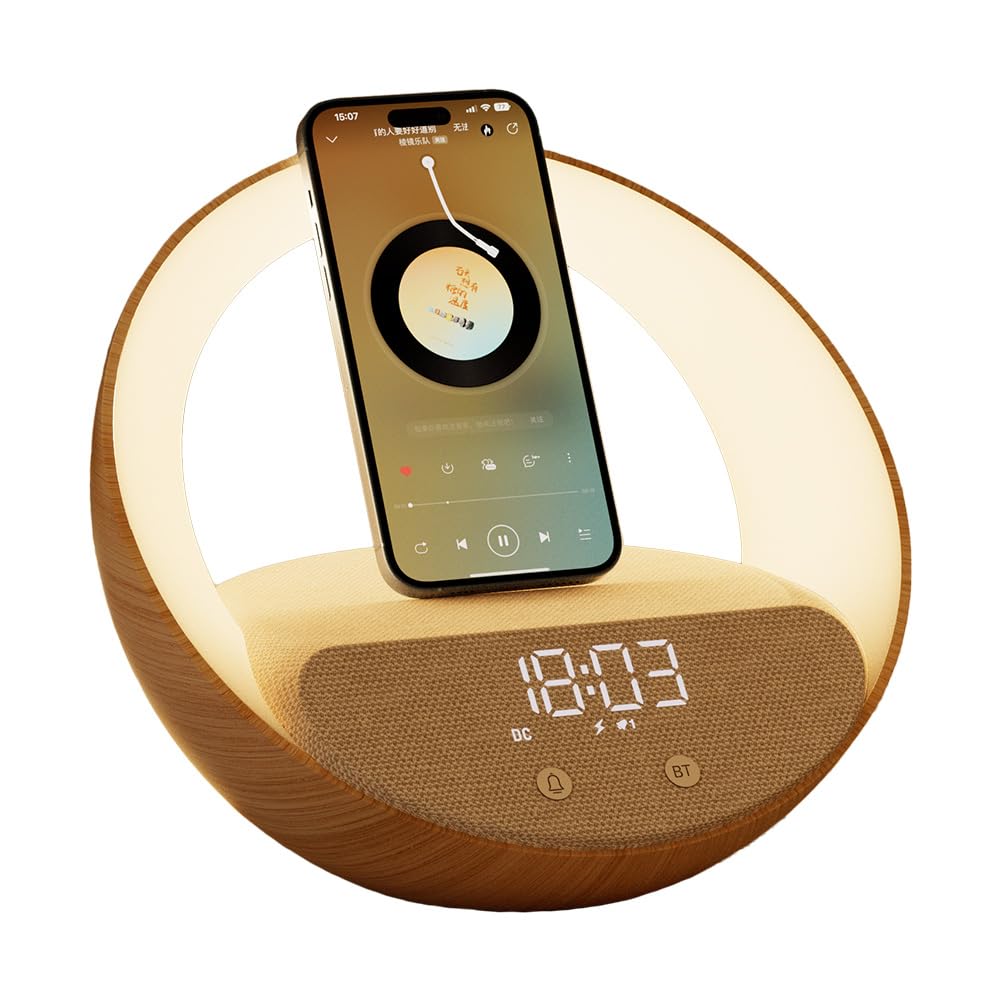
Image: The ActivPro Smart Dock SD11 shown with its packaging, highlighting its multi-functional features.
Хайрцагт юу байна
- ActivPro Smart Dock SD11 Unit
- Хэрэглэгчийн гарын авлага
- Цэнэглэгч кабель
- АНУ-ын залгуур
- 2 CR5 Batteries (pre-installed or included for clock backup)
Тохиргоо
- Төхөөрөмжийг задлах: Сав баглаа боодолоос бүх бүрэлдэхүүн хэсгүүдийг болгоомжтой арилгана.
- Эрчим хүчийг холбох: Insert the charger cable into the USB Type-C port on the back of the Smart Dock and connect the USA plug to a power outlet.
- Анхны асаалт: Allow the device to connect to power for at least five minutes before attempting to turn it on. This ensures proper initialization.
- Байршил: Place the Smart Dock on a stable, flat surface, such as a bedside table or desk.

Image: The Smart Dock positioned on a wooden bedside table, displaying the digital clock and illuminated ring light.
Ашиглалтын заавар
1. Digital Clock Display
The Smart Dock features a clear digital alarm clock display. You can adjust its brightness to suit day and night use.
- Цагийг тохируулах: Refer to the physical buttons on the device, typically labeled with clock or alarm icons, to enter time setting mode. Use '+' and '-' buttons to adjust hours and minutes.
- Гэрэлтүүлгийг тохируулах: Use the dedicated brightness control button (often indicated by a sun icon) to cycle through brightness levels.
- Сэрүүлгийн функц: The device supports alarm settings. Consult the physical buttons for alarm setup and activation.

Зураг: Ойрын зураг view of the Smart Dock's digital clock display, showing the time 15:03.
2. Fast Wireless Charging
The integrated wireless charging pad allows you to effortlessly charge compatible smartphones and other devices.
- Ensure the Smart Dock is connected to a power supply.
- Place your wireless charging compatible device (e.g., iPhone, Samsung, Android phone) directly onto the charging pad located on the top surface of the Smart Dock.
- The device will begin charging automatically. A charging indicator may appear on your phone screen.
Note: Some protective cases may interfere with charging performance. Remove thick or metallic cases if charging issues occur.
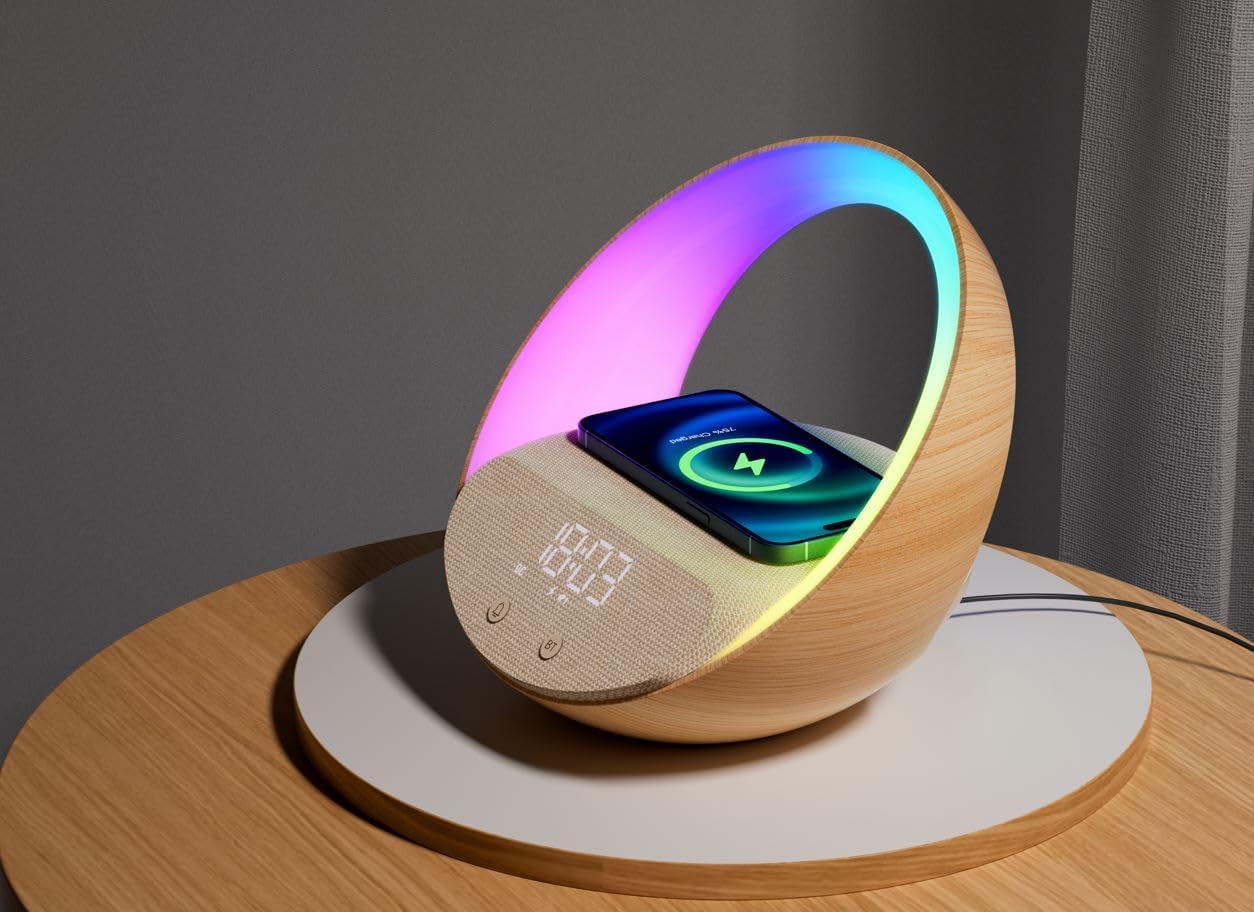
Image: A smartphone placed on the Smart Dock's charging pad, indicating active wireless charging, with the device's light ring displaying RGB colors.
3. Bluetooth чанга яригч
Enjoy high-quality audio by connecting your device via Bluetooth. Perfect for playing music or podcasts.
- Bluetooth-г идэвхжүүлэх: Press the Bluetooth button (labeled 'BT') on the Smart Dock to put it into pairing mode. The display may show a Bluetooth icon flashing.
- Төхөөрөмжтэйгээ хослуулах: On your smartphone or other Bluetooth-enabled device, go to Bluetooth settings and search for "ACTIVPRO Smart Dock" (or similar name). Select it to pair.
- Аудио тоглуулах: Once paired, you can play audio from your device, and it will output through the Smart Dock's speaker.
Note: While the speaker provides clear audio, it is optimized for light music and podcasts rather than high-fidelity audio for critical listening.

Image: A smartphone displaying a music player interface, positioned on the Smart Dock, which is actively playing audio.
4. Шөнө Лamp & Mood Lighting
The Smart Dock features an integrated lamp with adjustable white illumination and vibrant RGB mood lighting.
- Асаах/унтраах: l-г ашиглана ууamp control button (often indicated by a light bulb icon) to turn the lamp асаах эсвэл унтраах.
- Adjusting White Light: l дээр дарamp control button repeatedly to cycle through different white light brightness levels.
- Activating RGB Colors: l дээр удаан дарamp control button to switch to RGB mood lighting mode. Subsequent short presses may cycle through different color modes or effects.

Image: The Smart Dock illuminating a dark room with its rainbow LED light ring, showcasing its mood lighting capabilities.
Засвар үйлчилгээ
- Цэвэрлэгээ: Use a soft, dry cloth to wipe the exterior of the device. Do not use liquid cleaners or abrasive materials.
- Эрчим хүчийг салгах: Disconnect the power adapter from the wall outlet and the device before cleaning or if the device will not be used for an extended period.
- Чийгнээс зайлсхийх: Төхөөрөмжийг ус болон өндөр чийгшилтэй орчноос хол байлга.
Алдааг олж засварлах
| Асуудал | Боломжит шалтгаан / шийдэл |
|---|---|
| Төхөөрөмж асахгүй байна. | Ensure the power cable is securely connected to both the device and a working power outlet. Verify the outlet has power. Allow 5 minutes after connecting power for initial startup. |
| Утасгүй цэнэглэгч ажиллахгүй байна. |
|
| Bluetooth чанга яригч тохирохгүй байна. |
|
| Clock display is too bright/dim. | Use the dedicated brightness control button (sun icon) to adjust the display intensity. |
| Lamp light is not changing colors. | Ensure you are in RGB mood lighting mode. Long-press the lamp control button to switch modes, then short-press to cycle through colors/effects. |
Үзүүлэлтүүд
| Онцлог | Дэлгэрэнгүй |
|---|---|
| Загварын дугаар | SD11 |
| Бүтээгдэхүүний хэмжээс | 8.66 x 1.5 x 7.6 инч |
| Зүйлийн жин | 1.63 фунт |
| Эрчим хүчний оролт | 9 вольт (ДС) |
| Wireless Charging Wattage | 15 ватт |
| Холбогч төрөл | USB төрөл C |
| Нийт USB портууд | 3 |
| Тохиромжтой төхөөрөмжүүд | Android Phones with Wireless Charging, Samsung, iPhone |
| Өнгө | Wooden + Beige |
| Батерей | 2 CR5 батерей шаардлагатай (дагсан) |
| Үйлдвэрлэгч | ACTIVPRO GLOBAL UK |
Баталгаат болон дэмжлэг
ActivPro products are thoroughly tested and designed for reliability. For any questions, technical support, or warranty inquiries, please contact ActivPro customer service. Refer to the product packaging or the official ActivPro webхолбоо барих мэдээллийг авах сайт.
"If you have any questions or need support, we're here to help!"
Бүтээгдэхүүний танилцуулга видео
Video: An official demonstration of the ActivPro Smart Dock, showcasing its various features including light modes, wireless charging, Bluetooth speaker, and alarm clock functions.
Ask a question about this manual
Ask about setup, troubleshooting, compatibility, parts, safety, or missing instructions. Manuals+ will review the question and use this page’s manual context to help answer it.