
Танилцуулга
Thank you for choosing the GOOJODOQ AD4017 20000mAh 35W Fast Charging Power Bank. This device is designed to provide portable power for your electronic devices, featuring high capacity, fast charging capabilities, and integrated cables for convenience. Please read this manual carefully to ensure proper use and optimal performance of your power bank.
Гол онцлогууд:
- 20000 мАч өндөр хүчин чадал: Ухаалаг утас болон бусад төхөөрөмжүүдэд олон төрлийн цэнэглэлт өгдөг.
- 35W хоёр талын хурдан цэнэглэх: Supports Power Delivery (PD) and Quick Charge (QC) protocols for rapid charging and recharging.
- Суурилагдсан кабель: Includes integrated Type-C and Lightning cables, eliminating the need to carry extra wires.
- Олон гаралтын портууд: Features a Type-C port, a USB port, and the two built-in cables, allowing simultaneous charging of up to four devices.
- LED дижитал дэлгэц: Үлдсэн батерейны хувийг тодорхой харуулж байнаtage.
- Аюулгүй байдлын хамгаалалт: Equipped with smart protection chips to prevent overheating, short circuits, and overcurrents.
Бүтээгдэхүүн дууссанview
Багцын агуулга:
- GOOJODOQ AD4017 20000mAh Power Bank
- Хэрэглэгчийн гарын авлага
Төхөөрөмжийн зохион байгуулалт:
Familiarize yourself with the various components of your power bank:
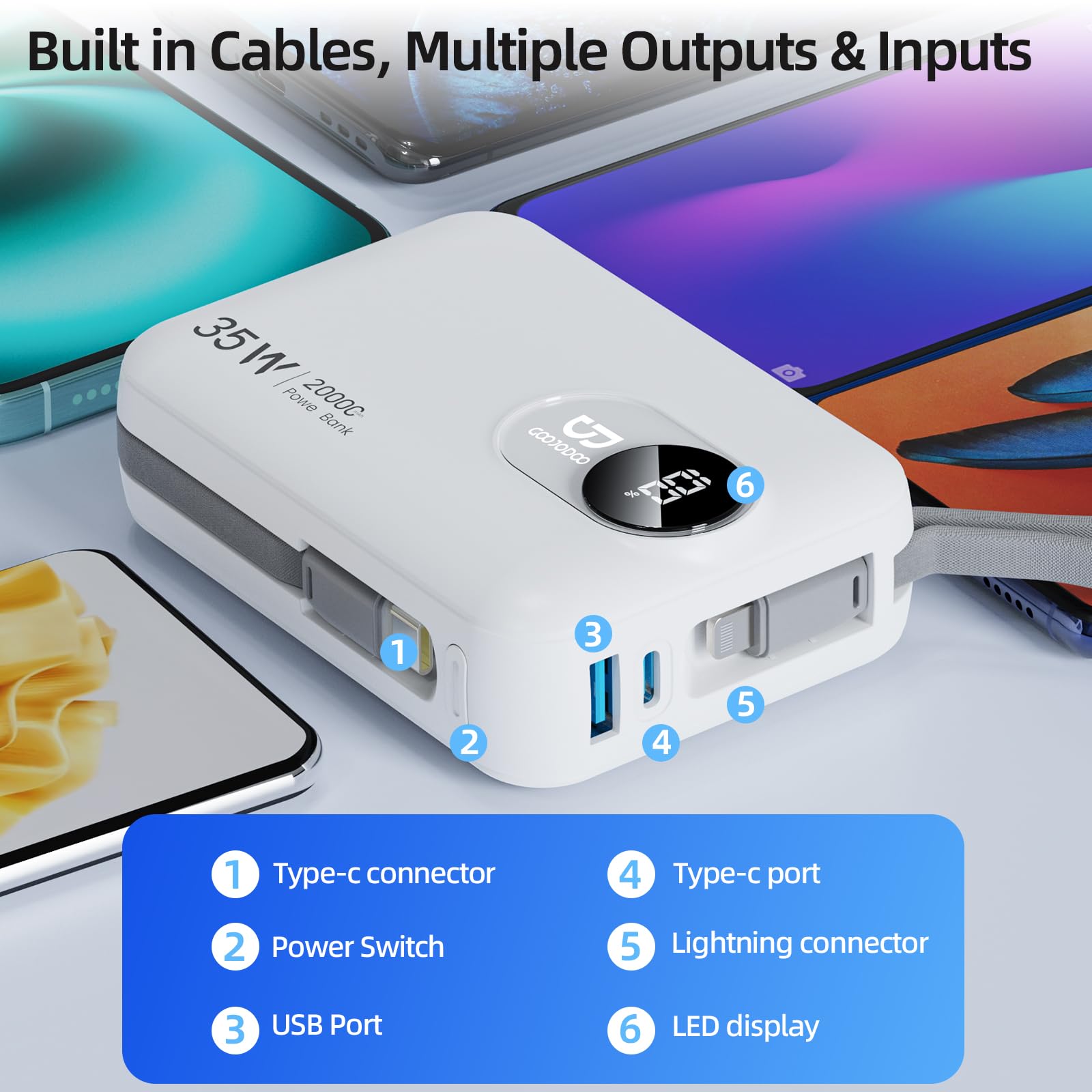
Зураг: Нарийвчилсан view of the GOOJODOQ AD4017 Power Bank showing its built-in cables, USB port, Type-C port, power switch, and LED display.
- Type-C холбогч: Built-in cable for Type-C devices.
- Эрчим хүч солих: Power bank болон дэлгэцийг идэвхжүүлнэ.
- USB порт: Standard USB-A output port.
- Төрөл-C порт: Bidirectional port for input and output.
- Lightning холбогч: Built-in cable for Lightning devices.
- Лэд дэлгэц: Үлдсэн батерейны хувийг харуулнаtage.
Тохиргоо
Power Bank цэнэглэх:
Before first use, it is recommended to fully charge your power bank. The GOOJODOQ AD4017 supports 35W Power Delivery (PD) input for fast recharging.
- Connect the power bank to a compatible power adapter (not included) using either the built-in Type-C cable or an external Type-C to Type-C cable via the Type-C port.
- LED дэлгэц нь цэнэглэх явцыг харуулах болно.
- A full charge typically takes approximately 9 hours with a 35W PD charger.
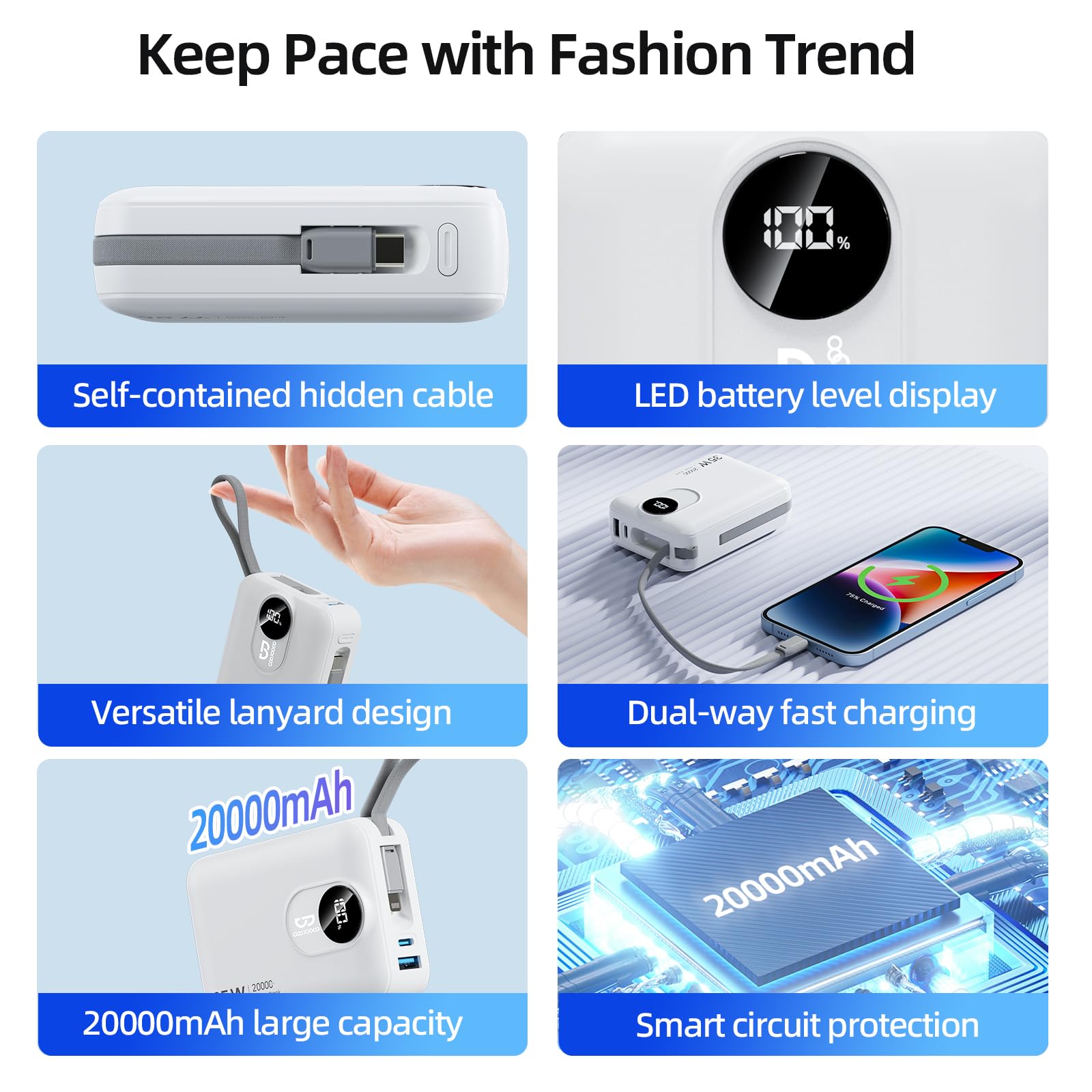
Image: The power bank being recharged using its built-in Type-C cable connected to a wall adapter, illustrating the input charging process.
Анхны төлбөр:
For optimal battery health, fully charge the power bank before its first use.
Ашиглалтын заавар
Төхөөрөмжөө цэнэглэж байна:
The power bank offers multiple output options to charge various devices simultaneously.
- Press the power switch once to activate the power bank and view the battery level on the LED display.
- Баригдсан кабель ашиглах: Extend the integrated Type-C or Lightning cable and connect it directly to your compatible device.
- Портуудыг ашиглах: Connect your device's charging cable to the USB-A port or the Type-C port on the power bank.
- Power bank таны төхөөрөмжийг автоматаар цэнэглэж эхэлнэ.
- You can charge up to four devices concurrently using all available outputs.
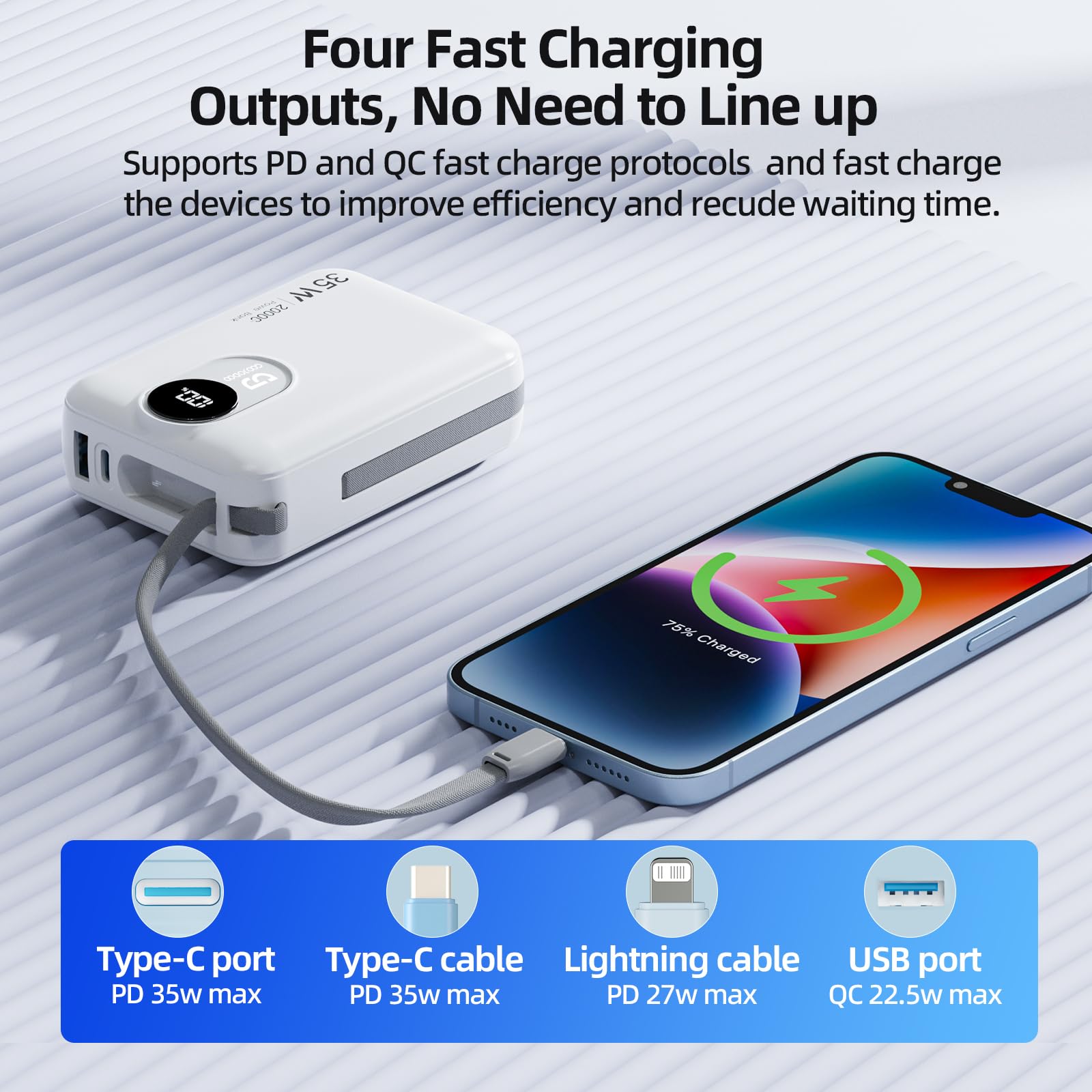
Image: A smartphone being charged by the power bank using the built-in Type-C cable, demonstrating one of the four fast charging outputs.
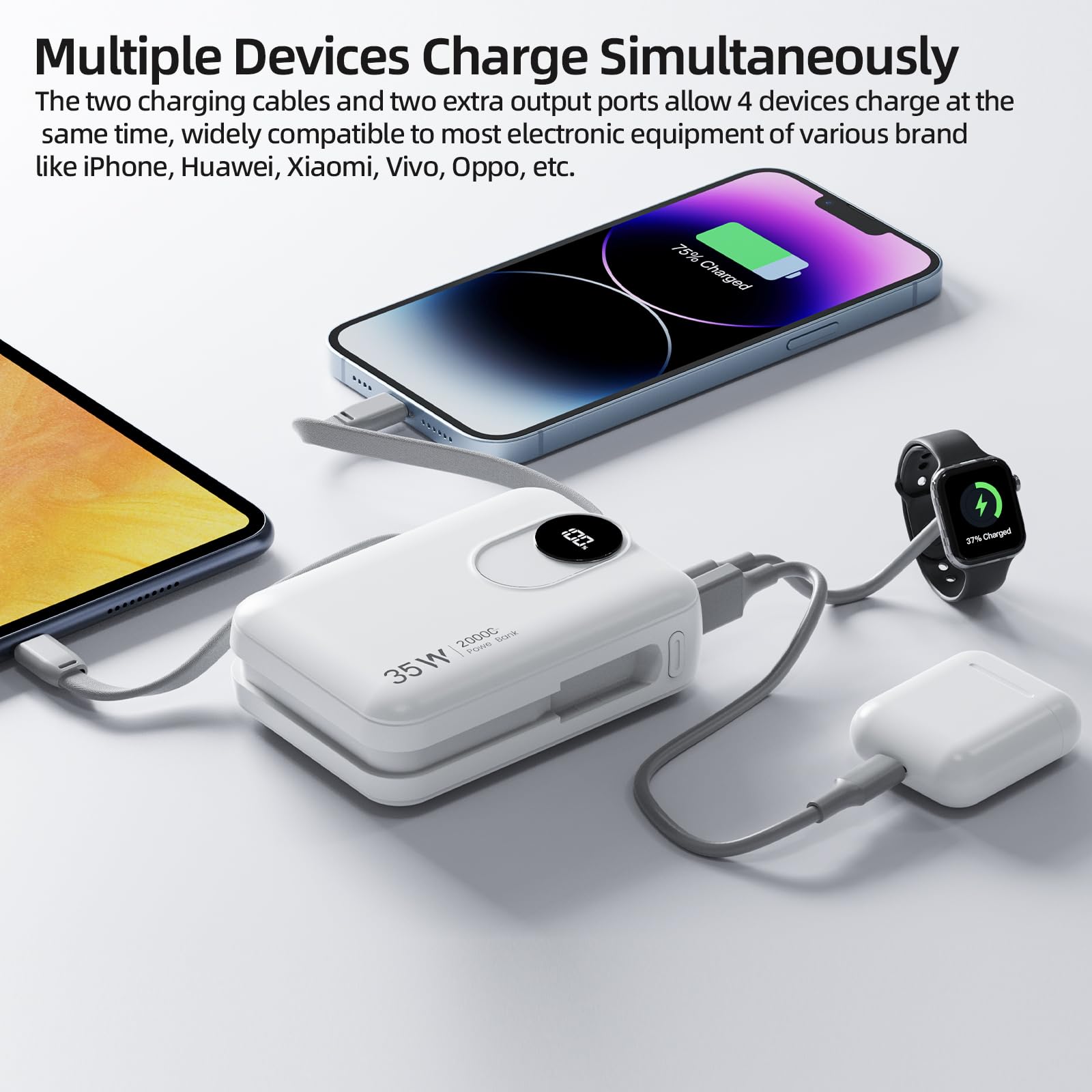
Image: The power bank charging multiple devices including a smartphone, smartwatch, and earbuds, showcasing its ability to charge four devices simultaneously.
Charging Laptops:
The GOOJODOQ AD4017 can charge laptops that require up to 35W of power. Use the Type-C port or the built-in Type-C cable for laptop charging.
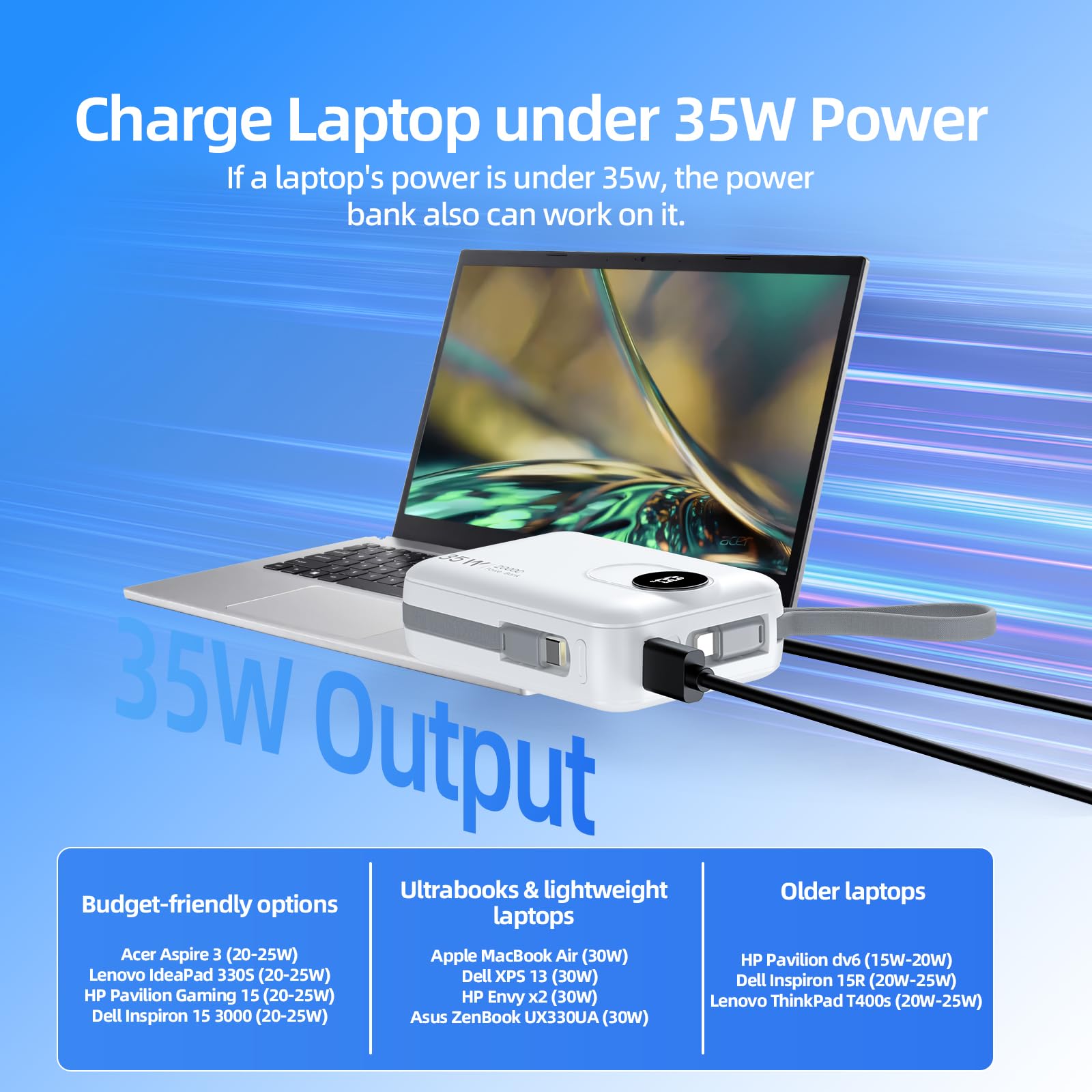
Image: The power bank connected to a laptop, demonstrating its capability to charge laptops requiring up to 35W.
Understanding the LED Digital Display:
The LED display provides real-time information about the power bank's battery status.
- When the power bank is active or charging, the display will show the remaining battery percentage.
- This allows you to monitor the power level and recharge the power bank when necessary.
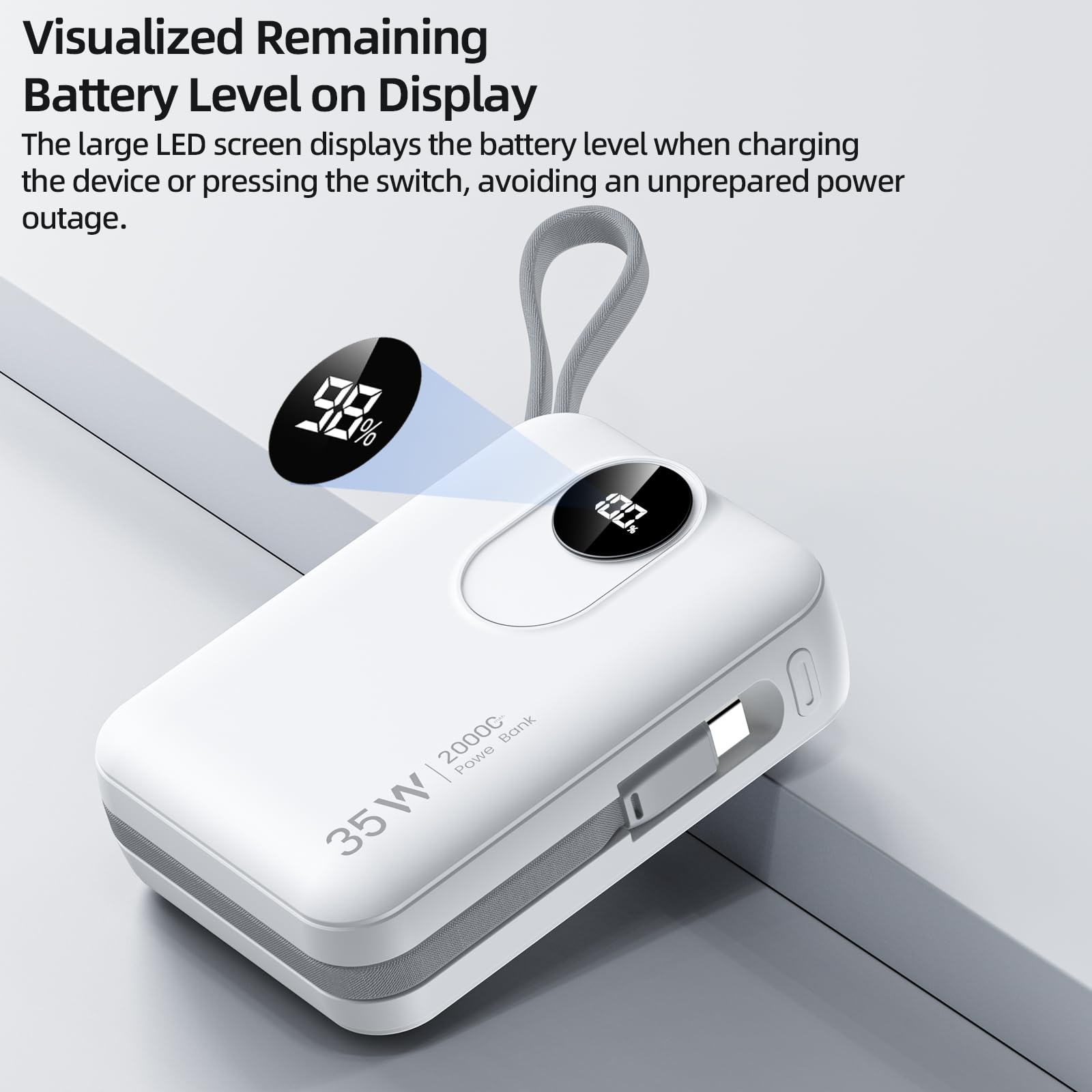
Зураг: Ойрын зураг view of the power bank's LED digital display, indicating the remaining battery level.
Засвар үйлчилгээ
Цэвэрлэгээ:
To maintain the appearance and functionality of your power bank, wipe it with a soft, dry cloth. Avoid using harsh chemicals or abrasive materials.
Хадгалах:
Store the power bank in a cool, dry place away from direct sunlight and extreme temperatures. If storing for extended periods, ensure the battery is charged to approximately 50-70% to preserve battery health.
Батерейны арчилгаа:
To prolong the lifespan of the lithium-ion battery:
- Power bank-ыг тогтмол цэнэглэхээс зайлсхий.
- Do not expose the power bank to temperatures above 45°C (113°F) or below 0°C (32°F).
- Recharge the power bank at least once every three months if not in regular use.
Алдааг олж засварлах
If you encounter issues with your GOOJODOQ AD4017 Power Bank, refer to the following common problems and solutions:
- Problem: Device is not charging from the power bank.
- Шийдэл:
- Ensure the power bank is sufficiently charged. Check the LED display.
- Press the power switch to activate the power bank.
- Verify that the charging cable (built-in or external) is securely connected to both the power bank and your device.
- Try a different cable or port to rule out a faulty connection.
- Таны төхөөрөмж эрчим хүчний банкны гаралтын үзүүлэлттэй нийцэж байгаа эсэхийг шалгаарай.
- Problem: Power bank is not recharging.
- Шийдэл:
- Ensure the charging adapter is functioning correctly and provides sufficient power (e.g., 35W PD compatible).
- Check the connection of the charging cable to both the power bank and the wall adapter.
- Try using a different Type-C cable or a different wall adapter.
- Problem: Power bank feels warm during use or charging.
- Шийдэл:
- It is normal for power banks to generate some heat during charging or discharging, especially during fast charging.
- If the power bank becomes excessively hot, disconnect it immediately and allow it to cool down. Avoid using it in poorly ventilated areas.
- Хэт халалт хэвээр байвал хэрэглэгчийн тусламжтай холбогдоно уу.
Техникийн үзүүлэлтүүд
| Онцлог | Дэлгэрэнгүй |
|---|---|
| Загвар | МЭ 4017 |
| Зайны багтаамж | 20000 мАч |
| Input (Type-C Port/Cable) | PD 35W Макс |
| Output (Type-C Port) | PD 35W Макс |
| Гаралт (Суурилуулсан Type-C кабель) | PD 35W Макс |
| Гаралт (Суурилуулсан аянгын кабель) | PD 27W Макс |
| Гаралт (USB порт) | QC 22.5W Max |
| Хэмжээ (Урт x Өргөн x Пүрэв) | 10L x 7.1W x 3.2Th Centimeters |
| Жин | 420 грамм |
| Зайны эсийн төрөл | Лити ион |
| Онцлог шинж чанарууд | 35W Fast Charging, Built-in Cables, Digital Display, Short Circuit Protection |
Баталгаат болон дэмжлэг
Баталгаат мэдээлэл:
The GOOJODOQ AD4017 Power Bank comes with a 1 жилийн үйлдвэрлэгчийн баталгаа from the original date of purchase. This warranty is non-transferable and covers manufacturing defects. Please retain your proof of purchase for warranty claims.
Дэмжлэгтэй холбоо барина уу:
For technical assistance, warranty claims, or any other inquiries, please contact GOOJODOQ customer support:
- Имэйл: maisifang_yd@163.com
- Импортлогчтой харилцах: VALUECART PRIVATE LIMITED, 2nd Floor, 1/1 Vinayaka Towers, 1st Cross, Gandhinagar, Bangalore, Bengaluru (Bangalore) Urban, Karnataka, 560009
- Импортлогчийн имэйл: arun@valuecart.in
- Importer Phone: 9901545456