
1. Танилцуулга
This manual provides essential information for the safe and efficient use of your Philips 32E1N3100LA monitor. Please read these instructions carefully before operating the device and retain them for future reference.
The Philips 32E1N3100LA is a 32-inch Full HD (1920x1080) monitor featuring a VA panel, 75Hz refresh rate, and 1ms MPRT response time, designed for a clear and smooth visual experience. It includes built-in speakers and supports Adaptive Sync technology.

Урд view of the Philips 32E1N3100LA monitor.
2. Аюулгүй байдлын мэдээлэл
Always follow these basic safety precautions when using your monitor:
- Мониторыг бороо, чийгэнд бүү тавь.
- Мониторыг нээж болохгүй casing. Дотор нь хэрэглэгчийн засвар үйлчилгээ хийх хэсэг байхгүй.
- Мониторын эргэн тойронд агааржуулалт сайтай байх ёстой.
- Зөвхөн монитортой хамт ирдэг тэжээлийн адаптерийг ашиглана уу.
- Мониторыг нарны шууд тусгал болон дулааны эх үүсвэрээс хол байлга.
- Refer to the official "Safety Information (PDF)" document for comprehensive safety guidelines.
For detailed safety instructions, please consult the official safety document: Аюулгүй байдлын мэдээлэл (PDF)
3. Тохиргоо
3.1 Савлах
Сав баглаа боодолоос бүх эд ангиудыг болгоомжтой авч хая. Сав баглаа боодлын жагсаалтад жагсаасан бүх зүйл байгаа бөгөөд гэмтээгүй эсэхийг шалгаарай.
3.2 Стенд угсрах
- Зурааснаас сэргийлэхийн тулд мониторыг зөөлөн, цэвэр гадаргуу дээр доош харуулан байрлуул.
- Өгөгдсөн эрэг ашиглан мониторын хүзүүг холбоно.
- Суурийг тавиурын хүзүүнд бэхлээрэй.

Арын view дэлгэцийн суурийн угсралттай хамт.
3.3 Холбох кабель
Шаардлагатай кабелийг мониторын арын портуудад холбоно уу:
- Цахилгааны утас: Цахилгааны кабелийг дэлгэцийн тэжээлийн оролтод, дараа нь газардуулгатай цахилгаан залгуурт холбоно уу.
- Видео кабель: Connect an HDMI cable from your computer's video output to the monitor's HDMI input. Alternatively, use a D-Sub (VGA) cable if your system supports it.

Rear ports of the monitor for power and video connections.
3.4 Кабелийн менежмент
Utilize the integrated cable management feature on the stand to keep your workspace tidy.
Cable management feature on the monitor stand.
4. Мониторыг ажиллуулах
4.1 Асаах/унтраах
Press the power button, usually located on the back or bottom edge of the monitor, to turn it on or off. The power LED will indicate the monitor's status.
4.2 Дэлгэц дээрх дэлгэц (OSD) цэс
The monitor features a micro joystick control, typically located on the rear right side, for navigating the OSD menu. This allows you to adjust various settings.
4.2.1 Зургийн тохиргоо
- Гэрэлтүүлэг/Ялгарал: Зургийн харагдах байдлыг оновчтой болгохын тулд эдгээр тохиргоог тохируулна уу.
- Өнгөний температур: Select predefined color modes or customize RGB levels.
- Бага цэнхэр горим: Reduces harmful blue light emissions for eye comfort during prolonged use.
- Анивчихгүй технологи: Minimizes screen flickering to reduce eye strain.

LowBlue Mode and Flicker-free technology for eye comfort.
4.2.2 Аудио тохиргоо
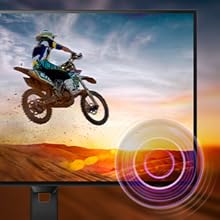
Adjust the volume of the built-in speakers through the OSD menu. An audio output jack is also available for connecting external headphones or speakers.

Monitor with built-in speakers.
4.3 Adaptive Sync (FreeSync)
This monitor supports Adaptive Sync technology, which synchronizes the display's refresh rate with your graphics card's frame rate. This helps eliminate screen tearing and stuttering for smoother gameplay and video playback. Ensure your graphics card supports FreeSync and that the feature is enabled in your graphics card settings and the monitor's OSD.

Adaptive Sync technology for smooth visuals.
5. Засвар үйлчилгээ
5.1 Дэлгэц цэвэрлэх
Зөөлөн, хөвөнгүй даавуугаар дэлгэцийг зөөлөн арчина. Зөрүүд тэмдгийн хувьд хөнгөнөөр dampen the cloth with a screen cleaner specifically designed for monitors. Do not spray cleaner directly onto the screen.
5.2 C-г цэвэрлэхasing
Мониторыг зөөлөн хуурай даавуугаар арчих casing. Зүлгүүрийн цэвэрлэгч, уусгагч хэрэглэхээс зайлсхий.
5.3 Ерөнхий арчилгаа
- Монитор болон түүний кабель дээр хүнд зүйл байрлуулахаас зайлсхий.
- Агааржуулалтын нүхийг хааж болохгүй.
- Аянга шуургатай үед эсвэл удаан хугацаагаар ашиглаагүй үед мониторыг цахилгааны залгуураас салга.
6. Алдаа засах
Хэрэв танд монитортой холбоотой асуудал тулгарвал дараах нийтлэг асуудал, шийдлүүдийг үзнэ үү.
| Асуудал | Боломжит шийдэл |
|---|---|
| Хүч чадалгүй | Ensure the power cable is securely connected to the monitor and a working electrical outlet. Check the power adapter. |
| Дэлгэц дээр зураг алга | Verify the video cable (HDMI/D-Sub) is correctly connected to both the monitor and your computer. Ensure the correct input source is selected in the OSD menu. |
| Зураг бүдгэрсэн эсвэл гажуудсан байна | Adjust the resolution settings on your computer to match the monitor's native resolution (1920x1080). Check video cable quality and connection. |
| Чанга яригчаас дуу гарахгүй | Check the volume settings in the OSD menu and on your computer. Ensure the audio source is correctly configured. |
| Adaptive Sync not working | Confirm your graphics card supports FreeSync and that it is enabled in both your graphics card control panel and the monitor's OSD settings. |
7. Техникийн үзүүлэлтүүд
| Онцлог | Дэлгэрэнгүй |
|---|---|
| Загварын дугаар | 32E1N3100LA/00 |
| Дэлгэцийн хэмжээ | 32 инч |
| Самбарын төрөл | VA самбар |
| Шийдвэр | FHD 1080p (1920 x 1080) |
| Харьцаа | 16:9 |
| Сэргээх хурд | 75 Гц |
| Хариу өгөх хугацаа | 1 Millisecond (MPRT) |
| Ялгаатай харьцаа | 3000:1 |
| Гэрэлтүүлэг | 300 кд/м² |
| Холболт | 1x HDMI 1.4, 1x D-Sub (VGA) |
| Аудио | Built-in Speakers, Audio Out |
| Дасан зохицох синк | FreeSync |
| Эрчим хүчний хэрэглээ | 30.5 ватт |
| Хэмжээ (DxWxH) | 25P x 72lx 52H см |
| Жин | 7 кг |
| VESA уул | Yes (Wall Mount Type) |
8. Баталгаат хугацаа ба дэмжлэг
8.1 Баталгаат хугацааны мэдээлэл
This Philips monitor comes with a limited warranty. For specific terms, conditions, and duration of your warranty, please refer to the documentation included with your product or visit the official Philips support webсайт.
8.2 Хэрэглэгчийн дэмжлэг
For technical assistance, troubleshooting beyond this manual, or warranty claims, please contact Philips customer support. You can find contact information and additional resources on the official Philips webсайт.
Additional detailed instructions are available in the official user manual: Хэрэглэх заавар (PDF)