
FiiO KA11
FiiO KA11 USB C to 3.5mm Audio Adapter Instruction Manual
Загвар: KA11
1. Танилцуулга
The FiiO KA11 is a compact and powerful USB-C to 3.5mm audio adapter designed to elevate your listening experience across various devices. Featuring a high-resolution DAC and amplifier, it delivers superior audio quality for headphones and earphones.

Image: FiiO KA11 USB C to 3.5mm Audio Adapter in silver and black variants, showcasing түүний авсаархан загвар.
2. Үндсэн шинж чанарууд
- Hi-Fi аудио гүйцэтгэл: Equipped with a Hi-Res DAC chip supporting up to 32bit/384KHz sampling rate for excellent and stable decoding.
- High-Performance DAC Chip: Built-in CS43131 DAC and op-amp for superior Hi-Fi sound.
- Компакт, хүчирхэг: Tiny body (44x9.7x10.5mm, 8.5g) with significant power output (245mW at 16Ω load, 200mW at 32Ω load) to drive most headphones.
- Advanced Circuitry: High-standard circuit components with multi-layer immersion gold circuit board design for strong decoding ability and better detail control. THD+N: <0.0006%, SNR: 125dB, Noise: <1.7uV.
- Өргөн нийцтэй байдал: Available with USB Type-C and Lightning connectors for use with Android/iOS phones/tablets, and Windows/Mac computers.
- UAC1.0 Support: Enables plug-and-play functionality with devices like Nintendo Switch and PS5 for low-latency gaming audio. (Note: UAC1.0 mode requires switching in the FiiO Control app).
- Бат бөх кабель: Features high-purity oxygen-free palladium-plated copper wires and flexible silicone with braided cloth for durability.
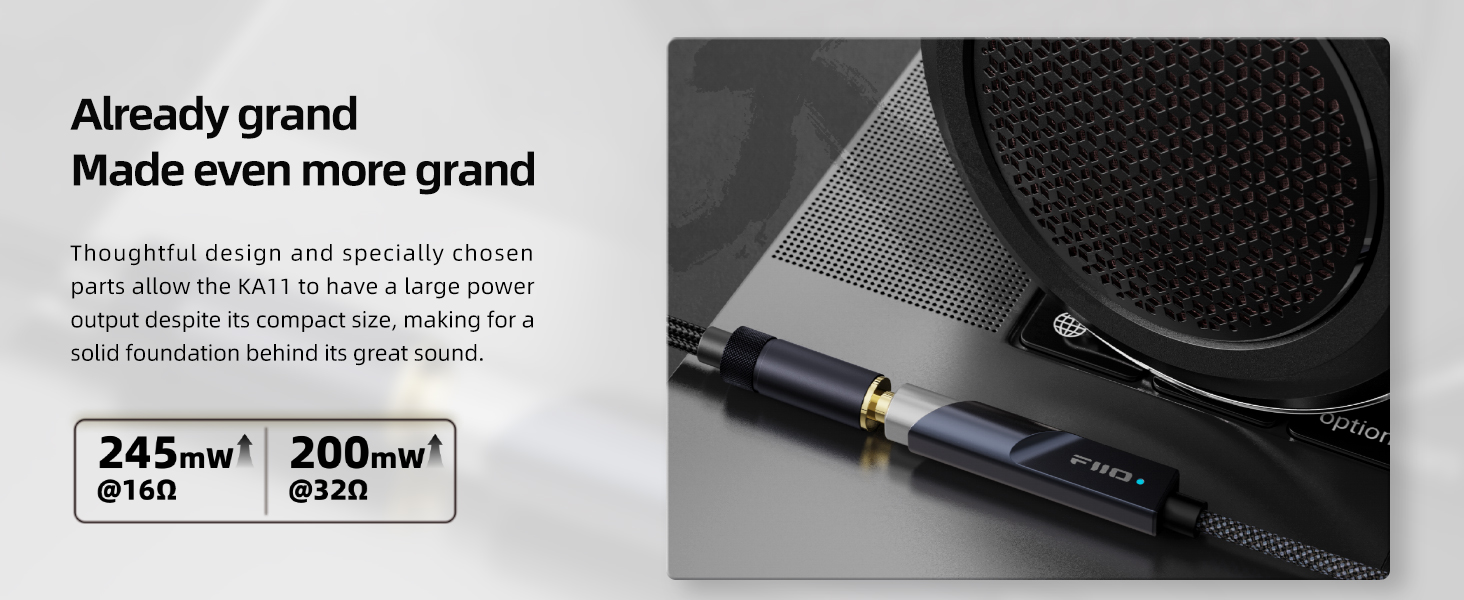
Image: Detailed diagram illustrating the internal components and specially-designed HiFi circuit of the FiiO KA11.
3. Багцын агуулга
The FiiO KA11 package typically includes:
- FiiO KA11 USB C to 3.5mm Audio Adapter
- USB-C to USB-A Adapter (for broader compatibility)
- Quick Start Guide / Instruction Card
4. Тохиргоо ба холболт
4.1 Андройд төхөөрөмжүүдэд холбогдох
- Connect the USB-C end of the FiiO KA11 to the USB-C port of your Android phone or tablet.
- Plug your 3.5mm headphones or earphones into the 3.5mm output jack of the FiiO KA11.
- Your device should automatically recognize the adapter. Open your music player or audio application to begin listening.

Image: FiiO KA11 connected to an Android smartphone, demonstrating multi-device compatibility.
4.2 Connecting to iOS Devices (with Lightning Connector)
- If your FiiO KA11 has a Lightning connector, connect it directly to your iOS device.
- If your FiiO KA11 has a USB-C connector, you will need a separate USB-C to Lightning adapter (not included with all KA11 models) to connect to your iOS device.
- Plug your 3.5mm headphones or earphones into the 3.5mm output jack of the FiiO KA11.
- Your iOS device should automatically detect the adapter.
4.3 Connecting to Windows/Mac Computers
- Connect the USB-C end of the FiiO KA11 to a USB-C port on your computer.
- If your computer only has USB-A ports, use the included USB-C to USB-A adapter. Connect the FiiO KA11's USB-C end to the adapter, then plug the adapter into a USB-A port on your computer.
- Plug your 3.5mm headphones or earphones into the 3.5mm output jack of the FiiO KA11.
- The computer should automatically install necessary drivers (UAC2.0 mode). Select the FiiO KA11 as your audio output device in your system settings.

Image: FiiO KA11 connected to a laptop, demonstrating its use with computers.
5. Ашиглалтын заавар
5.1 Үзүүлэлтийн гэрэл
The FiiO KA11 features an indicator light that changes color based on the audio sampХэмжээ:
- Цэнхэр гэрэл: PCM ≤ 48kHz
- Шар гэрэл: PCM > 48kHz
- Ногоон гэрэл: DSD

Image: Close-up of the FiiO KA11 showing the indicator light and its color meanings for different audio formats.
5.2 UAC1.0 Mode for Gaming Consoles
The FiiO KA11 supports UAC1.0 mode, which is ideal for plug-and-play use with gaming consoles like Nintendo Switch and PS5, providing a low-latency gaming experience with rich sound effects.
- To switch to UAC1.0 mode, you must use the FiiO Control app on an Android device.
- Connect the FiiO KA11 to an Android device, open the FiiO Control app, and follow the instructions to switch the UAC mode.

Image: FiiO KA11 connected to a Nintendo Switch, highlighting its UAC1.0 support for gaming.
6. Засвар үйлчилгээ, арчилгаа
- Төхөөрөмжийг хуурай, чийгээс хол байлга.
- Хэт их температураас зайлсхий.
- Зөөлөн, хуурай даавуугаар цэвэрлэ. Химийн хатуу бодис хэрэглэж болохгүй.
- Handle the connectors and cable gently to prevent damage.

Image: FiiO KA11 undergoing various quality tests, including plug/unplug, salt spray, lifting, swing, crush, and extreme temperature tests.
7. Алдаа засах
- Дуугүй:
- Ensure the FiiO KA11 is securely connected to both your source device and headphones.
- Check the volume levels on both your source device and any inline headphone controls.
- Verify that the FiiO KA11 is selected as the audio output device in your system settings (for computers).
- Try restarting your source device.
- Төхөөрөмжийг танихгүй байна:
- Ensure your source device's USB-C port supports audio output.
- If using a USB-A adapter, ensure it is functioning correctly.
- For gaming consoles, ensure UAC1.0 mode is enabled via the FiiO Control app if required.
- Sound Quality Issues (Static, Distortion):
- Бүх холболт найдвартай эсэхийг шалгаарай.
- Test with different headphones or a different audio source to isolate the issue.
- Avoid using the device in environments with strong electromagnetic interference.
- Device Gets Warm:
- It is normal for the FiiO KA11 to become warm during extended use, especially when driving high-impedance headphones. If it becomes excessively hot or stops functioning, discontinue use and contact support.
8. Техникийн үзүүлэлтүүд
| Онцлог | Дэлгэрэнгүй |
|---|---|
| Загварын дугаар | KA11 |
| DAC чип | CS43131 |
| Макс Сampling Rate | 32bit / 384KHz |
| Output Power (16Ω) | 245мВт |
| Output Power (32Ω) | 200мВт |
| THD+N | <0.0006% |
| SNR | 125дБ |
| Дуу чимээ | <1.7uV |
| Хэмжээ | 44 x 9.7 x 10.5 мм (1.73 x 0.41 x 0.04 инч) |
| Зүйлийн жин | 8.5 гр (1.76 унц) |
| Холбогч төрөл | USB Type C (also available with Lightning) |
| Тохиромжтой төхөөрөмжүүд | Android, iOS, Windows, Mac, Headphones, Nintendo Switch, PS5 |

Image: FiiO KA11 showcasing its impressive audio measurements and Hi-Res Audio certification.
9. Бүтээгдэхүүний видео
9.1 Шуурхай дахинview of the FiiO KA11
Видео: Хурдан тоймview highlighting the essential features and benefits of the FiiO KA11 USB C to 3.5mm Audio Adapter.
9.2 FiiO KA11 - The Best Budget Option
Видео: Богино хэмжээний видео шоуasing the FiiO KA11 as an excellent budget-friendly option for audio enthusiasts.
9.3 USB C to 3.5mm DAC Amp Дууслааview
Видео: Товчхонview of a USB C to 3.5mm DAC amplifier, demonstrating its functionality and design.
10. Баталгаат хугацаа ба дэмжлэг
The FiiO KA11 typically comes with a 12-month limited warranty from the date of purchase. For warranty claims, technical support, or any product-related inquiries, please contact FiiO customer service or visit their official webсайт.
Та нэмэлт мэдээлэл, тусламжийн эх сурвалжийг эндээс авах боломжтой FiiO Store on Amazon.
Ask a question about this manual
Ask about setup, troubleshooting, compatibility, parts, safety, or missing instructions. Manuals+ will review the question and use this page’s manual context to help answer it.