
Танилцуулга
This manual provides comprehensive instructions for the safe and efficient use of your DOOGEE N50PRO smartphone. Please read this manual thoroughly before operating your device and retain it for future reference. The DOOGEE N50PRO is an Android 13 smartphone equipped with an Octa-Core processor, a 6.52-inch HD+ display, a 50MP main camera, a 4200mAh battery, and supports 4G Dual SIM, Face ID, and Fingerprint ID.
Багцын агуулга
Дараах бүх зүйл таны бүтээгдэхүүний багцад байгаа эсэхийг шалгаарай.
- DOOGEE N50PRO Smartphone
- Сав баглаа боодлын хайрцаг
- Цэнэглэгч (9V/2A)
- USB төрөл-C кабель
- SIM картны зүү
- Pre-applied TP Protective Film
- Хэрэглэгчийн гарын авлага (энэ баримт бичиг)
Тохиргоо
1. SIM карт болон TF карт суурилуулах
The DOOGEE N50PRO supports dual Nano SIM cards or one Nano SIM card and one TF (MicroSD) card for expandable storage up to 1TB. Ensure the device is powered off before inserting or removing cards.
- Утасны хажуу талд байгаа SIM картны тавиурыг олоорой.
- SIM картын зүүг гаргахын тулд тавиурын хажууд байгаа жижиг нүхэнд хийнэ үү.
- Тавиурыг болгоомжтой татаж аваарай.
- Нано SIM карт(ууд) болон/эсвэл TF картаа тавиур дээрх зориулалтын үүрэнд хийнэ үү. Алтан контактуудыг доош харуулсан эсэхийг шалгаарай.
- Тавиурыг байрандаа орох хүртэл зөөлөн түлхэж утас руу оруулна.
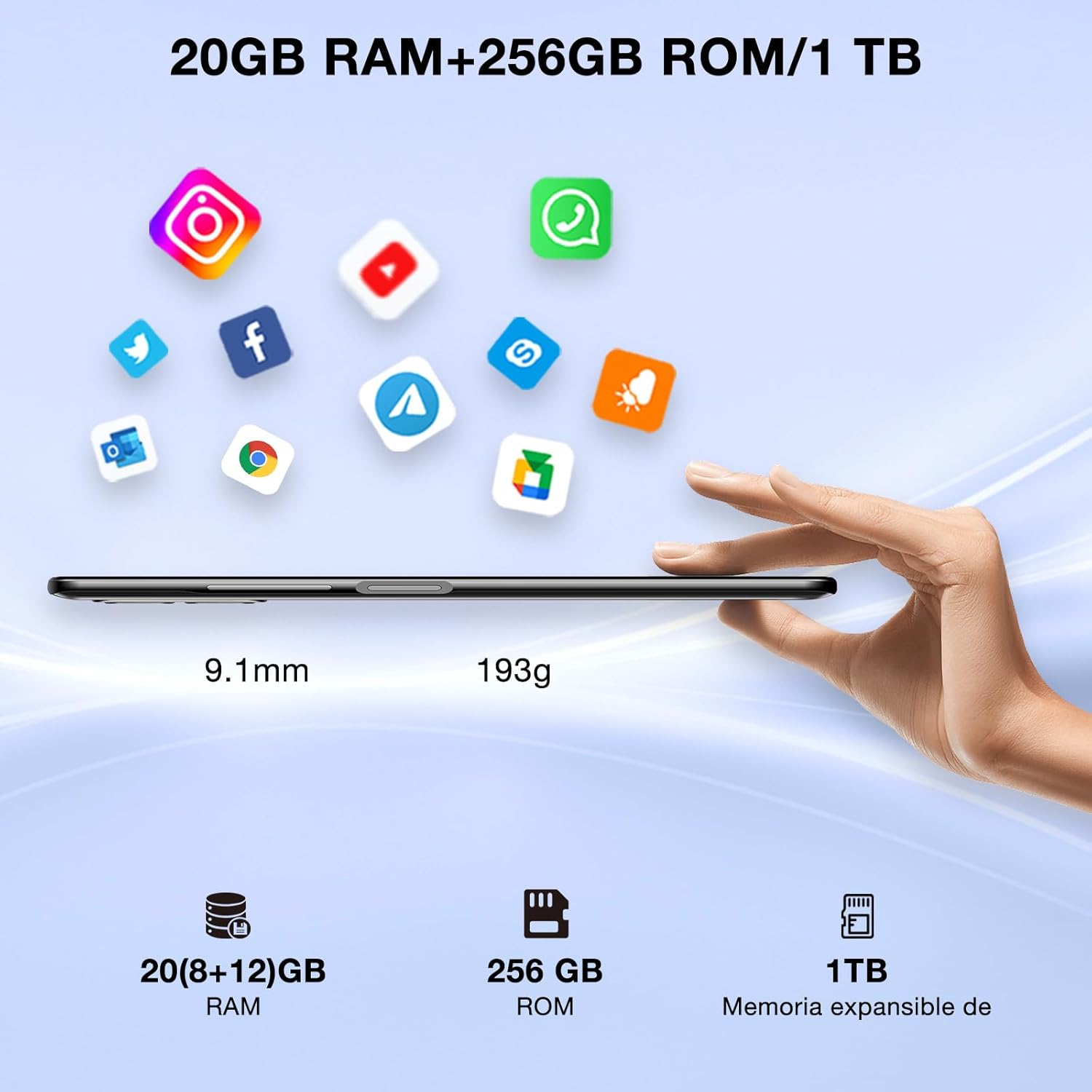
Image: DOOGEE N50PRO smartphone showing its slim profile (9.1mm), weight (193g), and memory configuration (20GB RAM, 256GB ROM, 1TB expandable memory).
2. Анхдагч асаалттай
Press and hold the Power button located on the side of the device until the DOOGEE logo appears. Follow the on-screen prompts to complete the initial setup, including language selection, Wi-Fi connection, and Google account setup.
3. Батерейг цэнэглэж байна
Before first use, it is recommended to fully charge the device. Connect the USB Type-C cable to the phone's charging port and the other end to the provided 9V/2A charger. Plug the charger into a power outlet. The charging indicator will appear on the screen.

Image: DOOGEE N50PRO connected to a charger, illustrating its 4200mAh battery capacity and 18W fast charging capability. The image also highlights OTG reverse charging.
Ашиглалтын заавар
1. Basic Navigation and Android 13 Features
Your DOOGEE N50PRO runs on Android 13, offering an intuitive user experience. Swipe down from the top of the screen to access the notification panel and quick settings. Customize your control center and direct access operations for efficient use of various functions.

Image: Visual representation of the DOOGEE N50PRO's internal components, highlighting the Spreadtrum T606 Octa-Core processor with 1.6GHz high frequency and 12nm advanced technology, running on Android 13.
2. Security Features: Face ID and Fingerprint ID
Enhance your device's security and convenience with advanced biometric authentication:
- Нүүрний ID: Register your face to unlock the phone by simply looking at the front camera.
- Хурууны хээ ID: Register your fingerprint(s) to unlock the phone or authorize purchases with a touch. The fingerprint sensor is typically located on the side or back of the device.

Image: A user demonstrating Face ID unlock and a close-up of the Fingerprint ID sensor on the DOOGEE N50PRO, showcasing its multi-function security features.
3. Камерын хэрэглээ
The DOOGEE N50PRO features a triple camera system:
- 50 MP үндсэн камер: Өндөр нарийвчлалтай зургийн хувьд.
- 8 MP Front Camera: Селфи болон видео дуудлага хийх зориулалттай.
- 2 MP Macro Camera: Нарийвчилсан ойрын зураг авах боломжтой.
Access the Camera app from your home screen or app drawer. Explore various modes such as Panorama, Portrait, and Night mode to capture different scenes effectively.

Image: Diagram illustrating the DOOGEE N50PRO's dual AI camera setup, featuring a 50MP main camera, an 8MP front camera, and a 2MP macro camera. Sample photos taken with the 50MP main and 8MP front cameras are also shown.
4. Холболт
- Wi-Fi: Supports 2.4G/5G Wi-Fi for fast and stable internet connection. Go to Settings > Network & internet > Wi-Fi to connect to available networks.
- Bluetooth 5.0: For connecting wireless accessories like headphones or speakers. Go to Settings > Connected devices > Bluetooth.
- OTG (Замд явахдаа): Allows the phone to act as a host to connect USB devices like flash drives or external keyboards. It also supports reverse charging for other devices.
- Навигац: Integrated GPS, GLONASS, BeiDou, and Galileo for accurate location services.
- FM радио: Use the built-in FM radio feature (requires headphones to act as an antenna).
- 3.5 мм чихэвчний залгуур: Утастай аудио хэрэгслүүдийн хувьд.
5. Эцэг эхийн хяналт
The device includes parental control features, allowing you to monitor and manage screen time and application usage for children. Access these settings through the device's system settings to balance usage effectively.
Засвар үйлчилгээ
1. Зайны арчилгаа
- Батерейг хэт өндөр температурт (халуун эсвэл хүйтэн) өртүүлэхээс зайлсхий.
- Do not fully discharge the battery frequently. Charge it before it drops below 20%.
- Гэмтлээс урьдчилан сэргийлэхийн тулд зөвхөн дагалдах цэнэглэгч болон кабелийг ашиглана уу.
2. Цэвэрлэгээ
Утасны дэлгэц болон их биеийг цэвэрлэхийн тулд зөөлөн, хөвөнгүй даавуугаар цэвэрлээрэй. Химийн хатуу бодис, зүлгүүрийн материал ашиглахаас зайлсхий. Зөрүүд толбоны хувьд бага зэрэг dampустай даавуу эсвэл электроникийн зориулалттай дэлгэц цэвэрлэгч.
3. Програм хангамжийн шинэчлэлтүүд
Төхөөрөмждөө хамгийн сүүлийн үеийн функцууд, аюулгүй байдлын нөхөөсүүд болон гүйцэтгэлийн сайжруулалт байгаа эсэхийг шалгахын тулд програм хангамжийн шинэчлэлтүүдийг тогтмол шалгаж, суулгаарай. Тохиргоо > Систем > Системийн шинэчлэлт рүү очно уу.
Алдааг олж засварлах
- Төхөөрөмж асахгүй байна: Батерейг цэнэглэсэн эсэхийг шалгаарай. Цэнэглэгчээ холбож, дахин асаахаасаа өмнө хэдэн минут хүлээнэ үү.
- Дэлгэц хариу өгөхгүй байна: Try restarting the device by holding the Power button for about 10-15 seconds.
- Сүлжээний асуудлууд: Check if your SIM card is properly inserted. Try toggling Airplane Mode on and off. If issues persist, contact your mobile service provider.
- Гэмтсэн програмууд: Clear the cache of the problematic app (Settings > Apps > [App Name] > Storage & cache > Clear cache). If the issue continues, consider reinstalling the app.
- Удаан гүйцэтгэл: Ашиглагдаагүй аппликейшнуудыг хаах, кэшийг цэвэрлэх эсвэл үйлдвэрийн тохиргоонд нь оруулахыг хамгийн сүүлийн арга хэмжээ гэж үзнэ үү (эхлээд өгөгдлөө нөөцлөөрэй).
Үзүүлэлтүүд
| Онцлог | Тодорхойлолт |
|---|---|
| Загварын нэр | DOOGEE N50PRO |
| Үйлдлийн систем | Android 13.0 |
| Процессор | Octa-Core (Spreadtrum T606) |
| RAM | 20 GB (Extended Memory) |
| Дотоод санах ой (ROM) | 256 ГБ |
| Өргөтгөх боломжтой хадгалах сан | Up to 1 TB (TF Card) |
| Дэлгэцийн хэмжээ | 6.52 инч |
| Дэлгэцийн нягтрал | HD+ (720x1600) |
| Үндсэн камер | 50 МП |
| Урд камер | 8 МП |
| Макро камер | 2 МП |
| Зайны багтаамж | 4200 мАч |
| Цэнэглэж байна | 18Вт-ын С хэлбэрийн хурдан цэнэглэлт |
| Үүрэн холбооны технологи | 4G |
| SIM картын төрөл | Nano SIM (Dual SIM support) |
| Холболт | Wi-Fi (2.4G/5G), Bluetooth 5.0, OTG, FM Radio |
| Навигац | GPS, GLONASS, BeiDou, Galileo |
| Аюулгүй байдлын онцлог | Face ID, Fingerprint ID |
| Хэмжээ | 165.8 x 76.2 x 9.1 мм |
| Жин | 187 гр |
| Чихэвчний залгуур | 3.5 мм |
| Ярилцах цаг | 16 цаг хүртэл |

Image: The DOOGEE N50PRO's 6.52-inch Waterdrop HD+ display, showing its 720x1600 resolution, 20:9 aspect ratio, and 86% screen-to-body ratio.
Баталгаат болон дэмжлэг
1. Баталгаат хугацааны мэдээлэл
Your DOOGEE N50PRO smartphone comes with a хоёр жилийн албан ёсны баталгаа from the date of purchase. Please retain your proof of purchase for warranty claims. This warranty covers manufacturing defects and malfunctions under normal use conditions.
2. Хэрэглэгчийн дэмжлэг
For technical assistance, warranty claims, or further inquiries, please contact DOOGEE customer support through their official website or the contact information provided with your purchase. Ensure you have your device model number and proof of purchase ready when contacting support.