
Танилцуулга
This manual provides detailed instructions for setting up, operating, maintaining, and troubleshooting your HP 230 Wireless Keyboard and Mouse Combo. Please read this manual thoroughly before using the product to ensure optimal performance and longevity.
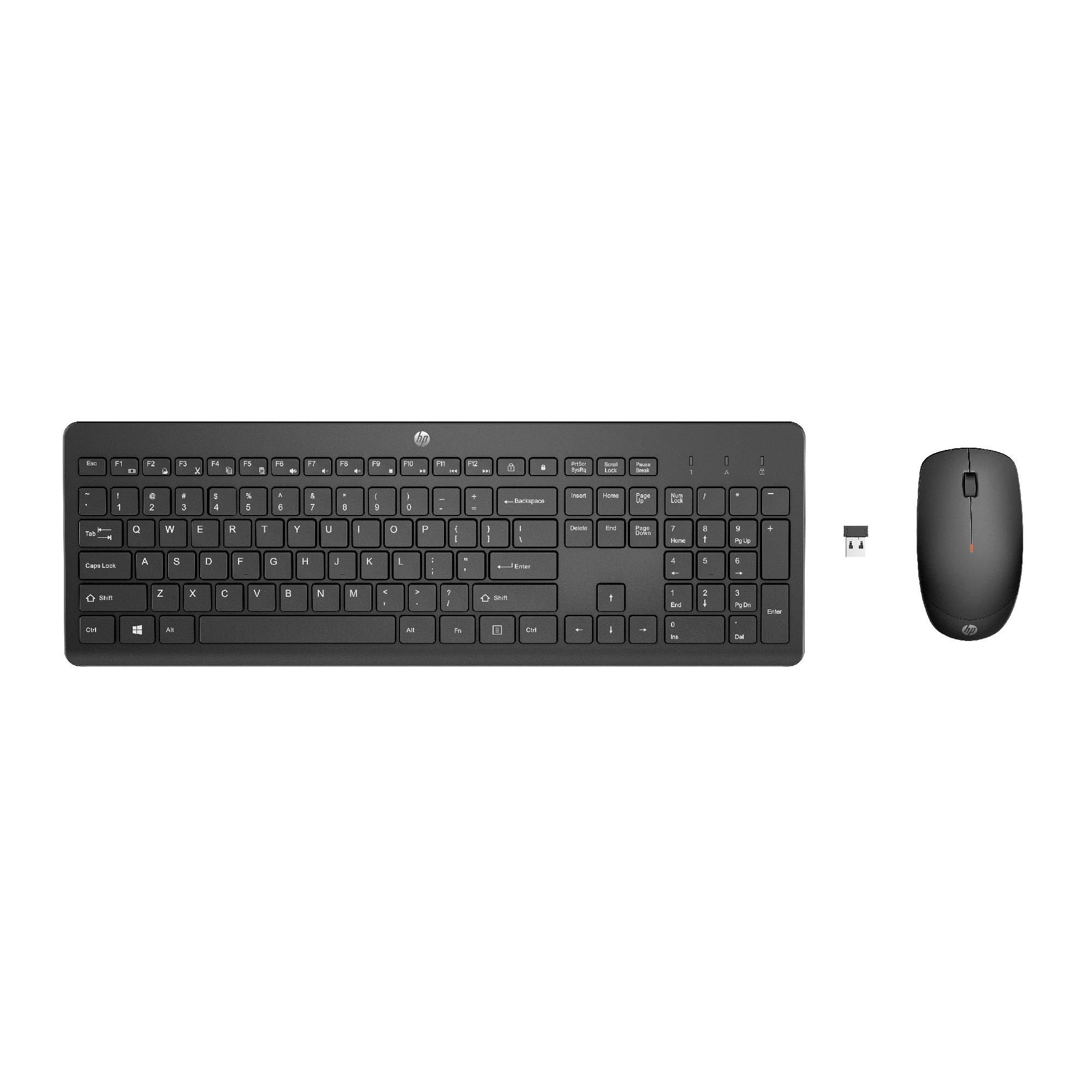
Image: The HP 230 Wireless Keyboard and Mouse Combo, showing both devices in black.
Багцын агуулга
Бүх зүйл багцад байгаа эсэхийг шалгаарай:
- HP 230 утасгүй гар
- HP 230 утасгүй хулгана
- USB-A Wireless Dongle (2.4 GHz)
- 2 AAA Batteries (for keyboard)
- 1 AA Battery (for mouse)
- Product Information and Warranty Card
Тохируулах заавар
1. Батерейг суурилуулах
- Гарны хувьд: Locate the battery compartment on the underside of the keyboard. Insert two AAA batteries, ensuring correct polarity (+/-).
- Хулганы хувьд: Locate the battery compartment on the underside of the mouse. Insert one AA battery, ensuring correct polarity (+/-).
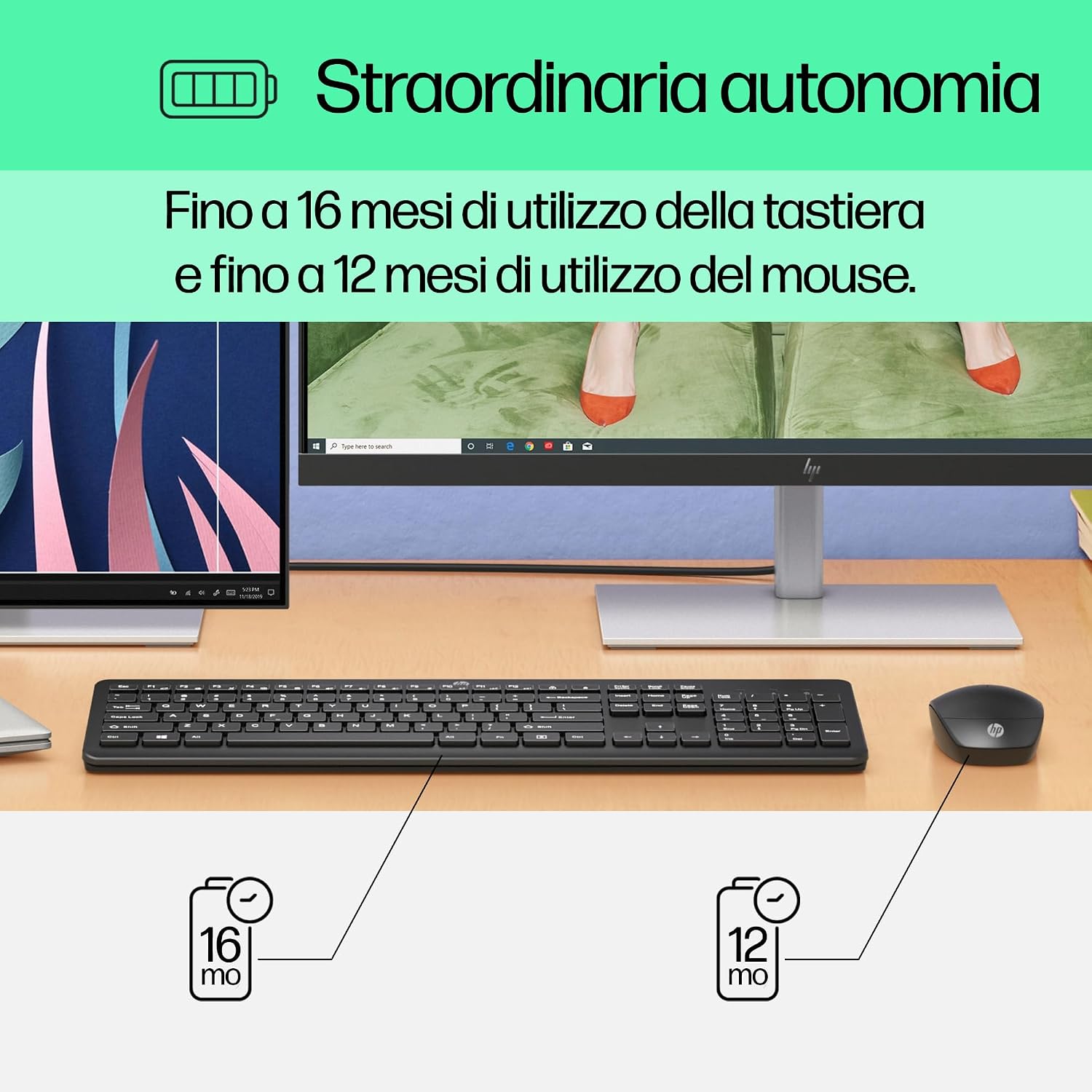
Image: Diagram illustrating battery life for the keyboard (16 months with 2 AAA) and mouse (12 months with 1 AA).
2. Connect the USB-A Wireless Dongle
- Locate the USB-A wireless dongle, typically stored in the mouse's battery compartment or included separately in the packaging.
- Insert the USB-A dongle into an available USB Type-A port on your computer (desktop, laptop, tablet, or All-in-One PC).
- Your computer should automatically detect and install the necessary drivers. This is a Plug and Play device, requiring no manual driver installation.

Image: The HP 230 wireless keyboard and mouse positioned next to a laptop, illustrating wireless connectivity.
The keyboard and mouse are pre-paired with the dongle and should be ready for use immediately after connection.
Үйл ажиллагаа
Гарны функцууд
The HP 230 Wireless Keyboard features a full-size layout with a numeric keypad and silent chicklet keys for comfortable and quiet typing.
- Чимээгүй бичих: The keyboard is designed for reduced noise during typing, making it suitable for quiet environments.
- Fn Key Shortcuts: -г ашиглах Fn key in combination with the F1-F12 function keys for quick access to various functions such as volume control, home page, bookmarks, and email.
- Тоон товчлуур: Өгөгдлийг үр дүнтэй оруулахын тулд тусгай тоон товчлуурыг багтаасан болно.

Зураг: Нарийвчилсан view of the HP 230 keyboard layout, highlighting function keys and silent chicklet keys, with dimensions.

Image: A close-up of the HP 230 keyboard showing the Fn keys and their associated shortcut icons, emphasizing productivity.
Хулганы функцууд
The HP 230 Wireless Mouse is designed for precise navigation and comfortable use.
- Precision Tracking: The mouse features a 1600 DPI optical sensor for accurate and smooth cursor movement.
- Гүйлгэх дугуй: Use the scroll wheel for easy vertical navigation through documents and web хуудаснууд.
- Left and Right Buttons: Standard left and right-click functionality for interaction with your computer.
- Хоёр талт загвар: Suitable for both left-handed and right-handed users.

Зураг: дээрээс доош view of the HP 230 mouse, showing its ergonomic design, scroll wheel, and 1600 DPI specification, with dimensions.

Image: Graphic illustrating the precise movement of the HP 230 mouse with up to 1600 DPI tracking.
Засвар үйлчилгээ
Proper maintenance ensures the longevity and performance of your HP 230 combo.
- Цэвэрлэгээ:
- Зөөлөн, хөвөнгүй даавууг бага зэрэг хэрэглээрэй dampгар болон хулганы гадаргууг цэвэрлэхийн тулд ус эсвэл зөөлөн цэвэрлэгээний уусмалаар дүүргэнэ.
- Хүчтэй химийн бодис, зүлгүүр, уусгагч хэрэглэхээс зайлсхий.
- Гарны хувьд товчлууруудын хоорондох тоос шороо, хог хаягдлыг зайлуулахын тулд шахсан агаар ашиглана уу.
- Зай солих:
- Батерейны ажиллагаа муудах эсвэл батерей бага байгаа индикатор (хэрэв байгаа бол) ассан үед батерейг солино уу.
- Always use new, high-quality batteries of the specified type (AAA for keyboard, AA for mouse).
- Хуучин батерейг орон нутгийн дүрэм журмын дагуу устгана уу.
- Хадгалах: When not in use for extended periods, remove the batteries to prevent leakage. Store the devices in a cool, dry place.
Алдааг олж засварлах
If you encounter issues with your HP 230 Wireless Keyboard and Mouse Combo, try the following solutions:
| Асуудал | Шийдэл |
|---|---|
| Гар эсвэл хулгана хариу өгөхгүй байна |
|
| Хоцрогдсон эсвэл тасалдсан холболт |
|
| Хулганы курсор тогтворгүй эсвэл жигд хөдөлдөггүй |
|
Үзүүлэлтүүд
| Онцлог | Дэлгэрэнгүй |
|---|---|
| Брэнд | HP |
| Загварын дугаар | HP 230 |
| Өнгө | Хар |
| Холболтын технологи | 2.4 GHz Radiofrequency (Wireless USB-A Dongle) |
| Гарны зохион байгуулалт | QWERTY |
| Number of Keys (Keyboard) | 104 |
| Special Keyboard Feature | Silent Typing, Fn-key shortcuts |
| Хулганы DPI | 1600 DPI |
| Хулганы дизайн | Хоёр талт |
| Тохиромжтой үйлдлийн системүүд | Windows 10, Windows 11 (also Windows 7, Windows 8) |
| Minimum OS Requirement | Windows 10 |
| Гарын зайны төрөл | 2 x AAA батерей |
| Хулганы батерейны төрөл | 1 х АА зай |
| Estimated Keyboard Battery Life | 16 сар хүртэл |
| Estimated Mouse Battery Life | 12 сар хүртэл |
| Зөвлөмж болгож буй хэрэглээ | Computer typing and navigation |
Баталгаат хугацааны мэдээлэл
The HP 230 Wireless Keyboard and Mouse Combo comes with a Бүтээгдэхүүний 2 жилийн баталгаат хугацаа from the date of purchase. Please retain your proof of purchase for warranty claims. For detailed terms and conditions, refer to the warranty card included in your package or visit the official HP support webсайт.
EU spare parts availability: 1 year.
Дэмжлэг
For further assistance, technical support, or to access updated drivers and documentation, please visit the official HP support webсайт:
You may also find helpful information and FAQs on the product's Amazon page or by contacting HP customer service directly.