
Танилцуулга
The Hyper Drive GEN2 12-in-1 USB-C Docking Station is designed to expand the connectivity of your USB-C enabled laptop or tablet. This docking station provides a comprehensive solution for connecting multiple peripherals, external displays, and power delivery through a single USB-C port. It supports high-speed data transfer, multiple 4K video outputs, and efficient power charging for enhanced productivity.
Бүтээгдэхүүний онцлог
The Hyper Drive GEN2 12-in-1 USB-C Docking Station offers a wide array of ports and capabilities:
- Dual HDMI 4K60Hz HDR: Connect up to two external displays with stunning 4K resolution at 60Hz, supporting High Dynamic Range (HDR) for vibrant visuals.
- DisplayPort 4K60Hz: Connect an additional external display via DisplayPort, also supporting 4K resolution at 60Hz.
- USB-C Power Delivery (PD) 100W: Charge your host laptop or tablet with up to 100W of power through the dedicated USB-C PD port.
- 2x USB-A 10Gbps (USB 3.1 Gen 2): Experience ultra-fast data transfer speeds for compatible USB-A devices.
- 2х USB-A 2.0: Connect standard USB peripherals such as keyboards, mice, or printers.
- Гигабит Ethernet: Enjoy stable and high-speed wired network connectivity.
- MicroSD UHS-II (300MB/s): Fast data transfer for MicroSD cards, ideal for photographers and videographers.
- SD UHS-II (300MB/s): Fast data transfer for standard SD cards.
- 3.5 мм аудио залгуур: Connect headphones or speakers for audio output.

Зураг 1: Урд view of the Hyper Drive GEN2 12-in-1 USB-C Hub, highlighting MicroSD, SD, 3.5mm Audio, and two USB-A 10Gbps ports.
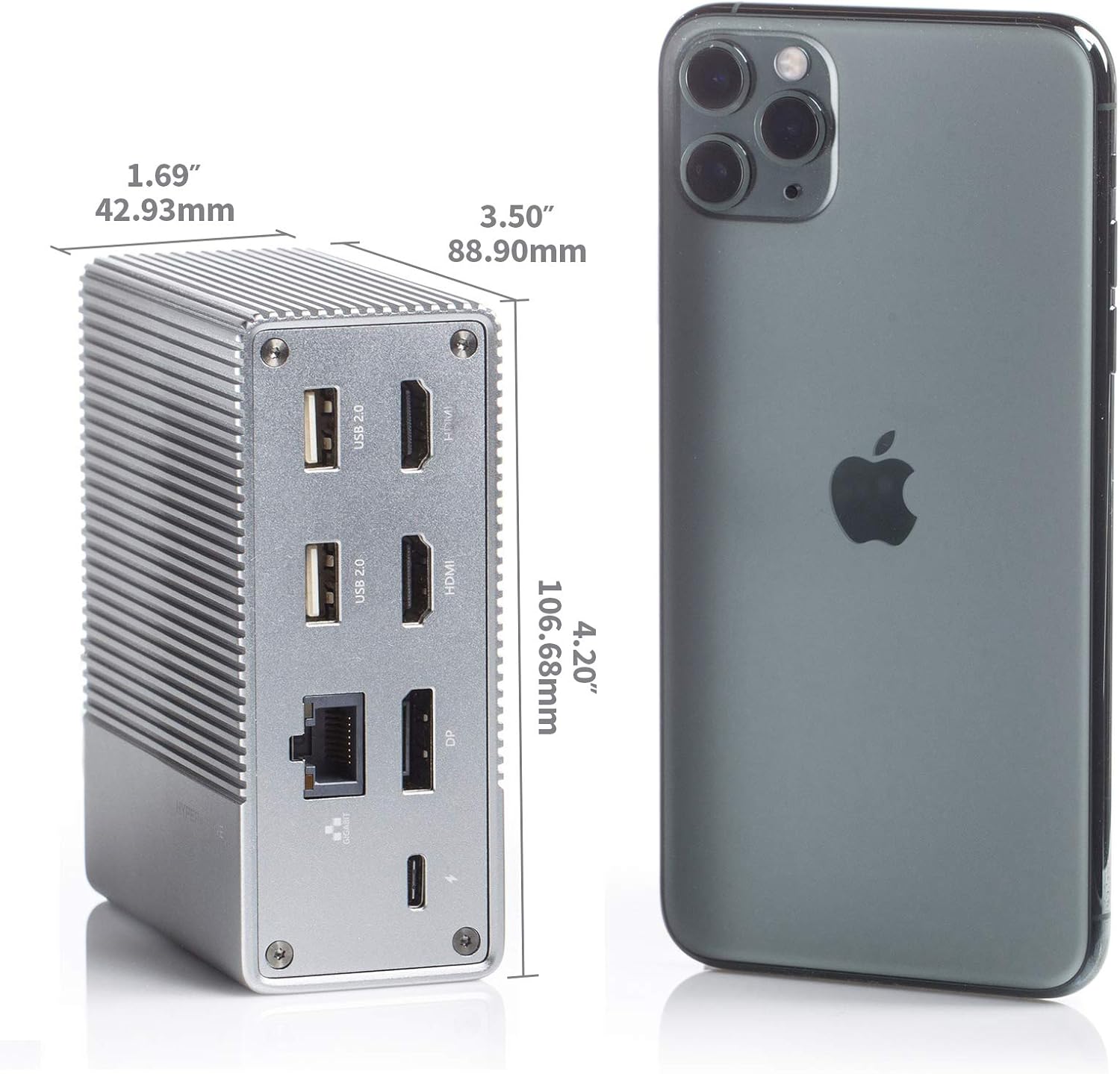
Зураг 2: Ар талд view of the Hyper Drive GEN2 12-in-1 USB-C Hub, highlighting USB-C Power Delivery, Gigabit Ethernet, DisplayPort, two HDMI, and two USB-A 2.0 ports.
Тохируулах гарын авлага
- Хост төхөөрөмжид холбогдох: Plug the integrated USB-C cable from the docking station into an available USB-C port on your laptop or tablet. Ensure the USB-C port on your host device supports DisplayPort Alternate Mode (Alt Mode) and Power Delivery for full functionality.
- Цахилгаан холболт (заавал биш боловч санал болгож байна): For optimal performance and to charge your host device, connect your laptop's USB-C power adapter to the USB-C PD port on the docking station. The docking station supports up to 100W power delivery.
- Гадаад дэлгэцийг холбох:
- Connect your HDMI monitors to the HDMI ports on the docking station.
- Connect your DisplayPort monitor to the DisplayPort on the docking station.
Жич: For macOS, only one extended display is supported with the same image on all external displays at 4K60Hz. Windows/Chrome OS supports Multi-Stream Transport (MST) for up to three extended displays.
- Дагалдах төхөөрөмжүүдийг холбох: Plug your USB devices (keyboard, mouse, external drives), Ethernet cable, and audio devices into the corresponding ports on the docking station.
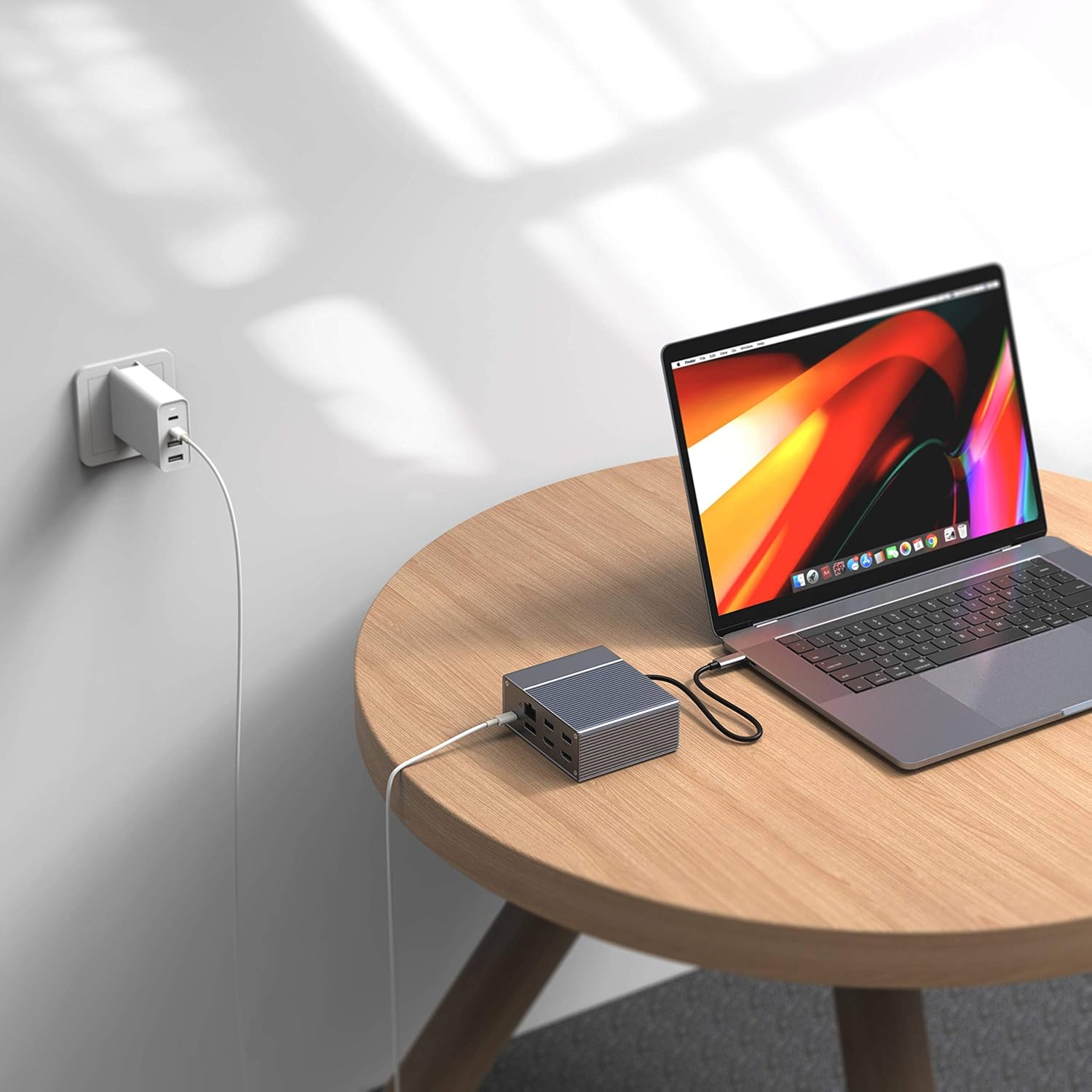
Figure 3: Laptop connected to the docking station and a power adapter for charging.
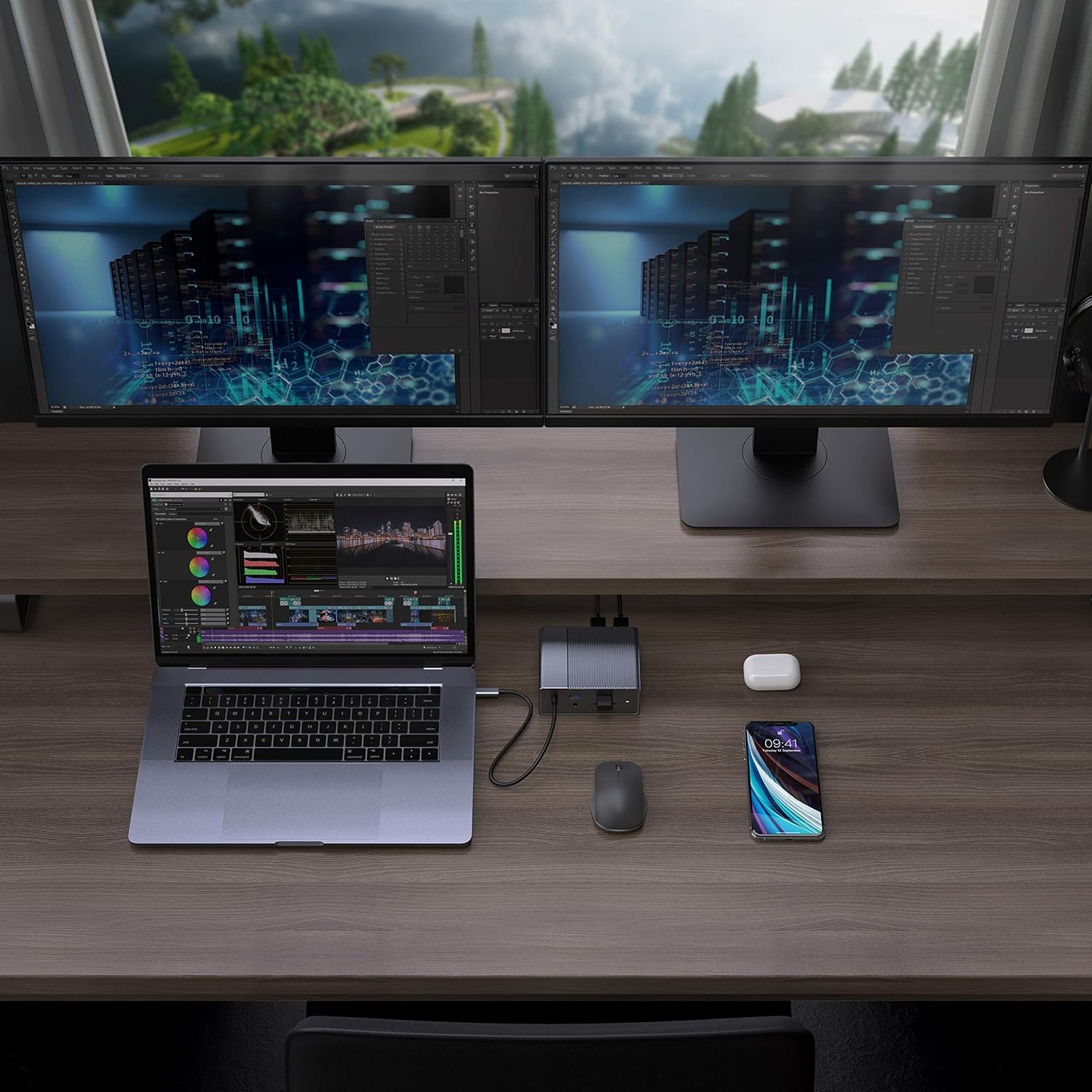
Figure 4: A typical setup showing a laptop connected to the docking station with multiple peripherals and external displays.
Ашиглалтын заавар
Дэлгэцийн горимууд
Док станц нь таны үйлдлийн системээс хамаарч янз бүрийн дэлгэцийн тохиргоог дэмждэг.
- макос: Supports one extended display with the same image mirrored across all external displays at 4K60Hz. macOS does not support Multi-Stream Transport (MST) for independent extended displays.
- Windows/Chrome OS: Supports Multi-Stream Transport (MST), allowing for up to three extended displays with independent content at 4K60Hz.

Figure 5: Illustration of display modes for macOS (mirror mode) and Windows (mirror and extended modes) using the docking station.
Data Transfer and Power Delivery
- USB-A 10Gbps Ports: Use these ports for high-speed data transfer with compatible external hard drives, SSDs, or other USB 3.1 Gen 2 devices.
- USB-A 2.0 портууд: Ideal for connecting standard peripherals like keyboards, mice, or USB flash drives where high-speed data transfer is not critical.
- SD/MicroSD Card Slots: Insert your memory cards for quick access and transfer of photos and videos at up to 300MB/s (UHS-II speeds).
- USB-C PD порт: Connect your laptop's power adapter to this port to charge your laptop while using the docking station. This port also supports data transfer.
Видео 1: Албан ёсоор дууссанview of the HyperDrive GEN2 USB-C Hub, demonstrating its speed, power, and various port functionalities.
Засвар үйлчилгээ
- Док станцыг цэвэр, хуурай орчинд байлга.
- Төхөөрөмжийг хэт өндөр температур эсвэл нарны шууд тусгалд оруулахаас зайлсхий.
- Гаднах хэсгийг зөөлөн, хуурай даавуугаар цэвэрлэ. Шингэн цэвэрлэгч, аэрозоль хэрэглэж болохгүй.
- Хэт халалтаас урьдчилан сэргийлэхийн тулд төхөөрөмжийн эргэн тойронд зохих агааржуулалтыг хангана.
Алдааг олж засварлах
- Дэлгэцийн гаралт байхгүй эсвэл дэлгэц анивчина:
- Таны хост төхөөрөмжийн USB-C порт нь DisplayPort Alt горимыг дэмжиж байгаа эсэхийг шалгаарай.
- Check all cable connections (USB-C to host, HDMI/DP to monitors).
- Try a different HDMI or DisplayPort cable.
- Verify your monitor input settings are correct.
- For macOS, remember that only one extended display is supported, with other external displays mirroring the extended one.
- USB төхөөрөмжүүд танигдаагүй:
- Reconnect the USB device to the docking station.
- Док станц дээр өөр USB порт ашиглаж үзнэ үү.
- Ensure the docking station is properly connected to your host device.
- If using high-power USB devices, ensure the docking station is connected to a power source via its USB-C PD port.
- Laptop not charging:
- Ensure your laptop's original USB-C power adapter is connected to the USB-C PD port on the docking station.
- Таны зөөврийн компьютер USB-C Power Delivery-г дэмжиж байгаа эсэхийг шалгаарай.
- Цахилгаан адаптер болон кабельд гэмтэл байгаа эсэхийг шалгана уу.
Үзүүлэлтүүд
| Онцлог | Тодорхойлолт |
|---|---|
| Загвар | GEN2 12-in-1 USB-C Hub |
| Брэнд | Гипер |
| HDMI портууд | 2x HDMI 4K60Hz HDR |
| DisplayPort | 1x DisplayPort 4K60Hz |
| USB-C PD порт | 1x USB-C цахилгаан дамжуулах 100W |
| USB-A мэдээллийн портууд | 2x USB-A 10Gbps (USB 3.1 Gen 2), 2x USB-A 2.0 |
| Ethernet | 1x Гигабит Ethernet |
| Карт уншигч | 1x MicroSD UHS-II (300MB/s), 1x SD UHS-II (300MB/s) |
| Аудио залгуур | 1x 3.5 мм аудио залгуур |
| Тохиромжтой үйлдлийн систем | macOS, Windows, Chrome OS |
| Зүйлийн жин | 480.8 грамм |
| UPC | 817110014519 |
Баталгаат болон дэмжлэг
For warranty information and technical support, please refer to the official Hyper webсайт эсвэл харилцагчийн үйлчилгээтэй холбогдоно уу. Баталгаат зарга авахын тулд худалдан авалтын баримтаа хадгална уу.
Онлайн дэмжлэг: www.hyper.com/support