
Spider M-BTSP-L802
Spider Waterproof Bluetooth Speaker
Model: M-BTSP-L802
Танилцуулга
Thank you for choosing the Spider Waterproof Bluetooth Speaker. This manual provides detailed instructions for the proper use, maintenance, and troubleshooting of your new speaker. Please read this manual thoroughly before operating the device to ensure optimal performance and longevity.
Аюулгүй байдлын мэдээлэл
- Чанга яригчийг хэт өндөр температур эсвэл нарны шууд тусгалд удаан хугацаагаар байлгаж болохгүй.
- Чанга яригчийг унагах эсвэл хүчтэй нөлөөнд оруулахаас зайлсхий.
- Чанга яригчийг задлах эсвэл өөрчлөх гэж бүү оролдоорой. Энэ нь баталгааг хүчингүй болгоно.
- Чанга яригчийг эмнэлгийн төхөөрөмжөөс хол байлга.
- Ensure all ports are securely closed when using the speaker near water to maintain its waterproof rating.
Багцын агуулга
Дараах зүйлсийн багцад байгаа эсэхийг шалгана уу.
- Spider Waterproof Bluetooth Speaker (M-BTSP-L802)
- USB Charging Cable (USB-A to 3.5mm/USB-B)
- Carabiner клип
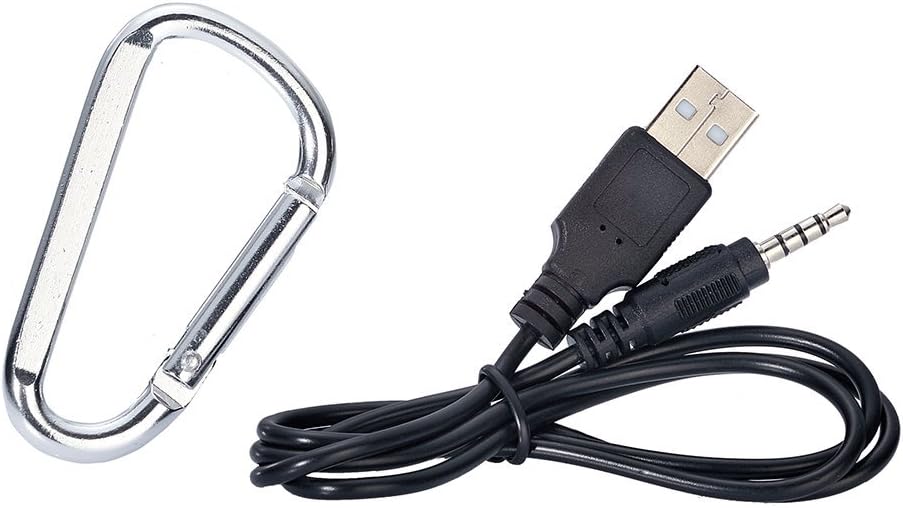
Image: Included USB charging cable and carabiner clip.
Бүтээгдэхүүн дууссанview
Чанга яригчийнхаа янз бүрийн эд анги, удирдлагуудтай танилцаарай.
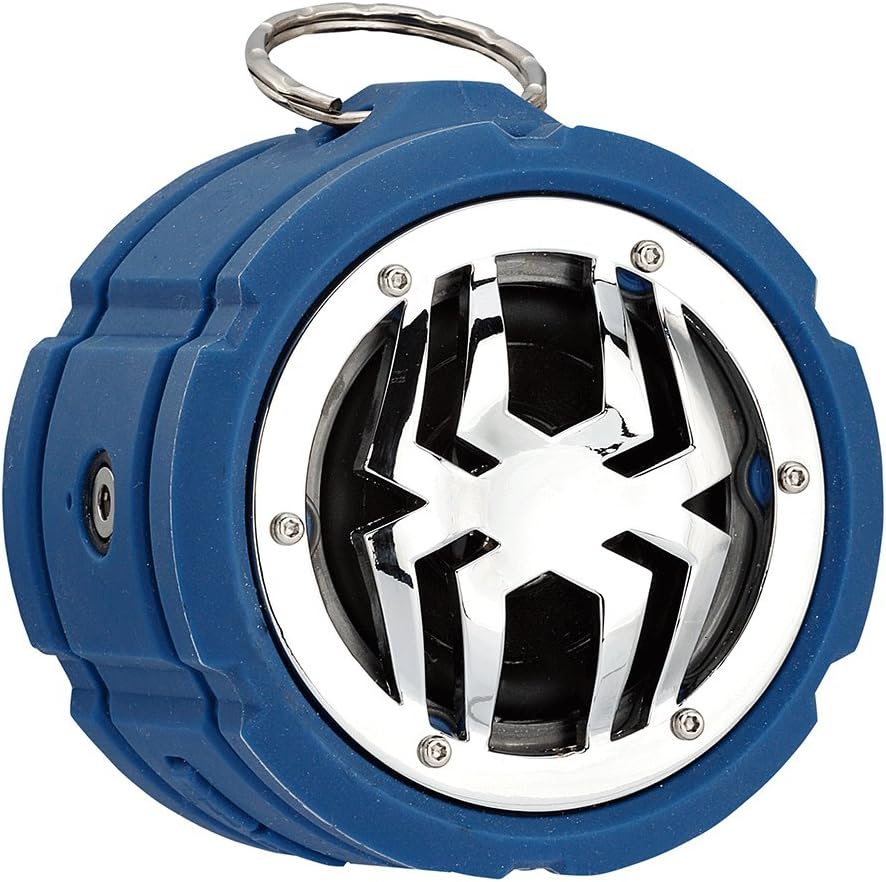
Зураг: Урд view of the Spider Waterproof Bluetooth Speaker, showing the speaker grille with spider design and the top ring for the carabiner.
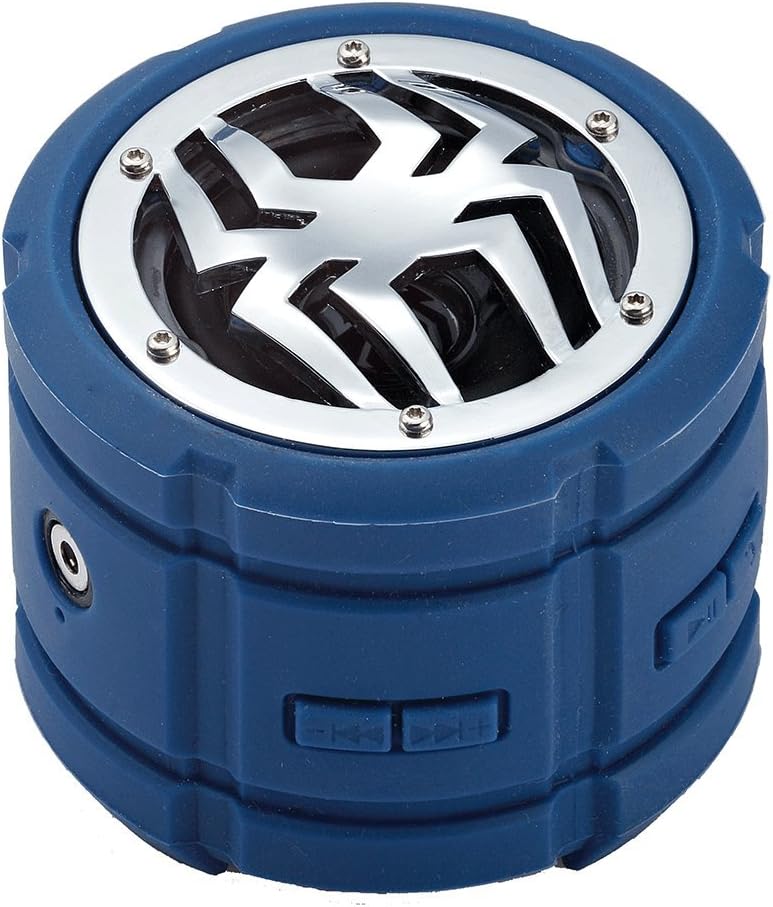
Зураг: хажуу тал view of the speaker, highlighting the control buttons for power, volume, and track navigation.

Зураг: Ар талд view of the speaker, showing the covered charging port and audio input jack.
Тохиргоо
1. Илтгэгчийг цэнэглэх
Before first use, fully charge the speaker. Connect the small end of the USB charging cable to the speaker's charging port (located under the protective flap) and the USB-A end to a USB power adapter (not included) or a computer's USB port. The charging indicator light will illuminate during charging and turn off when fully charged.
2. Асаах/унтраах
- Асаахын тулд: Press and hold the Power button (usually indicated by a power symbol) for approximately 3 seconds until you hear an audible prompt or see an indicator light.
- Унтраахын тулд: Press and hold the Power button again for approximately 3 seconds until you hear an audible prompt or the indicator light turns off.
3. Bluetooth хослол
- Ensure the speaker is powered on and in Bluetooth pairing mode (indicated by a flashing LED light). If not, briefly press the Bluetooth button (if available) or power cycle the device.
- Мобайл төхөөрөмж дээрээ (ухаалаг утас, таблет, зөөврийн компьютер) Bluetooth-г идэвхжүүлж, боломжтой төхөөрөмжүүдийг хайж олоорой.
- Select "Spider BT802" or similar name from the list of found devices.
- Once paired, the speaker will provide an audible confirmation, and the LED indicator will stop flashing and remain solid.
4. Connecting via Audio Jack (AUX)
For devices without Bluetooth, you can use the 3.5mm audio jack. Connect one end of a 3.5mm audio cable (not included) to the speaker's AUX-in port and the other end to your audio source's headphone jack. The speaker will automatically switch to AUX mode.
Ажиллаж байна
Хөгжим тоглуулах
- Тоглуулах/түр зогсоох: Press the Play/Pause button (usually a triangle or two vertical bars).
- Дараагийн дуу: Press the 'Next Track' button (usually a double arrow pointing right).
- Өмнөх бичлэг: Press the 'Previous Track' button (usually a double arrow pointing left).
- Дууг нэмэгдүүлэх: Press the 'Volume Up' button (usually '+').
- Дууг багасгах: Press the 'Volume Down' button (usually '-').
Call Functions (Built-in Microphone)
The speaker features a built-in microphone, allowing you to answer calls hands-free when connected via Bluetooth.
- Дуудлагад хариулах: Дуудлага ирэх үед Тоглуулах/Түр зогсоох товчийг нэг удаа дар.
- Дуудлага дуусгах: Дуудлагын үеэр Play/Pause товчийг нэг удаа дар.
- Дуудлагаас татгалзах: Дуудлага ирэхэд Тоглуулах/Түр зогсоох товчийг 2 секундын турш дарна уу.
Засвар үйлчилгээ
- Цэвэрлэгээ: Use a soft, dry cloth to clean the speaker. For stubborn dirt, a slightly damp cloth can be used. Do not use harsh chemicals or abrasive cleaners.
- Хадгалах: Чанга яригчийг удаан хугацаагаар ашиглахгүй байх үед нарны шууд тусгал, хэт температураас хол, сэрүүн, хуурай газар хадгална.
- Батерейны арчилгаа: Батерейны ашиглалтын хугацааг уртасгахын тулд чанга яригчийг байнга бүрэн цэнэггүй болгохоос зайлсхий. Ашиглаагүй байсан ч тогтмол цэнэглээрэй.
Алдааг олж засварлах
| Асуудал | Боломжит шалтгаан | Шийдэл |
|---|---|---|
| Чанга яригч асахгүй байна. | Батерей бага. | Чанга яригчийг бүрэн цэнэглэ. |
| Bluetooth-ээр холбох боломжгүй. | Чанга яригч хослуулах горимд байхгүй байна; Төхөөрөмжийн Bluetooth унтраалттай байна; Төхөөрөмжөөс хэт хол байна. | Ensure speaker is in pairing mode; Turn on Bluetooth on your device; Move speaker closer to device (within 10 meters). |
| Дуу алга. | Дууны хэмжээ хэт бага; Буруу оруулах горим; Төхөөрөмж тоглохгүй байна. | Increase speaker and device volume; Ensure correct mode (Bluetooth/AUX); Check if audio is playing on your device. |
| Дууны чанар муу. | Хөндлөнгийн оролцоо; Батерей бага байна. | Move away from other electronic devices; Charge the speaker. |
Үзүүлэлтүүд
| Онцлог | Дэлгэрэнгүй |
|---|---|
| Загварын дугаар | M-BTSP-L802 |
| Холболтын технологи | Bluetooth, 3.5 мм аудио залгуур |
| Онцлог шинж чанарууд | Waterproof, Built-in Microphone, Multi-room Audio (if supported by source) |
| Аудио гаралтын горим | Стерео |
| Чанга яригчийн хамгийн их гаралтын чадал | 80 ватт |
| Зогсоолын цаг | 120 цаг |
| Хэмжээ (ойролцоогоор) | 11.68 x 9.4 x 7.62 см |
| Жин (ойролцоогоор) | 362.87 гр |
| Өнгө | Цэнхэр |
Баталгаат болон дэмжлэг
This Spider Waterproof Bluetooth Speaker (Model M-BTSP-L802) comes with a 1 жилийн үйлдвэрлэгчийн баталгаа худалдан авсан өдрөөс. Энэхүү баталгаа нь ердийн ашиглалтын үед хийгдсэн материал, хийцийн согогийг хамарна.
Баталгаат үйлчилгээнд хамаарахгүй:
- Осол, зүй бусаар ашиглах, зүй бусаар ашиглах, үер, гал түймэр, газар хөдлөлт болон бусад гадны шалтгааны улмаас учирсан хохирол.
- Damage caused by operating the product outside the permitted or intended uses described by Spider.
- Damage caused by service performed by anyone who is not a representative of Spider or an authorized Spider Service Provider.
For warranty claims or technical support, please contact your retailer or the manufacturer directly. Please retain your proof of purchase for warranty validation.
Ask a question about this manual
Ask about setup, troubleshooting, compatibility, parts, safety, or missing instructions. Manuals+ will review the question and use this page’s manual context to help answer it.