
R-MUSIC RM484529
R-MUSIC Party Boost S High Power Speaker User Manual
മോഡൽ: RM484529
ആമുഖം
The R-MUSIC Party Boost S speaker is designed to provide an immersive audio experience, perfect for parties and events. This high-power speaker features Bluetooth 5.3 connectivity, dynamic RGB light effects, a dedicated karaoke mode, and an impressive battery life, combining robust performance with portable design.
This manual provides essential information for setting up, operating, and maintaining your Party Boost S speaker to ensure optimal performance and longevity.
ബോക്സിൽ എന്താണുള്ളത്
Upon unboxing your R-MUSIC Party Boost S, please verify that all components are present:
- Party Boost S Speaker
- വയർഡ് മൈക്രോഫോൺ
- ചാർജിംഗ് കേബിൾ
- ചാർജർ
- ഉപയോക്തൃ മാനുവൽ (ഈ പ്രമാണം)
ഉൽപ്പന്നം കഴിഞ്ഞുview
Familiarize yourself with the key features and components of your Party Boost S speaker.

The R-MUSIC Party Boost S speaker, showcasing its integrated RGB lighting on the front grille and top control panel. The speaker is black with a textured finish on the sides and a convenient carry handle on top.
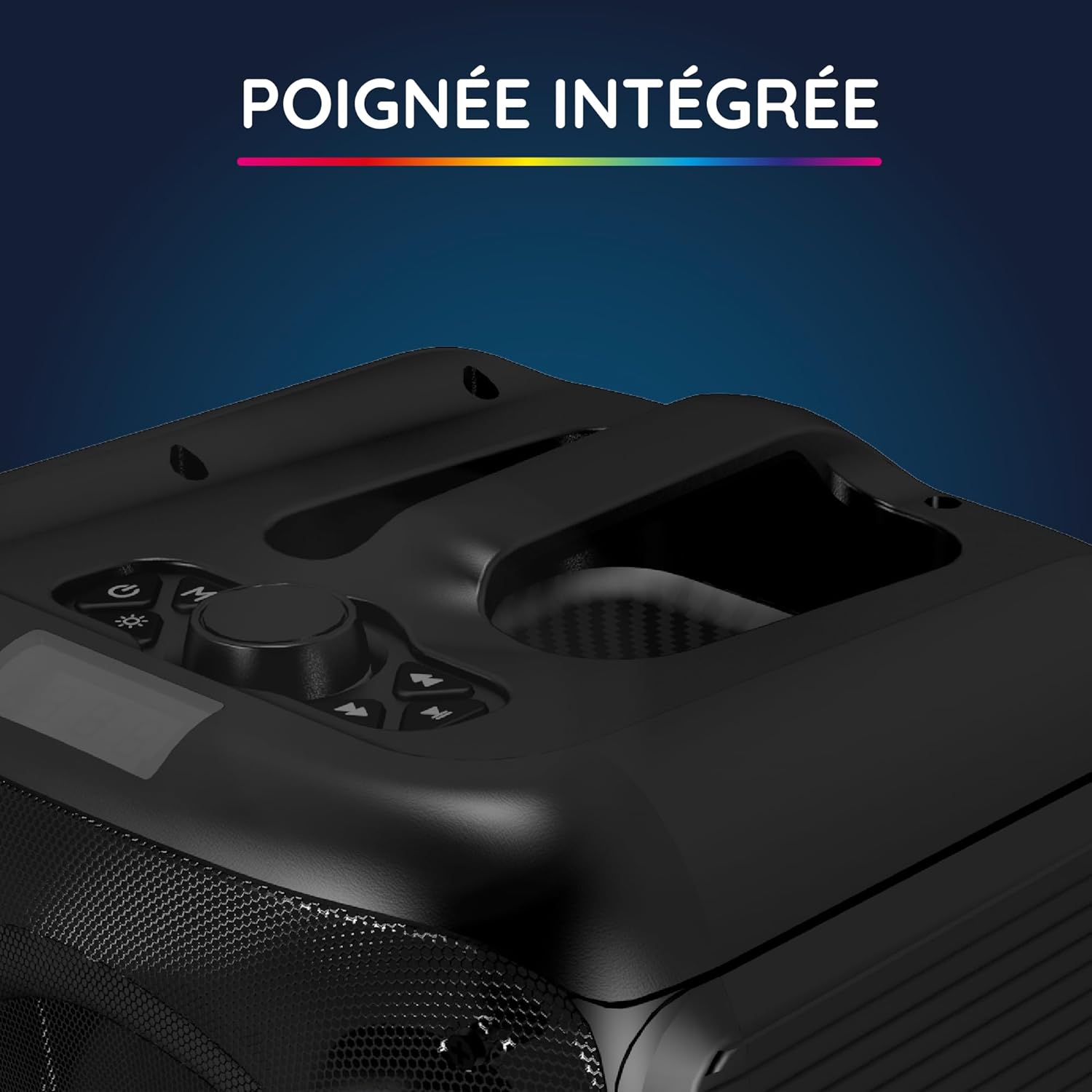
ഒരു ക്ലോസപ്പ് view of the integrated handle located on the top of the Party Boost S speaker, designed for easy portability and transport.

The connectivity panel of the Party Boost S speaker, featuring various input ports including USB, USB-C, AUX, and Micro-SD slots for versatile device connections.

The top control panel of the Party Boost S speaker, showing buttons for equalizer settings, volume adjustment, and echo control, along with a digital display.
സജ്ജമാക്കുക
സ്പീക്കറെ കുറ്റപ്പെടുത്തുന്നു
Before first use, fully charge the speaker. Connect the provided charging cable to the speaker's charging port and the other end to the charger. Plug the charger into a power outlet. The charging indicator will show the charging status. A full charge takes approximately 5 hours and provides up to 10 hours of continuous playback.
പ്രാരംഭ പവർ ഓൺ
Locate the power button on the speaker's control panel. Press and hold the power button for a few seconds until the speaker powers on and the LED lights illuminate.
പ്രവർത്തന നിർദ്ദേശങ്ങൾ
ബ്ലൂടൂത്ത് കണക്ഷൻ
- Ensure the Party Boost S speaker is powered on.
- Activate Bluetooth on your smartphone, tablet, PC, or laptop.
- ഇതിനായി തിരയുക "R-MUSIC Party Boost S" in your device's Bluetooth settings.
- Select the speaker to pair. A confirmation sound will indicate a successful connection.
- The speaker uses Bluetooth 5.3 for a stable connection up to 10 meters.
Using Other Connectivity Options
- USB പോർട്ട്: ഓഡിയോ ഉള്ള ഒരു USB ഡ്രൈവ് ചേർക്കുക files into the USB port. The speaker will automatically detect and play the music.
- AUX ഇൻപുട്ട്: Connect an external audio device (e.g., MP3 player) using a 3.5mm AUX cable to the AUX port.
- മൈക്രോ എസ്ഡി കാർഡ്: ഓഡിയോ ഉള്ള ഒരു മൈക്രോ എസ്ഡി കാർഡ് ഇടുക fileമൈക്രോ എസ്ഡി സ്ലോട്ടിലേക്ക്.
- 6.35 എംഎം ജാക്ക്: This port is primarily for the wired microphone.
Karaoke Mode and Microphone Use
To use the karaoke feature:
- Connect the wired microphone to the 6.35mm jack port on the speaker.
- Play your desired instrumental track via Bluetooth or other input methods.
- Adjust the microphone volume and echo effects using the controls on the speaker's top panel for an optimal karaoke experience.

The wired microphone included with the Party Boost S speaker, featuring an on/off switch and a standard audio jack for connection.
Sound Adjustment (Bass & Treble)
Use the dedicated controls on the speaker's top panel to adjust the bass and treble levels according to your audio preferences. This allows for fine-tuning the sound output for various music genres or environments.
RGB ലൈറ്റ് ഇഫക്റ്റുകൾ
The speaker features integrated RGB light shows that synchronize with your music. Use the light mode button on the control panel to cycle through different light animations or turn them off.
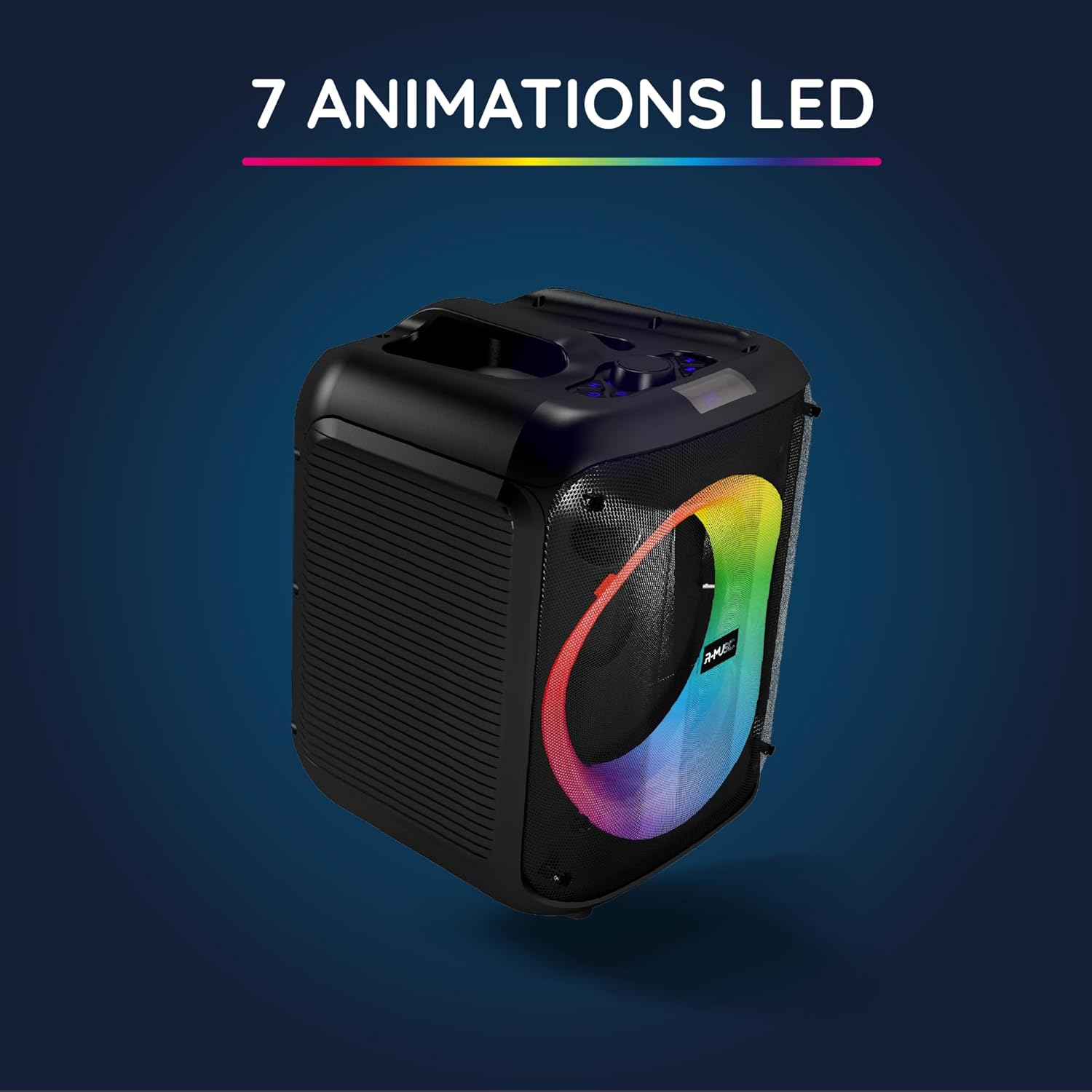
The Party Boost S speaker illuminated with vibrant RGB LED animations, showcasing its ability to create a dynamic visual experience synchronized with audio.
മൾട്ടി-സ്പീക്കർ കണക്ഷൻ
For an enhanced stereo experience, you can connect two Party Boost S speakers together. Refer to the specific instructions for TWS (True Wireless Stereo) pairing, usually initiated by a dedicated button or a long press on the Bluetooth button on both speakers. Ensure both speakers are in pairing mode before attempting to connect them to each other.
മെയിൻ്റനൻസ്
- വൃത്തിയാക്കൽ: സ്പീക്കറിന്റെ പുറംഭാഗം വൃത്തിയാക്കാൻ മൃദുവായതും ഉണങ്ങിയതുമായ തുണി ഉപയോഗിക്കുക. അബ്രസീവ് ക്ലീനറുകൾ, മെഴുക് അല്ലെങ്കിൽ ലായകങ്ങൾ ഉപയോഗിക്കരുത്.
- സംഭരണം: ദീർഘനേരം ഉപയോഗിക്കാത്തപ്പോൾ, നേരിട്ടുള്ള സൂര്യപ്രകാശത്തിൽ നിന്നും കടുത്ത താപനിലയിൽ നിന്നും മാറി തണുത്തതും വരണ്ടതുമായ സ്ഥലത്ത് സ്പീക്കർ സൂക്ഷിക്കുക.
- ബാറ്ററി കെയർ: ബാറ്ററി ലൈഫ് വർദ്ധിപ്പിക്കാൻ, ബാറ്ററി ഇടയ്ക്കിടെ പൂർണ്ണമായും ഡിസ്ചാർജ് ചെയ്യുന്നത് ഒഴിവാക്കുക. ഉപയോഗത്തിലില്ലെങ്കിൽ പോലും സ്പീക്കർ പതിവായി ചാർജ് ചെയ്യുക.
- ജല പ്രതിരോധം: This speaker is not water-resistant. Avoid exposure to liquids.
ട്രബിൾഷൂട്ടിംഗ്
| പ്രശ്നം | സാധ്യമായ കാരണം | പരിഹാരം |
|---|---|---|
| ശക്തിയില്ല | ബാറ്ററി തീർന്നു; പവർ കേബിൾ ശരിയായി ബന്ധിപ്പിച്ചിട്ടില്ല. | Charge the speaker fully; Ensure power cable is securely connected. |
| ശബ്ദമില്ല | Volume is too low; Incorrect input source selected; Device not paired correctly. | Increase volume on speaker and connected device; Select correct input (Bluetooth, AUX, USB, SD); Re-pair Bluetooth device. |
| ബ്ലൂടൂത്ത് കണക്ഷൻ അസ്ഥിരമാണ് | Device is out of range; Interference from other devices. | Move device closer to speaker (within 10m); Move speaker away from other wireless devices. |
| മൈക്രോഫോൺ പ്രവർത്തിക്കുന്നില്ല | Microphone not plugged in correctly; Microphone switch is off. | Ensure microphone is fully inserted into the 6.35mm jack; Turn on the microphone switch. |
സ്പെസിഫിക്കേഷനുകൾ
| മോഡൽ നമ്പർ | RM484529 |
| ബ്രാൻഡ് | ആർ-മ്യൂസിക് |
| കണക്റ്റിവിറ്റി തരം | ബ്ലൂടൂത്ത് 5.3 |
| ഓഡിയോ ഇൻപുട്ടുകൾ | Bluetooth, USB, 6.35mm Jack, AUX, Micro SD |
| ഫ്രീക്വൻസി പ്രതികരണം | 20 ഹെർട്സ് - 20 കിലോ ഹെർട്സ് |
| ബാറ്ററി ലൈഫ് | Up to 10 hours (3600mAh Lithium-ion) |
| ചാർജിംഗ് സമയം | ഏകദേശം 5 മണിക്കൂർ |
| അളവുകൾ (L x W x H) | 29 x 34 x 26 സെ.മീ |
| ഭാരം | 3.95 കി.ഗ്രാം |
| നിറം | കറുപ്പ് |
| അനുയോജ്യമായ ഉപകരണങ്ങൾ | Smartphones, Tablets, PCs, Laptops |
| പ്രത്യേക സവിശേഷതകൾ | Integrated RGB Lights, Karaoke Mode, Wired Microphone Included, Bass & Treble Adjustment, Multi-speaker Connection (TWS), Integrated Handle |
വാറൻ്റിയും പിന്തുണയും
നിർമ്മാതാവിൻ്റെ വാറൻ്റി
The R-MUSIC Party Boost S speaker comes with a 2 വർഷത്തെ നിർമ്മാതാവിന്റെ വാറന്റി വാങ്ങിയ തീയതി മുതൽ. സാധാരണ ഉപയോഗത്തിലുള്ള മെറ്റീരിയലുകളിലും നിർമ്മാണത്തിലും ഉണ്ടാകുന്ന തകരാറുകൾ ഈ വാറന്റി ഉൾക്കൊള്ളുന്നു. ദുരുപയോഗം, അപകടങ്ങൾ, അനധികൃത പരിഷ്കാരങ്ങൾ, അല്ലെങ്കിൽ സാധാരണ തേയ്മാനം എന്നിവ മൂലമുണ്ടാകുന്ന നാശനഷ്ടങ്ങൾക്ക് ഇത് പരിരക്ഷ നൽകുന്നില്ല.
വാറൻ്റി ക്ലെയിമുകൾക്കായി നിങ്ങളുടെ വാങ്ങിയതിൻ്റെ തെളിവ് സൂക്ഷിക്കുക.
ഉപഭോക്തൃ പിന്തുണ
For technical assistance, warranty claims, or any questions regarding your R-MUSIC Party Boost S speaker, please contact your retailer or the manufacturer's customer support. Refer to the product packaging or the retailer's webബന്ധപ്പെടാനുള്ള വിവരങ്ങൾക്കുള്ള സൈറ്റ്.
Ask a question about this manual
Ask about setup, troubleshooting, compatibility, parts, safety, or missing instructions. Manuals+ will review the question and use this page’s manual context to help answer it.