
1. Kupu Whakataki
Thank you for choosing the Vieta Pro Party 220 Portable Bluetooth Speaker. This powerful and versatile speaker is designed to deliver high-quality audio for various occasions, including parties, events, and karaoke sessions. This manual provides essential information for setting up, operating, and maintaining your speaker to ensure optimal performance and longevity.
2. Hua Neke Atuview
The Vieta Pro Party 220 is a self-amplified portable speaker featuring advanced audio technology. It boasts 500W of powerful sound, Bluetooth 5.3 connectivity, Auracast technology, and a long-lasting 10-hour battery. Designed for portability, it includes an integrated handle and trolley-style wheels. Key features include:
- 500W RMS Sound Output: Delivers robust and clear stereo sound with 2" tweeters and 8" woofers.
- Bluetooth 5.3 with Auracast: Ensures stable and fast wireless connections, allowing multiple Auracast-compatible speakers to connect simultaneously.
- Karaoke Compatibility: Includes a wireless microphone and supports additional microphones. Features LED lights that synchronize with music.
- 10-Haora te Ora Pūhiko: Enjoy extended music playback with the rechargeable battery.
- Kōwhiringa Hononga Maha: Mini Jack 3.5mm, AUX, Micro USB, USB MP3 player, and SD card slot.
- Tirotiro Ahokore Tika (TWS): Connect two Party 220 speakers for an immersive stereo experience.
- Hoahoa Kawe: He kakau me ngā wira kua whakauruhia mō te kawe ngāwari.
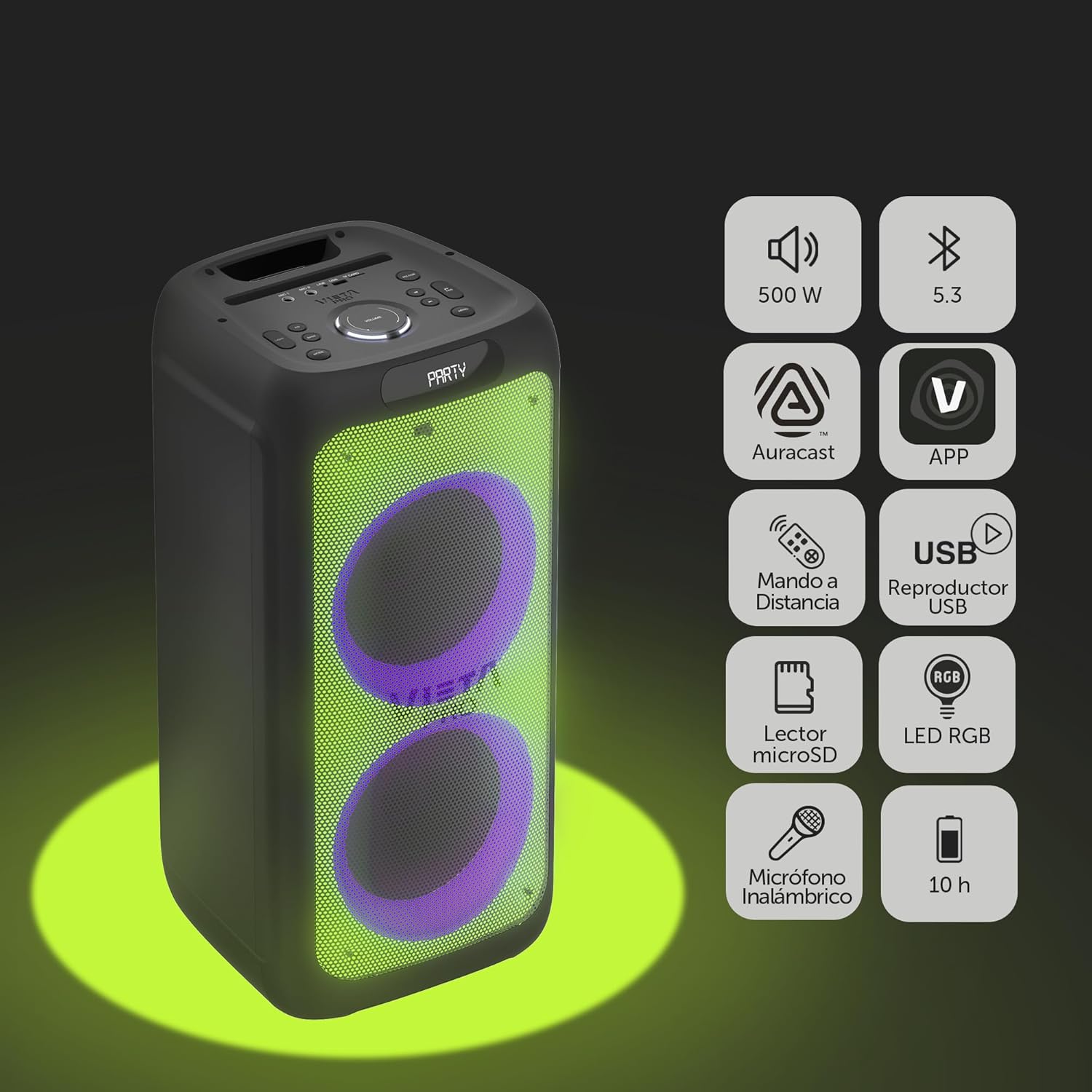
Image 2.1: The Vieta Pro Party 220 speaker highlighting its main features such as 500W power, Bluetooth 5.3, Auracast, app control, remote control, USB player, RGB LED lights, MicroSD reader, wireless microphone, and 10-hour battery life.
3. He aha kei roto i te Pouaka
Ina wetewetehia, me whakarite kei te noho pai nga taonga katoa:
- Vieta Pro Party 220 Portable Bluetooth Speaker
- Waea Hiko
- Waea Ahokore
- Mana Mamao
- Pukapuka Kaiwhakamahi (tenei tuhinga)
4. Tatūnga
4.1. Whakakii i te Tukuoro
Before first use, fully charge the speaker. Connect the provided power cable to the speaker's power input and then to a suitable power outlet. The charging indicator will illuminate. Once fully charged, the indicator may change color or turn off, depending on the model.
A full charge provides up to 10 hours of continuous playback.

Image 4.1: The Vieta Pro Party 220 speaker in a home environment, illustrating its long battery life of up to 10 hours.
4.2. Te Whakakaha/Weto
Locate the Power button on the speaker's control panel. Press and hold the Power button for a few seconds to turn the speaker ON or OFF.
5. Nga Tohutohu Whakahaere
5.1. Takirua Nihokikorangi
- Turn on the Vieta Pro Party 220 speaker. It will automatically enter Bluetooth pairing mode, indicated by a flashing LED light (usually blue).
- Whakahohehia te Nihokikorangi i runga i to taputapu oro (waea atamai, papa, rorohiko).
- Rapua "Vieta Pro Party 220" in the list of available Bluetooth devices.
- Select the speaker to pair. Once connected, the LED indicator will stop flashing and remain solid.
5.2. Auracast Technology
The Party 220 supports Auracast, allowing you to connect multiple compatible speakers (including other Party 220 units or different brands supporting Auracast) for a synchronized audio experience. Refer to the specific instructions for Auracast pairing, usually initiated via a dedicated button or through the Vieta Pro app (if available).
5.3. Whakahoahoa Waea Ahokore Tuturu (TWS).
To achieve a true stereo sound experience, you can pair two Vieta Pro Party 220 speakers:
- Ensure both Party 220 speakers are turned on and not connected to any Bluetooth device.
- On one speaker (this will be the primary speaker), press and hold the TWS button (if available) or follow the TWS pairing instructions in the speaker's specific controls.
- The primary speaker will search for the secondary speaker. Once connected, you will hear an audible confirmation, and the LED indicators will reflect the TWS connection status.
- Now, connect your audio device to the primary speaker via Bluetooth as described in section 5.1. Audio will play in stereo across both speakers.
5.4. Wired Connections (AUX, USB, MicroSD)
- Tāuru AUX: Connect an external audio device using a 3.5mm audio cable to the AUX input port. The speaker will automatically switch to AUX mode or require manual selection via the Mode button.
- Purei Whakahoki USB: Whakauruhia he puku kohiko USB kei roto te ororongo MP3 files into the USB port. The speaker will automatically detect and play the files. Use the control panel or remote to navigate tracks.
- Te purei anō i te kāri MicroSD: Insert a MicroSD card with MP3 audio files into the MicroSD slot. The speaker will automatically detect and play the files.
5.5. Karaoke Function and Wireless Microphone
The Party 220 comes with a wireless microphone for karaoke. Simply turn on the microphone, and it should automatically connect to the speaker. Adjust microphone volume using the dedicated controls on the speaker or remote control. The speaker also has inputs for additional wired microphones.

Whakaahua 5.5: He tata view of the wireless microphone included with the Vieta Pro Party 220 speaker, ready for karaoke use.
5.6. LED RGB Lights
The speaker features dynamic RGB LED lights that can enhance your audio experience. Use the dedicated button on the control panel or the remote control to cycle through different light modes, synchronize them with the music, or turn them off.

Image 5.6: The Vieta Pro Party 220 speaker showcasing its vibrant RGB LED lighting feature.
5.7. Mana Mamao
The included remote control allows for convenient operation of the speaker from a distance. Functions typically include power, volume, track navigation, mode selection, EQ settings, and LED light control.
6. Tiaki
- Te horoi: Whakamahia he kakahu ngohengohe, maroke hei horoi i te taha waho o te kaikorero. Kaua e whakamahi i ngā kaihoroi whakakoi, i ngā ware pi, i ngā whakarewa rānei.
- Rokiroki: Whakaorangia te kaikorero ki te waahi makariri, maroke atu i te ra tika me te wera nui.
- Tiaki Pūhiko: Hei whakaroa i te ora o te pākahiko, karohia te tuku katoa i te pākahiko. Whakatakihia te kaikorero i nga wa katoa, ahakoa kaore i te whakamahia mo nga wa roa.
- Puranga wai: While the speaker may have some resistance, avoid direct exposure to water or excessive moisture unless explicitly stated as waterproof.
7. Te Raru
| Raruraru | Take pea | Rongoā |
|---|---|---|
| Karekau he kaha | Kua pau te pākahiko; Kāore i te tika te hono o te taura hiko. | Whakakīia te pūoro; Me whakarite kei te hono pai te taura hiko. |
| Karekau he tangi | He iti rawa te oro; Aratau tāuru hē; Kāore te pūrere i honoa. | Increase volume on speaker and source device; Select correct input mode (Bluetooth, AUX, USB); Re-pair Bluetooth device. |
| Ka rahua te takirua Nihokikorangi | Karekau te kaikorero i te aratau takirua; He tawhiti rawa te taputapu; Te pokanoa. | Me whakarite kei roto te kaikorero i te aratau takirua; Nekehia te pūrere kia tata atu; Whakawetohia ētahi atu pūrere Nihokikorangi. |
| Kaore e mahi ana te hopuoro | Microphone off; Battery low in microphone; Volume too low. | Turn on microphone; Replace microphone batteries; Increase microphone volume. |
| Kua rahua te takirua TWS | Speakers not in TWS pairing mode; Too far apart. | Ensure both speakers are in TWS pairing mode; Place speakers closer together. |
8. Whakatakotoranga
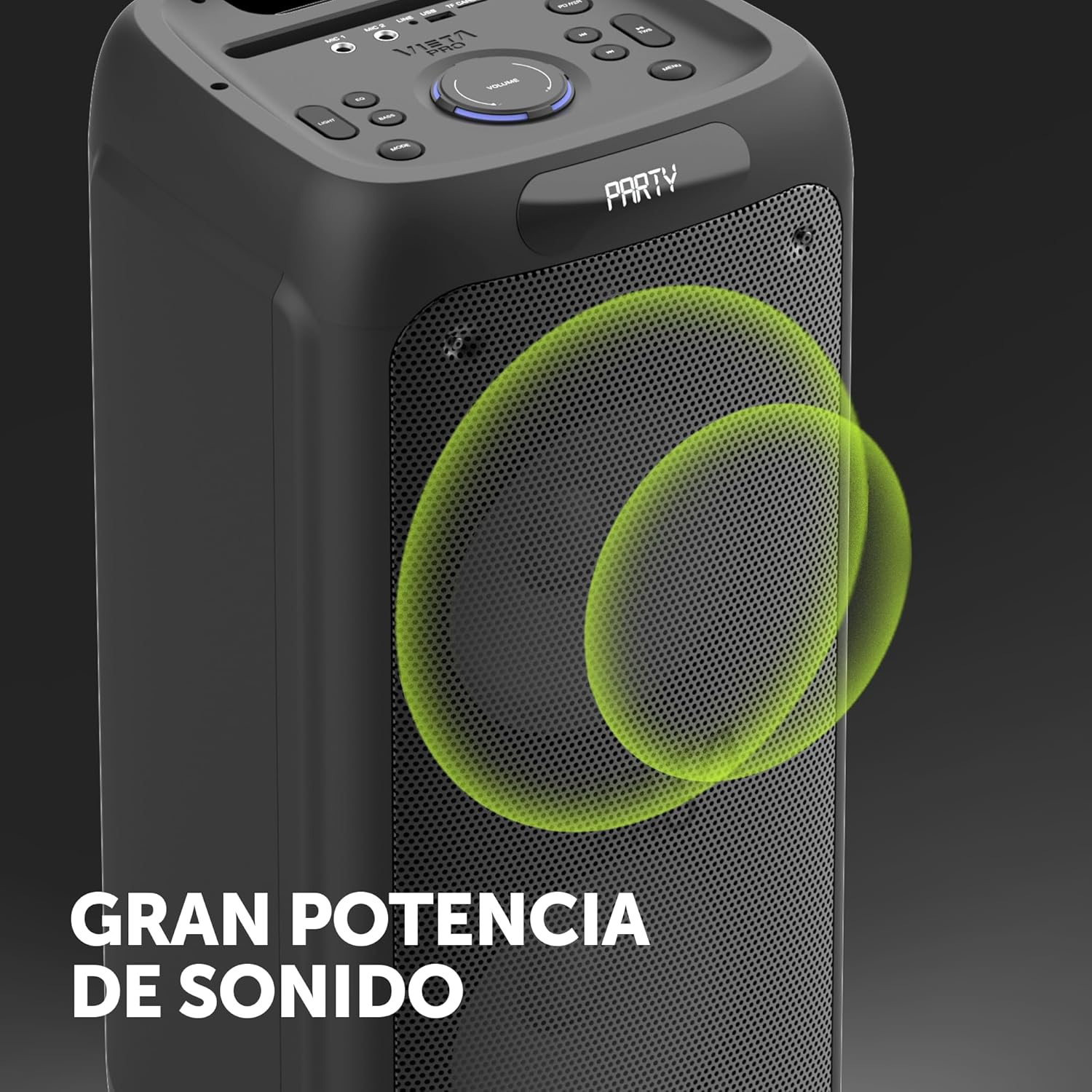
Image 8.1: The Vieta Pro Party 220 speaker, highlighting its powerful sound output.
| Āhuahira | Taipitopito |
|---|---|
| Ingoa Tauira | Rōpū 220 |
| Tau tauira | VM-HW455BK |
| Waitohu | Vieta Pro |
| Momo Kaikorero | Outdoor, Portable, Self-ampwhakauria |
| Hangarau Hononga | Bluetooth 5.3, AUX, USB, MicroSD |
| Whakawhitiwhiti Ahokore | Nihokikorangi |
| Mana Putanga Kaikōrero Mōrahi | 500 Wati (RMS) |
| Aratau Putanga Ororongo | Reo irirangi (me te TWS) |
| Whakautu auau | 20 MHz |
| Puna Mana | Pūhiko Powered |
| Ora Pūhiko | Tae atu ki te 10 haora |
| Tikanga Mana | Mana Mamao, Ngā pātene i runga i te pūrere |
| Nga waahanga motuhake | Anti-shock, USB Port, Shock resistant, Wireless speakers, Auracast, Karaoke, LED RGB lights |
| Pūrere Hototahi | MP3 Player, Mobile, PC, DJ Mixer, Tablet, Television |
| Hunga Hua | 33.7D x 30W x 70.5H cm |
| Taumaha Tūemi | 5 Kirokaramu |
| Rauemi | Kirihou |
| Tae | Pango |
9. Pūtāhui me te Tautoko
The Vieta Pro Party 220 speaker comes with a limited warranty. Please refer to the warranty card included in your packaging for detailed terms and conditions. For technical support, troubleshooting assistance beyond this manual, or warranty claims, please contact Vieta Pro customer service through their official webpae, nga korero whakapā ranei e whakaratohia ana me to tuhinga hua.
Tena koa pupurihia to tohu hoko mo nga kaupapa whakamana.