
Kupu Whakataki
The Chirp Halo Wireless Muscle Stimulator is a portable EMS (Electrical Muscle Stimulation) device designed to assist with muscle recovery, pain relief, and strength training. This manual provides essential information for safe and effective use of your device.
Key features include wireless operation, EMS technology for muscle enhancement, multiple modes and intensity levels, a compact design for portability, and fast charging with long battery life.
Nga Korero Haumaru Nui
WHAKATŪPATO: Statements regarding dietary supplements have not been evaluated by the FDA and are not intended to diagnose, treat, cure, or prevent any disease or health condition. Consult with a healthcare professional before using this device, especially if you have pre-existing medical conditions, are pregnant, or have a pacemaker.
- Kaua e whakamahia ki runga i te kiri kua pakaru, kua whakapouri ranei.
- Kaua e taea e nga tamariki.
- Kaua e whakamahi i te wa e taraiwa ana, e whakahaere ana ranei i nga miihini taumaha.
- Avoid placing pads over the heart, on the head, or on the front of the neck.
- Kati te whakamahi mēnā ka pāngia koe e tētahi mamae, e tētahi pānga kino rānei.
Ihirangi mokete
Your Chirp Halo Wireless Muscle Stimulator package includes:
- Chirp Halo Wireless Muscle Stimulator device(s)
- Mana mamao ahokore
- Kei te utu putea
- Adhesive pads (various sizes)
- USB-C taura utu
- Pukapuka Kaiwhakamahi (tenei tuhinga)

Image: The Chirp Halo Wireless Muscle Stimulator, its remote, and charging case, illustrating key features such as FDA clearance, guided trigger point placement, wireless remote control, and quick magnetic attachments.
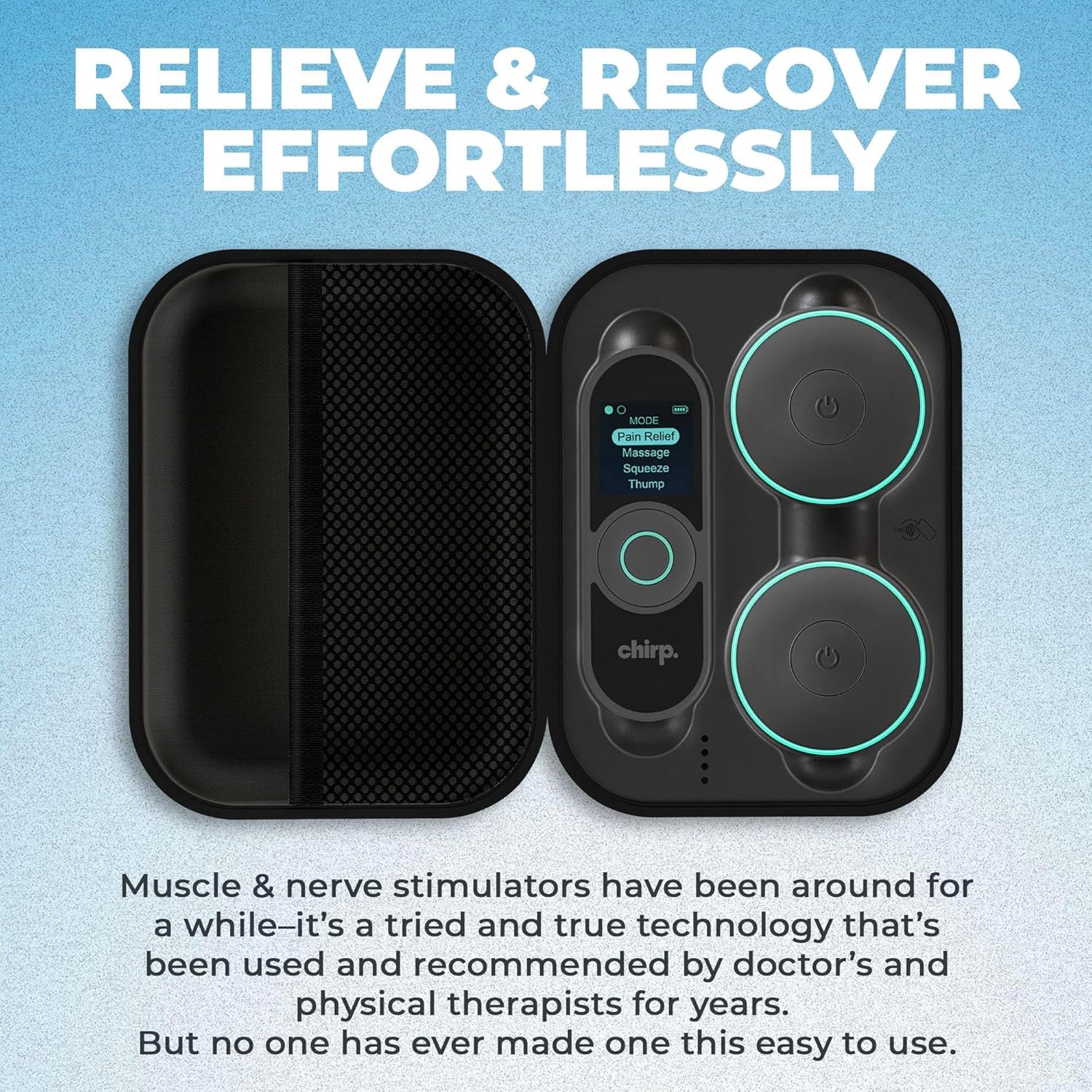
Image: The Chirp Halo Wireless Muscle Stimulator and its remote neatly arranged within the charging case, emphasizing ease of setup and portability.
Tatūnga
- Utuhia te Pūrere: Place the stimulator device(s) and remote into the charging case. Connect the USB-C cable to the charging case and a power source. Ensure the devices are fully charged before first use.
- Prepare the Pads: Remove the protective film from the adhesive pads. Ensure your skin is clean, dry, and free of lotions or oils for optimal adhesion.
- Attach Pads to Device: Connect the stimulator device(s) to the adhesive pads using the magnetic attachments.
Nga Tohutohu Whakahaere
- Whakahiko: Press and hold the power button on the stimulator device(s) until the indicator light illuminates.
- Hoatu Papa: Carefully place the adhesive pads with the attached device(s) onto the desired muscle area. Ensure good skin contact.
- Hiko Mamao: Press and hold the power button on the remote control to turn it on.
- Tīpako Aratau: Use the remote to select your desired stimulation mode (e.g., Pain Relief, Massage, Squeeze, Thump). The device offers various modes for different needs.
- Whakaritea te Kaha: Increase or decrease the intensity level using the remote control. Start with a low intensity and gradually increase until you feel a comfortable, yet effective, sensation.
- Tautuhi Roa: The device may have preset durations or allow you to adjust the treatment time via the remote or companion app.
- Weto Whakakore: After your session, press and hold the power button on the device(s) and remote to turn them off.

Image: A smartphone screen showing the Chirp Halo app, which provides guided pad placement instructions for various body parts, ensuring confident and effective use.
Video: A physical therapist reviews the Chirp Halo Wireless TENS EMS Unit, demonstrating its features and benefits for muscle stimulation and pain relief.
Pad Placement Guide
Proper pad placement is crucial for effective stimulation. Refer to the companion app for detailed guided placement specific to your pain or recovery area. General guidelines include:
- Place pads on clean, dry skin.
- Ensure pads are not overlapping.
- For pain relief (TENS), place pads around the area of discomfort.
- For muscle recovery/strengthening (EMS), place pads on the muscle belly.

Image: Visual guide explaining TENS (Transcutaneous Electrical Nerve Stimulation) for pain relief and EMS (Electrical Muscle Stimulation) for muscle recovery, with example pad placements on the back and shoulder.
Te Tiaki me te Tiaki
- Papa horoi: Āta horoia te taha piri o ngā papa ki te hinuamp cloth after each use. Allow them to air dry. Do not use harsh chemicals.
- Rokiroki: Store the pads on their protective film and keep all components in the charging case when not in use. Store in a cool, dry place away from direct sunlight.
- Whakapai Pūrere: Wipe the device and remote with a soft, dry cloth.
Raparongoā
- Kore Mana: Ensure devices are fully charged. Check USB-C cable connection.
- No Sensation: Increase intensity gradually. Ensure pads have good contact with skin. Check if the device is properly attached to the pads.
- Ngā Papa Kāore e Piki: Clean pads and skin thoroughly. Replace pads if adhesion is lost after repeated cleaning.
- Nga Take Hononga: Ensure Bluetooth is enabled on your smartphone if using the app. Restart devices and app if necessary.
Whakatakotoranga
- Ahu mōkihi: 8.19 x 6.73 x 3.11 inihi
- Taumaha Tūemi: 1.54 Pauna
- Kaihanga: tangi
- ASIN: B0DF43HH1T
- Rā Wātea Tuatahi: Akuhata 23, 2024
Pūtāhui me te Tautoko
For warranty information or technical support, please refer to the contact details provided in your product packaging or visit the official Chirp webpae. Puritia to tohu hoko mo nga kereme whakamana.
Kaihanga: tangi
Toa Amazon: Visit the Chirp Store