
1. Kupu Whakataki
This manual provides comprehensive instructions for the ICE-WATCH Ice fit RT 3.0 Rose-Gold Nude smartwatch. It covers setup, operation, features, specifications, and troubleshooting to help you get the most out of your device. The Ice fit RT 3.0 is designed for active individuals, featuring an elegant design, a bright AMOLED display, and a comfortable silicone strap.
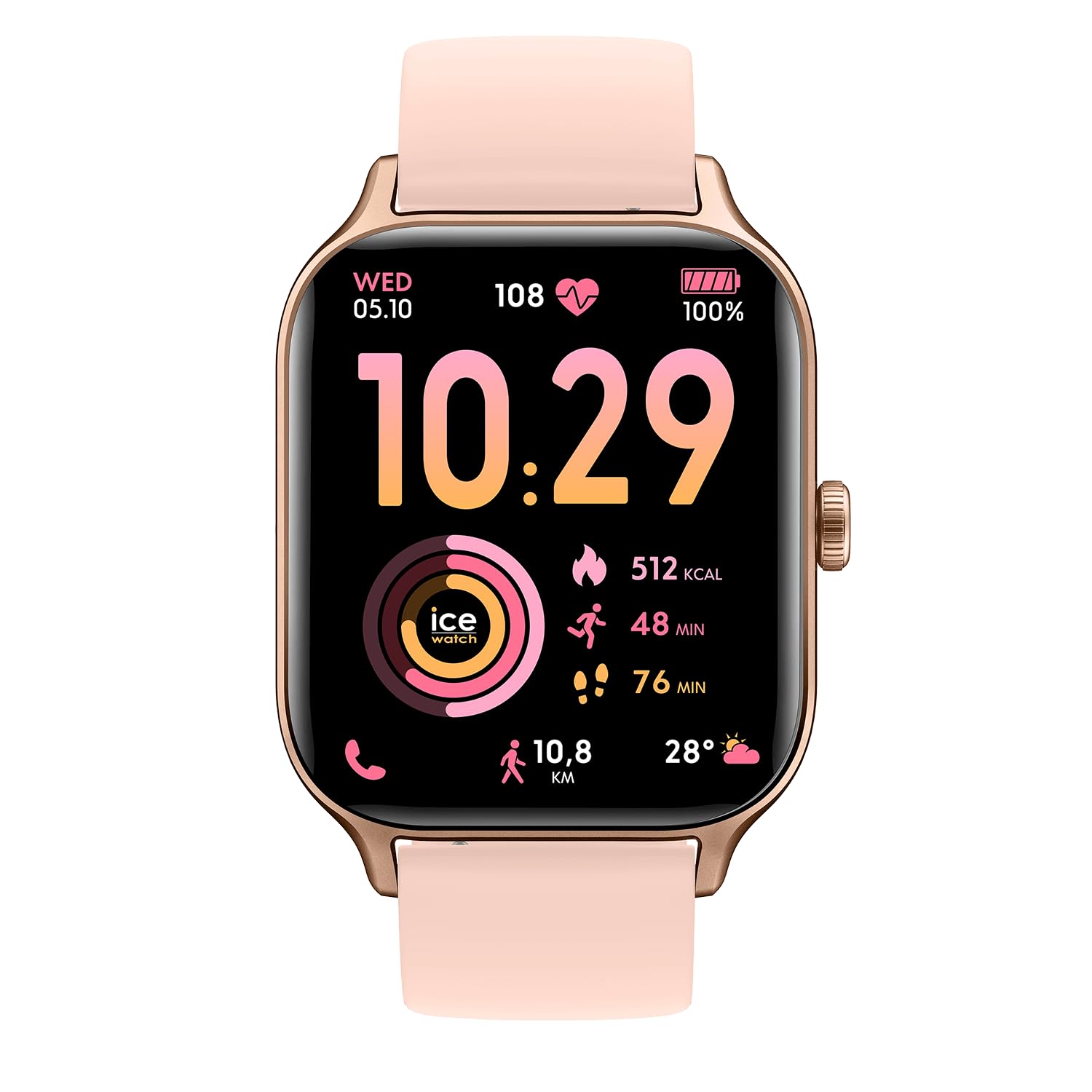
Whakaahua 1: Mua view of the ICE-WATCH Ice fit RT 3.0 smartwatch.
2. He aha kei roto i te Pouaka
Upon opening your ICE-WATCH Ice fit RT 3.0 package, you should find the following items:
- ICE-WATCH Ice fit RT 3.0 Smartwatch
- Uera Whakatau
- Aratohu Timata Tere (tenei tuhinga)
3. Tatūnga
3.1 Whakataki Tuatahi
Before first use, fully charge your smartwatch. Connect the provided charging cable to the charging port on the back of the watch and plug the USB end into a compatible power adapter (not included) or a computer's USB port.
3.2 Tauhoa ki to Waea atamai
- Download the official ICE-WATCH companion app from your smartphone's app store (compatible with iOS 13.0+ and Android 10.0+).
- Me mohio kei te whakahohea te Nihokikorangi i runga i to waea atamai.
- Open the ICE-WATCH app and follow the on-screen instructions to pair your device. The app will guide you through the connection process.
- Kia honoa, ka tukutahi te mataaratanga i te wā me ngā raraunga ki tō waea.
4. Nga Tohutohu Whakahaere
4.1 Whakaterenga Taketake
The ICE-WATCH Ice fit RT 3.0 features a responsive touchscreen and a physical button for navigation.
- Mata pa: Swipe left, right, up, or down to navigate through menus and widgets. Tap to select items.
- Pātene Tinana: Press to return to the home screen or wake the device. A long press may access power options or specific functions depending on context.
4.2 Calls and Notifications
Once paired with your smartphone, the smartwatch can receive call and message notifications directly on your wrist. You can answer or reject calls and view ihirangi karere.
4.3 Kaiwaiata Waiata
The smartwatch includes 4 GB of integrated storage, allowing you to store and play your favorite music directly from your wrist. Connect Bluetooth headphones (not included) to the watch for audio playback.
4.4 Whakaritea nga Mata Mataara
Personalize your smartwatch by choosing from a variety of watch faces available through the companion app. You can also customize certain watch faces to display preferred information.

Figure 2: Smartwatch interface displaying various watch faces and app screens.
5. Nga waahanga Aroturuki Hauora
The Ice fit RT 3.0 is equipped with advanced sensors to monitor your health and fitness.
- Aroturuki Mahi: Ka aro turuki i ngā hikoinga, te tawhiti, ngā kaora i tahuna, me ngā meneti hohe.
- Aroturuki Reiti Manawa: Aroturuki tonu i te reanga o to ngakau puta noa i te ra me nga mahi whakangungu.
- Aroturuki Moe: Analyzes your sleep patterns, including deep, light, and REM sleep stages.
- GPS Whakauru: Built-in GPS allows for accurate tracking of outdoor activities without needing your phone.
- Strava Compatibility: Share your workout data directly with Strava to track and compare your performance.

Figure 3: Smartwatch displaying fitness data with GPS and Strava integration.
6. Atete Wai
The ICE-WATCH Ice fit RT 3.0 has a water resistance rating of 5 ATM (50 meters), making it suitable for swimming and showering. It is resistant to splashes and brief immersion in water. However, it is not recommended for diving or high-pressure water activities.
7. Te Whakataki me te Ora o te Pūhiko
The smartwatch is powered by a 350 mAh Lithium-ion battery, offering an average battery life of 5 days depending on usage. To charge, use the included magnetic charging cable. A full charge typically takes approximately 2 hours.
8. Whakatakotoranga
| Āhuahira | Taipitopito |
|---|---|
| Tau tauira | 025278 |
| Momo Whakaatu | Digital AMOLED |
| Rahi Mata | 1.75 inihi |
| Rauemi Band | Hikaona |
| Rauemi Take | Kirihou Polycarbonate |
| Ātete wai | 50 mita (5 ATM) |
| Hononga | Nihokikorangi, Wi-Fi |
| GPS | GPS whakauru |
| Tautoko Tautoko | Strava, Health |
| OS hototahi | iOS 13.0+, Android 10.0+ |
| Pūhiko Raukaha | 350 mAh Lithium-ion |
| Toharite Pūhiko Ora | 5 ra |
| Taumaha Tūemi | 35 Karamu |
9. Te Raru
9.1 Kaore te Pūrere e Huri ana
- Me whakarite kia utua katoatia te taputapu. Honoa ki te rihi mō te iti rawa 30 meneti.
- Press and hold the physical button for 10-15 seconds to attempt a forced restart.
9.2 Nga Take Takirua
- Me whakarite kei te whakahohea te Nihokikorangi i runga i tō waea atamai, ā, kei roto te mātaaratanga i te awhe e taea ana.
- Me whakaara ano to waea atamai me te maataki atamai.
- Clear the Bluetooth cache on your phone or forget the device in your phone's Bluetooth settings, then try pairing again.
- Ensure the ICE-WATCH companion app is up to date.
9.3 Te Raraunga Hauora Tika
- Me whakarite kia mau te mataaratanga ki to ringaringa, engari kaua e piri rawa.
- Horoia ngā pūoko kei muri o te mātaaratanga i ia wā, i ia wā.
- Ensure your personal information (height, weight, age) is accurately entered in the companion app.
10. Pūtāhui me te Tautoko
10.1 Pūtāhui a te Kaihanga
Your ICE-WATCH Ice fit RT 3.0 smartwatch comes with a standard manufacturer's warranty. Please refer to the warranty card included in your packaging or visit the official ICE-WATCH webte waahi mo nga tikanga me nga tikanga mo te kapi whakamana me te roanga.
10.2 Tautoko Kiritaki
For further assistance, technical support, or service inquiries, please contact ICE-WATCH customer support through their official webpae, nga korero whakapā ranei e whakaratohia ana i roto i to tuhinga hua.