
Ka mutu te huaview
The DIERYA DK68 is a 60% compact mechanical keyboard designed for versatility and performance. It features triple-mode connectivity, allowing seamless switching between Bluetooth 5.0, 2.4GHz wireless, and USB-C wired connections. Equipped with clicky blue mechanical switches and vibrant RGB backlighting, it offers a responsive and customizable typing experience for both gaming and office use.

Figure 1: DIERYA DK68 Wireless Mechanical Keyboard showcasintōna hoahoa kiato me te rama RGB.
Ihirangi mokete
Me mohio kei roto katoa nga mea kei roto i te kete:
- DIERYA DK68 Wireless Mechanical Keyboard
- USB-C ki USB-A Cable
- Paetukutuku Puller
- 2.4GHz USB Receiver (stored in the keyboard's back compartment)
- Pukapuka Kaiwhakamahi (tenei tuhinga)
Tatūnga me te Hononga
The DK68 keyboard supports three connection modes: USB-C wired, 2.4GHz wireless, and Bluetooth 5.0. Choose the mode that best suits your needs.
1. Aratau Waea USB-C
- Honoa te taura USB-C kua whakaratohia ki te tauranga USB-C o te papapātuhi.
- Honoa te pito USB-A o te taura ki tetahi tauranga USB e waatea ana i runga i to rorohiko.
- Ka mohio aunoa te papapātuhi ka reri mo te whakamahi.
2. 2.4GHz Wireless Mode
- Locate the 2.4GHz USB receiver in the compartment on the back of the keyboard.
- Remove the receiver and plug it into an available USB port on your computer.
- Turn on the keyboard using the switch located on the back.
- The keyboard should automatically connect to the receiver. If not, press Fn + G (labeled '2.4G' on the key) to activate 2.4GHz pairing mode.

Figure 2: Triple-mode connectivity options including 2.4GHz wireless.
3. Aratau Nihokikorangi 5.0
Ka taea e te papapātuhi te hono atu ki te toru nga taputapu Nihokikorangi.
- Turn on the keyboard using the switch on the back.
- Pēhi me te pupuri Fn+Z (labeled 'BT1'), Fn + X (labeled 'BT2'), or Fn + C (labeled 'BT3') for 3-5 seconds until the corresponding key's backlight flashes rapidly. This indicates pairing mode.
- On your device (PC, laptop, tablet, phone), enable Bluetooth and search for "DIERYA DK68".
- Select the keyboard to pair. The key's backlight will stop flashing once connected.
- Hei whakawhiti i waenga i ngā taputapu Nihokikorangi kua honoa, pēhi noa Fn + Z/X/C.

Figure 3: Bluetooth connectivity for multiple devices.
Nga Tohutohu Whakahaere
Mana Whakamuri RGB
The DK68 features 20 built-in RGB lighting effects and 16.8 million customizable colors. Use the following key combinations to control the lighting:
- Fn + Mokowāmuri: Turn backlighting On/Off.
- Fn + Huri: Switch light colors.
- Fn + Whakauru: Switch light modes (20 dynamic RGB modes).
- Fn + Pere Runga: Whakanuia te kanapa.
- Fn + Pere RaroWhakaitihia te kanapa.
- Fn + Pere Mauī: Decrease light speed.
- Fn + Pere Matau: Increase light speed.

Figure 4: RGB lighting control key combinations for the DK68 keyboard.
Key Customization and Macros
The DIERYA DK68 supports full key anti-ghosting and N-Key Rollover (NKRO) for accurate input. For advanced customization, including key remapping, macro programming, and additional lighting effects, dedicated software is available. Please refer to the official DIERYA webpaetukutuku mō ngā tango pūmanawa me ngā tohutohu.

Figure 5: Full N-Key Rollover and software customization capabilities.
Nga Whakawhiti Kahurangi Miihini
The keyboard is equipped with clicky blue mechanical switches, providing a distinct tactile bump and an audible click with each keystroke. These switches are ideal for users who prefer clear feedback and a satisfying typing experience. They feature a medium 60gf actuation force (±15gf) and 2.3mm travel (±0.6mm), with a lifespan of 50 million clicks.

Whakaatu 6: Taipitopito view of mechanical blue switches and their specifications.
Te tiaki
Whakahaere Pūhiko
The keyboard is powered by a 3000mAh lithium battery. To charge, connect the keyboard via the USB-C cable to a power source. The keyboard can be used while charging.
- Usage Time (Backlighting On): Tae atu ki te 12 haora.
- Usage Time (Backlighting Off): Tae atu ki te 333 haora.
- Aratau Moe-Aunoa: The keyboard enters auto-sleep mode after 3 minutes of inactivity to conserve power.
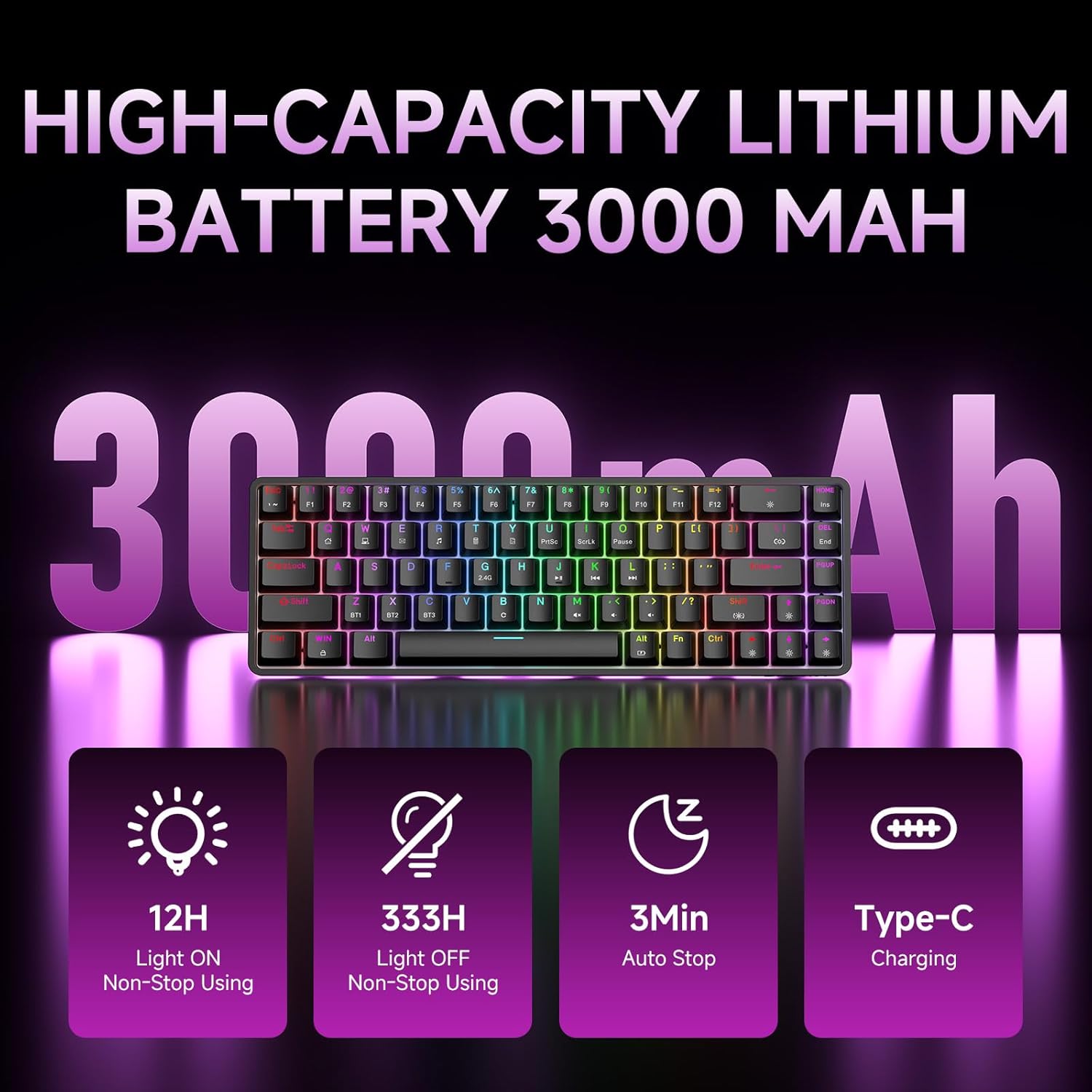
Figure 7: Battery capacity and power-saving features of the DK68.
Te horoi me te tiaki
- Use the provided keycap puller to carefully remove keycaps for cleaning.
- Horoia te mata papapātuhi ki te ngohengohe, damp kakahu. A ape i te makuku nui.
- Kaua e whakamahia he matū pakeke he horoi horoi ranei.
- Me whakaweto te mana o te papapātuhi i mua i te horoinga.
Raparongoā
- Karekau te papapātuhi whakautu:
- Check the power switch on the back of the keyboard.
- Ensure the correct connection mode (wired, 2.4GHz, or Bluetooth) is selected.
- Mō te 2.4GHz, me whakarite kia mau te mono o te kaiwhiwhi USB.
- Mo te Nihokikorangi, whakarite kia honoa te papapātuhi me te whiriwhiri i runga i to taputapu. Whakamātauria te takirua anō mēnā e tika ana.
- Ki te whakamahi koe i te aratau waea, whakamātauria tētahi atu tauranga USB, taura rānei.
- Kāore te rama whakamuri e mahi ana:
- Perehi Fn + Mokowāmuri to toggle the backlighting.
- Check battery level; low battery may disable backlighting.
- Kī kāore i te rēhita:
- Me whakarite kei te hono tika te papapātuhi, ā, kei te whakakā hoki.
- If specific keys are not working, try removing and re-seating their keycaps.
Whakatakotoranga
| Āhuahira | Taipitopito |
|---|---|
| Tau tauira | DK68 |
| Hangarau Hononga | Ahokore 2.4GHz, Nihokikorangi 5.0, Waea USB-C |
| Momo Whakawhiti | Clicky Blue Mechanical Switches |
| Tahora Matua | 68 Ngā Kī (60% Tahora) |
| Whakamuri | RGB (16.8 Million Colors, 20 Effects) |
| Pūhiko Raukaha | 3000mAh Lithium Polymer |
| Pūrere Hototahi | Gaming Console, Laptop, PC, Tablet |
| Anti-Ghosting | Full Key Anti-Ghosting & NKRO |
| Rauemi | Kirihou |
| Taumaha Tūemi | 1.76 pauna (tata ki te 800g) |
| Ahu mōkihi | 14.33 x 4.37 x 1.73 inihi |

Figure 8: Keyboard dimensions and compact 68-key layout.
Pūtāhui me te Tautoko
For warranty information and technical support, please refer to the documentation included with your product or visit the official DIERYA website. Amazon's return policy for this product is 30 days from the date of receipt.