
1. Kupu Whakataki
This manual provides essential information for the safe and efficient operation of your Dangbei MP1 MAX 4K Projector. Please read this manual thoroughly before using the product and retain it for future reference.

Figure 1: Dangbei MP1 MAX 4K Projector and optional floor stand.
2. Hua Neke Atuview
The Dangbei MP1 MAX is a high-performance 4K projector designed for immersive home entertainment. It features a hybrid Triple Laser & LED engine, delivering impressive brightness and professional color accuracy. The projector integrates smart AI optimization for easy setup and a flexible built-in stand for versatile placement.
Āhuatanga matua:
- True 4K Integration: Hybrid Triple Laser & LED engine with 3100 ISO Lumens brightness. Supports 110% BT.2020 color gamut and professional color accuracy.
- Adaptive AI Optimization: Powered by InstanPro AI, featuring auto focus, auto keystone correction, screen fit, obstacle avoidance, and AI brightness adjustment.
- Whakanohongawari: Built-in stand with 360° horizontal rotation and 135° vertical tilt.
- Ororongo Rumaki: Dual 12W speakers, 750cc acoustic chamber, bass-reflex system, Dolby Audio, and DTS:X support.
- Google TV: Access to 10,000+ apps including Netflix, YouTube, Prime Video. Voice control via Google Assistant and smart casting.
- Hononga: HDMI 2.1 (eARC), USB, Bluetooth 5.2, Wi-Fi 6.
3. Tatūnga
3.1 Te Wetewete me te Whakanoho
- Me ata tango te kaupapa me nga taputapu katoa mai i te kete.
- Place the projector on a stable, flat surface. The built-in stand allows for flexible positioning.

Figure 2: The projector's built-in stand offers 360° horizontal rotation and 135° vertical tilt for flexible projection angles.

Figure 3: The optional floor stand provides adjustable height for optimal viewing.
3.2 Hononga Hiko
- Tūhonohia te pūurutau hiko ki te tauranga whakauru hiko o te pūwhiti.
- Monohia te urutau hiko ki te putanga pakitara.

Figure 4: The projector features integrated cable management to keep your setup tidy.
3.3 Hiko Tuatahi
Pēhia te pātene mana i runga i te pūwhakaata, i te mana mamao rānei hei whakakā i te pūrere. Whāia ngā tohutohu kei runga i te mata mō te tatūnga tuatahi, tae atu ki te kōwhiringa reo me te hononga whatunga.
4. Whakahaere i te Kaupapa
4.1 Image Adjustment (InstanPro AI)
The projector is equipped with InstanPro AI for automatic image setup. This includes:
- Arotahi Aunoa: Ka whakatika aunoa i te marama o te atahanga.
- Whakatikatika Kohatu Matua Aunoa: Automatically corrects image distortion to create a rectangular shape.
- Whakauru Mata: Automatically aligns the image with the screen.
- Aukati Aukati: Ka kite, ka karo hoki i ngā arai i te ara whakaata.
- AI Brightness Adjustment: Adjusts brightness based on ambient light conditions.
These features ensure an optimized projection experience with minimal manual intervention.
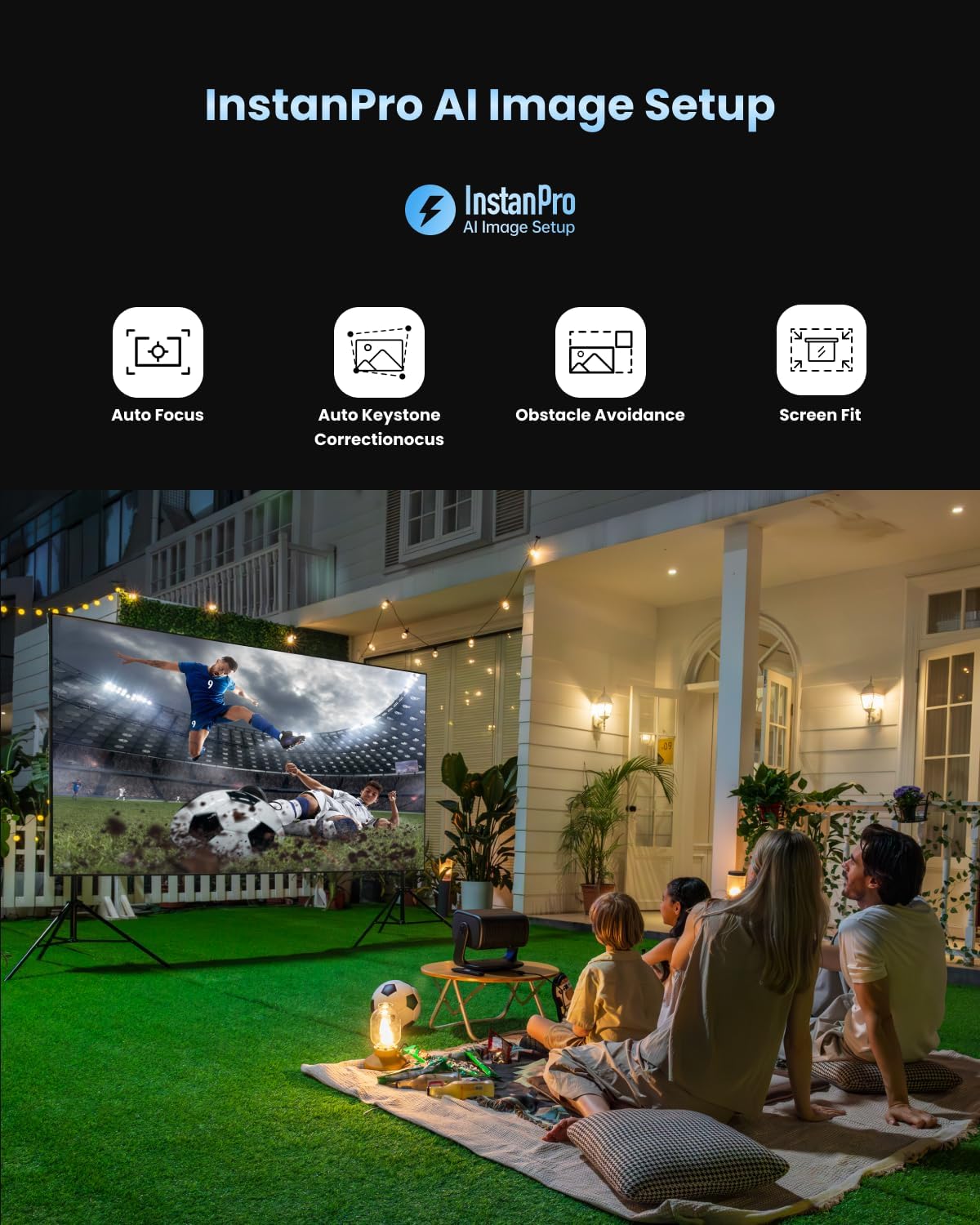
Figure 5: InstanPro AI Image Setup features for automatic optimization.
4.2 Google TV Atanga
Navigate the Google TV interface using the remote control. Access your favorite streaming apps, movies, shows, and more.

Figure 6: The Google TV home screen with access to popular applications.
4.3 Mana Mamao
The remote control provides quick access to essential functions. It includes dedicated buttons for popular streaming services like YouTube, Netflix, and Prime Video, as well as buttons for focus and keystone correction adjustments.
5. Hononga
The Dangbei MP1 MAX offers various connectivity options:
- HDMI 2.1 (eARC): For connecting external devices like gaming consoles, Blu-ray players, or sound systems. The eARC port supports enhanced audio return channel functionality.
- USB: Mō te purei pāpāho mai i ngā puku USB.
- Nihokikorangi 5.2: For connecting wireless audio devices.
- Wi-Fi 6: For high-speed wireless internet connection.
6. Image Quality & Performance
The projector delivers a vibrant and bright 4K image. It supports HDR10+, HDR10, and HLG for enhanced contrast and color. The 3100 ISO Lumens brightness allows for clear viewing even in well-lit environments, though optimal viewing is achieved in darker conditions.

Figure 7: Visual comparison demonstrating the impressive brightness of the MP1 MAX.
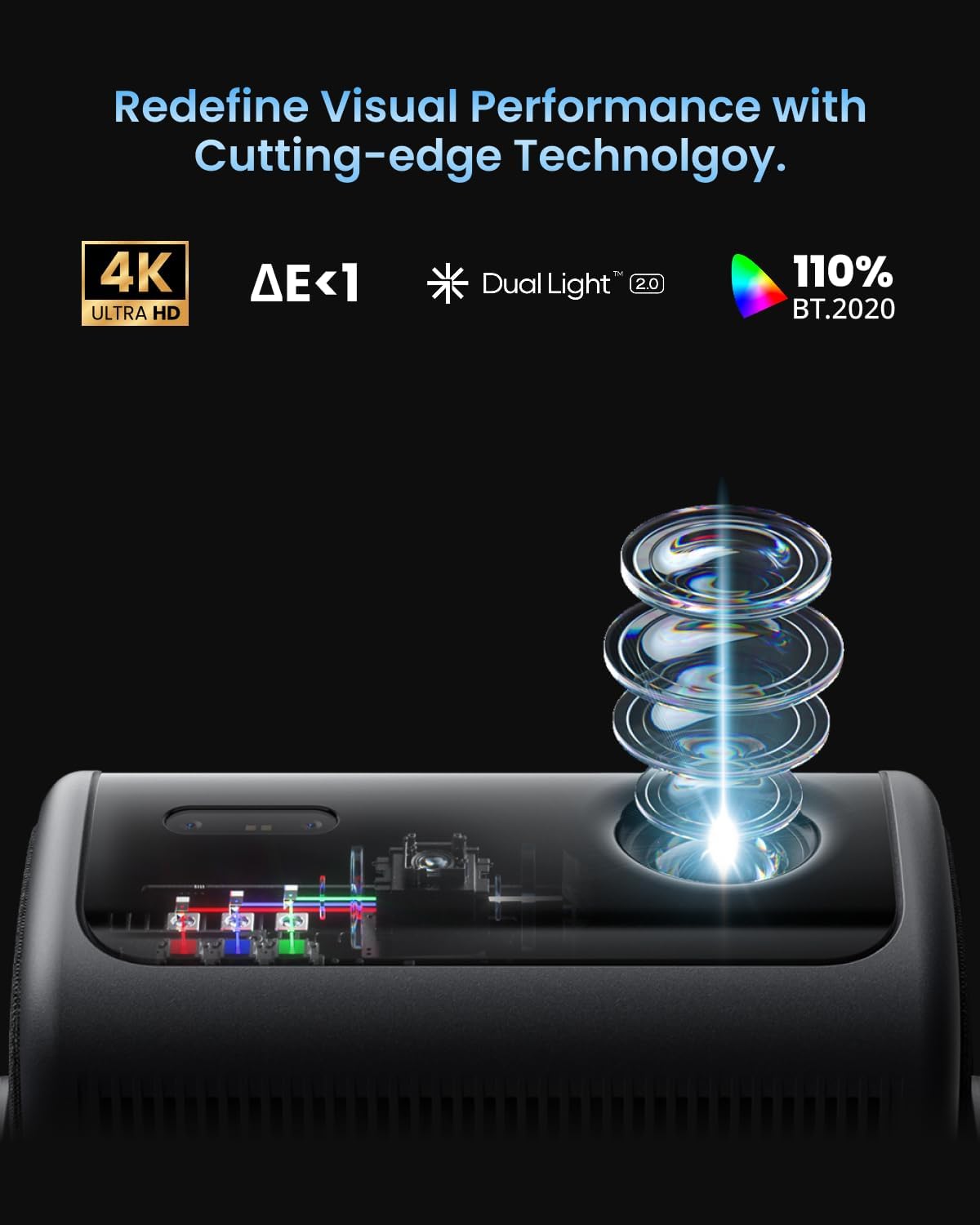
Figure 8: The Dual Light 2.0 engine combines Triple Laser and LED technology for superior visual performance.
7. Ororongo
Equipped with dual 12W speakers, a 750cc acoustic chamber, and a bass-reflex system, the MP1 MAX provides powerful surround sound down to 45Hz. It supports Dolby Audio and DTS:X for a cinema-grade audio experience.
8. petipeti
For casual gaming, the projector offers a responsive experience. While not designed for professional competitive gaming due to its refresh rate, it provides an immersive large-screen gaming experience with its bright and clear visuals.
9. Tiaki
To ensure the longevity and optimal performance of your projector:
- Keep the projector clean and free from dust. Use a soft, dry cloth for cleaning.
- Me whakarite kia tika te hau huri noa i te kaupapa kia kore e wera rawa.
- A ape i te tuku i te pūwhiti ki te tino mahana me te makuku.
10. Te Raru
Nga take me nga otinga noa:
| Putanga | Rongoa pea |
|---|---|
| Karekau he whakaahua i whakaatuhia | Check power connection, input source, and ensure the lens cap is removed. |
| He koretake te whakaahua | Allow auto-focus to run or manually adjust focus using the remote control. |
| Kua korikori te ahua (ahua trapezoid) | Allow auto keystone correction to run or manually adjust keystone settings. |
| Karekau he tangi | Check volume levels, audio output settings, and external audio device connections. |
| Ko te mana mamao kaore i te whakautu | Replace batteries, ensure no obstacles between remote and projector. |
11. Whakatakotoranga
- Tirohanga: 3100 ISO Lumens
- Whakatau: 4K UHD
- Puna Maama: Hybrid Triple Laser & LED
- Kaute Tae: 110% BT.2020
- Tautoko HDR: HDR10+, HDR10, HLG
- Rahi Kaupapa: 40"-300"
- Tauwehenga Maka: 1.2:1 (Fixed)
- Kaikōrero: Dual 12W, Dolby Audio, DTS:X
- Pūnaha Mahi: Google TV
- Hononga: HDMI 2.1 (eARC), USB, Bluetooth 5.2, Wi-Fi 6
- Nga waahanga AI: InstanPro AI (Auto Focus, Auto Keystone, Screen Fit, Obstacle Avoidance, AI Brightness)
12. Raihana me te Tautoko
For warranty information and technical support, please refer to the official Dangbei webpaetukutuku, whakapā atu ranei ki ta raatau ratonga kaihoko. Puritia to riiki hoko hei tohu mo te hoko.