
Kupu Whakataki
The Redmi Buds 8 Lite are advanced wireless earbuds designed to deliver an immersive audio experience with hybrid active noise cancellation, powerful sound, and extended battery life. This manual provides essential information for setting up, operating, and maintaining your earbuds.
He aha kei roto i te Pouaka
- Redmi Buds 8 Lite Earbuds (Left and Right)
- Puhi utu
- USB Momo-C Taura Whakapae
- Ngā pito taringa silicone (ngā rahi rerekē)
- Pukapuka Kaiwhakamahi

Image: Redmi Buds 8 Lite earbuds in their open charging case, showcasing te hoahoa pango kikorangi.
Tatūnga
1. Te Whakataki i nga Paorooro me te Puhi
Before first use, fully charge the earbuds and the charging case. Place the earbuds into the charging case and connect the USB Type-C cable to the charging port on the case and a power source. The indicator light on the case will show charging status.

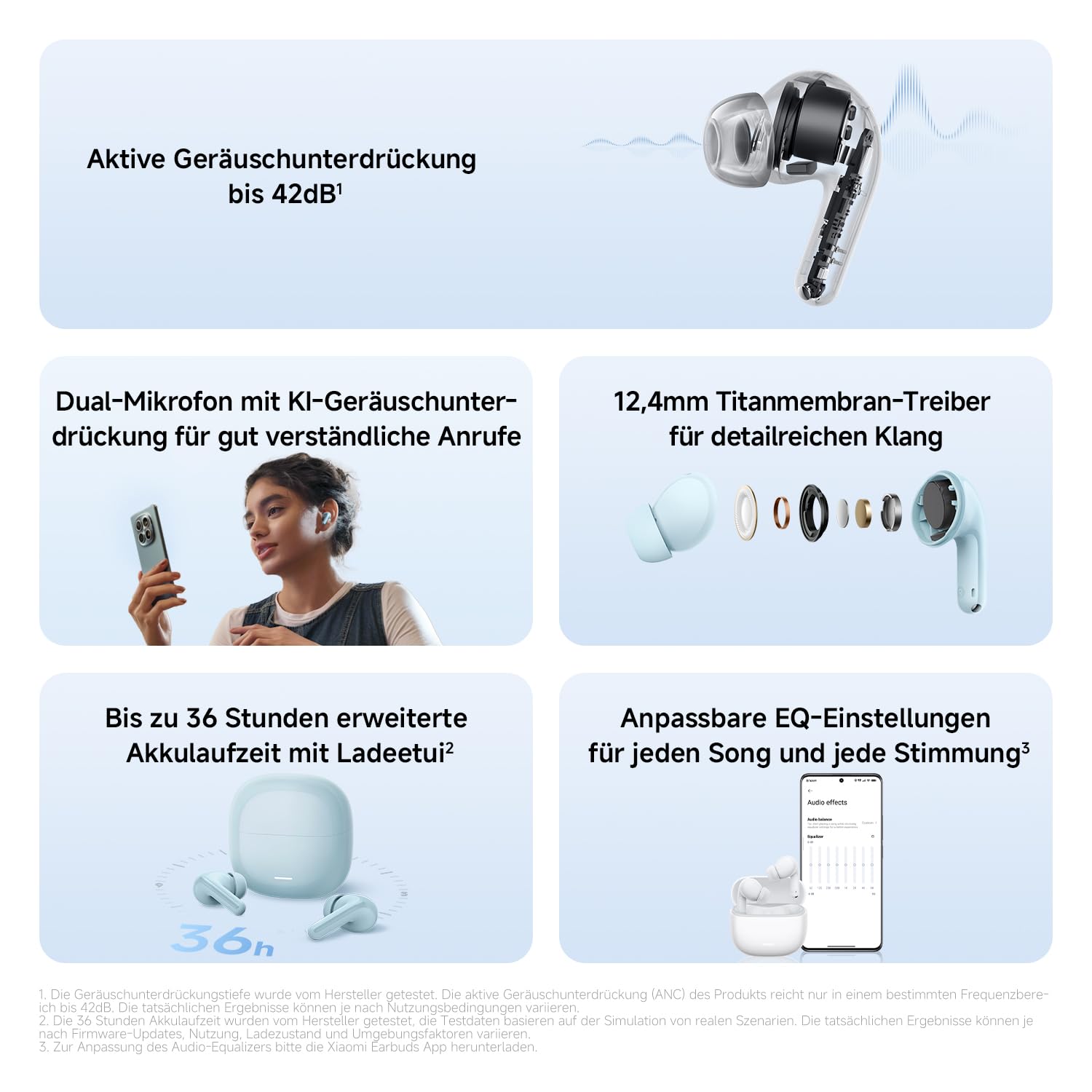
Image: The Redmi Buds 8 Lite charging case with earbuds, illustrating the extended battery life of up to 36 hours with the case.
2. Takirua Tuatahi
- Whakatuwherahia te putea utu. Ka uru aunoa nga taringa ki te aratau takirua.
- I runga i to taputapu (waea atamai, papa, aha atu), whakaahei i a Nihokikorangi.
- Rapua "Redmi Buds 8 Lite" in the list of available Bluetooth devices and select it to connect.
- For Android devices, Google Fast Pair will simplify the connection process by displaying a pop-up notification.
Te whakahaere i nga Earbuds
Mana Pa
The Redmi Buds 8 Lite feature intuitive touch controls on each earbud. The functions can be customized via the Xiaomi Earbuds app.
- Purei/Tatari: Pao kotahi ki runga i tetahi purongo.
- Riu Panuku: Pao rua ki te purongo matau.
- Riu o mua: Pao rua ki te purongo maui.
- Whakautu/Whakamutu Waea: Pao kotahi ki runga i tetahi purongo.
- Whakakore Waea: Patohia me te pupuri i tetahi purongo.
- Whakahohe i te Kaiawhina Reo: Takitoru te pao ki runga i tetahi purongo.
- Whakawhiti Aratau ANC/Mārama: Press and hold either earbud (customizable).
Whakakahoretanga Noise Kaha (ANC)
The earbuds feature 42dB Hybrid Active Noise Cancellation to reduce ambient noise, allowing for a more focused listening experience. You can switch between ANC, Transparency, and Standard modes using the touch controls or the Xiaomi Earbuds app.
Whakaahua: He taipitopito view of the Redmi Buds 8 Lite earbud highlighting its active noise cancellation capability of up to 42dB.
Crystal-Clear Calls with AI Dual-Microphone
Equipped with an AI dual-microphone system, the earbuds effectively reduce background noise and wind interference during calls, ensuring your voice is transmitted clearly.

Image: A user wearing Redmi Buds 8 Lite earbuds while on a call, demonstrating the effectiveness of the AI dual-microphone system for clear communication.
Xiaomi Earbuds App
Download the Xiaomi Earbuds app to unlock full customization options, including personalized EQ settings, firmware updates, and touch control adjustments.
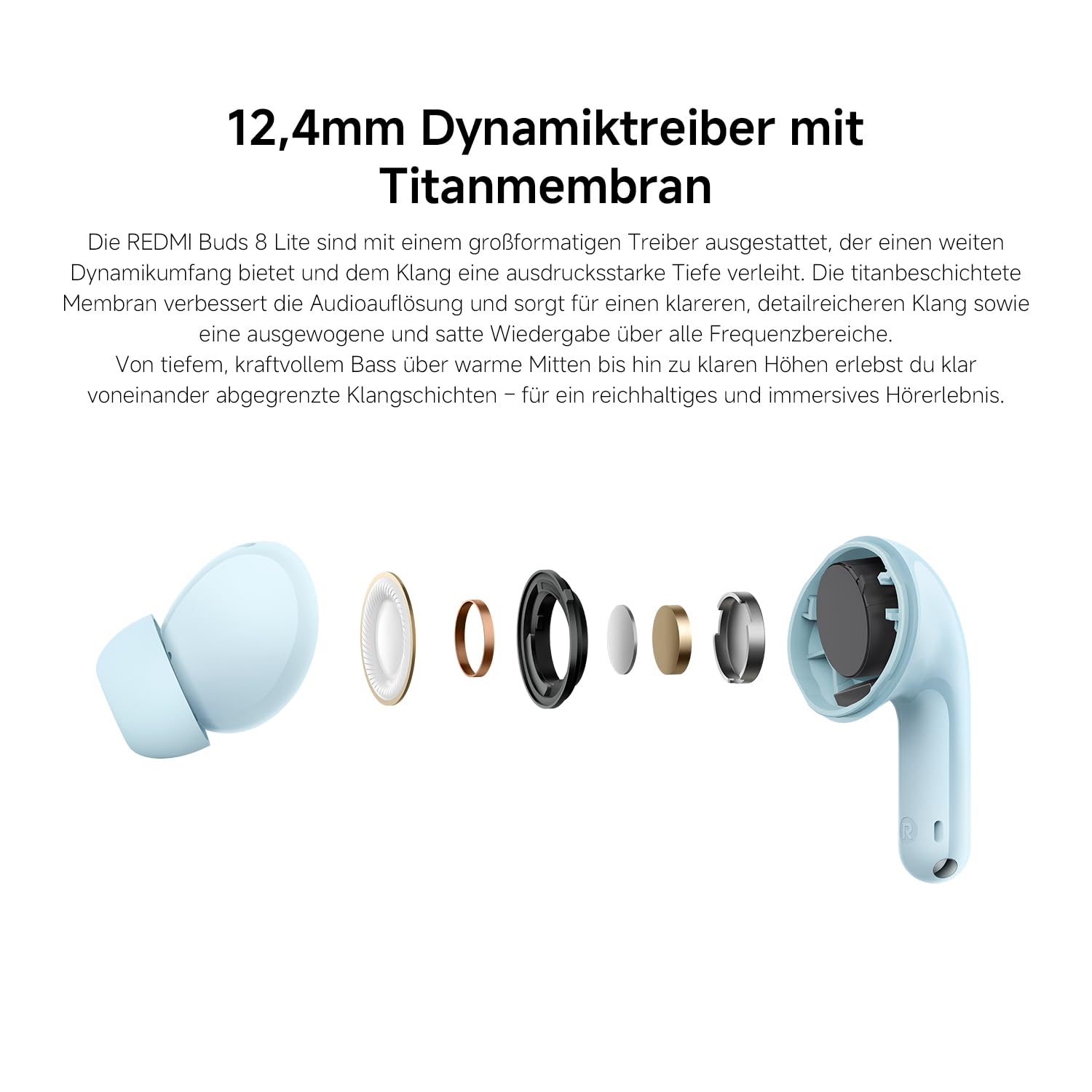
Image: A smartphone screen displaying the Xiaomi Earbuds app interface with various customizable EQ settings for audio personalization.
Nga waahanga matua
- 42dB Hybrid Active Noise Cancellation: Provides deep quiet by blocking out ambient noise for immersive sound.
- Powerful 12.4mm Dynamic Driver: Delivers rich, detailed sound with strong bass and clear treble.
- AI Dual-Microphone System: Ensures crystal-clear calls by reducing background noise and wind interference.
- 8/36-Hour Ultra-Long Battery: Up to 8 hours on a single charge, and 36 hours total with the charging case.
- Whakataki Tino Tere: Get 2 hours of music from just a 10-minute charge.
- Oro Whakaritea: Fine-tune audio via the Xiaomi Earbuds app with EQ settings.
- Nihokikorangi 5.4 Hononga: Offers stable and efficient wireless connection.
- IP54 Ātete Wai: Protects against splashes and sweat, suitable for workouts and outdoor activities.
- Takirua Tere a Google: Enables quick and seamless pairing with Android devices.
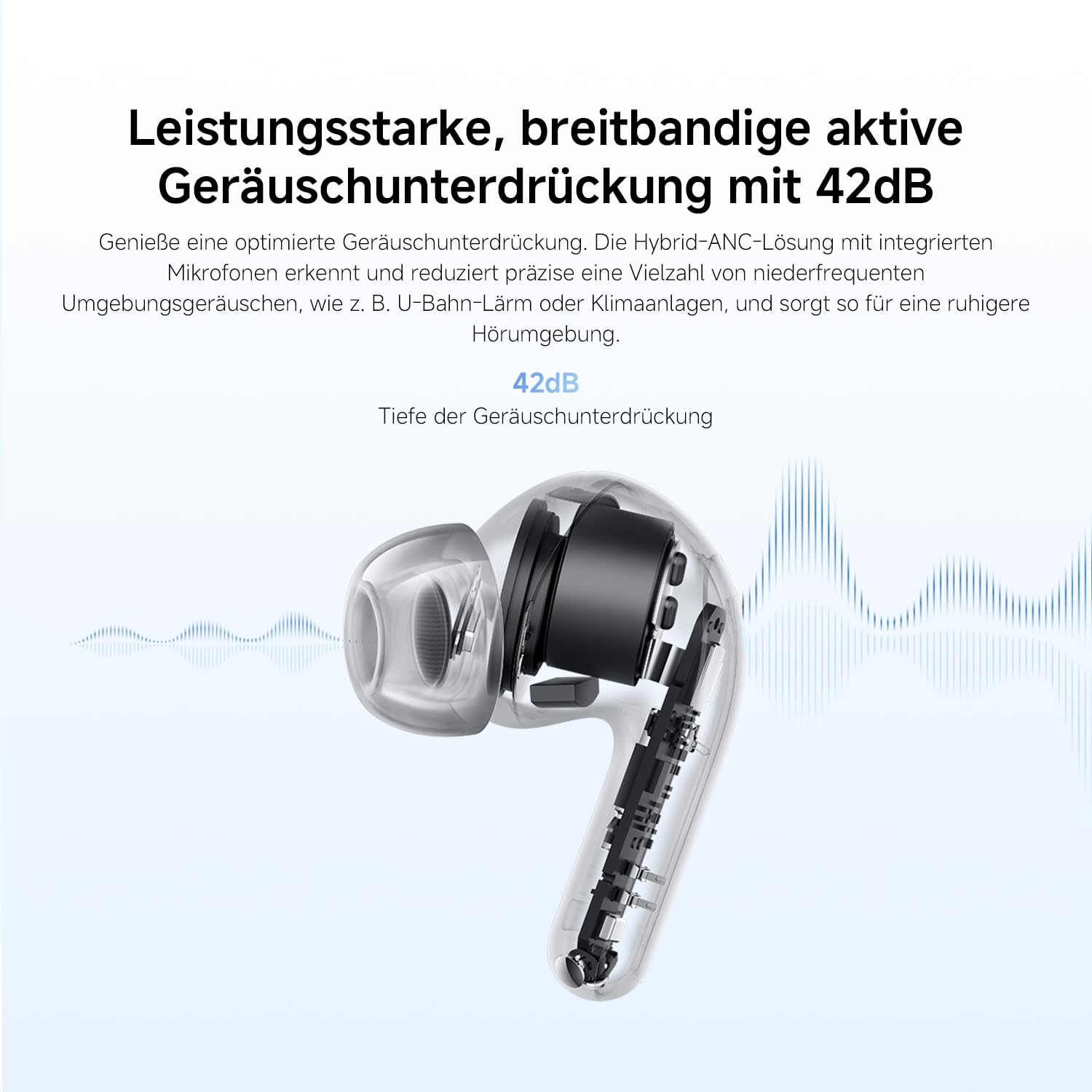
Image: An exploded diagram of the Redmi Buds 8 Lite earbud, highlighting its 12.4mm dynamic driver for detailed audio.
Te tiaki
To ensure the longevity and optimal performance of your Redmi Buds 8 Lite, follow these maintenance guidelines:
- Te horoi: Me horoi i nga wa katoa nga pukoro me te pukoro utu ki te kakahu ngohengohe, maroke, kore-puru. Kaua e whakamahi i nga matū kino, i nga mea awhiowhio ranei.
- Nga Tohu Taringa: Remove and clean the silicone ear tips periodically with water and mild soap. Ensure they are completely dry before reattaching.
- Ātete wai: The earbuds are IP54 water-resistant, meaning they are protected against splashes and sweat. Do not submerge them in water or expose them to heavy rain. Dry them thoroughly if they get wet.
- Rokiroki: Ki te kore e whakamahia, penapenahia nga purongo ki roto i o raatau pukoro hei tiaki i te puehu me te kino.
Raparongoā
If you encounter any issues with your Redmi Buds 8 Lite, refer to the following common solutions:
- Karekau e honoa nga taringa: Ensure both earbuds are in the charging case, then open the lid to initiate pairing mode. Check your device's Bluetooth settings and try reconnecting.
- Karekau he oro mai i tetahi pukoro: Place both earbuds back into the case, close the lid, wait a few seconds, then open it again. This often re-syncs them.
- Nga take utu: Me whakarite kia mau te hononga o te taura utu ki te pouaka me te pūtake hiko. Horoia ngā hononga utu i runga i ngā pane taringa me roto hoki i te pouaka.
- He pai te kounga oro: Ensure the ear tips provide a snug fit to your ear canal. Try different sized ear tips for better seal. Check for any debris blocking the earbud speakers.
- Ko nga mana pa e kore e aro: Ensure your fingers are clean and dry. A firmware update via the Xiaomi Earbuds app might resolve the issue.
- Tautuhi wheketere: If problems persist, perform a factory reset (refer to the Xiaomi Earbuds app or official support for specific instructions).
Whakatakotoranga
| Āhuahira | Whakatakotoranga |
|---|---|
| Waitohu | XIAOMI |
| Ingoa Tauira | redmi buds 8 lite |
| Tau tauira | BHR08OMGL |
| Tae | Pango |
| Te Whakanoho Taringa | I te Taringa |
| Tauwehe Puka | I te Taringa |
| Te aukati | 32 Ohm |
| Hangarau Hononga | Ahokore |
| Hangarau Ahokore | Nihokikorangi |
| Putanga Nihokikorangi | 5.4 |
| Awhe Nihokikorangi | 10 Mita |
| Momo Mana | Mana Pa |
| Tikanga Mana | Taupānga |
| Pūhiko Wawaenga Te Ora | 38 haora (me te putea utu) |
| Wā Utu Pūhiko | 1 haora |
| Mana Haruru | Hybrid Noise Cancellation (42 dB) |
| Awhe Auautanga | 20 Hz - 20,000 Hz |
| Momo Atekōkiri Ororongo | Atekōkiri Hihiko (12.4mm) |
| Taumata Atete Wai | Ātete Wai (IP54) |
| Taumaha Tūemi | 39 Karamu |
Pūtāhui me te Tautoko
The Redmi Buds 8 Lite are covered by a 1 tau te whakamana a te kaiwhakanao mai i te rā i hokona ai. Ka hipokina e tēnei pūtāhui ngā hapa o ngā rauemi me te mahi toi i raro i te whakamahinga noa. Kāore e hipokina ngā kino i puta mai i te whakamahi hē, ngā aituā, ngā whakarerekētanga kāore i whakamanahia, te kakahu me te haehae noa rānei.
For warranty claims, technical support, or further assistance, please visit the official XIAOMI support webpaetukutuku, whakapā atu ranei ki ta raatau ratonga kaihoko. Puritia to tohu hoko mo te whakamana whakamana.
Official XIAOMI Support: https://www.mi.com/global/support


