
1. Kupu Whakataki
This manual provides detailed instructions for the setup, operation, and maintenance of your EIGIIS KE3P Military GPS Smartwatch. Please read this manual thoroughly before using your device to ensure proper functionality and to maximize your user experience. Keep this manual for future reference.
2. Whakaahuatanga Hua
The EIGIIS KE3P is a rugged smartwatch designed for active lifestyles, featuring a 1.45-inch HD display and a durable construction. Key features include:
- GPS-i roto: For accurate route tracking without a phone.
- LED Flashlight & Compass: Essential tools for outdoor activities.
- 530mAh Pūhiko: Ka whakarato i te wā whakamahinga roa.
- 3ATM Whakatauranga parewai: Suitable for swimming and various water sports.
- Military-Grade Toughness: Designed to withstand harsh environments.
- Waea Nihokikorangi: Waea mai i tō ringaringa, ka taea hoki te whiwhi waea tika mai i tō ringaringa.
- Health & Fitness Monitoring: Includes 24/7 heart rate, sleep tracking, and over 110 sports modes.
- Panui Maama: Receive alerts for messages and applications.

Whakaahua: Mua view of the EIGIIS KE3P Smartwatch, showcasing tona whakaaturanga me te hoahoa pakari.
Video: A demonstration of the EIGIIS KE3P Smartwatch features and user interface.
3. Tatūnga
3.1 He aha kei roto i te Pouaka
- 1 x EIGIIS Watch Body
- 1 x Wāhanga Mataaratanga
- 1 x Taura Whakatau
- 1 x Pouaka Pouaka
- 1 x Pukapuka Kaiwhakamahi
Video: An unboxing of the EIGIIS KE3P Smartwatch, showing the contents of the package.
3.2 Te Whakataki i te Maataki Ataata
Before initial use, fully charge your smartwatch. Connect the magnetic charging cable to the charging contacts on the back of the watch and plug the USB end into a power adapter (not included) or a computer's USB port. The watch display will indicate charging status.

Image: The EIGIIS KE3P Smartwatch displaying its battery level, indicating charging.
3.3 Taupānga Tāuta me te Tauhoa
To unlock the full potential of your EIGIIS KE3P Smartwatch, download and install the companion app (GloryFit) on your smartphone. Rapua "GloryFit" in your device's app store (Apple App Store for iOS, Google Play Store for Android).
- Download and install the GloryFit app.
- Whakatuwheratia te taupānga ka whai i nga tohutohu i runga-mata hei hanga i tetahi kaute, takiuru ranei.
- Me mohio kei te whakahohea te Nihokikorangi i runga i to waea atamai.
- In the GloryFit app, navigate to the device pairing section and select your EIGIIS KE3P Smartwatch from the list of available devices.
- Whakaūhia te tono takirua i runga i to waea atamai me to maataki atamai.
3.4 Keeping the App Running in the Background
To ensure continuous data synchronization and notification delivery, the GloryFit app needs to run in the background. Follow the instructions below for your specific phone operating system:
Mo nga Kaiwhakamahi iPhone:
Video: Instructions on how to configure the GloryFit app to run in the background on an iPhone.
Mo nga Kaiwhakamahi Android:
Video: Instructions on how to configure the GloryFit app to run in the background on an Android device.
4. Nga Tohutohu Whakahaere
4.1 Whakaterenga Taketake
The EIGIIS KE3P Smartwatch features a touch screen and physical buttons for navigation:
- Mata Pa: Swipe mauī/matau, runga/iho hei whakatere i ngā tahua me ngā āhuatanga. Patohia hei tīpako.
- Upper Button (HOME): Pēhia hei hoki ki te mata kāinga, hei whakaara rānei i te pūrere.
- Lower Button (BACK): Patohia kia hoki ki te mata o mua.
4.2 Te Aroturuki GPS
The smartwatch features built-in GPS for tracking outdoor activities. You can use GPS independently or in conjunction with your smartphone.
Using GPS without a Cellphone:
Video: Instructions on how to use the EIGIIS KE3P Smartwatch's GPS tracking feature independently, without a connected cellphone.
Using GPS with a Cellphone:
Video: Instructions on how to use the EIGIIS KE3P Smartwatch's GPS tracking feature while connected to a cellphone.

Image: The EIGIIS KE3P Smartwatch displaying a GPS-tracked route on its screen.
4.3 Flashlight and Compass
The smartwatch includes a built-in LED flashlight and a digital compass for convenience during outdoor activities. Access these features through the watch's menu.
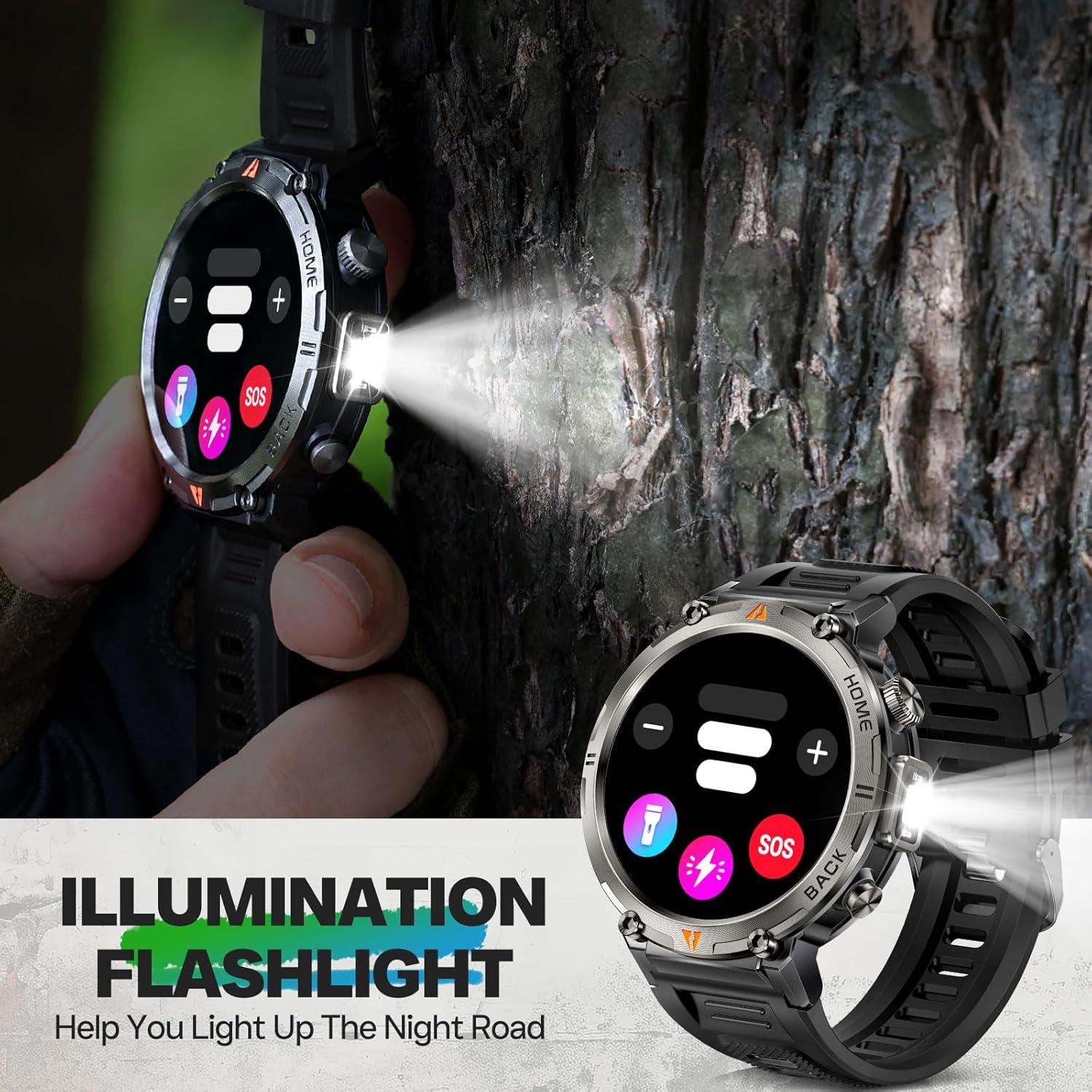
Image: The EIGIIS KE3P Smartwatch with its integrated LED flashlight activated.
4.4 Waea me ngā Pānui Nihokikorangi
Once paired with your smartphone, the smartwatch allows you to make and receive calls directly from your wrist. It also displays notifications for incoming messages and app alerts.
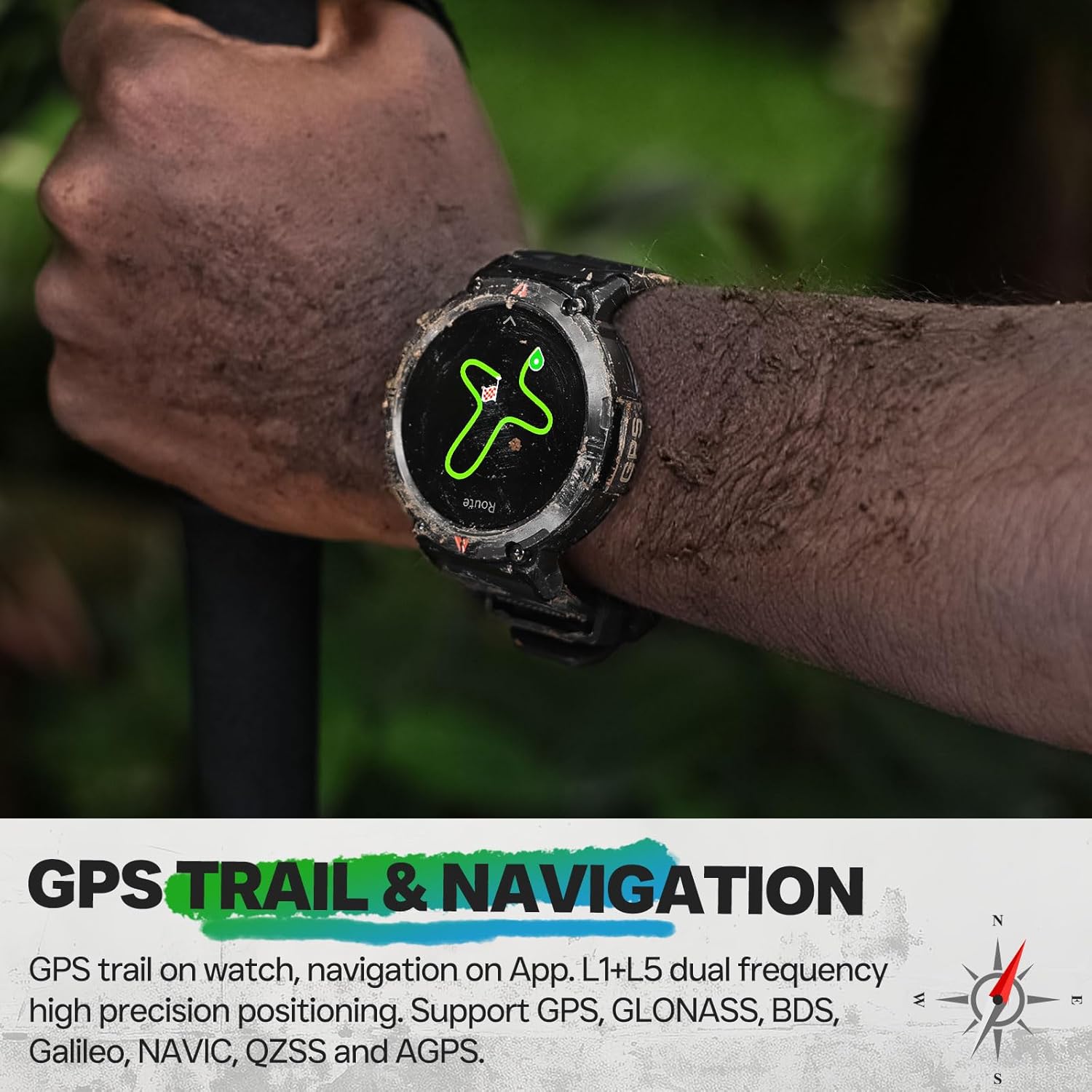
Image: The EIGIIS KE3P Smartwatch displaying an incoming call notification.
4.5 Health and Fitness Monitoring
The EIGIIS KE3P Smartwatch is equipped with sensors to monitor various health and fitness metrics:
- Te Arotake i te Ngakau: Te aroturuki tonu i te tere o te ngakau, 24/7.
- Aroturuki Moe: Ka aro turuki i ngā tauira moe me te kounga.
- 110+ Ngā Aratau Hākinakina: Track specific data for a wide range of activities.

Image: The EIGIIS KE3P Smartwatch displaying heart rate, calories, and activity duration during a workout.
4.6 Daily Life Assistant Features
Beyond fitness, the smartwatch offers several features to assist with daily tasks:
- Whakahaere Purei Waiata
- Huarere Matapae
- Mana Camera Mamao
- Whakamaumahara noho
- Karaka Whakaoho

Image: The EIGIIS KE3P Smartwatch displaying a grid of various application icons, representing its multi-functional capabilities.
5. Tiaki
5.1 Waterproofing Guidelines
The EIGIIS KE3P Smartwatch has a 3ATM waterproof rating, meaning it is resistant to splashes, rain, and can be worn during swimming. However, it is not suitable for hot showers, saunas, or diving, as steam and high water pressure can compromise the seals.

Image: The EIGIIS KE3P Smartwatch submerged in water, illustrating its 3ATM waterproof capability.
5.2 Te horoi
Regularly clean your smartwatch and watch band with a soft, damp kakahu. Āta karohia te whakamahi i ngā matū kaha, i ngā mea whakakoi rānei ka kino pea te taputapu.
5.3 Tiaki Pūhiko
To prolong battery life, avoid extreme temperatures and fully discharging the battery frequently. The 530mAh battery provides 7-10 days of typical use.
6. Te Raru
If you encounter issues with your EIGIIS KE3P Smartwatch, try the following steps:
- Kāore te Pūrere i te Whakakā: Kia tino utua te mātaaratanga. Honoa ki te taura utu me te pūtake hiko.
- Kaore e taea te hono ki te Waea: Ensure Bluetooth is enabled on your phone and the watch. Restart both devices and try pairing again through the GloryFit app.
- Raraunga Tika: Ensure the watch is worn snugly on your wrist. For GPS, ensure you are in an open area with a clear sky.
- Nga Whakamōhiotanga Kāore i Whiwhi: Check app permissions on your phone to ensure GloryFit has access to notifications. Verify that the app is running in the background.
- Kore Whakautu Mata: Try restarting the watch by pressing and holding the power button (if available) or performing a hard reset if the option is present in the settings.
For further assistance, please refer to the official EIGIIS support channels.
7. Whakatakotoranga
| Tauira Tuemi | KE3P |
| Ahu mōkihi | 6.73 x 4.37 x 1.06 inihi |
| Taumaha Tūemi | 5.6 hekere (160 Karamu) |
| Pūhiko | 1 C te pākahiko e hiahiatia ana (kei roto) |
| Rahi Whakaatu Mata Tu | 1.45 Inihi |
| Te Rokiroki Mahara | 128 MB |
| Pūnaha Mahi | No (Proprietary OS) |
| Nga waahanga motuhake | GPS, 3ATM Waterproof, 530 mAh Large Battery, 1.45" Big Screen, Flashlight, Compass, Military Standard, Bluetooth Calling, Built-in Speaker, 110+ Sports Modes, Heart Rate Monitor, Sleep Tracker, Long Standby Time, Weather Forecast, Music Control, Sedentary Reminder, Remote Camera Control, Alarm Clock |
| Pūhiko Raukaha | 530 Miliamp Nga haora |
| Hangarau Hononga | Nihokikorangi |
| Paerewa Whakawhitinga Korerokore | Nihokikorangi |
| GPS | GPS kua whakaurua |
| Hanga | Porowhita |
| Tautoko Reo | Ingarihi, Wīwī, Tiamana, Itari, Pāniora |
| Kaihanga | EIGIIS |
8. Pūtāhui me te Tautoko
For warranty information and customer support, please refer to the documentation included with your product or visit the official EIGIIS webpae. Puritia to riirii hoko hei tohu mo te hoko mo nga kereme whakamana.