
Kupu Whakataki
Thank you for choosing the EUQQ YYK-Q10 AI Translator Earbuds. These earbuds are designed to provide seamless real-time language translation, high-quality audio, and effective noise cancellation, making them ideal for communication across language barriers, business meetings, and everyday use. This manual will guide you through the setup, operation, and maintenance of your new device to ensure optimal performance and user experience. Please read this manual thoroughly before using the product.
Ihirangi mokete
Tena koa tirohia te kete mo nga mea e whai ake nei:
- EUQQ YYK-Q10 AI Translator Earbuds (L/R)
- Puhi utu
- Tauira Whakatau USB
- Nga Rahi Maha o Nga Tohu Taringa
- Pukapuka Kaiwhakamahi
Mena kua ngaro, kua pakaru rānei ētahi o ngā taonga, whakapā atu ki te ratonga kiritaki.
Ka mutu te huaview
The EUQQ YYK-Q10 features a compact design with intuitive controls and a smart charging case. Familiarize yourself with the components below.
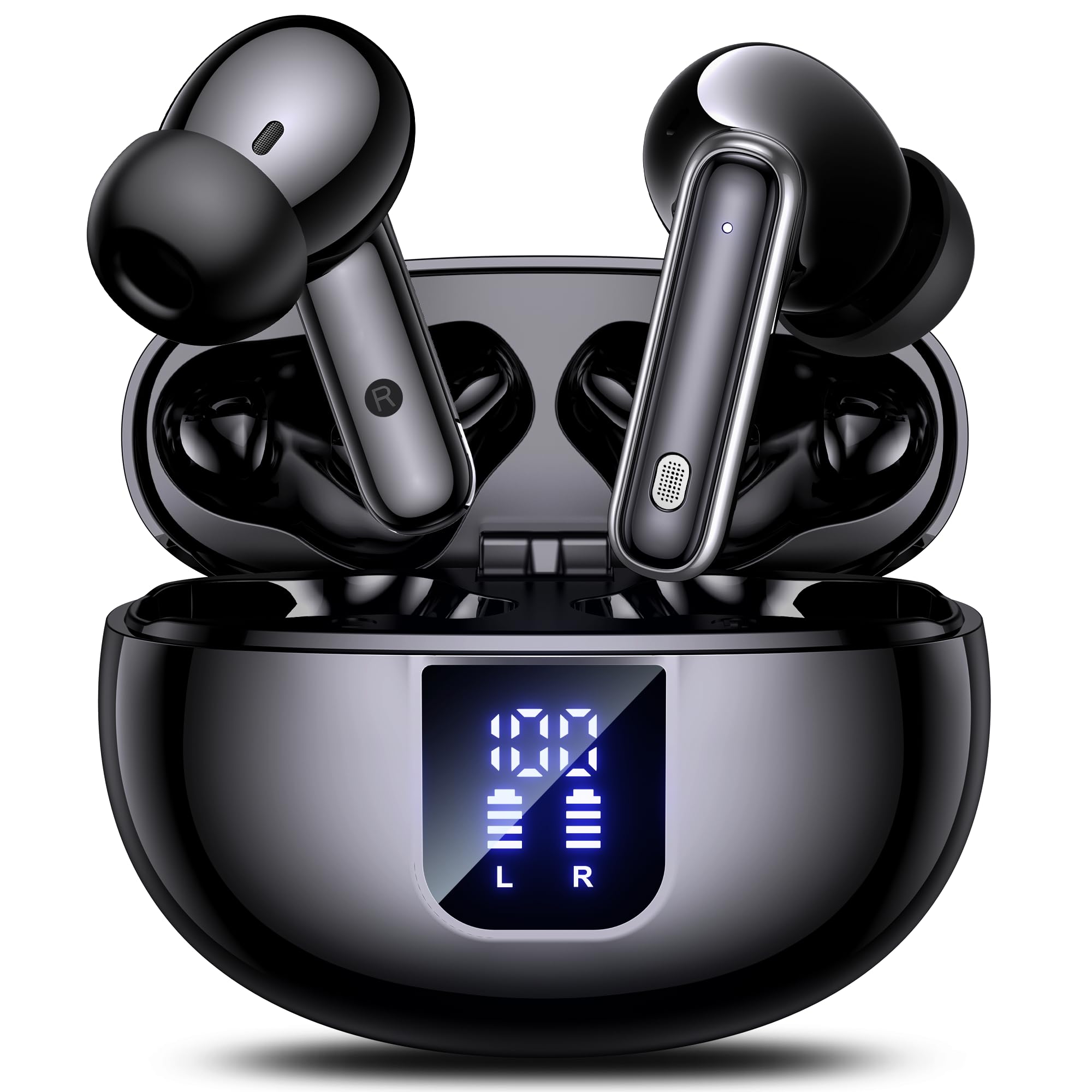
Image: The EUQQ YYK-Q10 AI Translator Earbuds are shown inside their open charging case. The case is black and features a digital display on the front, indicating battery levels for both the case and individual earbuds (L and R). The earbuds themselves are black with silver accents.
Wae matua:
- Nga taringa taringa: Left (L) and Right (R) earbuds with touch control areas and microphones.
- Kei te Whakatakihia te Puhi: Stores and charges the earbuds. Features a digital display for battery status.
- Tauranga Whakatau: USB-C port on the charging case for power input.
- Tohu LED: On earbuds and case to show charging status and connection.
Tatūnga
1. Whakataki Tuatahi
- Whakanohia nga taringa taringa e rua ki roto i te keehi ka utua.
- Honoa te taura utu USB ki te tauranga utu i runga i te pouaka me te pūtake hiko.
- The digital display on the case will show the charging status. Ensure both earbuds and the case are fully charged before first use (approximately 1-2 hours).
2. Takirua Nihokikorangi
- Whakatuwheratia te pouaka utu. Ka uru aunoa ngā pane taringa ki te aratau takirua, e tohuhia ana e ngā rama LED e mura ana.
- I runga i to waea atamai, i to taputapu ranei, whakaaheihia te Nihokikorangi me te rapu mo nga taputapu e waatea ana.
- Select "EUQQ YYK-Q10" from the list of devices.
- Once connected, the earbud LEDs will stop flashing, and a voice prompt will confirm the connection.
3. App Installation (for Translation Features)
To utilize the real-time translation features, download the dedicated EUQQ translation app from your device's app store (iOS App Store or Google Play Store). Follow the in-app instructions to connect your earbuds and configure language settings.
Nga Tohutohu Whakahaere
Te Hiko / Whakaweto
- Whakahiko: Whakatuwheratia te pouaka utu, tangohia rānei ngā pane taringa i roto i te pouaka. Ka whakakā aunoatia.
- Weto Whakakore: Whakahokia ngā pane taringa ki roto i te pouaka utu, ka kati i te taupoki. Ka whakaweto aunoa.
Music Playback Controls (Touch Controls)
- Purei/Tatari: Pao kotahi ki runga i tetahi purongo.
- Riu Panuku: Pao rua ki te purongo matau.
- Riu o mua: Pao rua ki te purongo maui.
- Runga Runga: Takitoru te pao ki te purongo katau.
- Raro Raro: Takitoru te pao ki te taha maui.
Whakahaere Waea (Mana Pā)
- Whakautu/Whakamutu Waea: Pao kotahi ki runga i tetahi purongo.
- Whakakore Waea: Patohia me te pupuri i tetahi purongo mo te 2 hēkona.
Translation Mode
Activate translation mode through the dedicated EUQQ app. The app will guide you through selecting source and target languages. Depending on the app's features, you may use different modes:
- Aratau Korero: Speak into your earbud's microphone, and the translation will be played through the other person's earbud or your phone's speaker.
- Interpreter Mode: One person wears an earbud, the other speaks into the phone.
- Touch-to-Speak Mode: Tap an earbud to speak, release to translate.
Refer to the EUQQ app's help section for detailed instructions on specific translation modes and features.
Whakakore Haruru
The earbuds feature dual-mic noise cancelling. This feature is typically active by default or can be toggled via the companion app. It helps reduce ambient noise during calls and translation sessions for clearer communication.
Te tiaki
- Te horoi: Me horoi i nga wa katoa nga pukoro me te pukoro utu ki te kakahu ngohengohe, maroke, kore-puru. Kaua e whakamahi i nga matū kino, i nga mea awhiowhio ranei.
- Nga Tohu Taringa: Tangohia, ka horoia ngā pito taringa i ia wā ki te wai me te hopi ngawari. Me whakarite kia maroke rawa i mua i te tāpiri anō.
- Kei te utu Hoapā: Gently clean the charging contacts on both the earbuds and the case with a dry cotton swab to ensure proper charging.
- Rokiroki: When not in use, store the earbuds in their charging case to protect them and keep them charged. Avoid extreme temperatures and humidity.
Raparongoā
| Raruraru | Rongoā |
|---|---|
| Karekau nga taringa e hono ana |
|
| Kaore he tangi, he iti ranei te rahinga |
|
| Nga take utu |
|
| Kāore e mahi ana te whakamāoritanga |
|
Whakatakotoranga
| Āhuahira | Taipitopito |
|---|---|
| Waitohu | EUQQ |
| Ingoa Tauira | YYK-Q10 |
| Hangarau Hononga | Ahokore |
| Waea Puka Puka | Roto-taringa |
| Tae | Pango |
| Nga Waahanga kei roto | Instruction Manual (and other standard accessories like earbuds, case, cable, ear tips) |
| Te maha o nga mea | 1 (product unit) |
| Nga Pikohiko e hiahiatia ana | No (built-in rechargeable) |
| Tauira Tauira Kaihanga | YYK-Q10 |
| Ahu mōkihi | 0.1 x 0.1 x 0.1cm; 45.36g |
| ASIN | B0FN3WC8LW |
Nga korero Whakaputanga
The EUQQ YYK-Q10 AI Translator Earbuds come with a standard manufacturer's warranty. For detailed information regarding warranty coverage, terms, and conditions, please refer to the warranty card included in your package or visit the official EUQQ webpae. Tena koa pupurihia to tohu mo te hoko mo nga kereme whakamana.
Tautoko Kiritaki
If you encounter any issues or have questions regarding your EUQQ YYK-Q10 AI Translator Earbuds, please do not hesitate to contact our customer support team. You can find contact information on the official EUQQ website or through the support section of the EUQQ translation app.
Rauemi ipurangi:
- Official EUQQ Webpae: Visit EUQQ Store on Amazon
- EUQQ Translation App (for in-app support)