
1. Kupu Whakataki
Thank you for choosing the Sofucor 52 Inch Smart Ceiling Fan. This manual provides essential information for the safe installation, operation, and maintenance of your new ceiling fan. This model features smart control options (voice, app, remote), a quiet DC motor, and a reversible function for year-round comfort. Please read these instructions thoroughly before installation and retain them for future reference.
2. Nga korero haumaru
- Haumaru Hiko: Always disconnect power at the main circuit breaker before installation or servicing. Consult a qualified electrician if you are unsure about wiring connections.
- Whakapiki: Ensure the mounting structure can support the weight of the fan (approximately 13.12 pounds) and is securely fastened.
- Whakawātea Mata: Kia mau tonu te tawhiti i te iti rawa e 7 putu mai i te papa ki ngā mata o te pā, me te 18 inihi mai i te pakitara ki ngā pito o te mata.
- Mahinga Fan: Kaua e whakauru i ētahi mea ki te ara o ngā mata o te pā.
- Te horoi: Whakamahia he ngohengohe, damp kakahu mo te horoi. A ape i nga matū kino e kino ai te otinga.
3. Ihirangi mokete
Manatokona kei te noho nga waahanga katoa i mua i te tiimata o te whakaurunga:
- Whakapuru (1)
- DC Motor Assembly (1)
- Solid Wood Blades (3)
- Pūkete Pūmārō (nga tīwiri, horoi, nati waea)
- Bottom Cover (1)
- Pukapuka Tohutohu (1)
- Mana Mamao (1)
- Kaiwhiwhi (1)
4. Whakatakotoranga
| Waitohu | Sofukor |
| Ingoa Tauira | KBS-52143 |
| Hunga Hua | 52"D x 52"W x 9.64"H |
| Taumaha Tūemi | 13.12 pauna |
| Tae | Brown+black |
| Kāhua | Smart-Without Light |
| Puna Mana | 120V AC input, DC motor |
| Momo Motuka | DC |
| Taumata Haruru | 30 Decibels |
| Te Rerenga Hau | 5800 Puawai Puawai mo ia meneti |
| Te maha o nga taumata hiko | 6 |
| Tikanga Mana | Taupānga, Mamao, Reo |
| Mahinga o roto/waho | Roto, Waho |
5. Tāutanga
Hiranga: Before starting, ensure the power is turned off at the circuit breaker. It is recommended to have a qualified electrician perform the installation.
5.1 Nga Waahi i mua i te whakaurunga
- Whakawetohia te Mana: Locate your circuit breaker box and turn off the power to the ceiling fan location.
- Whakaritea nga Utauta: Gather necessary tools such as a screwdriver, wire strippers, pliers, and a ladder.
- Wewete Waenga: Tangohia marietia ngā wāhanga katoa mai i te takai ka whakatakotoria ki waho.
5.2 Te Whakapiki i te Taiapa
Secure the mounting bracket to your ceiling. The type of screws used will depend on your ceiling material (concrete, junction box, or wooden ceiling). Refer to the detailed instructions in the printed manual for specific screw types and procedures.
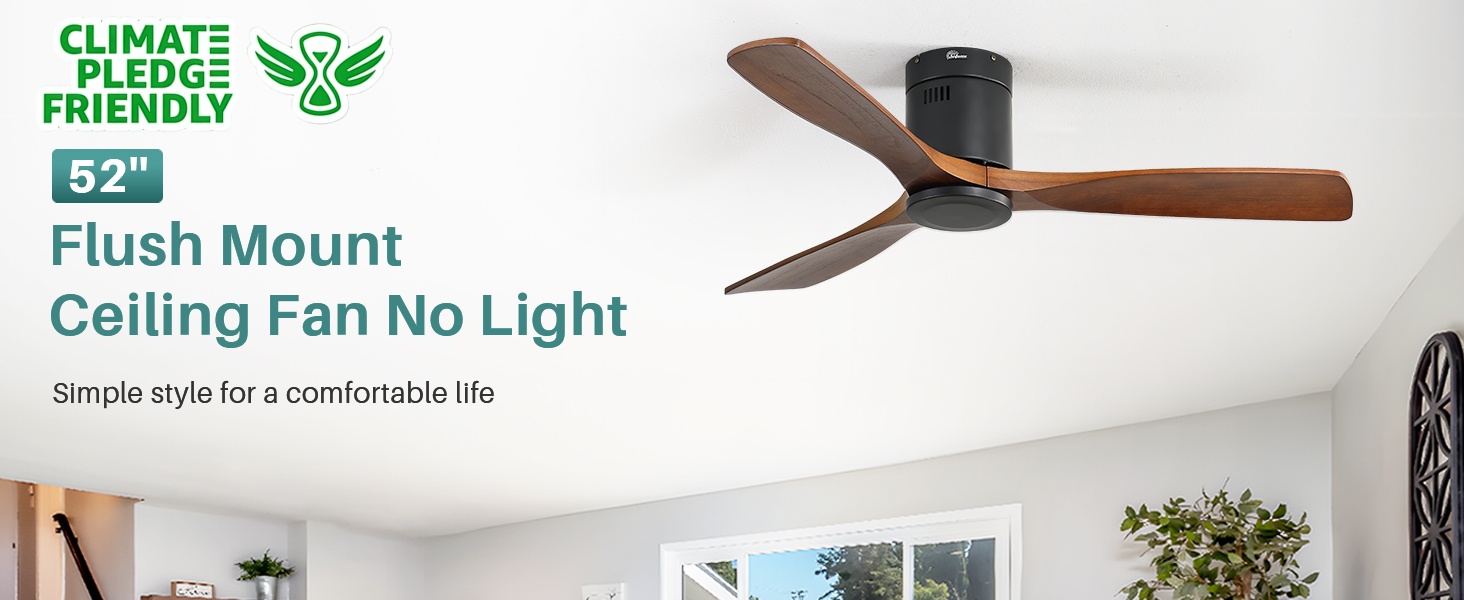
Image: Sofucor 52 Inch Smart Ceiling Fan without lights, flush mount design.
5.3 Te Huihuinga i te Poho
- Āpiti Matatahi: Securely attach the three solid wood blades to the motor assembly using the provided screws.
- Tūhono Kaiwhiwhi: Connect the receiver to the fan's wiring. Ensure all connections are tight and secure.
- Hononga Waea: Connect the fan's black wire to the home's hot wire, the fan's white wire to the home's white or neutral wire, and the green wire to the ground wire. Use wire nuts to secure connections.
- Iri Fan: Carefully hang the fan assembly onto the mounting bracket.
- Secure Downrod/Canopy: Secure the downrod (if applicable) and canopy to the mounting bracket, ensuring all screws are tightened.
- Install Bottom Cover: Attach the bottom cover to the motor housing.
5.4 Aratohu Ataata Whakauru
For a visual step-by-step guide, please refer to the official installation video:
Video: Detailed installation instructions for the Sofucor 52 Inch Ceiling Fan.
6. Nga Tohutohu Whakahaere
6.1 Mana Mamao
The included remote control allows for convenient operation of your fan. Functions include:
- Hiko Whakaka/Weto: Ka whakakā, ka whakaweto rānei i te pā.
- Tere Kiri: Adjusts between 6 fan speeds (Level 1-6).
- Mahi Whakahokia: Changes the direction of blade rotation for summer (downward airflow) or winter (upward airflow) use.
- Matawā: Ka tautuhi i te powhiriwhiri kia weto aunoa i muri i te 1, 4, 8 haora ranei.

Image: Sofucor 52 Inch Smart Ceiling Fan control methods: remote, app, and voice.
6.2 Mana Taupānga (Taupānga Ora Atamai)
Your Sofucor smart ceiling fan can be controlled via the Smart Life mobile application. Follow these steps to connect:
- Tikiake App: Download the 'Smart Life' app from your smartphone's app store.
- Rēhita/Takiuru: Waihangahia he kaute, takiuru ranei.
- Tāpiri Pūrere: Tap 'Add Device' or the '+' icon. Ensure your phone's Wi-Fi and Bluetooth are enabled.
- Aratau takirua: Follow the app's instructions to put the fan into pairing mode (usually by cycling power).
- Tūhono: Select the 'KBS DC FAN' from the discovered devices and enter your Wi-Fi credentials.
- Mana: Once connected, you can control fan speed, direction, and timer settings directly from the app.
6.3 Mana Reo (Alexa/Kaiawhina Google)
Integrate your Sofucor smart ceiling fan with Amazon Alexa or Google Assistant for hands-free control:
- Hononga Pūkete: In your Alexa or Google Home app, enable the 'Smart Life' skill/service and link your Smart Life account.
- Tirohia nga Pūrere: Tonoa tō kaiawhina reo kia kitea he taputapu hou.
- Tono Reo: Use commands like "Alexa, turn on the ceiling fan" or "Hey Google, set fan speed to 3."
6.4 Reversible Function
The fan features a reversible motor for optimal air circulation throughout the year:
- Aratau Raumati: Ka huri ngā mata i te taha whakamuri, ka hanga he rerenga hau ki raro, ka puta he pānga whakamatao.
- Aratau takurua: Blades rotate clockwise, creating an upward airflow that circulates warm air trapped near the ceiling, helping to evenly distribute heat.

Image: Reversible function for summer (downward airflow) and winter (upward airflow).
7. Tiaki
Mā te tiaki auau ka tino pai te mahi me te roa o te ora o tō pā:
- Te horoi: Periodically clean the fan blades and motor housing with a soft, lint-free cloth. Do not use abrasive cleaners or solvents.
- Whakatikia nga Tiu: Tirohia ngā tīwiri me ngā hononga katoa i ia tau kia mōhio ai kei te mau tonu. Ka puta te haruru, te wiri rānei i ngā hononga wetekina.
- Taurite Mata: If the fan wobbles, ensure the blades are properly balanced. Refer to the troubleshooting section or contact support if needed.
8. Te Raru
| Raruraru | Take pea | Rongoā |
|---|---|---|
| Kaore e timata te Fan | Kaore he kaha ki te powhiriwhiri; Nga hononga waea wetekina; He iti te pākahiko mana mamao. | Tirohia te pūwāhi ara iahiko; Tirohia mēnā kei te mau ngā hononga waea katoa; Whakakapia ngā pākahiko mana mamao. |
| Ka wiri te Fan | Nga wiri o te mata; Matatahi kore taurite; Te awhi whakapuru wewete. | Tighten all blade screws; Use a balancing kit (not included) to balance blades; Ensure mounting bracket is securely installed. |
| Ko te mana mamao kaore e mahi | Battery low/dead; Incorrect pairing; Obstruction between remote and receiver. | Replace batteries; Re-pair the remote with the fan (refer to app control section for pairing); Ensure clear line of sight. |
| Ka haruru te Fan | Tiwiri wewete; Nga take motuka; Nga matatahi e patu ana i te arai. | Check and tighten all screws; Ensure no obstructions are near the blades; Contact customer support if motor noise persists. |
9. Pūtāhui me te Tautoko
Sofucor stands behind the quality of its products. This ceiling fan comes with:
- Lifetime Motor Maintenance: The fan's DC motor is covered by a lifetime maintenance policy.
- Mahere Tiaki Tau 3: A 3-year protection plan is provided for all accessories.
Our technical support team is available to assist you with any questions or issues. We aim to respond within 24 hours. For support, please refer to the contact information provided with your purchase or visit the official Sofucor webpae.