
1. Kupu Whakataki
This manual provides essential information for the proper setup, operation, and maintenance of your MUNBYN IRT12 Rugged Windows Tablet. Please read this manual thoroughly before using the device to ensure optimal performance and longevity.
1.1 Hua Neke atuview
The MUNBYN IRT12 is a rugged 10.1-inch Windows tablet designed for demanding environments. It features a sunlight-readable display, Wi-Fi 6 connectivity, and a robust design to withstand challenging conditions.

Figure 1.1: The MUNBYN IRT12 Rugged Windows Tablet, shown with an included stylus and an attached hand strap.
2. He aha kei roto i te Pouaka
Manatokona kei roto katoa nga mea kei roto i te kete:
- MUNBYN IRT12 Rugged Windows Tablet
- Here-ringa
- Pūurutau AC
- Te Hiko AC
- Tablet Stylus
- TYPE-C OTG Cable
- Kakau Kawe

Figure 2.1: All components included with the MUNBYN IRT12 Rugged Windows Tablet.
3. Device Layout and Features
Familiarize yourself with the physical layout and key features of your IRT12 tablet.

Pikitia 3.1: Mua, muri, me te taha views of the IRT12 tablet with labels for all external components.
3.1 Nga waahanga matua
- 1000-nit Sunlight Readable Display: The 10.1-inch display offers high brightness for clear visibility in direct sunlight.
- Hononga Wi-Fi 6: Supports faster and more stable wireless network connections with data transfer rates up to 1800Mbps.
- Matapihi 11 Pro: Equipped with the latest Windows operating system for professional needs.
- Intel Alder Lake N100 Processor: Provides enhanced computing power and efficient multitasking.
- 8GB RAM + 128GB ROM: Sufficient memory and storage for multiple applications and data.
- IP65 Rating & MIL-STD-810H Certified: Designed for durability, offering dust-tight and water-resistant protection, and tested against military standards for extreme conditions.
- 5000mAh Removable Battery: Provides up to 6.5 hours of battery life, with a removable design for easy replacement.
- GPS whakauru: For navigation and location-based services.
4. Tatūnga me te Whakamahi Tuatahi
4.1 Attaching the Hand-Strap
The included hand-strap can be attached to the back of the tablet for secure handling, especially during mobile use.
Video 4.1: Demonstration of attaching the hand-strap to the MUNBYN IRT12 tablet for improved grip and security.
4.2 Tāuta Pūhiko
The IRT12 tablet features a removable 5000mAh battery. To install or replace the battery:
- Locate the battery cover on the back of the tablet.
- Unlock the battery cover using the designated latch or screws (if applicable).
- Insert the battery into the compartment, ensuring proper alignment of the contacts.
- Whakaorangia te uhi pākahiko.
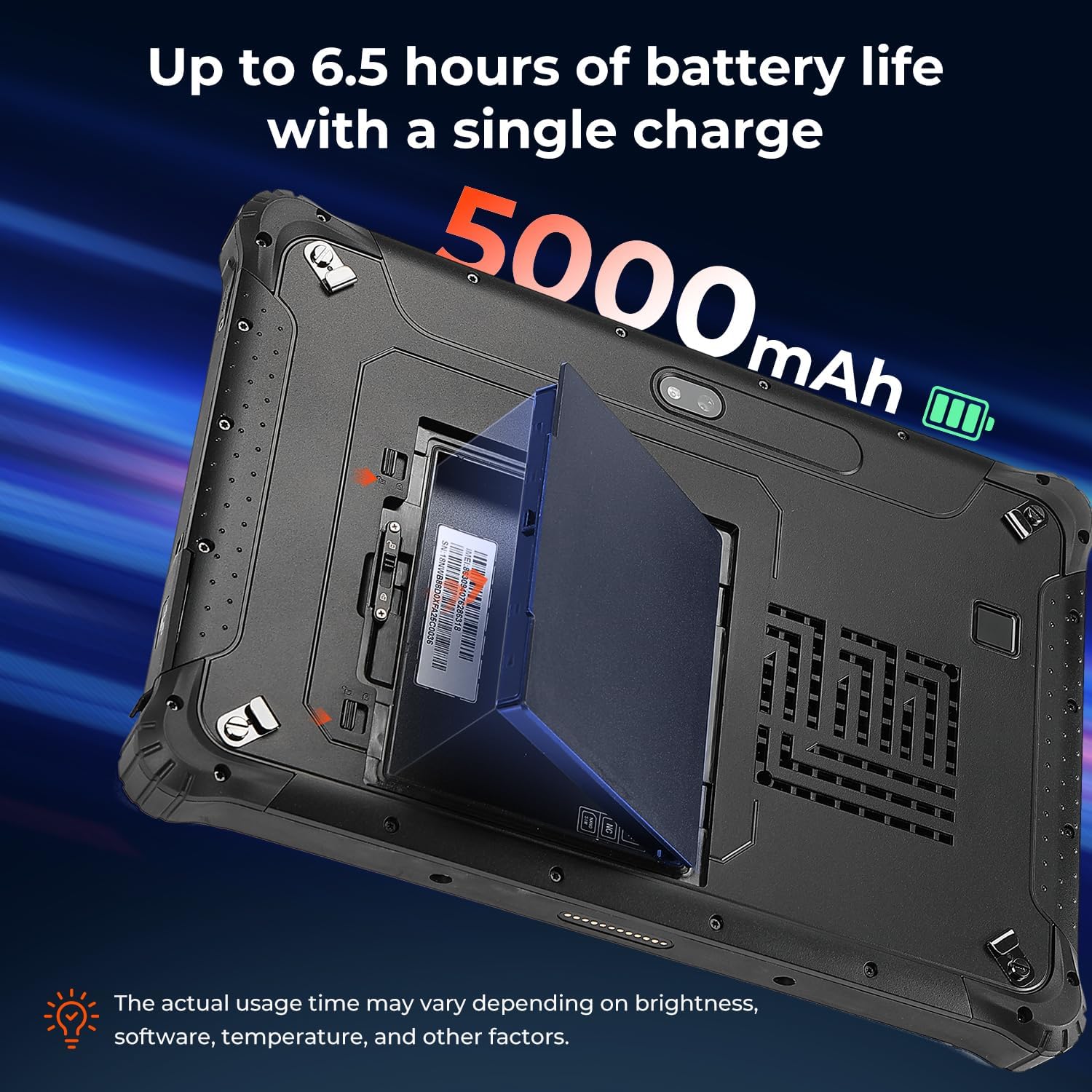
Figure 4.2: The removable 5000mAh battery being installed into the tablet.
4.3 Whakauru Kaari SIM
If you intend to use cellular data, install a Nano SIM card:
- Locate the SIM card slot, typically under the battery cover or a protective flap.
- Insert the Nano SIM card into the slot labeled "NANO SIM." Do not use the slot marked "NC."
- Me whakarite kia tino tika te whakanoho o te kāri SIM.
4.4 Kei te Hiko / Weto
To power on the tablet, press and hold the power button until the MUNBYN logo appears. To power off, press and hold the power button, then select 'Shut down' from the on-screen options.
5. Te Mahi i te Papa
5.1 Whakaaturanga me te Kanapa
The 10.1-inch display is designed for readability in various lighting conditions, including direct sunlight, with a brightness of over 1000 nits.

Figure 5.1: The tablet's screen remains clear and readable even in bright outdoor conditions.
5.2 Fingerprint Unlocking
For enhanced security and quick access, the tablet supports fingerprint unlocking.

Figure 5.2: Using the fingerprint reader for secure tablet access.
5.3 Wireless Connectivity (Wi-Fi 6 & Bluetooth 5.2)
The IRT12 supports Wi-Fi 6 for high-speed internet access and Bluetooth 5.2 for connecting wireless peripherals.

Figure 5.3: The tablet's advanced wireless capabilities.
5.4 GPS Mahi
The integrated GPS allows for accurate location tracking and navigation, useful for field operations.

Figure 5.4: The tablet being used for GPS navigation in a vehicle.
6. Te mauroa me te Tiaki
The MUNBYN IRT12 is built to withstand harsh conditions, featuring an IP65 rating and MIL-STD-810H military standard certification.
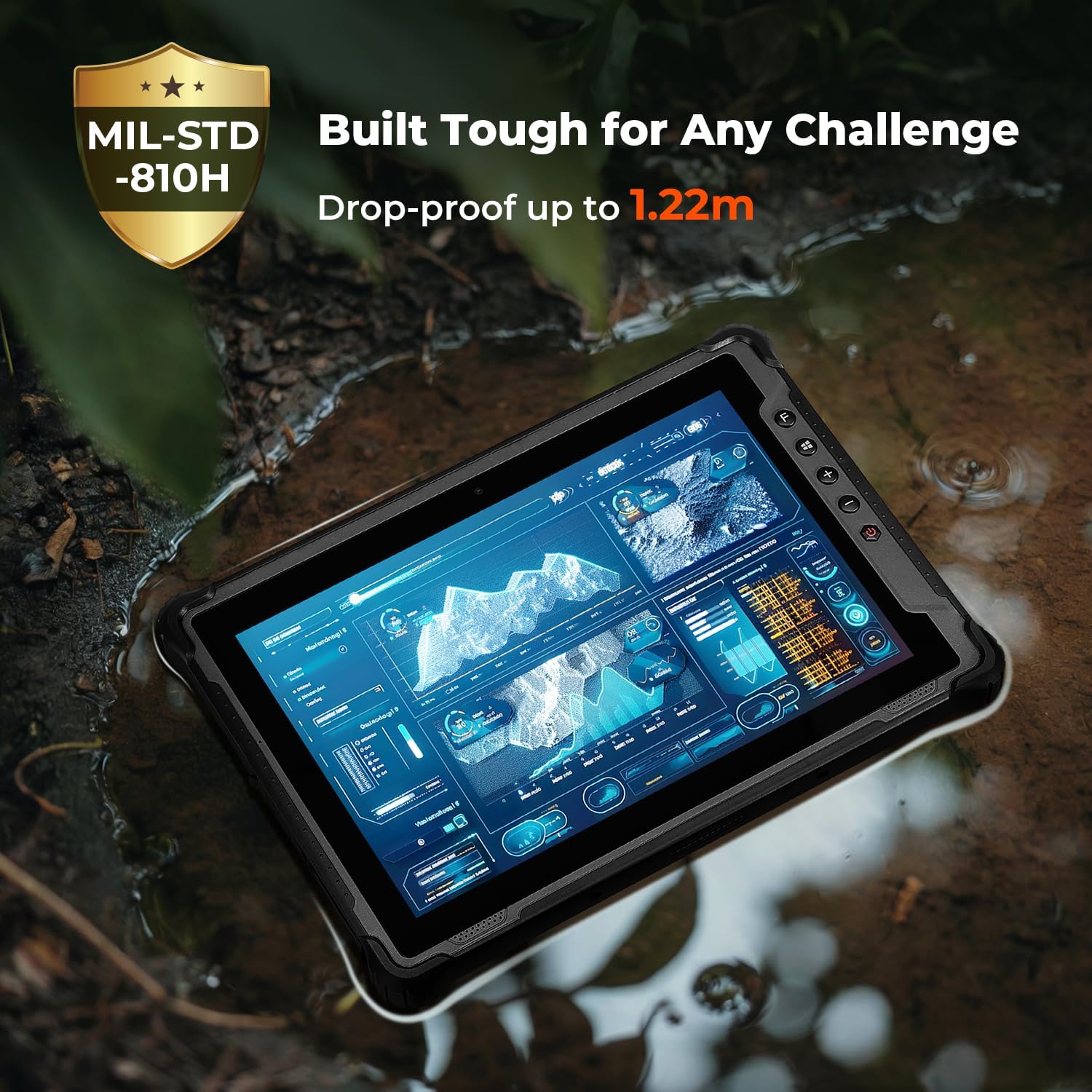
Figure 6.1: The tablet's robust construction allows it to operate in challenging environments.
7. Tiaki
To ensure the longevity and optimal performance of your MUNBYN IRT12 tablet, follow these maintenance guidelines:
- Te horoi: Whakamahia he ngohengohe, damp cloth to clean the screen and exterior. Avoid harsh chemicals or abrasive materials.
- Parenga Tauranga: Ensure all port covers are securely closed when not in use to maintain the IP65 rating against dust and water ingress.
- Tiaki Pūhiko: Avoid extreme temperatures when charging or storing the battery. If the tablet will not be used for an extended period, store it with a partial charge (around 50%).
- Whakahōu Pūmanawa: Takitaki me te whakauru i nga whakahōu Windows hei whakarite i te pumau me te haumarutanga o te punaha.
8. Te Raru
If you encounter issues with your tablet, refer to the following common troubleshooting steps:
- Karekau te papa i te hiko: Ensure the battery is properly installed and charged. Connect the tablet to the AC adapter and try again.
- Karekau te mata e whakautu ana: Perform a soft reset by holding the power button for 10-15 seconds. If the issue persists, ensure the screen is clean and dry.
- Nga take hononga Wi-Fi: Check if Wi-Fi is enabled in Windows settings. Restart the tablet and your Wi-Fi router. Ensure you are within range of a Wi-Fi signal.
- Mahinga puhoi: Close unnecessary applications. Check for available storage space and free up space if needed. Ensure Windows is up to date.
- Kāore i kitea te kāri SIM: Verify the SIM card is correctly inserted into the "NANO SIM" slot. Restart the tablet.
For further assistance, please contact MUNBYN customer support.
9. Whakatakotoranga
| Āhuahira | Whakatakotoranga |
|---|---|
| Waitohu | MUNBYN |
| Tau tauira | IRT12 |
| Pūnaha Mahi | Windows 11 Ngaio |
| Tukatuka | Intel Alder Lake N100 |
| RAM | 8 GB |
| Rokiroki | 128 GB |
| Rahi Mata | 10.1 Inihi |
| Whakatau Mata | 1920 x 1200 pixels (Max 1200*1920 Pixels) |
| Tirohanga Mata | 1000 nits (Sunlight Readable) |
| Hononga Ahokore | Wi-Fi 6, Nihokikorangi 5.2 |
| Pūhiko Raukaha | 5000mAh (Removable) |
| Toharite Pūhiko Ora | 6.5 Hours (up to) |
| Whakatauranga Mauroa | IP65, MIL-STD-810H Certified |
| Taumaha Tūemi | 4.47 pauna |
| Hunga Hua | 10.83 x 0.87 x 7.43 inihi |
10. Pūtāhui me te Tautoko
The MUNBYN IRT12 Rugged Windows Tablet comes with a 2-year protection plan, ensuring support for your device.

Figure 10.1: MUNBYN offers a 2-year protection plan and continuous online support.
10.1 Ratonga Kiritaki
MUNBYN provides 24/7 customer service to assist with any inquiries or technical issues. Support options include remote setup assistance, how-to videos, and local tech support.

Figure 10.2: Available customer support services.